
OpenAI API with React: A 2026 Guide to Chat, Tools, and Realtime Voice
A practical 2026 guide to building React apps on the OpenAI API: secure setup, typed streaming, tools/function calling, and live voice with Realtime.
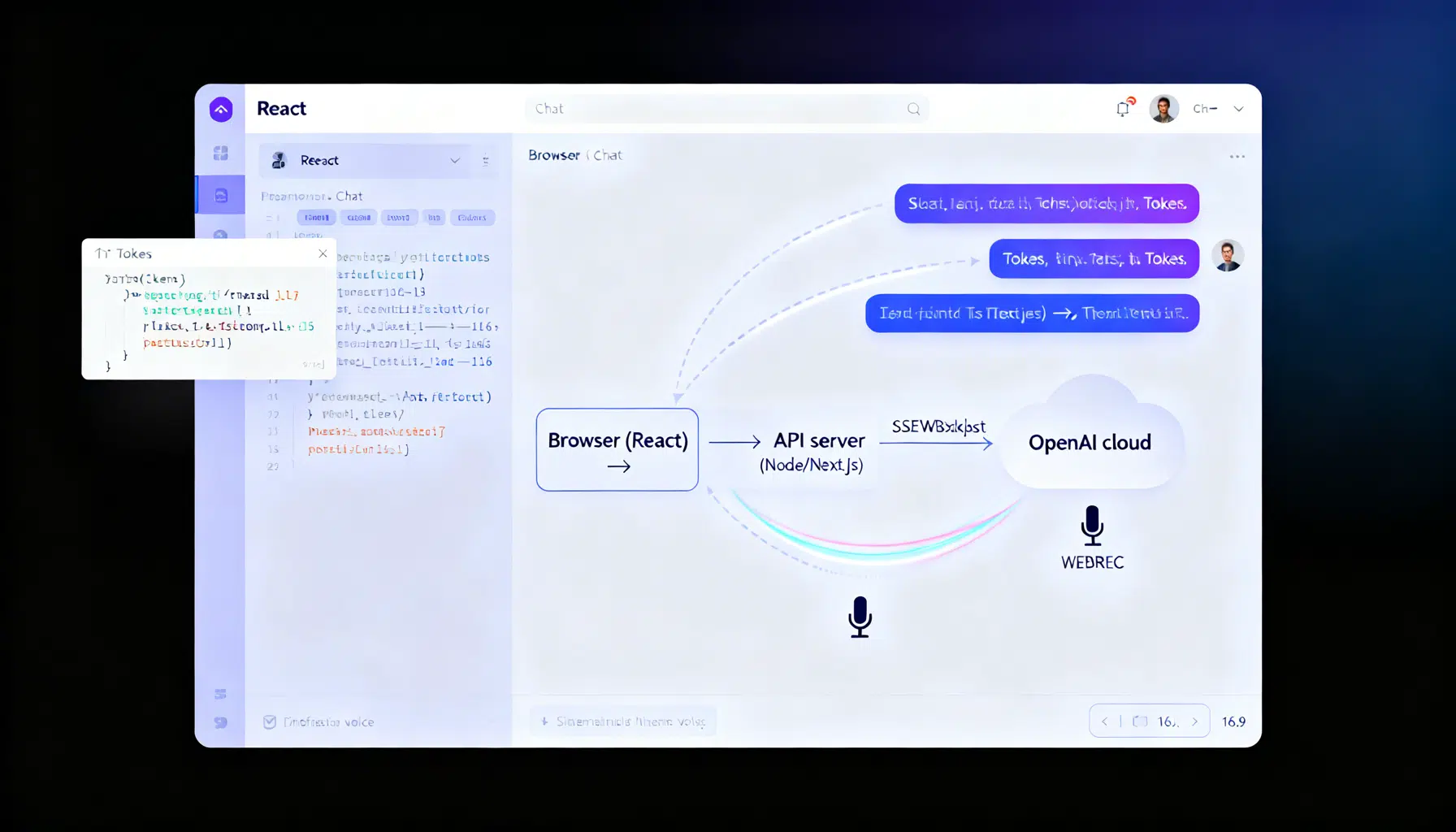
Image used for representation purposes only.
Why build React apps on the OpenAI API in 2026
React is the fastest way to ship AI experiences to the web, and OpenAI’s modern API surface (Responses API and Realtime API) makes it straightforward to add chat, tools/function calling, multimodal inputs, and low‑latency voice. For new projects, OpenAI recommends the Responses API over Chat Completions because it’s simpler, streams richer, and is “agentic by default.” (platform.openai.com )
Note on dates: As of March 8, 2026, OpenAI’s Assistants API is on a deprecation path (announced August 26, 2025) with sunset scheduled for August 26, 2026. Prefer the Responses API for new React integrations. (platform.openai.com )
Architecture at a glance
- React UI (client): renders messages, captures input, optionally streams tokens.
- Thin server (Node/Express, Next.js API route, or any serverless function): calls OpenAI securely with your API key and optionally proxies streaming.
- OpenAI platform: Responses API for text/multimodal and tools; Realtime API (WebRTC/WebSocket) for live voice/AV.
Security rule: never expose your standard OpenAI API key in the browser—keep calls on the server or mint short‑lived ephemeral credentials for Realtime. (platform.openai.com )
Prerequisites and SDK setup
- Create an API key in the OpenAI dashboard and export it as an environment variable (OPENAI_API_KEY).
- Install the official JavaScript SDK.
npm install openai
The official SDK centers on the Responses API:
import OpenAI from "openai";
const client = new OpenAI();

const resp = await client.responses.create({
  model: "gpt-4o", // pick a current chat-capable model in your account
  input: "Say hi in one short sentence."
});

console.log(resp.output_text);
SDK installation and usage are documented in OpenAI’s developer docs and the official openai-node repository. (developers.openai.com )
A minimal, secure React + Node chat
We’ll build a secure “/api/chat” endpoint that streams tokens to the browser using Server‑Sent Events (SSE) and the Responses API.
Server (Express):
// server.js
import express from "express";
import cors from "cors";
import OpenAI from "openai";

const app = express();
app.use(cors());
ap.use(express.json());

const openai = new OpenAI({ apiKey: process.env.OPENAI_API_KEY });

app.post("/api/chat", async (req, res) => {
  const { messages } = req.body; // [{role:"user", content:"..."}, ...]

  // Prepare SSE headers
  res.setHeader("Content-Type", "text/event-stream");
  res.setHeader("Cache-Control", "no-cache, no-transform");
  res.setHeader("Connection", "keep-alive");

  try {
    const stream = await openai.responses.create({
      model: "gpt-4o",
      input: messages,
      stream: true
    });

    for await (const event of stream) {
      if (event.type === "response.output_text.delta") {
        res.write(`data: ${JSON.stringify({ delta: event.delta })}\n\n`);
      }
      if (event.type === "response.completed") {
        res.write("event: done\n" + "data: {}\n\n");
        res.end();
      }
      if (event.type === "error") {
        res.write(`event: error\n` + `data: ${JSON.stringify(event)}\n\n`);
      }
    }
  } catch (err) {
    res.write(`event: error\n` + `data: ${JSON.stringify({ message: err.message })}\n\n`);
    res.end();
  }
});

app.listen(3001, () => console.log("API on :3001"));
Client (React):
// Chat.jsx
import { useEffect, useRef, useState } from "react";

export default function Chat() {
  const [messages, setMessages] = useState([]);
  const [input, setInput] = useState("");
  const [streaming, setStreaming] = useState(false);
  const outputRef = useRef("");

  const send = async () => {
    const newMessages = [...messages, { role: "user", content: input }];
    setMessages(newMessages);
    setInput("");

    const res = await fetch("http://localhost:3001/api/chat", {
      method: "POST",
      headers: { "Content-Type": "application/json" },
      body: JSON.stringify({ messages: newMessages })
    });

    const reader = res.body.getReader();
    const decoder = new TextDecoder("utf-8");
    setStreaming(true);
    outputRef.current = "";

    while (true) {
      const { value, done } = await reader.read();
      if (done) break;
      const chunk = decoder.decode(value, { stream: true });
      // Parse SSE lines
      chunk.split("\n\n").forEach((block) => {
        if (!block.startsWith("data:")) return;
        try {
          const { delta } = JSON.parse(block.slice(5));
          if (delta) {
            outputRef.current += delta;
            setMessages((m) => {
              const next = [...m];
              // Show live assistant message as the last item
              if (next[next.length - 1]?.role === "assistant") {
                next[next.length - 1].content = outputRef.current;
              } else {
                next.push({ role: "assistant", content: outputRef.current });
              }
              return next;
            });
          }
        } catch {}
      });
    }
    setStreaming(false);
  };

  return (
    <div>
      <div style={{ minHeight: 240, border: "1px solid #ddd", padding: 12 }}>
        {messages.map((m, i) => (
          <div key={i}><b>{m.role}:</b> {m.content}</div>
        ))}
        {streaming && <span className="cursor">▌</span>}
      </div>
      <form onSubmit={(e) => { e.preventDefault(); send(); }}>
        <input value={input} onChange={(e) => setInput(e.target.value)} placeholder="Ask anything…" />
        <button disabled={!input}>Send</button>
      </form>
    </div>
  );
}
The event types used above (e.g., response.output_text.delta, response.completed) are part of the Responses API’s typed streaming events. (platform.openai.com )
Adding tools (function calling)
Tools let the model call your functions. In the Responses API, tool definitions are “internally tagged” and strict by default. You execute the call, then return results via a function_call_output item.
Server (Node) with a trivial “get_weather” tool:
// tools.js
export const tools = [
  {
    type: "function",
    name: "get_weather",
    description: "Get the weather for a city",
    parameters: {
      type: "object",
      properties: { city: { type: "string" } },
      required: ["city"]
    }
  }
];

export async function callTool(name, args) {
  if (name === "get_weather") {
    // mock for demo
    return { city: args.city, tempC: 21 };
  }
  throw new Error(`Unknown tool: ${name}`);
}
// route with tools + streaming function calls
app.post("/api/with-tools", async (req, res) => {
  const input = req.body.input || "What's the weather in Paris?";
  res.setHeader("Content-Type", "text/event-stream");

  const stream = await openai.responses.create({
    model: "gpt-4o",
    input,
    tools,
    stream: true
  });

  // Accumulate function call args, execute, then continue the loop
  const pending = new Map();

  for await (const event of stream) {
    if (event.type === "response.output_item.added" && event.item?.type === "function_call") {
      pending.set(event.output_index, { name: event.item.name, arguments: "" });
    }
    if (event.type === "response.function_call_arguments.delta") {
      const acc = pending.get(event.output_index);
      if (acc) acc.arguments += event.delta;
    }
    if (event.type === "response.function_call_arguments.done") {
      const acc = pending.get(event.output_index);
      if (acc) {
        const args = JSON.parse(acc.arguments || "{}");
        const result = await callTool(acc.name, args);
        // Send tool result back to the model to get the final answer
        const followup = await openai.responses.create({
          model: "gpt-4o",
          input: [
            { type: "message", role: "user", content: input },
            { type: "function_call_output", call_id: event.item.id, output: JSON.stringify(result) }
          ],
          stream: true
        });
        for await (const e of followup) {
          if (e.type === "response.output_text.delta") res.write(`data: ${JSON.stringify({ delta: e.delta })}\n\n`);
          if (e.type === "response.completed") { res.write("event: done\n" + "data: {}\n\n"); res.end(); }
        }
      }
    }
  }
});
The differences between Chat Completions and Responses tool shape, and the streaming function‑call events, are documented in OpenAI’s function‑calling guides and migration notes. (platform.openai.com )
Realtime voice in the browser (WebRTC)
For live, interruptible voice you’ll use the Realtime API with the gpt‑realtime model over WebRTC. You can connect via your server (“unified interface”) or directly from the browser using an ephemeral token minted by your server. Below is the ephemeral‑token approach.
Server: mint a short‑lived token
// ephemeral token route (example shape; check your project settings)
app.get("/token", async (_req, res) => {
  const r = await fetch("https://api.openai.com/v1/realtime/sessions", {
    method: "POST",
    headers: { Authorization: `Bearer ${process.env.OPENAI_API_KEY}` },
    body: JSON.stringify({ model: "gpt-realtime", voice: { output: { voice: "marin" } } })
  });
  res.json(await r.json());
});
Client: establish a peer connection and start speaking
// RealtimeClient.js (simplified)
const pc = new RTCPeerConnection();
const audio = new Audio();
audio.autoplay = true;
pc.ontrack = (e) => (audio.srcObject = e.streams[0]);

const ms = await navigator.mediaDevices.getUserMedia({ audio: true });
pc.addTrack(ms.getTracks()[0]);

const offer = await pc.createOffer();
await pc.setLocalDescription(offer);

const { value: EPHEMERAL_KEY } = await (await fetch("/token")).json();
const r = await fetch("https://api.openai.com/v1/realtime/calls", {
  method: "POST",
  headers: { Authorization: `Bearer ${EPHEMERAL_KEY}`, "Content-Type": "application/sdp" },
  body: offer.sdp
});
const answer = { type: "answer", sdp: await r.text() };
await pc.setRemoteDescription(answer);
The WebRTC flow, unified‑interface alternative, and ephemeral‑token guidance are covered in OpenAI’s Realtime docs. Choose WebRTC in browsers for the most consistent AV performance. (platform.openai.com )
Model choices that work well in React apps
- gpt‑4o: fast general‑purpose, multimodal chat; widely available.
- gpt‑realtime: realtime speech‑to‑speech over WebRTC/WebSocket for live voice UX.
- o‑series or GPT‑5 family models for heavier reasoning when needed; the Responses API is designed to leverage these effectively and is recommended for new builds. (developers.openai.com )
Production checklist for React + OpenAI
- Key security: keep standard API keys server‑side; never ship to browsers. If doing voice in the browser, mint ephemeral tokens or proxy via your server. (platform.openai.com )
- Streaming UX: prefer Responses API streaming for typed semantic events and cleaner client logic. (platform.openai.com )
- Observability: log the x‑request‑id returned by SDK responses to trace issues with OpenAI Support. (github.com )
- Moderation & safety: apply the Moderation API on inputs/outputs where appropriate; add HITL for high‑stakes features. (platform.openai.com )
- Cost & latency: arrange prompts so stable instructions are at the top to benefit from prompt caching; stream results to unblock UI early. (platform.openai.com )
- Permissions & projects: split staging/production projects; use RBAC to scope access and rotate keys. (platform.openai.com )
Common pitfalls and fixes
- CORS: proxy through your server (same origin) or configure allowed origins on your API gateway.
- Hanging streams: always close SSE with a final “done” event; handle aborts on route timeouts.
- Next.js routing: if using the Edge runtime, confirm streaming support and avoid buffering middleware.
- Tool results: return function_call_output as a new input item; don’t try to “stuff” results into the original response.
Where to go next
- Learn typed streaming patterns and event names in the Responses streaming guide.
- Explore function/tool calling details and stricter schemas in the Responses tooling docs.
- Try the Realtime WebRTC guide for production‑grade voice interfaces. All of these are covered in the official docs cited above. (platform.openai.com )
Related Posts
React AI Chatbot Tutorial: Build a Streaming Chat UI with OpenAI and Node.js
Build a streaming React AI chatbot with a secure Node proxy using OpenAI’s Responses API. Code, SSE streaming, model tips, and production guidance.