
LangChain API Tutorial: From Hello World to Production RAG with FastAPI and LangServe
Build a production-ready LangChain API: LCEL chains, LangServe, FastAPI streaming, RAG, structured outputs, testing, and deployment tips.
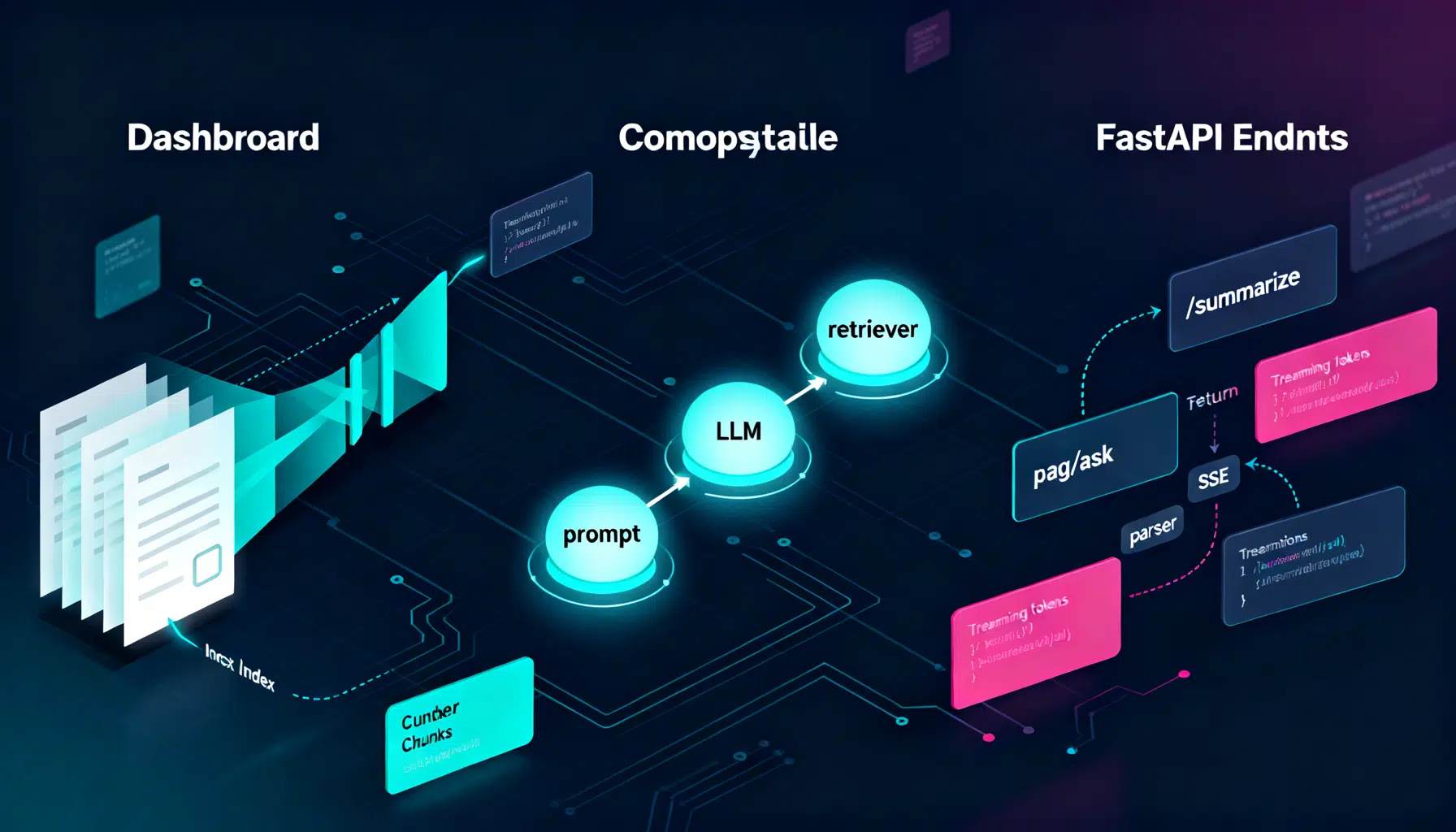
Image used for representation purposes only.
Overview
LangChain makes it straightforward to turn large language models (LLMs) into real applications: text summarizers, question-answering bots, and full RAG (Retrieval-Augmented Generation) systems. In this tutorial you’ll build a production-ready HTTP API around LangChain using both LangServe (the fastest path) and a hand-rolled FastAPI route (for maximum control). You’ll also add retrieval, structured outputs, streaming, testing, and deployment tips.
By the end you will:
- Create a minimal LCEL chain (LangChain Expression Language).
- Expose it over HTTP with LangServe.
- Build a custom FastAPI endpoint with streaming.
- Add RAG using a vector store and embeddings.
- Return structured JSON with Pydantic models.
- Ship to production with observability and guardrails.
What We’ll Build
- A /summarize endpoint that condenses long text.
- A /rag/ask endpoint that answers questions over your documents.
- Optional: a /structured endpoint that returns strongly-typed JSON.
We’ll use Python, but the concepts carry over to JS/TS as well.
Prerequisites
- Python 3.10+
- An LLM provider key (e.g., OpenAI, Anthropic, or Azure OpenAI). We’ll show OpenAI in code; swap for your provider as needed.
- Basic command line and HTTP familiarity.
Project Setup
Create and activate a virtual environment, then install dependencies.
python -m venv .venv
source .venv/bin/activate  # Windows: .venv\Scripts\activate
pip install -U 'langchain>=0.2' langchain-openai langserve fastapi uvicorn[standard] tiktoken 'faiss-cpu>=1.7.4' langchain-text-splitters langchain-community pydantic python-dotenv
Set your environment variable(s):
export OPENAI_API_KEY='sk-...'
# Optional observability
export LANGCHAIN_TRACING_V2='true'
export LANGCHAIN_API_KEY='ls_...'
Create a basic app structure:
.
├─ app/
│  ├─ __init__.py
│  ├─ chains.py
│  ├─ rag.py
│  └─ main.py
└─ data/
   └─ docs/  # place your PDFs or text files here
Step 1: A Minimal LCEL Chain
LCEL (LangChain Expression Language) is a composable, lazy pipeline syntax. Build a simple summarizer chain.
# app/chains.py
from langchain_core.prompts import ChatPromptTemplate
from langchain_openai import ChatOpenAI
from langchain_core.output_parsers import StrOutputParser

# Prompt → LLM → Parser
summary_prompt = ChatPromptTemplate.from_messages([
    ('system', 'You are a concise assistant. Summarize the user\'s text in 3-4 bullet points.'),
    ('user', '{text}')
])

llm = ChatOpenAI(model='gpt-4o-mini', temperature=0.2)

summarize_chain = summary_prompt | llm | StrOutputParser()
Usage in Python:
# Quick test (optional)
if __name__ == '__main__':
    result = summarize_chain.invoke({'text': 'LangChain helps developers build LLM apps with chains, tools, and RAG.'})
    print(result)
Step 2: Serve It in 2 Minutes with LangServe
LangServe automatically mounts chains as HTTP routes with input/output schemas and optional streaming.
# app/main.py
from fastapi import FastAPI
from langserve import add_routes
from app.chains import summarize_chain

app = FastAPI(title='LangChain API')

# Mount at /summarize
add_routes(app, summarize_chain, path='/summarize')

@app.get('/health')
def health():
    return {'status': 'ok'}
Run the server:
uvicorn app.main:app --reload --port 8000
Call it with HTTPie (preferred for readability):
http POST :8000/summarize text='LangChain simplifies building LLM-powered apps.'
Or curl (JSON-escaped example):
curl -s -X POST \
  -H 'Content-Type: application/json' \
  -d '{"text":"LangChain simplifies building LLM-powered apps."}' \
  http://localhost:8000/summarize
Tip: LangServe also supports Server-Sent Events (SSE) for streaming. Append ?stream=true when supported by the chain/model.
Step 3: Build a Custom FastAPI Endpoint (Manual Control)
Sometimes you want custom auth, logging, or streaming format. Here’s a hand-rolled route that uses the same chain.
# app/main.py (continued)
from fastapi import Body
from fastapi.responses import StreamingResponse, JSONResponse
from app.chains import summarize_chain

@app.post('/v1/summarize')
async def summarize_v1(payload: dict = Body(...)):
    text = payload.get('text', '')
    if not text:
        return JSONResponse({'error': 'text is required'}, status_code=400)

    # Non-streaming (simple):
    result = await summarize_chain.ainvoke({'text': text})
    return {'summary': result}

@app.post('/v1/summarize/stream')
async def summarize_stream(payload: dict = Body(...)):
    text = payload.get('text', '')
    if not text:
        return JSONResponse({'error': 'text is required'}, status_code=400)

    async def event_gen():
        async for chunk in summarize_chain.astream({'text': text}):
            # Each chunk is a token/string when the last stage is a StrOutputParser
            yield f'data: {chunk}\n\n'
        yield 'event: end\n\n'

    return StreamingResponse(event_gen(), media_type='text/event-stream')
Step 4: Add Retrieval (RAG)
Let’s index your documents and answer questions grounded in that data.
# app/rag.py
from pathlib import Path
from langchain_text_splitters import RecursiveCharacterTextSplitter
from langchain_openai import OpenAIEmbeddings, ChatOpenAI
from langchain_community.vectorstores import FAISS
from langchain_core.prompts import ChatPromptTemplate
from langchain_core.output_parsers import StrOutputParser
from langchain_core.runnables import RunnablePassthrough

DATA_DIR = Path('data/docs')

# 1) Load & split your corpus (replace with proper loaders for PDFs/HTML)
def load_corpus():
    texts = []
    for p in DATA_DIR.rglob('*.txt'):
        texts.append(p.read_text(encoding='utf-8'))
    return texts

splitter = RecursiveCharacterTextSplitter(chunk_size=800, chunk_overlap=120)

# 2) Create embeddings and a vector store
embeddings = OpenAIEmbeddings(model='text-embedding-3-large')

def build_vectorstore():
    raw_docs = load_corpus()
    docs = []
    for t in raw_docs:
        docs.extend(splitter.create_documents([t]))
    return FAISS.from_documents(docs, embeddings)

# Initialize at import (small corpora). For large ones, persist & load.
VECTORSTORE = build_vectorstore()
retriever = VECTORSTORE.as_retriever(search_kwargs={'k': 4})

# 3) RAG chain: question + retrieved context → LLM
rag_prompt = ChatPromptTemplate.from_messages([
    ('system',
     'You answer using only the provided context. If the answer is unknown, say you do not know.\n' \
     'Context:\n{context}'),
    ('user', '{question}')
])

llm = ChatOpenAI(model='gpt-4o-mini', temperature=0)

def _format_docs(docs):
    return '\n\n'.join(d.page_content for d in docs)

rag_chain = {
    'context': retriever | _format_docs,
    'question': RunnablePassthrough()
} | rag_prompt | llm | StrOutputParser()
Mount the RAG chain via LangServe and add a custom endpoint too:
# app/main.py (continued)
from app.rag import rag_chain

# LangServe route
from langserve import add_routes
add_routes(app, rag_chain, path='/rag/ask')

# Custom JSON contract
@app.post('/v1/rag/ask')
async def rag_ask(payload: dict = Body(...)):
    question = payload.get('question', '')
    if not question:
        return JSONResponse({'error': 'question is required'}, status_code=400)
    answer = await rag_chain.ainvoke(question)
    return {'answer': answer}
Query it:
http POST :8000/v1/rag/ask question='What does our policy say about refunds?'
Step 5: Strongly-Typed JSON with Pydantic
When downstream services consume your API, prefer structured outputs over free-form text.
# app/chains.py (add structured output)
from pydantic import BaseModel, Field
from typing import List
from langchain_openai import ChatOpenAI

class Summary(BaseModel):
    bullets: List[str] = Field(..., description='3-5 concise bullet points')

llm = ChatOpenAI(model='gpt-4o-mini', temperature=0)
structured_llm = llm.with_structured_output(Summary)

structured_summary_chain = summary_prompt | structured_llm
Expose it:
# app/main.py (continued)
from app.chains import structured_summary_chain
add_routes(app, structured_summary_chain, path='/structured/summarize')
Response shape example:
{
  "bullets": [
    "LangChain composes LLM pipelines via LCEL.",
    "LangServe turns chains into HTTP endpoints.",
    "RAG grounds answers in your data."
  ]
}
Step 6: Testing and Evaluation
- Unit tests: call your chain’s .invoke with deterministic settings (temperature 0) and compare to regex/patterns.
- Contract tests: validate schemas for /structured endpoints.
- RAG evals: create a small set of (question, expected answer, context docs). Score with semantic similarity and exact matches.
- Load tests: use k6 or Locust to measure latency and throughput under realistic concurrency.
Observability and Tracing
Enable LangSmith (optional) to trace prompts, tokens, and latencies across chains.
- Set
LANGCHAIN_TRACING_V2='true'andLANGCHAIN_API_KEY. - Review spans, inputs/outputs, and errors. Use it to diagnose context stuffing, timeouts, or slow retriever calls.
Performance and Cost Tips
- Use the smallest model that meets quality requirements; reserve larger models for fallback.
- Stream responses to reduce time-to-first-token and perceived latency.
- Cache: memoize embeddings for unchanged documents; persist FAISS indexes to disk.
- Limit retrieved chunks (k) and keep chunk_size reasonable (500–1,000 chars) with some overlap (50–150).
- Batch embedding jobs and parallelize ingestion.
- Add timeouts and retries on model calls; circuit-break noisy dependencies.
Security and Reliability
- Require auth (e.g., an API key header or OAuth2); never expose provider keys to clients.
- Input validation: enforce max input sizes and supported MIME types.
- Prompt injection defenses: prepend a strict system message and refuse to execute arbitrary instructions from retrieved text.
- PII and secrets: scrub logs; consider redaction before indexing.
- Rate limiting: per-IP and per-token limits; consider a usage quota.
- Observability: log request IDs, latency, token counts, and outcome (success/error).
Deployment Options
- Uvicorn/Gunicorn on a VM or container orchestrator (ECS, Kubernetes). Example:
gunicorn 'app.main:app' -k uvicorn.workers.UvicornWorker --workers 4 --bind 0.0.0.0:8000
- Serverless containers (Cloud Run) or functions (optional with cold start considerations).
- Edge runtimes for lightweight rerankers and request pre-processing; call your core API for heavy LLM work.
Basic Dockerfile snippet:
FROM python:3.11-slim
WORKDIR /app
COPY . /app
RUN pip install -U pip && \
    pip install -U 'langchain>=0.2' langchain-openai langserve fastapi uvicorn[standard] tiktoken 'faiss-cpu>=1.7.4' langchain-text-splitters langchain-community pydantic python-dotenv
EXPOSE 8000
CMD ["uvicorn", "app.main:app", "--host", "0.0.0.0", "--port", "8000"]
Troubleshooting
- Import errors: ensure you installed provider-specific packages (e.g., langchain-openai). Restart your interpreter after installs.
- Token limit errors: reduce chunk_size or retrieved k; switch to models with larger context windows.
- Slow queries: profile retriever latency, reduce documents, or enable streaming. Cache embeddings and persist FAISS.
- Non-determinism: set temperature to 0 for tests; pin model names in production.
- 429/Rate limit: implement exponential backoff and concurrency caps.
Extending This Tutorial
- Swap providers (Anthropic, Azure OpenAI, Google, Cohere) by changing the LLM and Embeddings classes.
- Add tools/agents for multi-step workflows (search, code execution, web retrieval) with strict tool schemas.
- Add reranking (e.g., embeddings cosine + cross-encoder) to improve RAG answer quality.
- Add guardrails: JSON schema validation, toxicity or PII filters, or post-generation classifiers.
Summary
You built a LangChain-powered API three ways: a minimal LCEL chain, a LangServe-mounted route, and a custom FastAPI endpoint with streaming. Then you layered in RAG, structured outputs, testing, and production concerns. This architecture scales from a single endpoint to a full platform: keep chains modular, measure everything, and ship behind a well-defined HTTP contract.
Related Posts

Building and Scaling an AI Image Generator API: Architecture, Costs, and Best Practices
Design, ship, and scale an AI image generator API: models, latency, cost control, safety, and production patterns.

Build an AI App with Flutter: Architecture, Streaming, and Production Best Practices
Build an AI app with Flutter: architecture, streaming chat UI, secure proxy, on‑device ML, voice, testing, and deployment best practices.
Alibaba Expands Qwen3 AI Models to Major Developer Platforms
Alibaba’s Qwen3 AI model family becomes available on Ollama, LM Studio, SGLang, and vLLM, accelerating global open-source adoption and intensifying competition in generative AI.