
React useActionState Hook: A Practical, Copy‑Pasteable Tutorial
Learn React’s useActionState: API, patterns, forms, optimistic UI, error handling, and pitfalls—with concise examples you can paste into your app.
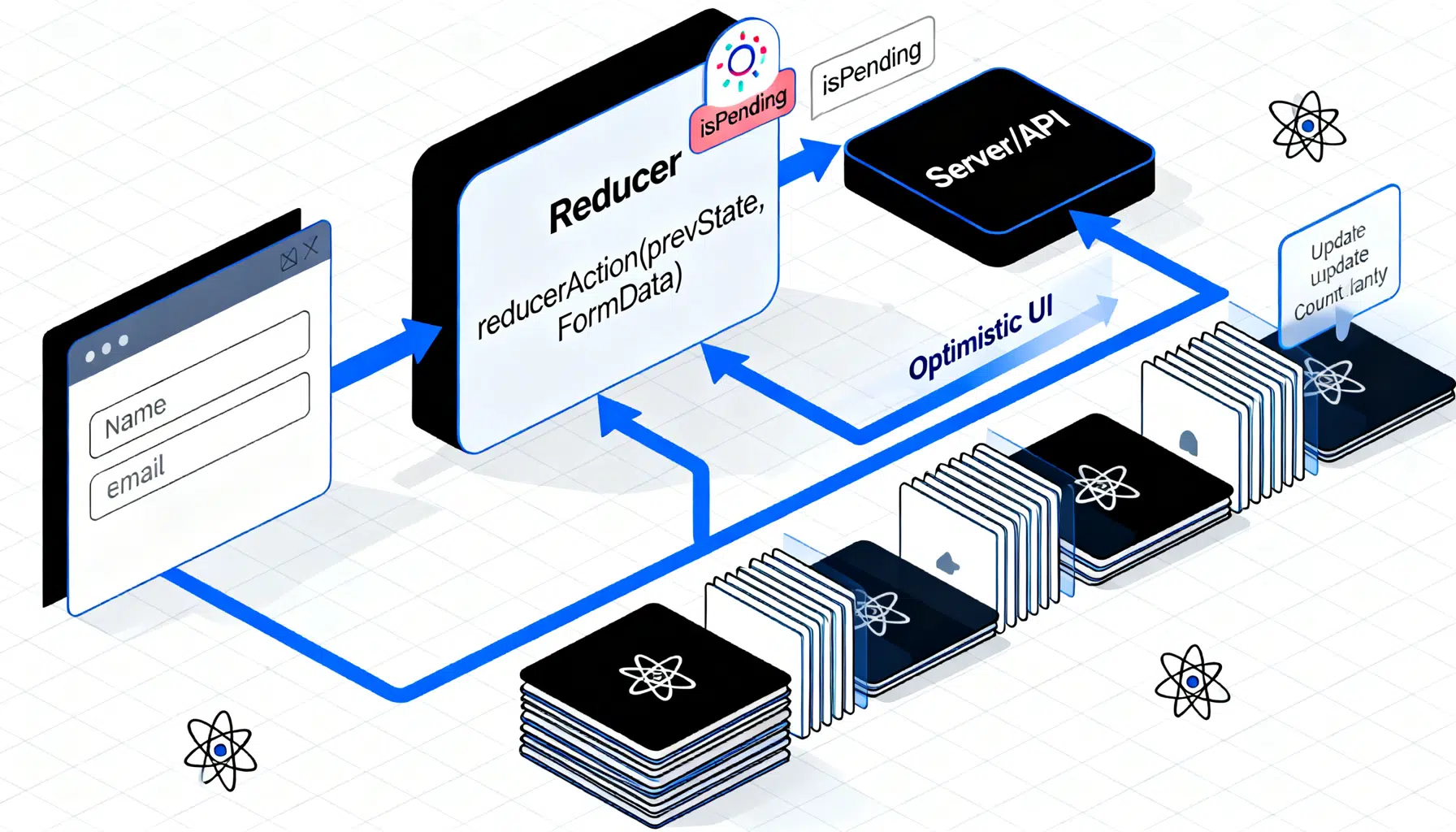
Image used for representation purposes only.
Overview
React’s useActionState hook gives you a first-class way to manage the state produced by user actions (like form submissions or button clicks) that may involve side effects and asynchronous work. It landed as part of React 19 (released December 5, 2024), alongside Actions, useOptimistic, and form action props. (react.dev )
At a glance, useActionState looks similar to useReducer, but it’s designed for action workflows: the reducer can perform side effects, React queues calls in order, and you get a built‑in isPending flag. (react.dev )
API in one minute
Signature:
const [state, dispatchAction, isPending] =
  useActionState(reducerAction, initialState, permalink?);
- reducerAction(previousState, actionPayload?): runs inside a Transition, can be sync or async, and returns the next state.
- initialState: the initial value of state.
- permalink? (optional): for progressive enhancement on pages using React Server Components.
- Return value: [state, dispatchAction, isPending]. (react.dev )
Key differences from useReducer:
- useReducer: pure reducer, for UI state.
- useActionState: reducer can perform side effects; calls are ordered sequentially. (react.dev )
When to use it
Use useActionState when a user interaction kicks off an operation that can have side effects (network requests, mutations) and you need:
- A single place to compute the next state from the previous result.
- An isPending flag for spinners/disabled buttons.
- Reliable ordering when the user triggers the same action multiple times quickly.
- Tight integration with
Prefer useReducer or useState for purely local UI state that doesn’t need side effects or strict sequencing. (react.dev )
Core mental model
- The action dispatcher queues calls. Each call receives the previous state from the last call’s return value. React waits for the previous action to finish before starting the next one. If you need instant UI feedback, pair it with useOptimistic. (react.dev )
- If you call dispatchAction manually, wrap it in startTransition so isPending updates correctly. When you pass dispatchAction to a form’s action prop, React wraps it for you. (react.dev )
Minimal example (button-triggered action)
import { useActionState, startTransition } from 'react';

async function addToCart(prevCount, delta) {
  // Imagine a POST /cart endpoint that returns the new count
  await new Promise(r => setTimeout(r, 800));
  return prevCount + delta;
}

export default function CartButton() {
  const [count, dispatchAction, isPending] = useActionState(addToCart, 0);

  function handleAdd() {
    startTransition(() => {
      dispatchAction(1); // actionPayload = 1
    });
  }

  return (
    <div>
      <button onClick={handleAdd} disabled={isPending}>
        {isPending ? 'Adding…' : 'Add to cart'}
      </button>
      <p>Quantity: {count}</p>
    </div>
  );
}
Dispatching outside a Transition will prevent isPending from updating; always wrap manual calls in startTransition. (react.dev )
Using it with forms (client-side)
You can plug useActionState directly into a form using the action prop. Your reducerAction receives prevState as the first argument and FormData as the second—an easy pitfall if you’re used to plain form actions.
import { useActionState } from 'react';

async function submitProfile(prevState, formData) {
  const name = formData.get('name');
  const email = formData.get('email');
  // Post to your API and return the new state
  const res = await fetch('/api/profile', {
    method: 'POST',
    body: JSON.stringify({ name, email }),
    headers: { 'content-type': 'application/json' },
  });
  if (!res.ok) return { ...prevState, error: 'Save failed' };
  return { name, email, error: null };
}

export default function ProfileForm() {
  const [state, dispatchAction, isPending] = useActionState(
    submitProfile,
    { name: '', email: '', error: null }
  );

  return (
    <form action={dispatchAction} className="stack">
      <label>
        Name
        <input name="name" defaultValue={state.name} />
      </label>
      <label>
        Email
        <input name="email" type="email" defaultValue={state.email} />
      </label>
      <button type="submit" disabled={isPending}>
        {isPending ? 'Saving…' : 'Save'}
      </button>
      {state.error && <p className="error">{state.error}</p>}
    </form>
  );
}
- React automatically wraps a form action in a Transition, so you don’t call startTransition here.
- Remember the argument order: (prevState, formData). (react.dev )
Optimistic UI with useOptimistic
For instant feedback, update the UI optimistically while the action runs, then reconcile with the real result.
import { useActionState, useOptimistic, startTransition } from 'react';

async function updateQty(prevQty, { type }) {
  await new Promise(r => setTimeout(r, 600));
  return type === 'ADD' ? prevQty + 1 : Math.max(0, prevQty - 1);
}

export default function Stepper() {
  const [qty, dispatchAction, isPending] = useActionState(updateQty, 0);
  const [optimisticQty, setOptimisticQty] = useOptimistic(qty);

  function change(type) {
    startTransition(() => {
      setOptimisticQty(q => (type === 'ADD' ? q + 1 : Math.max(0, q - 1)));
      dispatchAction({ type });
    });
  }

  return (
    <div className="stepper">
      <button onClick={() => change('REMOVE')} disabled={isPending}>–</button>
      <span aria-live="polite">{optimisticQty}</span>
      <button onClick={() => change('ADD')} disabled={isPending}>+</button>
    </div>
  );
}
useActionState pairs naturally with useOptimistic for snappy interactions. (react.dev )
Error handling patterns
You have two options:
- Return known errors as part of state and render them inline.
- Throw for unknown errors; React cancels queued actions and surfaces the nearest Error Boundary. (react.dev )
import { ErrorBoundary } from 'react-error-boundary';
import { useActionState, startTransition } from 'react';

async function risky(prev, payload) {
  const res = await fetch('/api/do', { method: 'POST', body: JSON.stringify(payload) });
  if (res.status === 422) return { ...prev, error: 'Validation failed' };
  if (!res.ok) throw new Error('Unexpected');
  return { ...prev, error: null };
}

function ActionUI() {
  const [state, dispatchAction, isPending] = useActionState(risky, { error: null });
  return (
    <div>
      <button
        onClick={() => startTransition(() => dispatchAction({ foo: 'bar' }))}
        disabled={isPending}
      >Run</button>
      {state.error && <p role="alert">{state.error}</p>}
    </div>
  );
}

export default function App() {
  return (
    <ErrorBoundary fallbackRender={() => <p>Something went wrong. Try again.</p>}>
      <ActionUI />
    </ErrorBoundary>
  );
}
Common pitfalls and fixes
- isPending never updates: wrap manual dispatchAction calls in startTransition. Forms do this automatically. (react.dev )
- Reducer reads the wrong form argument: with useActionState, reducerAction(prevState, formData) receives FormData second, not first. (react.dev )
- State won’t reset: design your reducer to handle a special reset signal (e.g., dispatchAction(null)), or remount the component with a changing key. (react.dev )
- Aborting actions: you can build cancellation with AbortController, but it’s not always safe if a server mutation already happened—abort doesn’t undo it. Prefer idempotent server logic or retries. (react.dev )
TypeScript tips
- Ensure reducerAction returns the same shape as initialState; annotate if inference struggles.
- For form reducers, define a discriminated union for the actionPayload when not using FormData to make switch statements exhaustive. (react.dev )
Progressive enhancement with permalink
The optional permalink parameter enables progressive enhancement on pages using React Server Components. If the form submits before JS loads, the browser navigates to the permalink so the user still sees updated UI; render the same form component (with the same reducerAction and permalink) on that destination. Also, when used with Server Functions, initialState must be serializable. (react.dev )
Example:
const [state, dispatchAction] = useActionState(reducer, { ok: false }, '/account/settings');
Designing robust reducers
- Keep network/side effects in the reducerAction; treat it as the single source of truth for how a given action changes state over time.
- Return structured results: { data, error } or a discriminated union. This plays well with UI and Error Boundaries.
- Think sequentially: if a user clicks quickly, your reducer will see each previous result in order. If you truly need parallel work, consider useState + useTransition per request instead. (react.dev )
Advanced form pattern: custom wrapper with optimistic UI
Sometimes you want immediate UI updates and a single action path from multiple buttons. Wrap dispatchAction in a custom function and pass that to
Related Posts

React Hook Form Validation Tutorial: From Basics to Zod Schemas
Learn React Hook Form validation step by step—from register and Controller to type‑safe Zod schemas, async checks, and real‑world tips.

React Hooks Best Practices: Patterns for Clean, Correct, and Performant Components
A practical guide to React Hooks best practices: state, effects, memoization, refs, custom hooks, concurrency, testing, and pitfalls—with examples.

Build a GraphQL API and React Client: An End‑to‑End Tutorial
Learn GraphQL with React and Apollo Client by building a full stack app with queries, mutations, caching, and pagination—step by step.