
React Streaming SSR with Next.js: A Practical Tutorial
Build a fast, progressive UI with React streaming SSR in Next.js. Learn Suspense, loading UIs, error boundaries, and streaming APIs with clear examples.

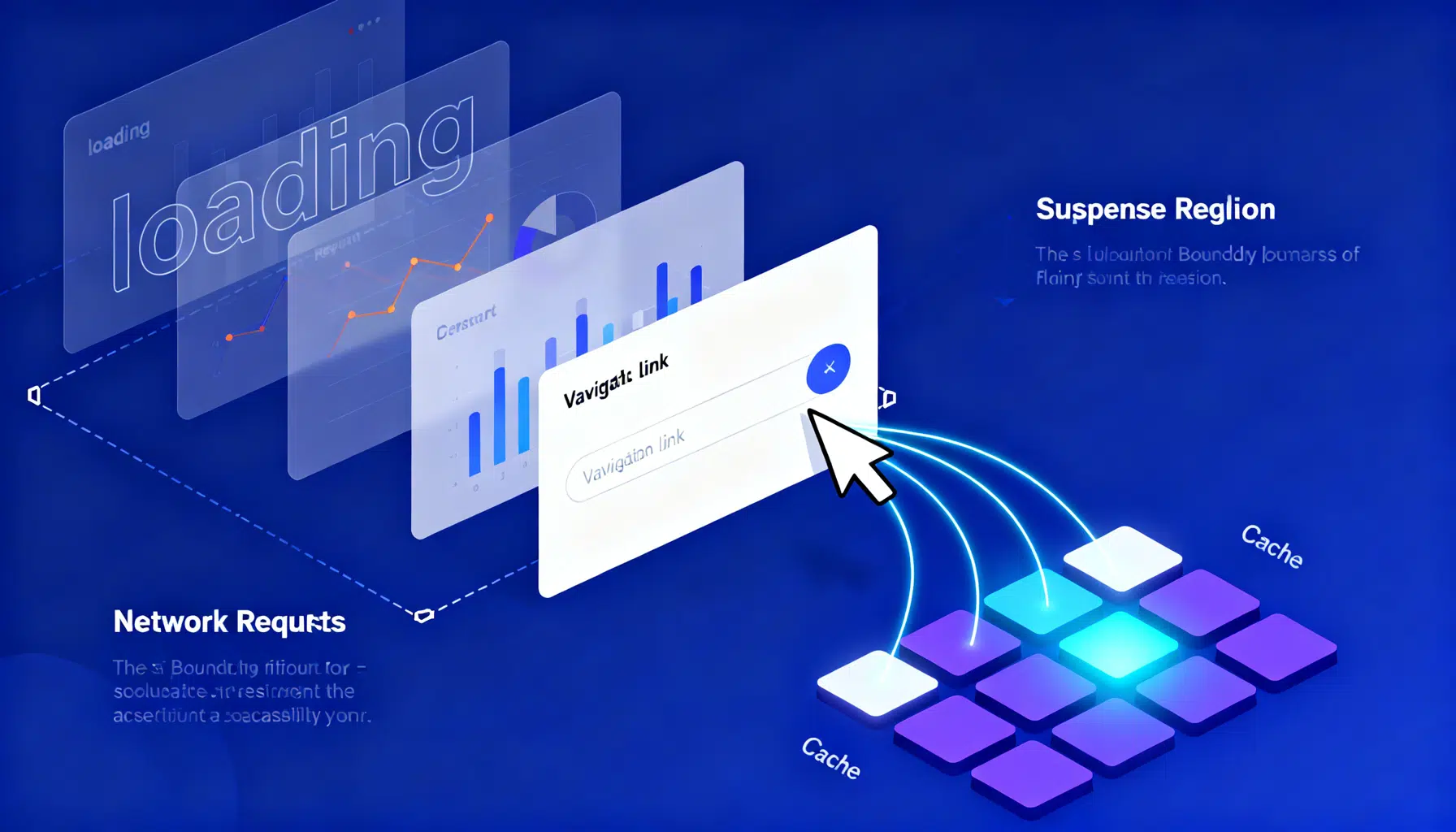
Image used for representation purposes only.
Why streaming SSR matters
React’s streaming server‑side rendering (SSR) lets the server flush HTML to the browser in chunks as data becomes ready. Instead of waiting for every database call to finish, users see meaningful UI quickly (skeletons or the page shell), then progressively richer sections arrive and hydrate. The result is better TTFB, improved LCP, and a snappier perceived experience—especially on slow networks or data‑heavy pages.
With the Next.js App Router (React 18+), streaming is the default for server components. You control the experience using Suspense boundaries, route‑segment loading UIs, and error boundaries.
What we’ll build
We’ll create a product page that streams:
- The product hero renders first.
- Reviews and recommendations resolve later behind Suspense boundaries.
- A route‑segment loading.js shows immediate skeletons.
- We’ll add robust error handling and an optional streamed API route.
Prerequisites
- Node.js 18 or newer
- Familiarity with TypeScript/JSX and basic React Suspense concepts
- Next.js with the App Router enabled (the app/ directory)
Project setup
Initialize a new project:
npx create-next-app@latest next-streaming-ssr
cd next-streaming-ssr
npm run dev
Your structure will look like this:
app/
  layout.tsx
  page.tsx
  product/
    [id]/
      page.tsx
      loading.tsx
      error.tsx
lib/
  data.ts
components/
  Reviews.tsx
  Recommendations.tsx
  Skeletons.tsx
Build a streaming page (server components)
Create data helpers that simulate real APIs and delays.
app/lib is reserved, so create lib/data.ts:
// lib/data.ts
export type Product = { id: string; name: string; price: number; description: string };
export type Review = { id: string; author: string; rating: number; text: string };

const sleep = (ms: number) => new Promise((r) => setTimeout(r, ms));

export async function getProduct(id: string): Promise<Product> {
  // Simulate DB/API latency
  await sleep(300);
  return {
    id,
    name: `UltraDesk ${id}`,
    price: 399,
    description: 'Adjustable standing desk with cable management.'
  };
}

export async function getReviews(id: string): Promise<Review[]> {
  // Slower endpoint to demonstrate streaming
  await sleep(1800);
  return [
    { id: 'r1', author: 'Ava', rating: 5, text: 'Rock solid and quiet.' },
    { id: 'r2', author: 'Noah', rating: 4, text: 'Great value. Easy assembly.' }
  ];
}

export async function getRecommendations(id: string): Promise<Product[]> {
  await sleep(1200);
  return [
    { id: '101', name: 'Cable Tray', price: 29, description: 'Hide wires neatly.' },
    { id: '102', name: 'Anti‑Fatigue Mat', price: 49, description: 'Comfort for long sessions.' }
  ];
}
Page shell that starts streaming immediately
Create app/product/[id]/page.tsx. We’ll start all fetches in parallel, then render the fast parts first and stream the slow parts inside Suspense.
// app/product/[id]/page.tsx
import { Suspense } from 'react';
import { getProduct, getReviews, getRecommendations } from '@/lib/data';
import Reviews from '@/components/Reviews';
import Recommendations from '@/components/Recommendations';
import { ReviewsSkeleton, RecsSkeleton } from '@/components/Skeletons';

// Ensure dynamic rendering (useful when data must bypass static optimization)
export const dynamic = 'force-dynamic';

// This is a Server Component by default
export default async function ProductPage({ params }: { params: { id: string } }) {
  // Kick off all data requests in parallel
  const productPromise = getProduct(params.id);
  const reviewsPromise = getReviews(params.id);
  const recsPromise = getRecommendations(params.id);

  // Wait only for the product shell (fast) to render above the fold
  const product = await productPromise;

  return (
    <main className="mx-auto max-w-3xl p-6 space-y-8">
      <header>
        <h1 className="text-2xl font-semibold">{product.name}</h1>
        <p className="text-gray-600">{product.description}</p>
        <div className="mt-2 text-lg font-medium">${product.price}</div>
      </header>

      {/* Stream reviews when they’re ready */}
      <Suspense fallback={<ReviewsSkeleton />}>
        {/* Pass the promise; child will await it */}
        <Reviews reviewsPromise={reviewsPromise} />
      </Suspense>

      {/* Stream recommendations separately */}
      <Suspense fallback={<RecsSkeleton />}>
        <Recommendations recsPromise={recsPromise} />
      </Suspense>
    </main>
  );
}
Suspense‑aware child components
Each child is a Server Component that awaits its own promise, causing React to stream the fallback first and the final markup later.
// components/Reviews.tsx
import { type Review } from '@/lib/data';

export default async function Reviews({
  reviewsPromise,
}: {
  reviewsPromise: Promise<Review[]>;
}) {
  const reviews = await reviewsPromise; // Suspends until resolved
  return (
    <section>
      <h2 className="text-xl font-semibold mb-2">Reviews</h2>
      <ul className="space-y-3">
        {reviews.map((r) => (
          <li key={r.id} className="rounded border p-3">
            <div className="flex items-center justify-between">
              <span className="font-medium">{r.author}</span>
              <span className="text-amber-600">{'★'.repeat(r.rating)}</span>
            </div>
            <p className="text-gray-700">{r.text}</p>
          </li>
        ))}
      </ul>
    </section>
  );
}
// components/Recommendations.tsx
import { type Product } from '@/lib/data';

export default async function Recommendations({
  recsPromise,
}: {
  recsPromise: Promise<Product[]>;
}) {
  const recs = await recsPromise; // Suspends until resolved
  return (
    <aside>
      <h2 className="text-xl font-semibold mb-2">You might also like</h2>
      <div className="grid grid-cols-1 md:grid-cols-2 gap-3">
        {recs.map((p) => (
          <div key={p.id} className="rounded border p-3">
            <div className="font-medium">{p.name}</div>
            <div className="text-gray-700">{p.description}</div>
            <div className="mt-1">${p.price}</div>
          </div>
        ))}
      </div>
    </aside>
  );
}
Skeleton UIs and route‑segment loading
Use Suspense fallbacks for fine‑grained placeholders and a route‑segment loading.tsx for instant shell feedback while the entire segment is booting.
// components/Skeletons.tsx (Client or Server is fine; no hooks used)
export function ReviewsSkeleton() {
  return (
    <section>
      <h2 className="text-xl font-semibold mb-2">Reviews</h2>
      <div className="animate-pulse space-y-3">
        {[...Array(2)].map((_, i) => (
          <div key={i} className="h-16 rounded bg-gray-200" />
        ))}
      </div>
    </section>
  );
}

export function RecsSkeleton() {
  return (
    <aside>
      <h2 className="text-xl font-semibold mb-2">You might also like</h2>
      <div className="grid grid-cols-1 md:grid-cols-2 gap-3">
        {[...Array(2)].map((_, i) => (
          <div key={i} className="h-20 rounded bg-gray-200 animate-pulse" />
        ))}
      </div>
    </aside>
  );
}
// app/product/[id]/loading.tsx
// This renders instantly while the [id] segment is initializing
export default function Loading() {
  return (
    <main className="mx-auto max-w-3xl p-6 space-y-8">
      <div className="h-8 w-2/3 bg-gray-200 rounded animate-pulse" />
      <div className="space-y-2">
        <div className="h-4 w-full bg-gray-200 rounded animate-pulse" />
        <div className="h-4 w-5/6 bg-gray-200 rounded animate-pulse" />
      </div>
    </main>
  );
}
Error handling with error.tsx and not-found.tsx
Errors inside a route segment bubble to app/product/[id]/error.tsx. Provide a friendly UI and a reset action.
// app/product/[id]/error.tsx
'use client';

export default function Error({ error, reset }: { error: Error; reset: () => void }) {
  return (
    <main className="mx-auto max-w-3xl p-6">
      <h2 className="text-xl font-semibold text-red-700">Something went wrong</h2>
      <p className="text-gray-700 mt-2">{error.message}</p>
      <button
        onClick={() => reset()}
        className="mt-4 rounded bg-black px-3 py-2 text-white hover:bg-gray-800"
      >
        Try again
      </button>
    </main>
  );
}
If you need 404 behavior, add app/product/[id]/not-found.tsx and call notFound() from your page or data helpers when the ID is invalid.
// app/product/[id]/not-found.tsx
export default function NotFound() {
  return (
    <main className="mx-auto max-w-3xl p-6">
      <h2 className="text-xl font-semibold">Product not found</h2>
      <p className="text-gray-700">Please check the URL and try again.</p>
    </main>
  );
}
Optional: stream from Route Handlers
You can also stream custom responses (e.g., server‑sent updates) from Route Handlers.
// app/api/clock/route.ts
export const runtime = 'nodejs'; // or 'edge' if preferred

export async function GET() {
  const encoder = new TextEncoder();
  const stream = new ReadableStream({
    start(controller) {
      const iv = setInterval(() => {
        const chunk = `data: ${new Date().toISOString()}\n\n`;
        controller.enqueue(encoder.encode(chunk));
      }, 1000);
      setTimeout(() => {
        clearInterval(iv);
        controller.close();
      }, 5000);
    },
  });

  return new Response(stream, {
    headers: {
      'Content-Type': 'text/event-stream',
      'Cache-Control': 'no-store',
      Connection: 'keep-alive',
    },
  });
}
Verify streaming locally
- Browser devtools: open the Network tab for the product route. You should see the document response start rendering before all chunks finish.
- Curl: watch chunked HTML arrive progressively.
curl -N -i http://localhost:3000/product/42
You’ll observe the head and shell first, then the reviews and recommendations markup.
Performance patterns and pitfalls
- Start fetches early: kick off parallel work at the top of the server component (const reviewsPromise = getReviews(…)). Await only what’s needed for above‑the‑fold UI.
- Use multiple Suspense boundaries: group slow, independent sections separately for better interleaving.
- Prefer server components for data‑heavy UI: less client JS, smaller hydration costs, faster start.
- Force dynamic only when needed: dynamic = ‘force-dynamic’ or fetch(…, { cache: ’no-store’ }) bypasses static optimization. Use carefully to keep caching opportunities.
- Keep the root layout fast: avoid slow I/O in app/layout.tsx that would block every page from starting to stream.
- Handle errors per segment: error.tsx avoids blank screens and lets users retry without losing page state.
- Beware middleware and proxies: some reverse proxies buffer responses. In traditional Nginx, disable proxy buffering for true streaming.
- Measure: Lighthouse won’t “see” streaming timing perfectly; combine Real User Monitoring, server logs, and Web Vitals to validate wins.
Troubleshooting
- “My fallbacks never appear”: Ensure the slow work is inside a Suspense boundary and that you aren’t awaiting everything before rendering. Pass a promise to a child server component and await it there.
- “The whole page waits”: Check for expensive I/O in layout.tsx or providers. Move slow sections behind Suspense or defer them.
- “No streaming in production”: Verify your hosting platform supports streaming for SSR responses and that compression/proxy buffering aren’t defeating chunk flushes.
- “Flaky data during refreshes”: Decide per‑request (no‑store) vs cached (default) fetch behavior. Combine with revalidation where appropriate.
Wrap‑up
Streaming SSR with Next.js turns long, blocking renders into fast, progressive experiences. By kicking off parallel work early, slicing UIs with Suspense, and leaning on route‑segment loading and error boundaries, you’ll deliver first content sooner and maintain responsiveness as data arrives. Start with a shell, stream the rest—your users will feel the difference.
Related Posts
React Suspense Data Fetching Patterns: From Waterfalls to Progressive Rendering
A practical guide to React Suspense data fetching—patterns, boundaries, caching, streaming SSR, and real-world code examples.

React Server Components Tutorial: Build Faster Apps with Less Client JavaScript
Learn React Server Components with Next.js and React Router: server-first data, client boundaries, caching, mutations, and security in 2026.

React Native vs Flutter Performance Benchmark (2026): Startup, FPS, Memory, and Power
A 2026, real-world benchmark of React Native vs Flutter: startup, FPS, memory, power, and size—plus what changed, how we tested, and when to pick each.