
Building a Production-Ready RAG System with LlamaIndex: A Hands-On Tutorial
Step-by-step LlamaIndex RAG tutorial: ingestion, indexing, reranking, citations, persistence, evaluation, and deployment with a FastAPI service.
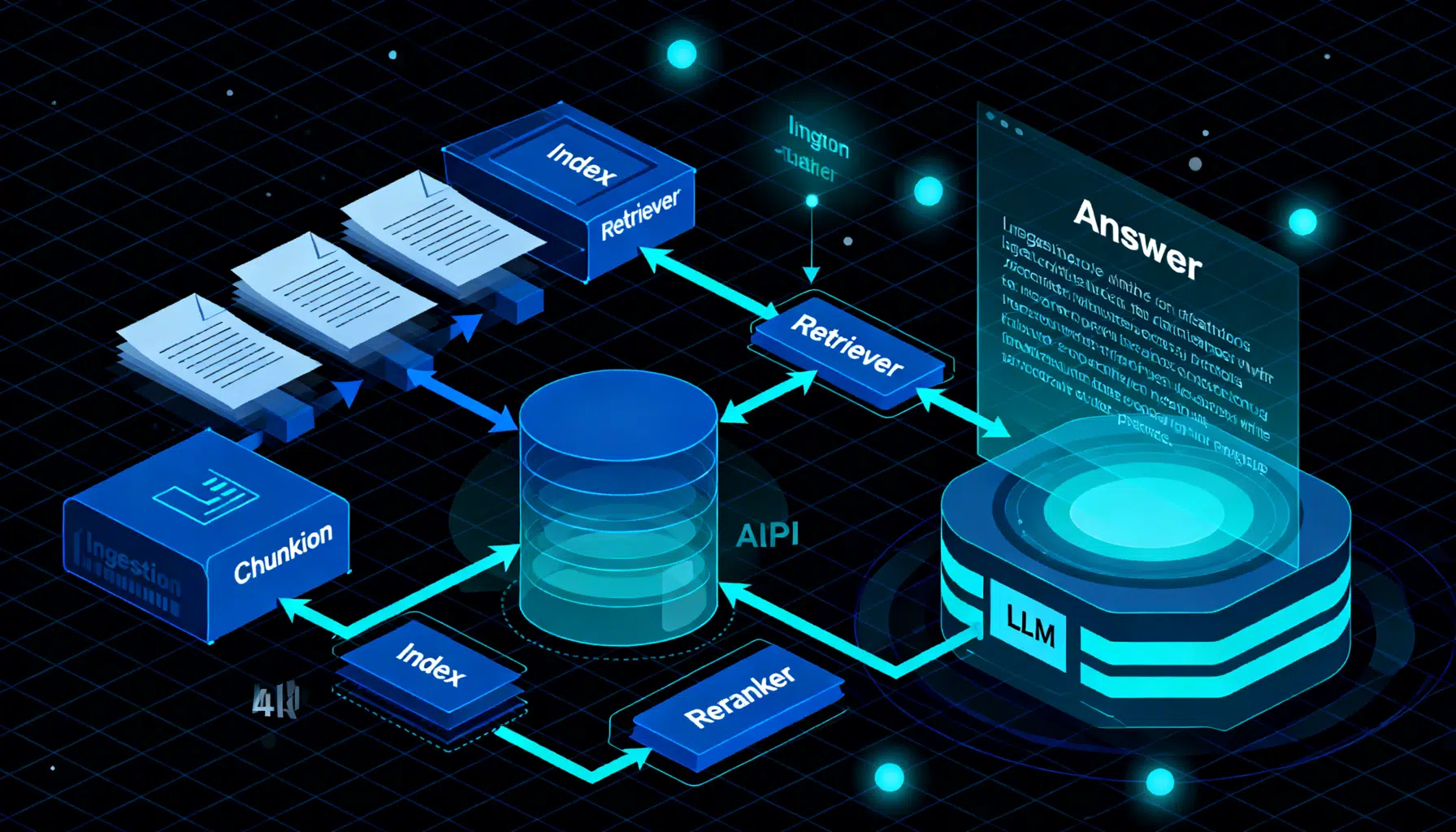
Image used for representation purposes only.
Overview
Retrieval-Augmented Generation (RAG) pairs a retriever (to fetch the right context) with a generator (an LLM) to produce grounded answers. LlamaIndex is a Python framework that streamlines every step of a RAG system: data loading, chunking, indexing, retrieval, reranking, synthesis, evaluation, and deployment. In this tutorial, you’ll build a robust RAG stack with clean abstractions, citations, persistence, and production-ready patterns.
What you’ll build:
- A minimal RAG pipeline in ~15 lines
- A persistent vector index with a real vector store
- High-quality retrieval with chunking, metadata, and reranking
- Source-grounded answers with citations
- A lightweight API service for deployment
- A checklist to avoid common pitfalls
Prerequisites and Setup
- Python 3.9+
- Basic familiarity with virtual environments and environment variables
- An LLM and embedding provider of your choice (OpenAI, local via Ollama, or HF models)
Install core packages (pick providers you use):
pip install -U \
  llama-index \
  llama-index-llms-openai \
  llama-index-embeddings-openai \
  chromadb fastapi uvicorn
If you prefer local models, you might use:
pip install -U llama-index-llms-ollama llama-index-embeddings-huggingface
Set credentials as environment variables (example for OpenAI):
export OPENAI_API_KEY="sk-..."
Create a project layout:
rag/
  data/                 # your documents (PDFs, markdown, text, HTML, etc.)
  app.py                # API server (later)
  quickstart.py         # minimal RAG demo
The 15‑Line Quickstart
This gets you from raw files to grounded answers with citations.
# quickstart.py
import os
from llama_index.core import VectorStoreIndex, SimpleDirectoryReader, Settings
from llama_index.llms.openai import OpenAI
from llama_index.embeddings.openai import OpenAIEmbedding

# Configure global models
a_llm = OpenAI(model="gpt-4o-mini", temperature=0)
a_embed = OpenAIEmbedding(model="text-embedding-3-small")
Settings.llm = a_llm
Settings.embed_model = a_embed

# Load and index your corpus
docs = SimpleDirectoryReader("./data").load_data()
index = VectorStoreIndex.from_documents(docs)
query_engine = index.as_query_engine(similarity_top_k=3)

# Ask questions with citations
response = query_engine.query("Give me the key takeaways from our handbook.")
print(response)
for n in response.source_nodes:
    print(f"Source: {n.node.metadata.get('file_name')}  Score: {n.score:.3f}")
Run it:
python quickstart.py
You’ll see an answer plus the top source chunks used to ground it.
Data Ingestion and Chunking That Actually Works
Good retrieval begins with good chunks. Overly small chunks miss context; overly large chunks dilute relevance.
- Start with semantic chunks around 400–800 tokens
- Keep a small overlap (e.g., 10–15%) to retain continuity
- Preserve metadata on origin (file, URL, section) and timestamps
from llama_index.core.node_parser import SentenceSplitter
from llama_index.core import Document

# Example: splitting custom text (you can also split Reader outputs)
text = open("./data/policy.txt", "r", encoding="utf-8").read()
doc = Document(text=text, metadata={"file_name": "policy.txt", "category": "policy"})

splitter = SentenceSplitter(chunk_size=800, chunk_overlap=120)
nodes = splitter.get_nodes_from_documents([doc])
Tip: When ingesting PDFs or HTML, use dedicated loaders to preserve structure and metadata.
Persisting Your Index With a Real Vector Store
For production, persist embeddings in a database like Chroma, FAISS, or a managed service.
import chromadb
from llama_index.vector_stores.chroma import ChromaVectorStore
from llama_index.core import StorageContext, VectorStoreIndex

client = chromadb.PersistentClient(path="./chroma")
collection = client.get_or_create_collection("company_docs")
vector_store = ChromaVectorStore(chroma_collection=collection)
storage_context = StorageContext.from_defaults(vector_store=vector_store)

# Index pre-split nodes or raw documents
index = VectorStoreIndex.from_documents(docs, storage_context=storage_context)

# Rehydrating later (e.g., after a restart)
vector_store = ChromaVectorStore(chroma_collection=client.get_collection("company_docs"))
index = VectorStoreIndex.from_vector_store(vector_store)
query_engine = index.as_query_engine(similarity_top_k=5)
This makes your RAG stateless at runtime—great for scaling web services and jobs.
Retrieval Strategies That Beat “Just Vector Search”
- Vector similarity: fast and strong baseline. Start here.
- Metadata filters: limit results by document type, date, owner, or product line.
- Reranking: use a cross-encoder reranker to reorder the top-k by semantic relevance.
- (Optional) Hybrid search: combine vector search with sparse/BM25 for keyword-heavy queries.
# Add simple metadata filters
from llama_index.core.retrievers import VectorIndexRetriever
from llama_index.core import MetadataFilter, MetadataFilters

filters = MetadataFilters(filters=[
    MetadataFilter(key="category", value="policy"),
])
retriever = VectorIndexRetriever(index=index, similarity_top_k=12, filters=filters)

# Add a reranker to improve precision at the top
from llama_index.postprocessor import SentenceTransformerRerank
reranker = SentenceTransformerRerank(
    model="cross-encoder/ms-marco-MiniLM-L-6-v2", top_n=5
)

query_engine = index.as_query_engine(
    similarity_top_k=12, node_postprocessors=[reranker]
)
ans = query_engine.query("What are the travel reimbursement rules?")
print(ans)
Why rerank? Many LLM errors stem from slightly-off retrieval. A lightweight cross-encoder often boosts exactness dramatically with minimal added latency (especially if you retrieve 8–16 candidates, then rerank to 3–5).
Response Synthesis and Citations
LlamaIndex’s query engines handle both retrieval and synthesis. To tighten grounding:
- Use temperature=0 for deterministic, citation-friendly answers
- Ask the model to answer “only from the context” and to say “I don’t know” when needed
- Display sources to the user
prompt = (
  "Answer strictly from the provided context. If the answer isn't in the context, "
  "say 'I don't know'. Then list the key sources."
)
res = query_engine.query(prompt + " What is our paid time off policy?")
print(str(res))
for i, n in enumerate(res.source_nodes, 1):
    print(f"[{i}] {n.node.metadata.get('file_name')} :: Score={n.score:.3f}")
Consider pre-/post-prompts to standardize tone, structure, and safety across your app.
Building an Ingestion Pipeline (Optional, Powerful)
For larger corpora, create a pipeline that: (1) loads, (2) cleans, (3) chunks, (4) enriches metadata, and (5) embeds.
from llama_index.core.ingestion import IngestionPipeline
from llama_index.core.extractors import TitleExtractor
from llama_index.core.node_parser import SentenceSplitter

pipeline = IngestionPipeline(
    transformations=[
        TitleExtractor(),                     # grabs titles/headers
        SentenceSplitter(chunk_size=800, chunk_overlap=120),
        # embedding is applied automatically when indexing if Settings.embed_model is set
    ]
)

nodes = pipeline.run(documents=docs)
index = VectorStoreIndex(nodes, storage_context=storage_context)
Tip: Normalize metadata keys (e.g., “category”, “product”, “version”) to make filtering predictable.
Evaluating RAG Quality
You can evaluate faithfulness (is the answer grounded in retrieved text?) and relevancy (does the retrieved context support the question?). Generate a test set by pairing real queries with expected snippets or references.
from llama_index.core.evaluation import FaithfulnessEvaluator, RelevancyEvaluator

faith = FaithfulnessEvaluator()
rel = RelevancyEvaluator()

q = "Summarize our parental leave policy."
res = query_engine.query(q)

print("Faithfulness:", faith.evaluate_response(response=str(res), contexts=[n.text for n in res.source_nodes]))
print("Relevancy:", rel.evaluate_response(query=q, contexts=[n.text for n in res.source_nodes]))
For a larger dataset, loop through queries and record metrics to a CSV. Investigate failures by checking which chunks were retrieved and why.
Observability and Debugging
Enable tracing to understand where tokens and time go:
from llama_index.core.callbacks import CallbackManager, LlamaDebugHandler
from llama_index.core import Settings

debug = LlamaDebugHandler(print_trace_on_end=True)
Settings.callback_manager = CallbackManager([debug])
With traces, you can spot slow steps (e.g., reranking) or token-heavy prompts. Use this to tune top_k, chunk size, and prompt length.
Deploying a Minimal API
Expose your RAG as a simple FastAPI service.
# app.py
from fastapi import FastAPI
from pydantic import BaseModel
from llama_index.core import VectorStoreIndex
import chromadb
from llama_index.vector_stores.chroma import ChromaVectorStore

app = FastAPI(title="RAG Service")

client = chromadb.PersistentClient(path="./chroma")
vs = ChromaVectorStore(chroma_collection=client.get_or_create_collection("company_docs"))
index = VectorStoreIndex.from_vector_store(vs)
qe = index.as_query_engine(similarity_top_k=5)

class Query(BaseModel):
    question: str

@app.post("/query")
def query(q: Query):
    res = qe.query(q.question)
    sources = [
        {"file": n.node.metadata.get("file_name"), "score": n.score, "text": n.text[:300]}
        for n in res.source_nodes
    ]
    return {"answer": str(res), "sources": sources}
Run it:
uvicorn app:app --reload --port 8000
Now POST to /query with {“question”: “…”} and you’ll get an answer plus sources.
Performance Tuning Cheatsheet
- Chunking: 600–900 tokens with ~10–15% overlap is a strong default for long-form docs.
- Retrieval: similarity_top_k=8–16, then rerank to top 3–5.
- Prompts: keep concise; request quotes or bullet points to reduce verbosity.
- Metadata: filter aggressively (date ranges, document types) to shrink search space.
- Caching: persist the index and reuse query engines across requests.
- Cost/latency: prefer smaller embedding models where acceptable; keep temperature low.
Common Pitfalls and How to Avoid Them
- Embedding mismatch: Re-index whenever you swap embedding models; mixing old and new vectors degrades recall.
- Over-chunking: Tiny chunks hurt coherence; prefer sentence-aware chunkers with overlap.
- No citations: Always show sources. It builds user trust and eases debugging.
- Prompt leakage: Don’t let the model hallucinate beyond the context; instruct it to respond only from retrieved text.
- Stale corpora: Schedule periodic re-ingestion for living documents (wikis, policies, product docs).
- Unbounded retrieval: Cap top_k and use reranking to curb token bloat and latency spikes.
Extending the System
- Hybrid retrieval: Combine BM25 and vector recall for numeric or keyword-heavy queries.
- Multi-index routing: Route by product or language to specialized indices.
- Structured outputs: Ask the LLM for JSON schemas; validate on the server.
- Guardrails: Add allow/deny lists and safety prompts around sensitive topics.
- Multimodal: Index images or tables with appropriate parsers and use models that can read them.
Final Thoughts
LlamaIndex helps you ship a maintainable RAG system: clean ingestion, persistent indexing, strong retrieval with reranking, and source-grounded synthesis. Start with the minimal pipeline, add persistence and reranking, then layer on evaluation and an API. Iterate with traces and metrics, and you’ll have a reliable, production-grade RAG service.
Related Posts
LangChain API Tutorial: From Hello World to Production RAG with FastAPI and LangServe
Build a production-ready LangChain API: LCEL chains, LangServe, FastAPI streaming, RAG, structured outputs, testing, and deployment tips.

Pinecone Vector Database API Tutorial: Semantic & Hybrid Search with Python and Node (2026)
Hands-on Pinecone API tutorial: create serverless indexes, upsert vectors, filter metadata, and run semantic + hybrid search in Python & Node (2026).

Designing AI Agent Memory: Episodic vs. Semantic Systems That Scale
Build robust AI agent memory with episodic and semantic layers: schemas, retrieval, consolidation, evaluation, and governance—practical patterns included.