
X axes the in‑app Dark Mode toggle and kills “Dim”: what changed and what you can do now
X removes its in‑app Dark Mode toggle and kills “Dim,” forcing theme control to OS settings — here’s what changed, why it matters, and your options.
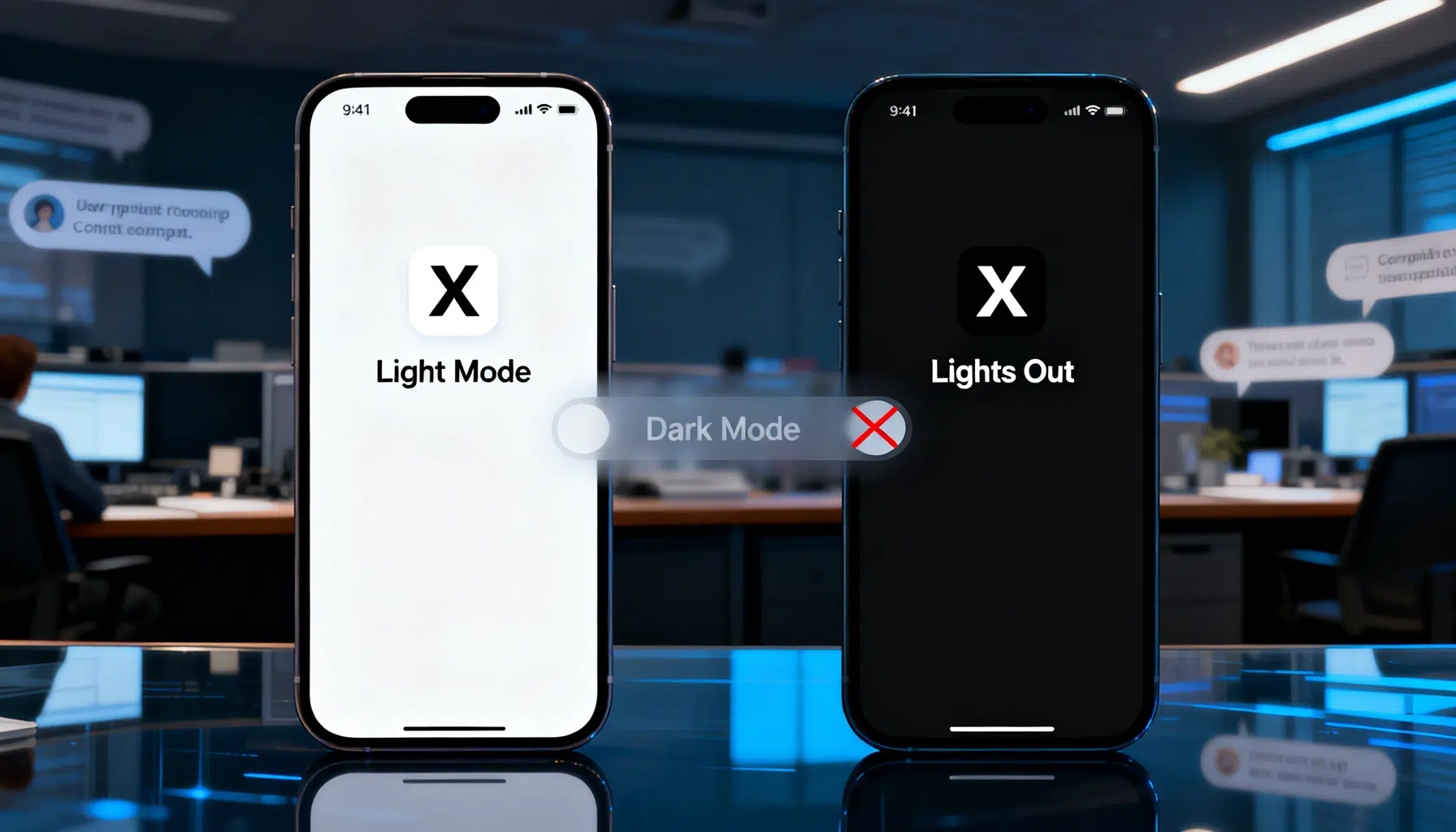
X pulls in-app Dark Mode toggle, pushes users to system settings
X (formerly Twitter) quietly removed its in‑app “Night mode”/Dark Mode switch this week, making the app follow your phone’s system theme with no manual override inside X. The change, observed after updates rolling out around March 5, 2026, prompted a surge of user complaints about being “stuck” in light or dark depending on device settings. X’s head of product, Nikita Bier, said the team standardized Dark Mode behavior to align with OS‑level preferences, arguing the separate in‑app control “made no sense” and created issues across the app. (socialmediatoday.com )
What exactly changed on March 5–7, 2026
- The display toggle and related options disappeared from X’s mobile app settings for many users following the latest update.
- X now defers entirely to your iOS/Android system theme. If your device uses Dark Mode, X appears dark; if your device uses Light Mode, X appears light. There’s no longer a per‑app switch in X to override that. (socialmediatoday.com )
“Dim” is gone, too — and the rationale drew ridicule
In mid‑February, X also removed “Dim,” the blue‑gray variant that sat between bright “Default” and the pure‑black “Lights Out” theme. When asked why, Bier replied that X “doesn’t have the capacity to support more than two colors right now,” adding they were considering lightening the current black on web — a justification that quickly became a meme across tech circles. Coverage of the decision and Bier’s explanation intensified after Dim vanished on web and then from the latest iOS build. (pcgamer.com )
A quick timeline of Dark Mode on Twitter/X
- 2016: Twitter introduced “Night Mode” on Android, then brought it to iOS weeks later, popularizing a darker blue‑gray interface for late‑night scrolling. (androidpolice.com )
- 2019: Twitter added “Lights Out,” a true‑black option, and rebranded the original dark theme as “Dim.” On iOS it shipped alongside an automatic dark‑mode setting. (9to5mac.com )
- February–March 2026: X removes “Dim,” then strips the in‑app Dark Mode toggle, consolidating theme control at the OS level. (piunikaweb.com )
Why it matters
For many, Dark Mode is more than an aesthetic choice:
- Personal control: Power users who prefer X in dark while keeping the rest of the phone in light (or vice versa) just lost that per‑app flexibility.
- Accessibility and comfort: Some readers rely on the softer contrast of Dim or need dark UI to reduce eye strain in low light; others find pure‑black “Lights Out” too stark. Removing Dim narrows accessibility options and choice.
- Consistency: Aligning with system settings can reduce theme mismatches across apps — but it also removes a long‑standing customization many X users considered essential.
What you can do right now
- Set your device to Dark Mode to force X dark globally. On iOS and Android, enabling the system‑level dark theme will switch X to dark automatically. If you return your device to light, X returns to light. This is now the intended behavior. (socialmediatoday.com )
- On the web, recreate “Dim” with extensions:
- X Dim Mode: A community extension that restores a blue‑gray Dim‑style background on X’s website. As of early 2026, it explicitly markets itself as a way to bring Dim back after X’s removal. (xdim.app )
- Dark Reader or similar: Browser extensions can impose a gentler dark palette on the X website; users report this as a stopgap to avoid the harshness of pure black. (reddit.com )
- Wait for potential tweaks: Bier indicated the team is “looking into lightening the black on web,” which could soften contrast if implemented. (pcgamer.com )
The reaction: frustration over lost control
Social media discussions this week centered on two pain points: the disappearance of per‑app control and the elimination of Dim’s softer look. For night readers and OLED‑screen owners who relied on Dim’s balance, Lights Out can feel fatiguing; meanwhile, people who kept their phones in light mode but wanted X dark can no longer do so without changing the entire device theme. These trade‑offs explain why the feature’s removal trended across forums and tech sites over the last 48 hours. (piunikaweb.com )
Context: how we got here
Dark Mode on Twitter was once a showcase for user‑driven design tweaks. The 2019 rollout of Lights Out (with Dim retained) acknowledged different preferences and OLED battery savings, while letting people choose. This spring’s reversal heads the other way: fewer options, with OS‑level uniformity as the guiding principle. Whether that simplification brings long‑term UX benefits — or just alienates power users — will hinge on how X refines its single dark theme and whether it restores a middle‑ground alternative. (9to5mac.com )
Bottom line
- As of March 7, 2026, X’s mobile apps no longer offer an in‑app Dark Mode toggle; theme now mirrors your device setting.
- The “Dim” theme has been removed across platforms; “Lights Out” remains the default dark look.
- X leadership cites resource constraints and cross‑app consistency; users worry about lost flexibility and readability.
- Browser extensions can approximate Dim on web; mobile users must rely on system theme for now. (socialmediatoday.com )
Related Posts
Android vs iOS in 2025: A Comprehensive Comparison
An in-depth look at Android and iOS in 2025, highlighting the latest features, user experience, privacy, and ecosystem strengths.

Experience Genuine Connection with IntimateAI on iOS & Android
Discover how IntimateAI’s mobile app brings empathetic, AI-powered conversations to your fingertips—available on both iOS and Android.

Smartphones 2026: Agentic AI arrives with Galaxy S26, Pixel 10’s Gemini, and Apple’s new iPhone 17e
Galaxy S26, Pixel 10’s new Gemini powers, and Apple’s iPhone 17e make agentic AI the defining smartphone story of March 2026.