
Model Context Protocol (MCP) Tutorial: Build, Connect, and Secure Your First Server
Build, secure, and connect your first Model Context Protocol (MCP) server—learn the primitives, transports, client setup, and must‑know security practices.
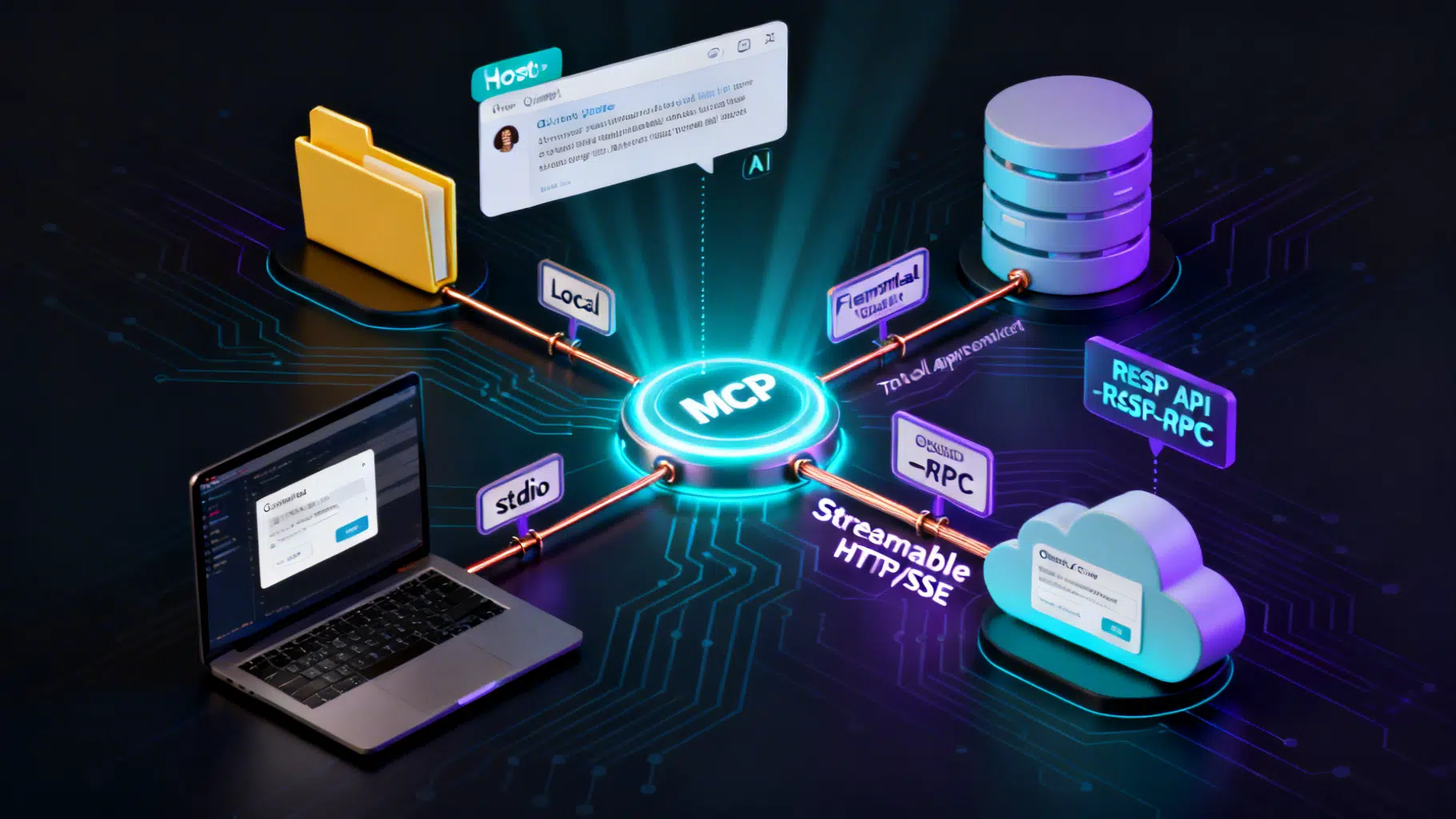
Image used for representation purposes only.
Overview
Model Context Protocol (MCP) is an open standard that lets AI applications connect to external tools, data sources, and workflows in a consistent, permissioned way—think “USB‑C for AI apps.” With MCP, a chat or coding assistant can discover and call your tools (APIs, local utilities), read contextual resources (files, records), and use reusable prompts across many hosts like Claude Desktop, Claude Code, and others. (docs.anthropic.com )
This hands‑on tutorial walks you through how MCP works, then builds a minimal server, connects it to a client, and hardens it with essential security practices.
How MCP works (in 5 minutes)
MCP follows a client–server model coordinated by an MCP host (the AI app). On startup, the client and server perform a JSON‑RPC 2.0 handshake to negotiate capabilities. Servers can expose three core primitives:
- Tools: callable functions for actions
- Resources: file‑like context to read
- Prompts: reusable prompt templates
MCP currently specifies two transports: local stdio and remote Streamable HTTP (HTTP POST with optional Server‑Sent Events for streaming). The data layer remains JSON‑RPC 2.0 regardless of transport. (modelcontextprotocol.io )
Broad ecosystem support means you can build once and integrate across multiple hosts, including Claude and ChatGPT, plus IDEs such as VS Code and Cursor. (docs.anthropic.com )
What you’ll build
You’ll create a tiny Python MCP server that exposes a single hello tool, run it locally over stdio, and connect it to Claude Desktop. The same pattern generalizes to richer servers and to remote HTTP transports.
Prerequisites
- Python 3.10+ and uv (for quick virtualenv + run)
- Claude Desktop (macOS or Windows)
- Basic terminal comfort
Claude Desktop natively connects to local MCP servers and gates every tool call with an approval prompt so you keep control. (modelcontextprotocol.io )
Step 1 — Scaffold a minimal Python MCP server
Install dependencies and create a project:
# Install uv if you don’t have it yet
curl -LsSf https://astral.sh/uv/install.sh | sh

# Create and enter a new project
uv init hello-mcp
cd hello-mcp
uv venv
source .venv/bin/activate

# Add the official MCP Python SDK and an HTTP client (optional later)
uv add "mcp[cli]"
Create server.py with a single tool:
# server.py
from mcp.server.fastmcp import FastMCP

app = FastMCP("hello")

@app.tool()
async def hello(name: str = "world") -> str:
    """Return a friendly greeting."""
    return f"Hello, {name}!"

if __name__ == "__main__":
    # Use stdio transport for local hosts like Claude Desktop
    app.run(transport="stdio")
The FastMCP helper generates tool schemas from type hints/docstrings and runs a standards‑compliant MCP server over stdio. For a deeper, end‑to‑end walkthrough (including HTTP and richer tools), see the official “Build an MCP server” guide. (modelcontextprotocol.io )
Tip: When using stdio, never write logs to stdout—use stderr or a logging library that targets stderr—to avoid corrupting JSON‑RPC traffic. (modelcontextprotocol.io )
Step 2 — Wire it into Claude Desktop
Open your Claude Desktop config and add the server under mcpServers. On macOS the file is at ~/Library/Application Support/Claude/claude_desktop_config.json; on Windows it’s %APPDATA%\Claude\claude_desktop_config.json. (modelcontextprotocol.io )
Example config snippet:
{
  "mcpServers": {
    "hello": {
      "command": "uv",
      "args": ["run", "/ABSOLUTE/PATH/TO/hello-mcp/server.py"]
    }
  }
}
Restart Claude Desktop. You’ll see an MCP indicator in the chat UI; clicking it shows available tools. Ask, “Use hello to greet Alice,” and approve the tool call when prompted. Claude Desktop requires explicit approval for actions, keeping you in the loop. (modelcontextprotocol.io )
Optional — Use it from Claude Code (and other clients)
Claude Code discovers, manages, and authenticates MCP servers, including remote HTTP servers. You can add servers via CLI, import from Claude Desktop, and reference MCP resources inline. It also supports dynamic tool updates and output token limits to keep responses manageable. (docs.claude.com )
Going beyond stdio: remote Streamable HTTP
For multi‑tenant or cloud‑hosted servers, use the Streamable HTTP transport. The official TypeScript SDK provides server and client libraries, plus middleware for Node/Express/Hono, and includes auth helpers for OAuth flows. As of March 23, 2026, v1.x remains the recommended production branch; v2 is in pre‑alpha, with v1.27.1 released on February 24, 2026. (github.com )
Security hardening checklist (read this before shipping)
MCP is powerful because it can act and fetch data—treat it like any integration surface. Start with the official security guidance and authorization flow, and learn from recent real‑world findings.
- Authorization and tokens
- Prefer OAuth 2.1 for remote HTTP servers; return 401 with a pointer to your Protected Resource Metadata so clients can discover your auth server. Validate token audience and scopes; do not accept or forward tokens not issued for your server (“token passthrough” is forbidden). (modelcontextprotocol.io )
- Least privilege and consent
- Keep tool scopes narrow (e.g., allowlist directories for filesystem servers). Rely on the host’s per‑action approval dialogs and expose only the tools you truly need. (modelcontextprotocol.io )
- Transport‑aware logging and isolation
- Stdio servers must not log to stdout; containerize risky servers; run with minimal OS permissions; separate secrets from config. (modelcontextprotocol.io )
- SSRF and metadata discovery
- Harden OAuth metadata discovery: require HTTPS, block private address ranges (10/8, 172.16/12, 192.168/16, 169.254/16), validate redirect targets, and consider enforcing egress proxies. (modelcontextprotocol.io )
- Patch promptly and distrust untrusted inputs
- Security researchers have shown that combining certain MCP servers (e.g., Git + Filesystem) with prompt‑injection flows could enable RCE/file tampering; vendors patched issues, but treat all fetched content as untrusted and sanitize aggressively. (techradar.com )
Troubleshooting
- Server not detected in Claude Desktop: fully quit/restart the app; validate JSON syntax; run your server manually to surface errors; check logs under ~/Library/Logs/Claude (macOS) or %APPDATA%\Claude\logs (Windows). (modelcontextprotocol.io )
- Tool calls fail silently: inspect Claude logs; confirm your server starts without stdout logging; ensure absolute paths in config. (modelcontextprotocol.io )
Where to go next
- Learn the protocol’s layers, lifecycle, and primitives (tools/resources/prompts), including capability negotiation, notifications, and client‑side features like sampling/elicitation. (modelcontextprotocol.io )
- Explore official SDKs (TypeScript, Python, C#, Go, and more) and pick your language of choice. (modelcontextprotocol.io )
- For Claude Code specifics (OAuth, dynamic tool updates, resource mentions, output limits), see the product docs. (docs.claude.com )
- For production HTTP deployments, study the TS SDK’s Streamable HTTP examples and the v1/v2 status notes. (github.com )
Appendix — Minimal TypeScript server (conceptual)
Prefer Python for your first server, but here’s a conceptual TS sketch to orient you before you consult the SDK docs:
import { z } from "zod";
import { /* server APIs */, /* stdio transport */ } from "@modelcontextprotocol/server";

// Pseudocode: refer to official TS SDK examples for exact APIs and types
const server = /* create server */({ name: "hello", version: "1.0.0" });
server.tool("hello", {
  description: "Return a friendly greeting.",
  inputSchema: z.object({ name: z.string().default("world") }),
  async execute({ name }) {
    return { content: [{ type: "text", text: `Hello, ${name}!` }] };
  }
});

/* start stdio transport */
For runnable examples, transports (stdio and Streamable HTTP), and middleware adapters, use the official repository’s examples and server docs. (github.com )
Related Posts

Claude API Tool Use: The Complete, Practical Tutorial
A practical, end-to-end tutorial for Claude API tool use: define tools, run the tool loop, add web search/fetch, and productionize with SDK patterns.

PlayStation Network in 2026: Record Users, Fresh Outage Reports, and a Quiet Storefront Experiment
PSN hits record users, faces fresh outage reports, and quietly trials dynamic Store discounts—here’s what’s new in 2026, and what it means for players.

API‑First Development: An End‑to‑End Workflow Guide
A practical, end-to-end API-first workflow: design, mock, test, secure, observe, and release with contracts as the single source of truth.