
GraphQL Subscriptions: A Practical Real‑Time Data Tutorial
Build real-time apps with GraphQL Subscriptions: step-by-step server, client, auth, scaling, and testing guidance using Node, WebSockets, and graphql-ws.
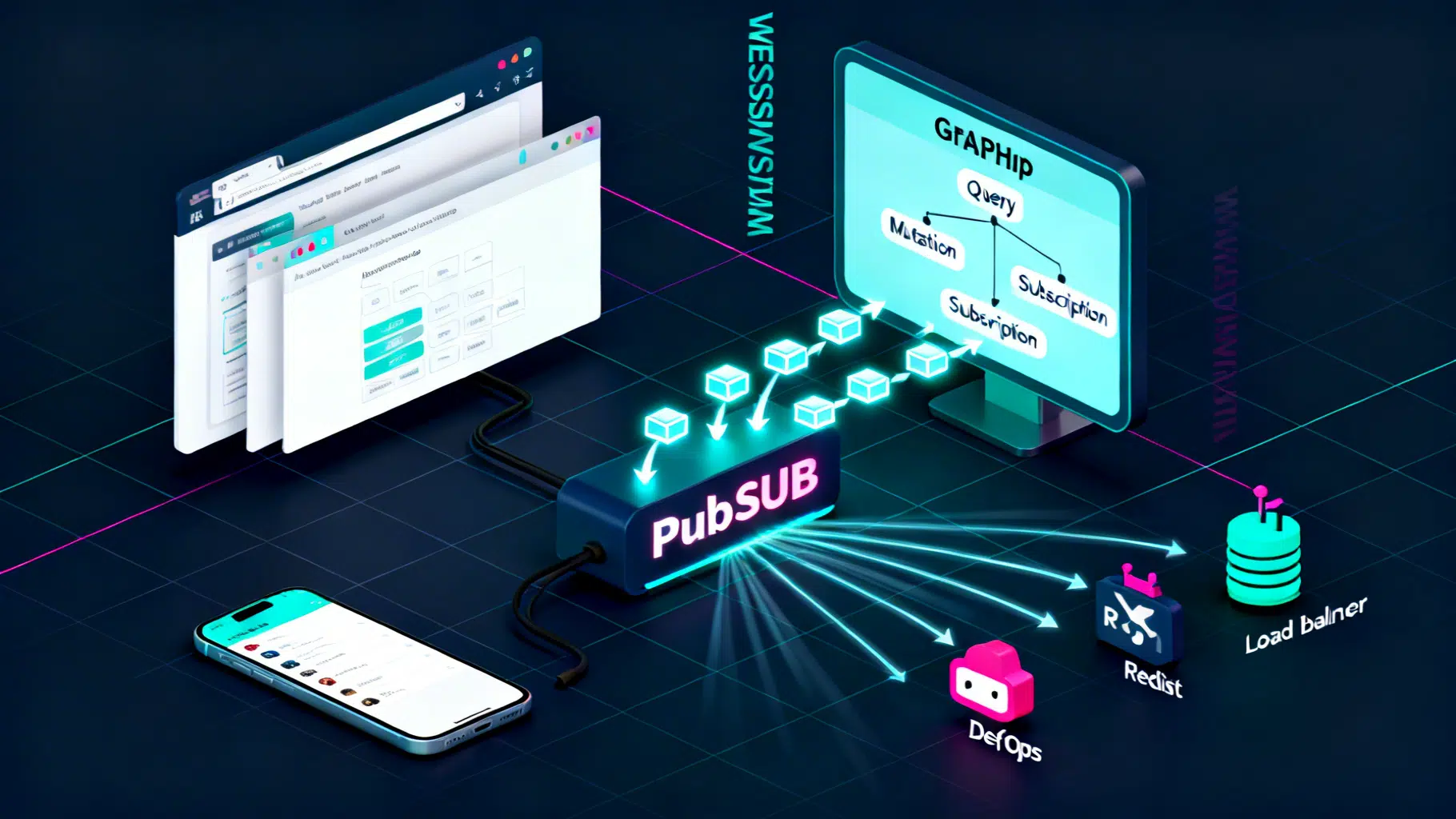
Image used for representation purposes only.
Why GraphQL Subscriptions Matter
Real-time experiences—live dashboards, chat, notifications, multiplayer collaboration—are now table stakes. GraphQL Subscriptions let clients open a persistent connection to your API and receive data the moment it changes, using the same schema and types as your queries and mutations. In this tutorial, you’ll build a working subscription server and client, learn the protocols behind it, and get production checklists for scaling and securing your system.
What You’ll Build
We’ll implement a minimal chat-style example where:
- Clients subscribe to messageSent events per room.
- A mutation sendMessage publishes new messages to subscribed clients in that room.
- We’ll use Node.js, GraphQL Yoga, and a PubSub mechanism. Then we’ll add a browser/React client with Apollo Client and graphql-ws.
Prerequisites
- Node.js 18+ (for native fetch/WHATWG streams)
- Basic familiarity with GraphQL types, queries, and mutations
Subscriptions, Transport, and Protocols (Quick Primer)
- GraphQL is transport-agnostic. For real-time operations, the community standard is the GraphQL over WebSocket Protocol, implemented by the graphql-ws library.
- A WebSocket keeps a persistent, bidirectional connection. The client first sends a connection_init frame (often with auth info), then starts one or more subscriptions. The server pushes results whenever events occur.
- Server-Sent Events (SSE) can also deliver real-time streams, but most GraphQL tooling supports WebSockets out of the box, especially for subscriptions.
Project Setup
Create a new folder and install dependencies:
npm init -y
npm i graphql graphql-yoga graphql-subscriptions
Folder structure:
.
├─ package.json
└─ server.js
Define the Schema and Resolvers
We’ll create:
- A Message type
- A messageSent subscription filtered by room
- A sendMessage mutation that publishes to a room-specific topic
// server.js
import { createServer } from 'node:http';
import { createSchema, createYoga } from 'graphql-yoga';
import { PubSub } from 'graphql-subscriptions';

const pubsub = new PubSub();
const TOPIC = (room) => `MESSAGE_SENT_${room}`;

const typeDefs = /* GraphQL */ `
  type Message {
    id: ID!
    text: String!
    user: String!
    createdAt: String!
    room: ID!
  }

  type Query {
    health: String!
  }

  type Mutation {
    sendMessage(room: ID!, text: String!, user: String!): Message!
  }

  type Subscription {
    messageSent(room: ID!): Message!
  }
`;

const resolvers = {
  Query: {
    health: () => 'ok',
  },
  Mutation: {
    sendMessage: async (_, { room, text, user }) => {
      const message = {
        id: Date.now().toString(),
        text,
        user,
        room,
        createdAt: new Date().toISOString(),
      };
      await pubsub.publish(TOPIC(room), { messageSent: message });
      return message;
    },
  },
  Subscription: {
    messageSent: {
      // Each room gets its own topic; subscribers only receive that room's events
      subscribe: (_, { room }) => pubsub.asyncIterator(TOPIC(room)),
    },
  },
};

const yoga = createYoga({
  schema: createSchema({ typeDefs, resolvers }),
  graphqlEndpoint: '/graphql',
});

const server = createServer(yoga);
server.listen(4000, () => {
  console.log('GraphQL endpoint ready at http://localhost:4000/graphql');
});
Start the server:
node server.js
Try It in GraphiQL
GraphQL Yoga ships with GraphiQL at the same URL. Open http://localhost:4000/graphql in your browser.
- In the left pane, start a subscription:
subscription OnMessage($room: ID!) {
  messageSent(room: $room) {
    id
    text
    user
    room
    createdAt
  }
}
Variables:
{ "room": "lobby" }
- In a new tab (or the second pane), execute a mutation:
mutation Send($room: ID!, $text: String!, $user: String!) {
  sendMessage(room: $room, text: $text, user: $user) {
    id
  }
}
Variables:
{ "room": "lobby", "text": "Hello, GraphQL Subscriptions!", "user": "Ada" }
Watch the subscription tab instantly receive the new message.
A Minimal Node Client (Optional)
You can also subscribe from a Node script using graphql-ws:
npm i graphql-ws cross-fetch
// client.js
import { createClient } from 'graphql-ws';
import fetch from 'cross-fetch';

const ws = createClient({ url: 'ws://localhost:4000/graphql' });

// 1) Start a subscription
const dispose = ws.subscribe(
  {
    query: `subscription($room: ID!) { messageSent(room: $room) { id text user room createdAt } }`,
    variables: { room: 'lobby' },
  },
  {
    next: (data) => console.log('event:', data),
    error: (err) => console.error('ws error:', err),
    complete: () => console.log('completed'),
  }
);

// 2) Trigger a message via HTTP mutation
await fetch('http://localhost:4000/graphql', {
  method: 'POST',
  headers: { 'content-type': 'application/json' },
  body: JSON.stringify({
    query: `mutation($room: ID!, $text: String!, $user: String!) { sendMessage(room:$room, text:$text, user:$user){ id } }`,
    variables: { room: 'lobby', text: 'Hi from Node', user: 'Turing' },
  }),
});

// Later, when you want to stop listening
// dispose();
Run it with node client.js and observe real-time events in your terminal.
React + Apollo Client Setup
In a React app, combine HTTP for queries/mutations and WebSocket for subscriptions using a split link.
npm i @apollo/client graphql graphql-ws
// apollo.js
import { ApolloClient, InMemoryCache, split, HttpLink } from '@apollo/client';
import { GraphQLWsLink } from '@apollo/client/link/subscriptions';
import { createClient } from 'graphql-ws';
import { getMainDefinition } from '@apollo/client/utilities';

const httpLink = new HttpLink({ uri: 'http://localhost:4000/graphql' });

const wsLink = new GraphQLWsLink(
  createClient({
    url: 'ws://localhost:4000/graphql',
    connectionParams: async () => ({
      // e.g., send a token; see Auth section below
      // authorization: `Bearer ${localStorage.getItem('token')}`
    }),
    retryAttempts: 10,
  })
);

const splitLink = split(
  ({ query }) => {
    const def = getMainDefinition(query);
    return def.kind === 'OperationDefinition' && def.operation === 'subscription';
  },
  wsLink,
  httpLink
);

export const client = new ApolloClient({
  link: splitLink,
  cache: new InMemoryCache(),
});
Then in a component:
import { gql, useSubscription, useMutation } from '@apollo/client';

const MESSAGE_SENT = gql`
  subscription OnMessage($room: ID!) {
    messageSent(room: $room) { id text user room createdAt }
  }
`;

const SEND_MESSAGE = gql`
  mutation Send($room: ID!, $text: String!, $user: String!) {
    sendMessage(room: $room, text: $text, user: $user) { id }
  }
`;

export function Chat({ room }) {
  const { data } = useSubscription(MESSAGE_SENT, { variables: { room } });
  const [send] = useMutation(SEND_MESSAGE);

  return (
    <div>
      <pre>{JSON.stringify(data?.messageSent, null, 2)}</pre>
      <button onClick={() => send({ variables: { room, text: 'Hello', user: 'Grace' } })}>
        Send
      </button>
    </div>
  );
}
Authentication and Context
Typical patterns:
- Send a JWT or API key in connectionParams during the WebSocket connection_init.
- Validate it on the server and inject the user into the GraphQL context so resolvers and subscription filters can enforce authorization.
If you manage the WebSocket server yourself with graphql-ws:
import { useServer } from 'graphql-ws/lib/use/ws';
import { WebSocketServer } from 'ws';

const wsServer = new WebSocketServer({ server, path: '/graphql' });

useServer({
  schema,
  onSubscribe: async (ctx, msg) => {
    const token = ctx.connectionParams?.authorization?.replace('Bearer ', '');
    const user = token ? await verifyJwt(token) : null;
    // Optionally reject unauthorized connections
    if (!user) throw new Error('Unauthorized');
    return { schema, context: { user } };
  },
}, wsServer);
With Yoga’s built-in WebSocket support, you can keep using your normal context factory. Libraries differ, but the idea is the same: read connection params, validate, and expose user on context.
Filtering and Fine-Grained Updates
- Narrow topics (e.g., MESSAGE_SENT_roomId) reduce over-broadcasting.
- You can also filter in the resolver:
Subscription: {
  messageSent: {
    subscribe: async function* (_, { room }, { user }) {
      // Example: ensure user is allowed in this room
      if (!canJoinRoom(user, room)) throw new Error('Forbidden');
      for await (const event of pubsub.asyncIterator(TOPIC(room))) {
        // Optionally transform or redact fields here
        yield event;
      }
    },
  },
}
Production Hardening and Scaling
- Sticky sessions: Many load balancers require session affinity for WebSockets. Enable it or terminate WS at an edge that supports stickiness.
- Horizontal scale: The in-memory PubSub only works on a single node. Use a shared message bus.
- Drop-in: graphql-redis-subscriptions with Redis
- Advanced: Kafka, NATS, or RabbitMQ via custom PubSub
- Backpressure and fan-out: Avoid publishing massive payloads. Consider streaming deltas or IDs that clients refetch.
- Heartbeats and retries: Ensure ping/pong and exponential backoff on the client (graphql-ws supports retries).
- Limits: Rate-limit subscriptions per user; cap concurrent operations; validate query complexity to prevent abuse.
- Observability: Log subscribe/start/complete; add metrics for active connections, events/sec, and broadcast latency.
- Timeouts: Auto-disconnect idle sockets; handle half-open connections.
Redis PubSub Example
npm i graphql-redis-subscriptions ioredis
import { RedisPubSub } from 'graphql-redis-subscriptions';

const pubsub = new RedisPubSub({
  connection: { host: '127.0.0.1', port: 6379 },
});

// The rest of your resolvers remain the same
Testing a Subscription End-to-End
A pragmatic approach is “subscribe, then mutate, then expect event.” With Vitest/Jest you can do:
import { createClient } from 'graphql-ws';
import fetch from 'cross-fetch';
import { expect, test } from 'vitest';

const ws = createClient({ url: 'ws://localhost:4000/graphql' });

test('messageSent delivers events', async () => {
  await new Promise((resolve, reject) => {
    let sawEvent = false;

    const dispose = ws.subscribe(
      { query: 'subscription($room:ID!){ messageSent(room:$room){ text } }', variables: { room: 'test' } },
      {
        next: (data) => {
          sawEvent = true;
          expect(data.data.messageSent.text).toBe('ping');
          dispose();
          resolve();
        },
        error: reject,
        complete: () => (!sawEvent ? reject(new Error('no event')) : resolve()),
      }
    );

    fetch('http://localhost:4000/graphql', {
      method: 'POST',
      headers: { 'content-type': 'application/json' },
      body: JSON.stringify({
        query: 'mutation($r:ID!,$t:String!,$u:String!){ sendMessage(room:$r,text:$t,user:$u){ id } }',
        variables: { r: 'test', t: 'ping', u: 'tester' },
      }),
    });
  });
});
Troubleshooting Guide
- Browser shows “connection not acknowledged”
- Ensure the client sends connection_init (graphql-ws does this automatically) and the server supports the GraphQL over WebSocket Protocol.
- Nothing arrives on subscription, but mutation works
- Verify the topic string matches exactly; add logs around publish/subscribe.
- Works locally, fails in prod
- Check load balancer/WebSocket support and sticky sessions; verify proxies aren’t downgrading to HTTP/1.0 or closing idle connections too aggressively.
- Auth header not visible in subscription context
- For WebSockets, send tokens via connectionParams, not HTTP headers (unless your server maps them).
- High memory usage
- Ensure you dispose of subscriptions on client route changes and server disconnects; set sane keep-alive intervals and idle timeouts.
When to Consider Managed/Hosted Options
- Hasura, AWS AppSync, or Supabase can provide real-time GraphQL with managed websockets, authorization, and scaling. Great for small teams or when infra isn’t your core business.
Recap and Next Steps
You implemented a real-time GraphQL API using subscriptions, wired a client with Apollo and graphql-ws, and learned patterns for authentication, filtering, and scale. Next, consider:
- Moving PubSub to Redis (or Kafka for very high throughput)
- Implementing fine-grained authorization per resource
- Adding retry/backoff telemetry and dashboards
- Migrating heavy payloads to event IDs + follow-up queries to reduce bandwidth
Real-time UX is a capability multiplier. With subscriptions in your toolkit, you can ship it with the same GraphQL ergonomics your team already loves.
Related Posts
Build a GraphQL API and React Client: An End‑to‑End Tutorial
Learn GraphQL with React and Apollo Client by building a full stack app with queries, mutations, caching, and pagination—step by step.

Build a Headless React UI Library: A Practical Tabs Tutorial
Build a headless React UI component library step by step—accessibility, state, TypeScript, testing, and packaging—using a fully featured Tabs example.
React AI Chatbot Tutorial: Build a Streaming Chat UI with OpenAI and Node.js
Build a streaming React AI chatbot with a secure Node proxy using OpenAI’s Responses API. Code, SSE streaming, model tips, and production guidance.