
Flutter Flame Tutorial: Build a 2D “Star Collector” Game
Build a complete 2D game with Flutter Flame: setup, sprites, input, collisions, HUD, audio, performance tips, and multiplatform builds.
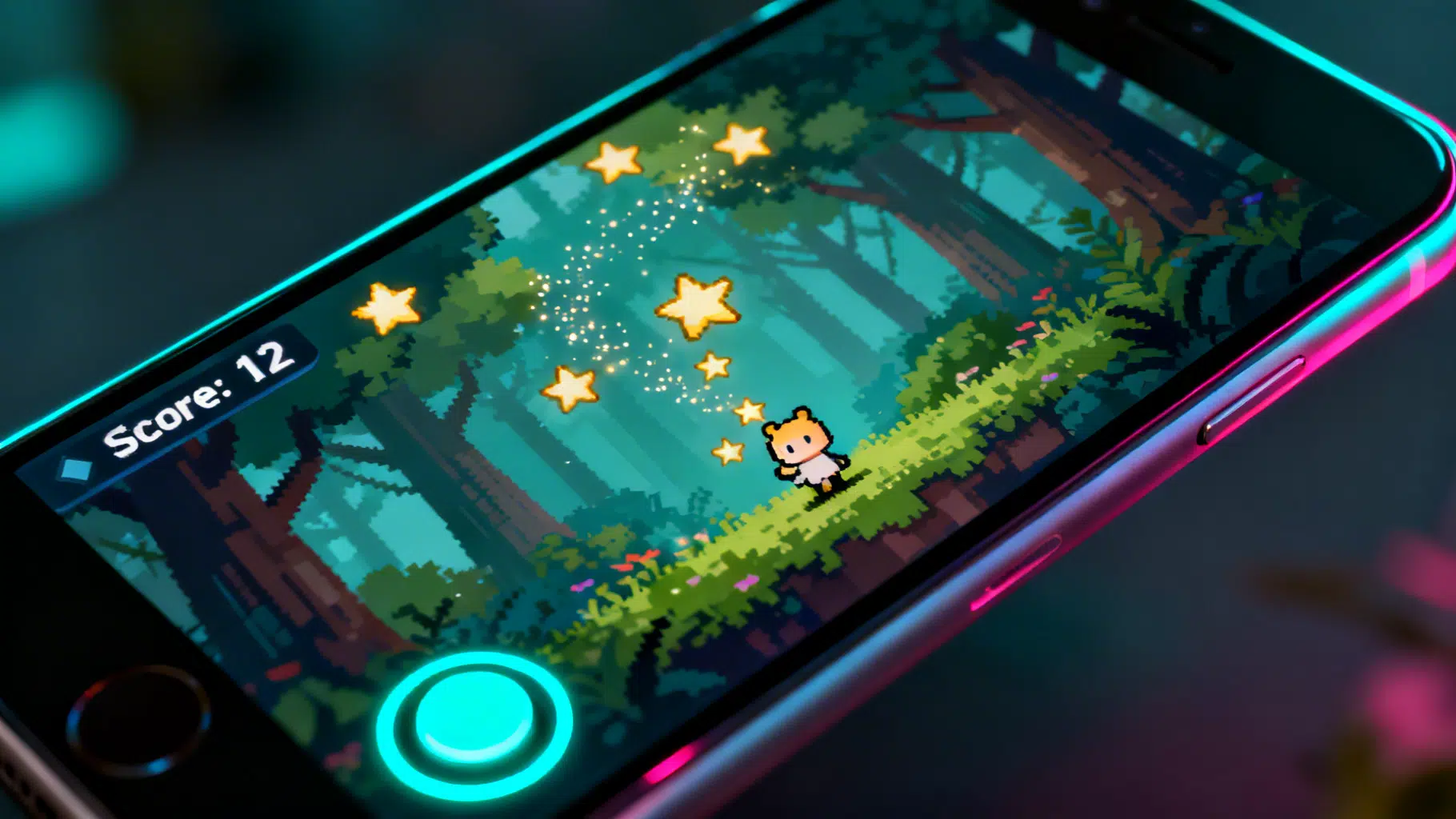
Image used for representation purposes only.
Overview
Flutter Flame is a lightweight 2D game engine built on top of Flutter. It gives you a familiar Flutter development workflow (hot reload, declarative UI, multiplatform builds) while providing game-focused primitives: a game loop, a component system, collision detection, input handling, particles/effects, audio, and camera utilities. In this tutorial you’ll build a small “Star Collector” game and learn the core Flame patterns you’ll reuse in larger projects.
What you’ll learn:
- Project setup and asset management
- Creating a FlameGame and rendering sprites
- Using components and the update/render cycle
- Handling input with a virtual joystick
- Collision detection for gameplay
- HUD/score display and simple audio
- Packaging for Android, iOS, and Web
Prerequisites: Basic Flutter/Dart knowledge and Flutter SDK installed.
1) Project setup
Create a new Flutter project and add dependencies.
flutter create star_collector
cd star_collector
flutter pub add flame flame_audio
Add your assets (images and audio). Create directories like this:
assets/
  images/
    player.png
    star.png
  audio/
    collect.wav
Register assets in pubspec.yaml (keep dependencies managed by flutter pub add):
flutter:
  uses-material-design: true
  assets:
    - assets/images/player.png
    - assets/images/star.png
    - assets/audio/collect.wav
Tip: Use small PNGs (32–128 px) for sprites to keep builds snappy.
2) Flame game skeleton
Flame runs inside a GameWidget. Replace lib/main.dart with:
import 'package:flame/game.dart';
import 'package:flutter/widgets.dart';

import 'star_collector_game.dart';

void main() {
  WidgetsFlutterBinding.ensureInitialized();
  runApp(GameWidget(game: StarCollectorGame()));
}
Create lib/star_collector_game.dart:
import 'dart:math';
import 'package:flame/components.dart';
import 'package:flame/collisions.dart';
import 'package:flame/game.dart';
import 'package:flame/input.dart';
import 'package:flame_audio/flame_audio.dart';

class StarCollectorGame extends FlameGame with HasCollisionDetection {
  late final JoystickComponent joystick;
  late final Sprite playerSprite;
  late final Sprite starSprite;
  late final Player player;
  late final TextComponent scoreText;
  final _rand = Random();
  int score = 0;

  @override
  Future<void> onLoad() async {
    // Load assets once and reuse sprites
    playerSprite = await loadSprite('assets/images/player.png');
    starSprite = await loadSprite('assets/images/star.png');

    // Joystick (bottom-left)
    joystick = JoystickComponent(
      knob: CircleComponent(radius: 20, paint: Paint()..color = const Color(0xFF00E5FF)),
      background: CircleComponent(radius: 40, paint: Paint()..color = const Color(0x3300E5FF)),
      margin: const EdgeInsets.only(left: 24, bottom: 24),
    );
    add(joystick);

    // Player
    player = Player(playerSprite, joystick)
      ..size = Vector2.all(48)
      ..anchor = Anchor.center
      ..position = size / 2
      ..add(RectangleHitbox());
    add(player);

    // HUD: Score (viewport-fixed)
    scoreText = TextComponent(
      text: 'Score: 0',
      position: Vector2(16, 16),
      priority: 10,
    )..positionType = PositionType.viewport;
    add(scoreText);

    // Spawn stars periodically
    add(SpawnTimer(spawn: _spawnStar, interval: 1.2));

    // Optional: preload sfx
    await FlameAudio.audioCache.load('assets/audio/collect.wav');
  }

  void _spawnStar() {
    final double x = _rand.nextDouble() * (size.x - 32) + 16;
    final double y = _rand.nextDouble() * (size.y - 32) + 16;

    final star = Star(starSprite)
      ..size = Vector2.all(32)
      ..anchor = Anchor.center
      ..position = Vector2(x, y)
      ..add(CircleHitbox());
    add(star);
  }

  void collectStar(Star star) {
    star.removeFromParent();
    score += 1;
    scoreText.text = 'Score: $score';
    FlameAudio.play('assets/audio/collect.wav', volume: 0.7);
  }
}

class Player extends SpriteComponent with CollisionCallbacks, HasGameRef<StarCollectorGame> {
  Player(this._sprite, this.joystick) : super(sprite: _sprite);
  final Sprite _sprite;
  final JoystickComponent joystick;
  final double speed = 180; // px/sec

  @override
  void update(double dt) {
    super.update(dt);
    // Move with joystick
    final delta = joystick.relativeDelta;
    if (delta.length2 > 0) {
      position += delta.normalized() * speed * dt;
      angle = delta.screenAngle();
    }

    // Keep inside screen
    position.clamp(
      Vector2(size.x / 2, size.y / 2),
      gameRef.size - Vector2(size.x / 2, size.y / 2),
    );
  }
}

class Star extends SpriteComponent with CollisionCallbacks, HasGameRef<StarCollectorGame> {
  Star(this._sprite) : super(sprite: _sprite);
  final Sprite _sprite;

  @override
  void onCollisionStart(Set<Vector2> intersectionPoints, PositionComponent other) {
    super.onCollisionStart(intersectionPoints, other);
    if (other is Player) {
      gameRef.collectStar(this);
    }
  }
}

/// A tiny utility that spawns something on a fixed interval.
class SpawnTimer extends TimerComponent {
  SpawnTimer({required this.spawn, required double interval})
      : super(period: interval, repeat: true, autoStart: true);
  final void Function() spawn;
  @override
  void onTick() => spawn();
}
Run the game:
flutter run -d chrome   # quick web iteration
# or
flutter run -d ios
flutter run -d android
You now have a controllable player that collects stars and increments a score.
3) Understanding the Flame architecture
- GameWidget: Embeds your FlameGame into the Flutter app tree.
- FlameGame: Manages the game loop (update/render) and a hierarchy of Components.
- Component: Reusable building blocks (SpriteComponent, TextComponent, JoystickComponent, ParticleSystemComponent, etc.). Components can have children and priorities.
- onLoad: Asynchronous initialization for loading assets and adding components.
- update(dt): Called every tick;
dtis the elapsed time in seconds. Put motion, timers, and game logic here. - render(canvas): Low-level drawing if you need custom painting (most games rely on Components instead).
This pattern mirrors larger engines: a scene graph, a loop, and event-driven input.
4) Input handling options
The tutorial used a virtual joystick. Flame also supports:
- Tap and drag callbacks on components (e.g.,
TapCallbacks,DragCallbacks). - Keyboard input via
KeyboardListenerComponentorHasKeyboardHandlerComponentson the game. - Multi-touch and gesture hitboxes using Collision/Hitbox components.
Example: listening for taps anywhere to perform an action (e.g., dash) from within the Game class:
// In your FlameGame subclass:
@override
void onTapDown(TapDownInfo info) {
  // e.g., make the player dash toward the tap
}
Note: In production, prefer attaching callbacks to the specific component that should react, not the entire game, to keep logic modular.
5) Collision detection and hitboxes
Flame’s collision system is component-based and efficient for 2D arcade-style interactions.
- Add
with HasCollisionDetectionto your FlameGame. - Attach hitboxes to components (
RectangleHitbox,CircleHitbox, orPolygonHitbox). - Mix in
CollisionCallbackson components that react to collisions and overrideonCollisionStart/End.
Tips:
- Keep sprites and hitboxes aligned by setting the same
anchorandsize. - For precise shapes, use
PolygonHitboxwith normalized (0–1) points relative to the component size. - Use
debugMode = true;on components in development to visualize bounds and hitboxes.
6) Camera, world space, and HUD
For small games that fit on screen, you can use screen coordinates like we did. As your world grows:
- Create a “world” component for game objects and let the camera follow the player.
- Keep your HUD fixed using
positionType = PositionType.viewport.
Example pattern:
// Pseudo-structure
final world = World();
final camera = CameraComponent(world: world);
camera.follow(player);
addAll([world, camera]);
// Add gameplay components to world, HUD to viewport
This separation makes parallax backgrounds, large maps, and screen shake easier to manage.
7) Particles, effects, and polish
A few small touches go a long way:
- Effects: Use
MoveEffect,ScaleEffect, orOpacityEffecton components for feedback (e.g., a brief scale-up when collecting a star). - Particles:
ParticleSystemComponentcan emit sparkles on collection. - Parallax: Add a
ParallaxComponentwith multiple layers for depth.
Example: a subtle “pop” when collecting a star:
await star.add(ScaleEffect.to(
  Vector2.all(1.4),
  EffectController(duration: 0.08, reverseDuration: 0.06),
));
8) Organizing your codebase
As your game grows, split files by domain:
- game/star_collector_game.dart — root game class
- components/player.dart, components/star.dart, components/enemy.dart
- systems/spawner.dart, systems/score_system.dart
- services/audio_service.dart
Group assets by role (images/ui, images/tiles, images/entities, audio/sfx, audio/music). Consistent structure helps with iteration and collaboration.
9) Performance tips
- Prefer sprite atlases (sprite sheets) to reduce draw calls.
- Reuse loaded
SpriteandImageinstances; avoid reloading inupdate(). - Keep allocations out of
update()where possible (e.g., reuse Vector2 objects or usesetFrom). - Profile with Flutter’s DevTools; watch for jank (missed frames) and memory churn.
- For web: reduce texture sizes and avoid huge transparent PNGs.
10) Building for platforms
Flame piggybacks on Flutter’s multiplatform toolchain:
- Android:
flutter build apkorflutter build appbundlefor Play Store. - iOS:
flutter build ipa(configure signing in Xcode first). - Web:
flutter build weband host thebuild/webfolder.
Platform notes:
- iOS requires audio categories; Flame Audio uses Flutter’s sound backend, which is fine for SFX. Keep audio short and compressed.
- On web, test in multiple browsers; enable “Use hybrid composition” for complex widget overlays if mixing heavy Flutter UI with the game.
11) Where to go next
- Add enemies with simple AI (seek the player using normalized vectors).
- Introduce health and invincibility frames on hit.
- Add a world map with a tile set (Flame integrates well with Tiled maps via community packages).
- Build level progression, pause menus, and save data.
- Explore task scheduling (Timers), pathfinding (A* on grids), and state machines for AI.
Troubleshooting checklist
- Black screen: ensure assets are declared in pubspec.yaml and file paths match exactly (including case).
- No sound: verify the asset path and that your platform volume is up; try
FlameAudio.bgm.initialize()for looping music. - Collisions not firing: check that
HasCollisionDetectionis mixed into the game and hitboxes are added to both colliders. - Nothing moves: remember to multiply by
dtin motion logic.
Summary
You built a complete mini-game with Flame using Flutter: a game loop with components, joystick control, collision-driven scoring, and a small HUD. The same techniques scale to platformers, shooters, puzzle games, and more. Flame’s sweet spot is 2D, fast iteration, and shipping to mobile and web from one codebase—exactly what many indie and hobby projects need.
Related Posts
Flutter Desktop Tutorial: Build and Ship Apps for Windows and macOS
Step-by-step Flutter desktop tutorial for Windows and macOS: setup, coding patterns, plugins, packaging, signing, and CI tips to ship production apps.
Flutter GetX Tutorial: State, Routing, and Dependency Injection in One Lightweight Package
Step-by-step Flutter GetX tutorial covering state, routing, DI, bindings, workers, theming, and i18n with practical code snippets.
Flutter Plugin Development with Native Code: Channels, Pigeon, and FFI
A practical, end-to-end guide to building robust Flutter plugins with native code, Pigeon, FFI, testing, and multi-platform best practices.