
Build a Real‑Time Chat App in Flutter with WebSockets
Build a robust Flutter WebSocket real-time chat app: minimal server, resilient client with reconnection and heartbeats, security, scaling, and deployment.
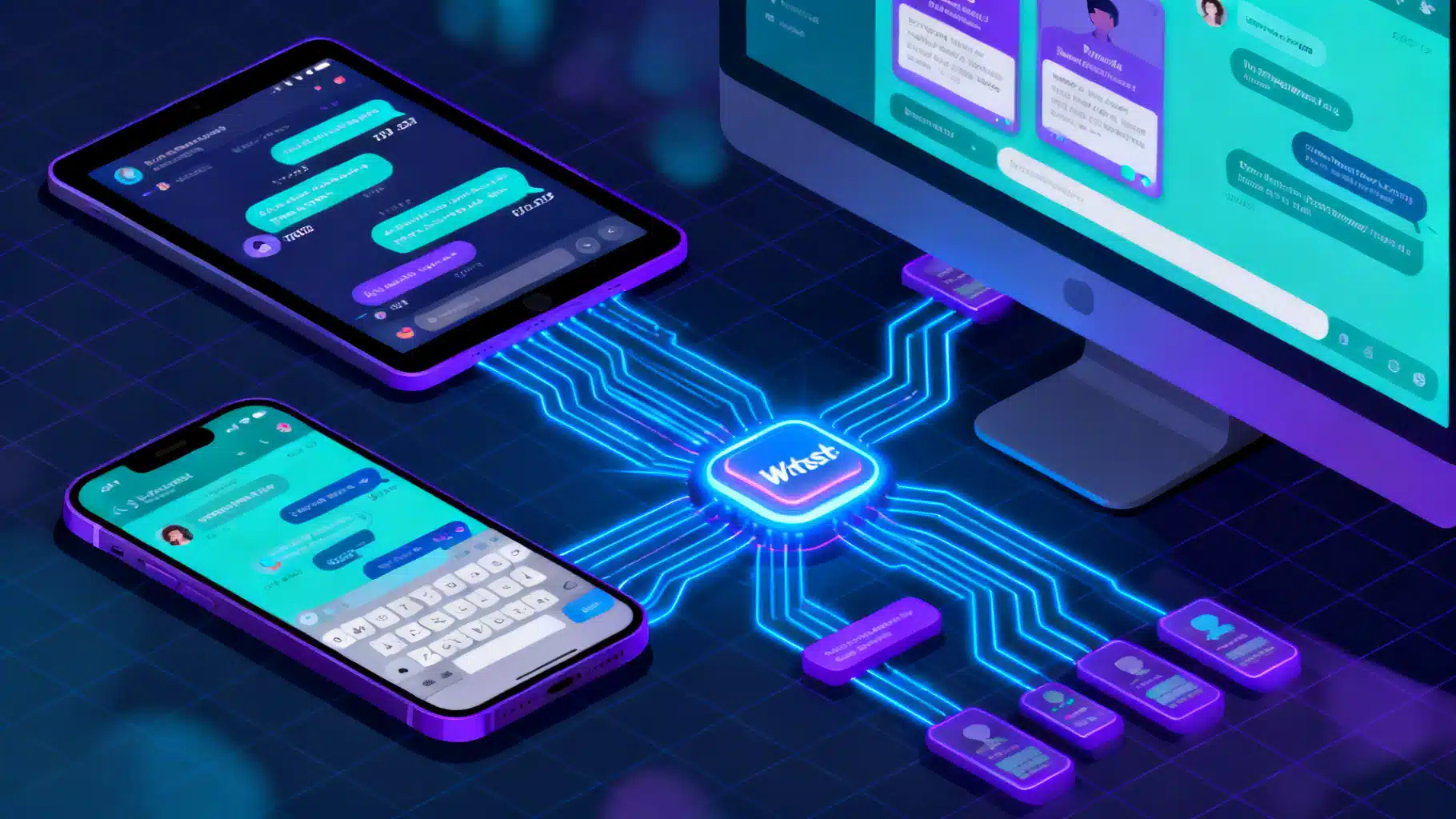
Image used for representation purposes only.
Overview
Real‑time chat is a classic use case for WebSockets: a lightweight, full‑duplex channel between client and server. In this article, you’ll build a production‑ready Flutter chat experience powered by WebSockets. We’ll cover a minimal server, a robust Flutter client with reconnection and heartbeats, message modeling, state management, and the hard parts—security, scaling, and deployment.
Architecture at a Glance
A WebSocket chat stack typically includes:
- Client: Flutter app (Android, iOS, Web, Desktop) maintaining one persistent WebSocket connection per user.
- Gateway: WebSocket server that accepts connections and forwards messages to rooms or users.
- Broker (optional, for scale): Pub/Sub layer (e.g., Redis) for fan‑out when you run multiple server instances.
- Persistence (optional): Database for message history, receipts, and user presence.
Message flow:
- Client connects to wss://yourhost/chat?token=…
- Server authenticates, joins the user to one or more rooms.
- Client sends a message -> server validates and broadcasts to the room.
- Recipients receive events instantly through the same socket.
Prerequisites
- Flutter installed and a recent stable channel.
- Comfort with Dart async/streams.
- Basic server knowledge (Node.js or Dart examples below).
A Tiny WebSocket Server (choose one)
You can run any WebSocket‑capable backend. Here are two minimal options useful for local development.
Option A: Node.js with ws
// server.js
const WebSocket = require('ws');
const wss = new WebSocket.Server({ port: 8080 });

wss.on('connection', (ws) => {
  ws.on('message', (data) => {
    // Broadcast incoming payload to all connected clients
    for (const client of wss.clients) {
      if (client.readyState === WebSocket.OPEN) client.send(data.toString());
    }
  });
});

console.log('WebSocket server listening on ws://localhost:8080');
Option B: Pure Dart (no package)
// bin/server.dart
import 'dart:io';

final _clients = <WebSocket>{};

Future<void> main() async {
  final server = await HttpServer.bind(InternetAddress.anyIPv4, 8080);
  print('Listening on ws://localhost:8080');

  await for (final request in server) {
    if (WebSocketTransformer.isUpgradeRequest(request)) {
      final socket = await WebSocketTransformer.upgrade(request);
      _clients.add(socket);
      socket.listen(
        (data) {
          for (final c in _clients) {
            c.add(data);
          }
        },
        onDone: () => _clients.remove(socket),
        onError: (_) => _clients.remove(socket),
      );
    } else {
      request.response
        ..statusCode = HttpStatus.forbidden
        ..close();
    }
  }
}
These servers simply echo broadcasts. In production you’ll validate payloads, isolate rooms, enforce auth, and add rate limits.
Flutter Project Setup
Add the WebSocket client package to your pubspec.yaml:
dependencies:
  flutter:
    sdk: flutter
  web_socket_channel: ^2.x
Run flutter pub get.
Data Model
Define a simple, JSON‑friendly message type. Keep it immutable and serializable.
// lib/models/chat_message.dart
class ChatMessage {
  final String id;
  final String room;
  final String senderId;
  final String text;
  final DateTime sentAt;

  const ChatMessage({
    required this.id,
    required this.room,
    required this.senderId,
    required this.text,
    required this.sentAt,
  });

  Map<String, dynamic> toJson() => {
        'id': id,
        'room': room,
        'senderId': senderId,
        'text': text,
        'sentAt': sentAt.toUtc().toIso8601String(),
      };

  factory ChatMessage.fromJson(Map<String, dynamic> json) => ChatMessage(
        id: json['id'] as String,
        room: json['room'] as String,
        senderId: json['senderId'] as String,
        text: json['text'] as String,
        sentAt: DateTime.parse(json['sentAt'] as String).toUtc(),
      );
}
WebSocket Client with Reconnect + Heartbeat
We’ll create a light service that:
- Connects to a WebSocket endpoint
- Exposes a
Stream<ChatMessage>for incoming data - Buffers outgoing messages while reconnecting
- Sends periodic pings to keep NATs and proxies happy
Note: Recent web_socket_channel versions provide WebSocketChannel.connect(Uri) that works across platforms. If you target older versions, consider conditional imports for IOWebSocketChannel (mobile/desktop) and HtmlWebSocketChannel (web).
// lib/services/chat_socket.dart
import 'dart:async';
import 'dart:convert';
import 'dart:math';
import 'package:web_socket_channel/web_socket_channel.dart';

import '../models/chat_message.dart';

class ChatSocket {
  final Uri uri;
  final String room;
  final String senderId;

  WebSocketChannel? _channel;
  final _incoming = StreamController<ChatMessage>.broadcast();
  final _outgoingBuffer = <ChatMessage>[];
  StreamSubscription? _sub;
  Timer? _heartbeat;
  Timer? _reconnectTimer;
  bool _closedByUser = false;
  int _attempt = 0;

  ChatSocket({
    required this.uri,
    required this.room,
    required this.senderId,
  });

  Stream<ChatMessage> get messages => _incoming.stream;

  Future<void> connect() async {
    _closedByUser = false;
    _connectInternal();
  }

  void _connectInternal() {
    _cancelReconnect();
    _channel = WebSocketChannel.connect(uri);
    _attempt = 0; // reset on successful dial attempt (assume success until onDone)

    _sub = _channel!.stream.listen(
      (data) {
        try {
          final map = jsonDecode(data as String) as Map<String, dynamic>;
          final msg = ChatMessage.fromJson(map);
          _incoming.add(msg);
        } catch (_) {
          // Ignore malformed frames
        }
      },
      onError: (_) => _scheduleReconnect(),
      onDone: () {
        if (!_closedByUser) _scheduleReconnect();
      },
      cancelOnError: true,
    );

    _flushBuffer();
    _startHeartbeat();
  }

  void sendText(String text) {
    final msg = ChatMessage(
      id: DateTime.now().microsecondsSinceEpoch.toString(),
      room: room,
      senderId: senderId,
      text: text,
      sentAt: DateTime.now().toUtc(),
    );
    _sendOrBuffer(msg);
  }

  void _sendOrBuffer(ChatMessage msg) {
    final c = _channel;
    final data = jsonEncode(msg.toJson());
    if (c != null) {
      try {
        c.sink.add(data);
      } catch (_) {
        _outgoingBuffer.add(msg);
      }
    } else {
      _outgoingBuffer.add(msg);
    }
  }

  void _flushBuffer() {
    if (_channel == null) return;
    for (final m in _outgoingBuffer) {
      _channel!.sink.add(jsonEncode(m.toJson()));
    }
    _outgoingBuffer.clear();
  }

  void _startHeartbeat() {
    _heartbeat?.cancel();
    _heartbeat = Timer.periodic(const Duration(seconds: 20), (_) {
      final c = _channel;
      if (c != null) {
        c.sink.add(jsonEncode({'type': 'ping', 'ts': DateTime.now().toUtc().toIso8601String()}));
      }
    });
  }

  void _scheduleReconnect() {
    _disposeChannel();
    if (_closedByUser) return;

    _attempt += 1;
    final backoffMs = _expBackoffMs(_attempt);
    _reconnectTimer?.cancel();
    _reconnectTimer = Timer(Duration(milliseconds: backoffMs), _connectInternal);
  }

  int _expBackoffMs(int attempt) {
    final capped = attempt.clamp(1, 7); // cap growth
    final base = 500 * pow(2, capped - 1); // 0.5s, 1s, 2s, ..., ~32s
    final jitter = Random().nextInt(250);
    return base.toInt() + jitter;
  }

  void _cancelReconnect() {
    _reconnectTimer?.cancel();
    _reconnectTimer = null;
  }

  void _disposeChannel() {
    _sub?.cancel();
    _sub = null;
    try {
      _channel?.sink.close();
    } catch (_) {}
    _channel = null;
    _heartbeat?.cancel();
    _heartbeat = null;
  }

  Future<void> close() async {
    _closedByUser = true;
    _cancelReconnect();
    _disposeChannel();
    await _incoming.close();
  }
}
UI: Minimal Chat Screen
A simple screen that:
- Displays incoming messages in a scrolling list
- Auto‑scrolls on new messages
- Sends text from a bottom input bar
// lib/screens/chat_page.dart
import 'dart:async';
import 'package:flutter/material.dart';
import '../models/chat_message.dart';
import '../services/chat_socket.dart';

class ChatPage extends StatefulWidget {
  const ChatPage({super.key});

  @override
  State<ChatPage> createState() => _ChatPageState();
}

class _ChatPageState extends State<ChatPage> {
  late final ChatSocket _socket;
  final _messages = <ChatMessage>[];
  final _controller = TextEditingController();
  final _scroll = ScrollController();
  StreamSubscription? _sub;

  @override
  void initState() {
    super.initState();
    _socket = ChatSocket(
      uri: Uri.parse('ws://localhost:8080'),
      room: 'general',
      senderId: 'alice',
    );
    _socket.connect();
    _sub = _socket.messages.listen((m) {
      setState(() => _messages.add(m));
      _scrollToBottom();
    });
  }

  void _scrollToBottom() {
    WidgetsBinding.instance.addPostFrameCallback((_) {
      if (!_scroll.hasClients) return;
      _scroll.animateTo(
        _scroll.position.maxScrollExtent + 64,
        duration: const Duration(milliseconds: 250),
        curve: Curves.easeOut,
      );
    });
  }

  @override
  void dispose() {
    _sub?.cancel();
    _socket.close();
    _controller.dispose();
    _scroll.dispose();
    super.dispose();
  }

  void _send() {
    final text = _controller.text.trim();
    if (text.isEmpty) return;
    _socket.sendText(text);
    _controller.clear();
  }

  @override
  Widget build(BuildContext context) {
    return Scaffold(
      appBar: AppBar(title: const Text('WebSocket Chat')),
      body: Column(
        children: [
          Expanded(
            child: ListView.builder(
              controller: _scroll,
              itemCount: _messages.length,
              itemBuilder: (context, i) {
                final m = _messages[i];
                final me = m.senderId == 'alice';
                return Align(
                  alignment: me ? Alignment.centerRight : Alignment.centerLeft,
                  child: Container(
                    padding: const EdgeInsets.all(12),
                    margin: const EdgeInsets.symmetric(horizontal: 12, vertical: 6),
                    decoration: BoxDecoration(
                      color: me ? Colors.blue.shade600 : Colors.grey.shade300,
                      borderRadius: BorderRadius.circular(12),
                    ),
                    child: Column(
                      crossAxisAlignment: me ? CrossAxisAlignment.end : CrossAxisAlignment.start,
                      children: [
                        Text(
                          m.text,
                          style: TextStyle(color: me ? Colors.white : Colors.black87),
                        ),
                        const SizedBox(height: 4),
                        Text(
                          m.senderId,
                          style: TextStyle(
                            fontSize: 11,
                            color: me ? Colors.white70 : Colors.black54,
                          ),
                        ),
                      ],
                    ),
                  ),
                );
              },
            ),
          ),
          SafeArea(
            child: Row(
              children: [
                Expanded(
                  child: Padding(
                    padding: const EdgeInsets.symmetric(horizontal: 12, vertical: 8),
                    child: TextField(
                      controller: _controller,
                      onSubmitted: (_) => _send(),
                      decoration: const InputDecoration(
                        hintText: 'Message...',
                        border: OutlineInputBorder(),
                      ),
                    ),
                  ),
                ),
                Padding(
                  padding: const EdgeInsets.only(right: 12),
                  child: IconButton(
                    icon: const Icon(Icons.send),
                    onPressed: _send,
                  ),
                ),
              ],
            ),
          ),
        ],
      ),
    );
  }
}
Handling Auth and Rooms
- Web: Browsers can’t set arbitrary headers on WebSocket upgrade. Use a signed token in the query string (e.g.,
wss://host/chat?token=...) or subprotocols. Validate server‑side and map to user/room memberships. - Mobile/Desktop: You can set headers or subprotocols. Rotate short‑lived tokens to minimize risk.
- Rooms: Avoid broadcasting to everyone. Keep a map of
room -> Set<WebSocket>and deliver only to relevant sockets.
Reliability Patterns
- Reconnect with exponential backoff and jitter (as shown).
- Heartbeats: Send
pingframes (or small JSON pings) every 15–30 seconds; drop dead connections. - Outbox: Buffer unsent messages while reconnecting; include an
idso the server can dedupe. - Acks and receipts: Add
ackId/deliveredAtas your UX demands.
Persisting History (Optional but Recommended)
- Client cache: Use Hive or shared_preferences for the last N messages per room.
- Server storage: Append messages to a database (e.g., Postgres with a
messages(room, sender, text, sent_at)table) and allow fetch‑on‑join for history.
Security Checklist
- Always use WSS in production. Terminate TLS at a reverse proxy (e.g., NGINX) or your app server.
- Validate and sanitize all inputs; enforce max message size and rate limits.
- Authenticate on connect; authorize per room.
- For web, validate the
Originheader; only allow your app’s origins. - Consider message encryption at rest and in transit; rotate tokens regularly.
Performance and Scaling
- Horizontal scale: Run multiple WebSocket servers; coordinate fan‑out via Redis Pub/Sub or a message queue.
- Sticky sessions: If your server tracks in‑memory room membership, keep clients pinned to a node via load balancer affinity.
- Backpressure: If a client can’t keep up, drop or batch messages; don’t let one slow reader exhaust memory.
- Compression: Enable per‑message deflate if both ends support it; measure CPU trade‑offs.
Deploying Behind a Reverse Proxy
- Use NGINX or HAProxy to terminate TLS and forward the Upgrade request.
- Ensure
UpgradeandConnectionheaders are preserved. - For Flutter Web: host your compiled app over HTTPS and connect with WSS to avoid mixed‑content errors.
- iOS ATS: Non‑TLS
ws://endpoints are blocked by default. Usewss://or configure ATS exceptions for development.
Testing
- Unit test serialization with golden values for
ChatMessage. - Widget tests: pump
ChatPage, inject a fake socket that exposes a controllable stream. - Integration: Spin up the tiny server locally in CI, run end‑to‑end chat flows.
Troubleshooting
- Message not delivered on web only: Check mixed content (HTTPS + WS), and CORS‑like Origin checks on your server.
- Random disconnects: Add heartbeats; verify proxy idle timeouts (increase to >60s).
- Duplicate messages: Implement idempotency on server using
idorackId. - Mobile backgrounding: Expect socket suspensions; reconnect on resume and re‑sync history.
Where to Go Next
- Replace the toy server with a framework (NestJS, FastAPI, Dart Shelf) and add JWT auth, rooms, and persistence.
- Add typing indicators and presence using dedicated events.
- Implement read receipts and message retries with server acknowledgments.
- Wrap the socket in your state management of choice (Riverpod, BLoC, ValueNotifier) and test thoroughly.
Conclusion
With a lean data model, a resilient WebSocket client, and a careful approach to security and scaling, Flutter makes it straightforward to deliver a smooth, real‑time chat experience across mobile, desktop, and web. Start with the minimal server and UI above, then evolve toward production with authentication, persistence, and clustering as your audience grows.
Related Posts
Flutter GetX Tutorial: State, Routing, and Dependency Injection in One Lightweight Package
Step-by-step Flutter GetX tutorial covering state, routing, DI, bindings, workers, theming, and i18n with practical code snippets.
Flutter Cupertino Widgets: An iOS-Style UI Guide with Practical Examples
A practical guide to Flutter’s Cupertino iOS-style widgets: app shells, navigation, lists, forms, pickers, theming, and adaptive patterns with code.
Flutter Push Notifications with Firebase Cloud Messaging (FCM): A Complete Setup Guide
Step-by-step guide to set up FCM push notifications in Flutter for Android and iOS, with code, permissions, background handling, and testing tips.