
Flutter Audio Player + Recorder Tutorial: Build a Polished Voice Notes Feature
Build a Flutter audio player + recorder: record voice, play with seek, handle permissions, show levels, and share files using just_audio and record.
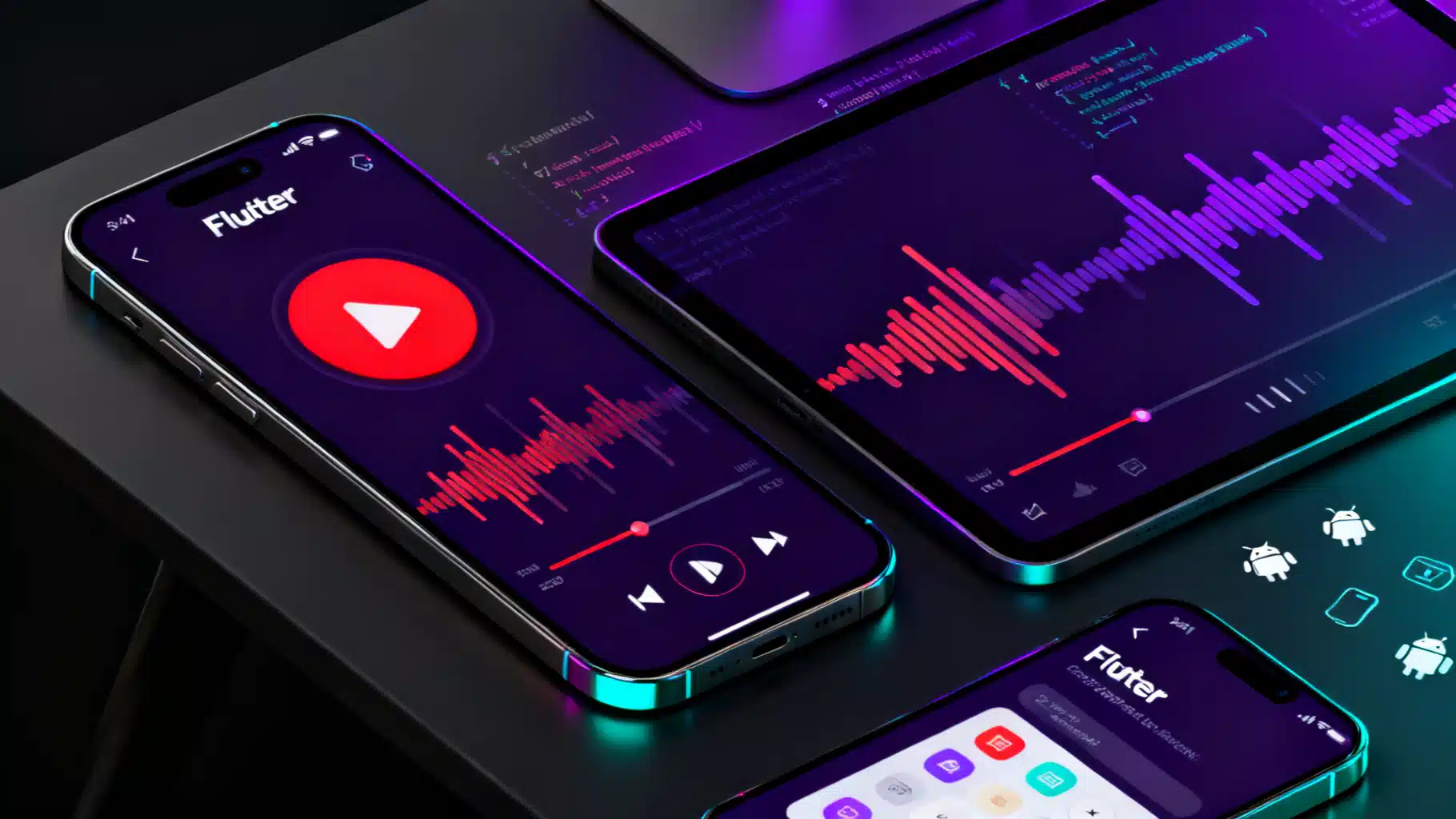
Image used for representation purposes only.
Overview
In this step‑by‑step tutorial you’ll build a polished Flutter feature that can record audio, play it back with transport controls, show live input levels, and export the result. We’ll rely on well‑maintained plugins and keep the architecture clean so you can drop this into a production app or extend it into a full voice‑notes experience.
What you’ll learn:
- Recording high‑quality audio on iOS and Android
- Playing local files with robust controls (play/pause/seek)
- Managing permissions and platform configs
- Structuring services for testability
- Displaying live input amplitude and a simple waveform bar
Prerequisites
- Flutter installed and a device/emulator set up
- Basic knowledge of Dart and Flutter widgets
Project setup
Create a new project:
flutter create voice_notes
cd voice_notes
Add the dependencies (using flutter pub add keeps versions current):
flutter pub add just_audio record audio_session path_provider permission_handler share_plus
Packages used:
record: microphone recording with control over codec/bitratejust_audio: reliable, feature‑rich audio playbackaudio_session: (recommended) audio focus/session managementpath_provider: app directories for saving filespermission_handler: request microphone permissionshare_plus: share the recorded file
Platform configuration
Android
Add microphone permission to android/app/src/main/AndroidManifest.xml:
<manifest ...>
  <uses-permission android:name="android.permission.RECORD_AUDIO" />
  <!-- Optional if you write outside app-scoped storage (not needed in this tutorial): -->
  <!-- <uses-permission android:name="android.permission.WRITE_EXTERNAL_STORAGE" /> -->
  <application ...>
    <!-- nothing else required for basic recording/playback -->
  </application>
</manifest>
Notes:
- This tutorial saves into the app’s documents directory, so no external storage permission is needed.
- If you add background recording/playback later, you’ll need additional configuration and a foreground service.
iOS
Open ios/Runner/Info.plist and add:
<key>NSMicrophoneUsageDescription</key>
<string>We need your microphone to record voice notes.</string>

<!-- Optional: enable background audio if your use-case requires it -->
<key>UIBackgroundModes</key>
<array>
  <string>audio</string>
</array>
Tip: Test recording on a real iPhone when possible for accurate input levels and hardware routing.
App structure
A simple but maintainable layout:
lib/
  main.dart
  services/
    audio_player_service.dart
    audio_recorder_service.dart
  ui/
    voice_note_page.dart
Initialize the audio session (recommended)
Configure audio focus for polite coexistence with other apps. Do this once at startup. For voice notes, the speech configuration is appropriate.
// lib/main.dart
import 'package:flutter/material.dart';
import 'package:audio_session/audio_session.dart';
import 'ui/voice_note_page.dart';

Future<void> _initAudioSession() async {
  final session = await AudioSession.instance;
  await session.configure(const AudioSessionConfiguration.speech());
}

void main() async {
  WidgetsFlutterBinding.ensureInitialized();
  await _initAudioSession();
  runApp(const VoiceNotesApp());
}

class VoiceNotesApp extends StatelessWidget {
  const VoiceNotesApp({super.key});
  @override
  Widget build(BuildContext context) => MaterialApp(
        title: 'Voice Notes',
        theme: ThemeData(colorSchemeSeed: Colors.deepPurple, useMaterial3: true),
        home: const VoiceNotePage(),
      );
}
Recording service
Encapsulate recording to keep your UI thin and testable.
// lib/services/audio_recorder_service.dart
import 'dart:io';
import 'package:path_provider/path_provider.dart';
import 'package:permission_handler/permission_handler.dart';
import 'package:record/record.dart';

class AudioRecorderService {
  final Record _record = Record();
  String? _currentPath;

  Stream<Amplitude> onAmplitude({Duration interval = const Duration(milliseconds: 100)}) {
    return _record.onAmplitudeChanged(interval);
  }

  Future<bool> hasPermission() async {
    final mic = await Permission.microphone.request();
    return mic.isGranted;
  }

  Future<String> _nextFilePath() async {
    final dir = await getApplicationDocumentsDirectory();
    final ts = DateTime.now().millisecondsSinceEpoch;
    return '${dir.path}/voice_$ts.m4a';
  }

  Future<void> start() async {
    if (!await hasPermission()) {
      throw Exception('Microphone permission not granted');
    }
    _currentPath = await _nextFilePath();

    await _record.start(
      path: _currentPath!,
      encoder: AudioEncoder.aacLc, // good cross-platform choice
      bitRate: 128000,
      samplingRate: 44100,
      numChannels: 1,
    );
  }

  Future<String?> stop() async {
    final path = await _record.stop();
    // Prefer the plugin's return path, but fall back to the one we set
    return path ?? _currentPath;
  }

  Future<void> pause() => _record.pause();
  Future<void> resume() => _record.resume();
  Future<bool> isRecording() => _record.isRecording();
  Future<void> dispose() async {
    if (await _record.isRecording()) {
      await _record.stop();
    }
  }
}
Playback service
Wrap just_audio for clean control and easy disposal.
// lib/services/audio_player_service.dart
import 'package:just_audio/just_audio.dart';

class AudioPlayerService {
  final AudioPlayer _player = AudioPlayer();

  Stream<Duration> get positionStream => _player.positionStream;
  Stream<PlayerState> get stateStream => _player.playerStateStream;
  Duration? get duration => _player.duration;

  Future<void> loadFile(String path) async {
    await _player.setFilePath(path);
  }

  Future<void> play() => _player.play();
  Future<void> pause() => _player.pause();
  Future<void> seek(Duration position) => _player.seek(position);
  Future<void> setSpeed(double speed) => _player.setSpeed(speed);

  Future<void> dispose() => _player.dispose();
}
UI: record, play, and seek
The page wires both services together. It displays a big Record/Stop button, a simple live amplitude bar while recording, and a player with a seek slider after you finish.
// lib/ui/voice_note_page.dart
import 'dart:math' as math;
import 'package:flutter/material.dart';
import 'package:share_plus/share_plus.dart';
import '../services/audio_player_service.dart';
import '../services/audio_recorder_service.dart';

class VoiceNotePage extends StatefulWidget {
  const VoiceNotePage({super.key});
  @override
  State<VoiceNotePage> createState() => _VoiceNotePageState();
}

class _VoiceNotePageState extends State<VoiceNotePage> {
  late final AudioRecorderService _recorder;
  late final AudioPlayerService _player;
  String? _lastRecordingPath;
  double _lastDb = -160; // decibels from record plugin

  @override
  void initState() {
    super.initState();
    _recorder = AudioRecorderService();
    _player = AudioPlayerService();
    _recorder.onAmplitude().listen((amp) {
      // Convert amplitude to dB; plugin provides both max and current
      setState(() => _lastDb = amp.current);
    });
  }

  @override
  void dispose() {
    _player.dispose();
    _recorder.dispose();
    super.dispose();
  }

  Future<void> _toggleRecord() async {
    final recording = await _recorder.isRecording();
    if (recording) {
      final path = await _recorder.stop();
      if (path != null) {
        setState(() => _lastRecordingPath = path);
        await _player.loadFile(path);
      }
    } else {
      await _recorder.start();
    }
    setState(() {});
  }

  Widget _amplitudeBar() {
    // Map dB (-160..0) to 0..1
    final level = (_lastDb + 160) / 160;
    final clamped = level.clamp(0.0, 1.0);
    return AnimatedContainer(
      duration: const Duration(milliseconds: 120),
      height: 12,
      width: 280 * clamped,
      decoration: BoxDecoration(
        gradient: LinearGradient(colors: [Colors.green, Colors.orange, Colors.red]),
        borderRadius: BorderRadius.circular(6),
      ),
    );
  }

  Widget _recordSection() {
    return Card(
      child: Padding(
        padding: const EdgeInsets.all(16),
        child: Column(
          crossAxisAlignment: CrossAxisAlignment.start,
          children: [
            const Text('Recorder', style: TextStyle(fontSize: 18, fontWeight: FontWeight.bold)),
            const SizedBox(height: 12),
            Row(
              children: [
                ElevatedButton.icon(
                  onPressed: _toggleRecord,
                  icon: const Icon(Icons.mic),
                  label: FutureBuilder<bool>(
                    future: _recorder.isRecording(),
                    builder: (context, snap) => Text((snap.data ?? false) ? 'Stop' : 'Record'),
                  ),
                  style: ElevatedButton.styleFrom(
                    backgroundColor: Colors.redAccent,
                    foregroundColor: Colors.white,
                  ),
                ),
                const SizedBox(width: 16),
                Expanded(child: _amplitudeBar()),
              ],
            ),
          ],
        ),
      ),
    );
  }

  Widget _playerSection() {
    final hasFile = _lastRecordingPath != null;
    return Card(
      child: Padding(
        padding: const EdgeInsets.all(16),
        child: Column(
          crossAxisAlignment: CrossAxisAlignment.start,
          children: [
            const Text('Player', style: TextStyle(fontSize: 18, fontWeight: FontWeight.bold)),
            const SizedBox(height: 12),
            if (!hasFile) const Text('Record something to enable playback.'),
            if (hasFile) ...[
              StreamBuilder<Duration>(
                stream: _player.positionStream,
                builder: (context, snapshot) {
                  final pos = snapshot.data ?? Duration.zero;
                  final total = _player.duration ?? Duration.zero;
                  return Column(
                    children: [
                      Row(
                        children: [
                          IconButton(
                            icon: const Icon(Icons.replay_10),
                            onPressed: () => _player.seek(pos - const Duration(seconds: 10)),
                          ),
                          StreamBuilder(
                            stream: _player.stateStream,
                            builder: (context, snap) {
                              final playing = snap.data?.playing ?? false;
                              return IconButton(
                                icon: Icon(playing ? Icons.pause_circle_filled : Icons.play_circle_fill),
                                iconSize: 40,
                                onPressed: () => playing ? _player.pause() : _player.play(),
                              );
                            },
                          ),
                          IconButton(
                            icon: const Icon(Icons.forward_10),
                            onPressed: () => _player.seek(pos + const Duration(seconds: 10)),
                          ),
                          const Spacer(),
                          IconButton(
                            icon: const Icon(Icons.ios_share),
                            onPressed: () {
                              if (_lastRecordingPath != null) {
                                Share.shareXFiles([XFile(_lastRecordingPath!)]);
                              }
                            },
                          ),
                        ],
                      ),
                      Slider(
                        value: pos.inMilliseconds.toDouble().clamp(0, math.max(1, total.inMilliseconds).toDouble()),
                        max: math.max(1, total.inMilliseconds).toDouble(),
                        onChanged: (v) => _player.seek(Duration(milliseconds: v.floor())),
                      ),
                      Row(
                        mainAxisAlignment: MainAxisAlignment.spaceBetween,
                        children: [
                          Text(_fmt(pos)),
                          Text(_fmt(total)),
                        ],
                      ),
                    ],
                  );
                },
              ),
            ],
          ],
        ),
      ),
    );
  }

  String _fmt(Duration d) {
    String two(int n) => n.toString().padLeft(2, '0');
    final h = d.inHours;
    final m = d.inMinutes.remainder(60);
    final s = d.inSeconds.remainder(60);
    return h > 0 ? '${two(h)}:${two(m)}:${two(s)}' : '${two(m)}:${two(s)}';
  }

  @override
  Widget build(BuildContext context) {
    return Scaffold(
      appBar: AppBar(title: const Text('Voice Notes')),
      body: ListView(
        padding: const EdgeInsets.all(16),
        children: [
          _recordSection(),
          const SizedBox(height: 12),
          _playerSection(),
          if (_lastRecordingPath != null) Padding(
            padding: const EdgeInsets.only(top: 8),
            child: Text('Saved to: $_lastRecordingPath', style: const TextStyle(fontSize: 12, color: Colors.grey)),
          ),
        ],
      ),
    );
  }
}
Run the app:
flutter run
- Tap Record to start. You’ll see the amplitude bar animate with your voice.
- Tap Stop to finish and automatically load the file into the player.
- Use play/pause, 10‑second skip, the seek bar, and the Share button.
Quality, formats, and file size
- Codec:
aacLcin an.m4acontainer is widely supported and compact for speech. - Bitrate: 128 kbps is clear; try 64 kbps for smaller files or 192 kbps for higher fidelity.
- Sample rate: 44.1 kHz is safe; 48 kHz is fine too.
- Channels: 1 (mono) is ideal for voice.
To change settings, modify the start() parameters in AudioRecorderService.
Handling edge cases and lifecycle
- Permission denied: Catch and surface a friendly message; provide a button to open app settings.
- Interruptions: Phone calls and alarms can steal audio focus. The
audio_sessionconfiguration helps; consider pausing onplayerStateStreamchanges. - iOS speaker output: For voice notes you often want the loudspeaker. Consider configuring the route via platform channels if needed.
- Simulator quirks: If input levels look odd, confirm on a real device.
Optional enhancements
- Waveform preview: Generate a waveform for the recorded file using packages like
just_waveform, then render it with aCustomPainter. - List of recordings: Persist metadata (path, duration, createdAt) using
hiveorsqfliteand show them in a list with swipe‑to‑delete. - Trimming: Load the file into a lightweight editor or re‑record segments.
- Playback speed: Call
_player.setSpeed(0.8…2.0)and add UI controls. - Background tasks: For long recordings or background playback, implement foreground services (Android) and background modes (iOS) with care.
Testing checklist
- Start/stop across quick taps to ensure no race conditions
- Seek at file start/end without crashes
- Record with the app in the background (only if you enabled it) and on screen‑off
- Share flow works and the file can be opened by other apps
- Storage growth over time; implement clean‑up or quotas
Troubleshooting
- No audio captured: Verify microphone permission in system settings and that no other app is recording.
- Distortion/clipping: Reduce input gain if your device or external mic is hot; consider speaking farther from the mic.
- Playback silent on iOS: Ensure the device is not in silent mode and confirm your audio route; try removing background mode if not needed.
- Build errors after adding plugins: Run
flutter clean && flutter pub getand ensure the minimum iOS and Android SDK versions meet each plugin’s requirements.
Recap
You now have a robust Flutter voice‑notes feature: high‑quality recording with live levels, reliable playback with seeking, and one‑tap sharing. The services are isolated for easy testing and future growth—add a recordings library, cloud sync, or a waveform editor next.
Related Posts
Flutter + Google Maps: A Complete Integration Guide
Integrate Google Maps in Flutter: setup keys, Android/iOS config, markers, directions, clustering, styling, and best practices.
Build a Real‑Time Chat App in Flutter with WebSockets
Build a robust Flutter WebSocket real-time chat app: minimal server, resilient client with reconnection and heartbeats, security, scaling, and deployment.

Flutter Hive Database Tutorial: Fast, Typed, and Offline‑First
Learn Flutter Hive database from setup to adapters, reactive UI, encryption, migrations, testing, and performance tips—with clear code examples.