
GraphQL File Uploads: A Practical Guide with Node.js, Apollo, and S3
A practical, production-grade guide to implementing GraphQL file uploads with Node.js, Apollo, streaming, S3, validation, and security.
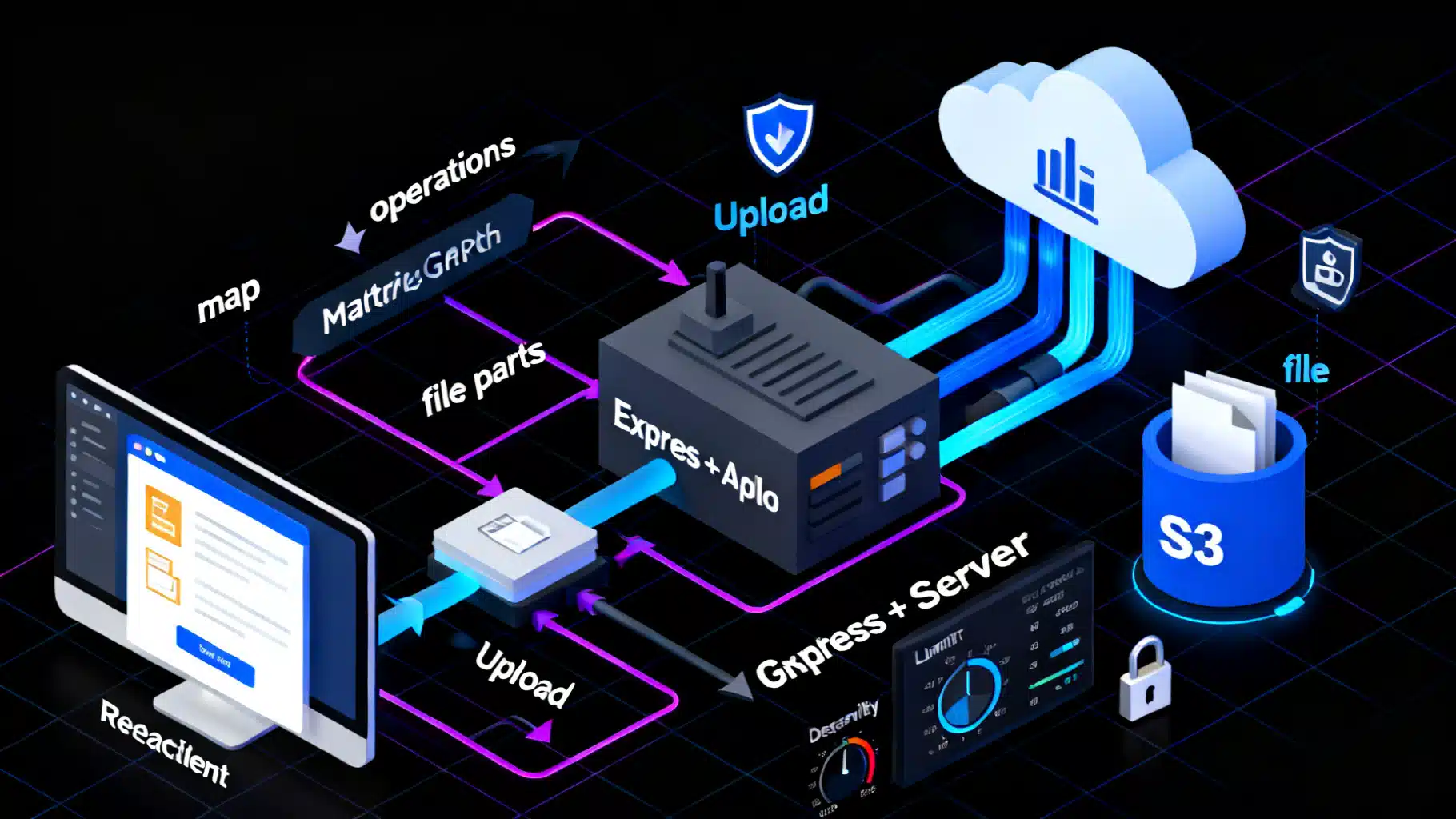
Image used for representation purposes only.
Why GraphQL file uploads are different
GraphQL transports data as JSON over HTTP. Files, however, are binary streams that don’t fit neatly into JSON without costly base64 encoding. To bridge this gap, the community adopted an approach that lets clients send multipart/form-data while still executing a normal GraphQL operation on the server. This keeps your API contract consistent (a mutation with variables) and lets your server stream files to storage without buffering them in memory.
This article walks through the standard multipart approach, shows a complete Node.js implementation with Express and Apollo Server, demonstrates a React + Apollo Client setup, and covers validation, security, and alternatives such as direct-to-cloud uploads with pre-signed URLs.
The two common approaches
- GraphQL multipart request spec: The client sends a multipart/form-data POST with three parts: operations (your GraphQL document + variables), map (a JSON mapping of form fields to variable paths), and one or more file parts. Middleware on the server parses the request, populates variables with file descriptors, and your resolver receives a stream for each file.
- Direct-to-storage (pre-signed URLs): The client asks your GraphQL API for a short-lived upload URL (e.g., S3 pre-signed URL), uploads the file directly to object storage via HTTP PUT/POST, then reports metadata back to your API. This keeps large bytes off your GraphQL server entirely.
For most apps, start with the multipart spec; adopt pre-signed URLs for very large files, mobile networks, or edge deployments.
Schema design: Single and multiple file inputs
Add an Upload scalar and expose mutations that accept it. Typical shapes:
scalar Upload

type File {
  id: ID!
  filename: String!
  mimetype: String!
  encoding: String!
  url: String!
  size: Int
}

input FileMetaInput {
  title: String
  tags: [String!]
}

type Mutation {
  uploadFile(file: Upload!, meta: FileMetaInput): File!
  uploadFiles(files: [Upload!]!, meta: FileMetaInput): [File!]!
}
Notes:
- Keep business metadata separate from the file itself.
- Return a durable URL or key; avoid leaking raw storage paths.
- For auditability, persist a DB record that ties a file key to its owner and metadata.
Server implementation: Express + Apollo Server + multipart middleware
Recent GraphQL servers typically rely on an HTTP middleware that implements the multipart spec, exposing an Upload scalar and file descriptors with a Node.js Readable stream.
Below is a minimal Node.js implementation that:
- Parses multipart requests
- Streams to local disk (example A) or AWS S3 (example B)
- Enforces basic limits (max file size, count)
Install packages:
npm i express @apollo/server @apollo/server/express4 graphql graphql-upload @aws-sdk/client-s3 @aws-sdk/lib-storage uuid
Server code (TypeScript-flavored JavaScript):
// server.js
import 'dotenv/config';
import path from 'node:path';
import fs from 'node:fs';
import http from 'node:http';
import express from 'express';
import { ApolloServer } from '@apollo/server';
import { expressMiddleware } from '@apollo/server/express4';
import { makeExecutableSchema } from '@graphql-tools/schema';
import { graphqlUploadExpress, GraphQLUpload } from 'graphql-upload';
import { S3Client } from '@aws-sdk/client-s3';
import { Upload } from '@aws-sdk/lib-storage';
import { v4 as uuid } from 'uuid';

const typeDefs = `#graphql
  scalar Upload
  type File { id: ID!, filename: String!, mimetype: String!, encoding: String!, url: String!, size: Int }
  input FileMetaInput { title: String, tags: [String!] }
  type Mutation {
    uploadFile(file: Upload!, meta: FileMetaInput): File!
    uploadFiles(files: [Upload!]!, meta: FileMetaInput): [File!]!
  }
  type Query { _health: String! }
`;

// Utility: stream to local disk
function streamToFile(stream, outPath) {
  return new Promise((resolve, reject) => {
    const write = fs.createWriteStream(outPath);
    let size = 0;
    stream.on('data', (chunk) => (size += chunk.length));
    stream.on('error', reject);
    write.on('error', reject);
    write.on('finish', () => resolve(size));
    stream.pipe(write);
  });
}

// Optional: S3 client
const s3 = new S3Client({ region: process.env.AWS_REGION });
async function streamToS3({ stream, key, bucket, contentType }) {
  const uploader = new Upload({
    client: s3,
    params: { Bucket: bucket, Key: key, Body: stream, ContentType: contentType },
  });
  await uploader.done();
  return `https://${bucket}.s3.${process.env.AWS_REGION}.amazonaws.com/${key}`;
}

const resolvers = {
  Upload: GraphQLUpload,
  Query: { _health: () => 'ok' },
  Mutation: {
    // Example A: save to local disk
    async uploadFile(_, { file, meta }, ctx) {
      const { filename, mimetype, encoding, createReadStream } = await file;
      const id = uuid();
      const safeName = filename.replace(/[^a-zA-Z0-9_.-]/g, '_');
      const key = `${id}-${safeName}`;
      const outDir = path.join(process.cwd(), 'uploads');
      fs.mkdirSync(outDir, { recursive: true });
      const stream = createReadStream();

      // Basic MIME allow-list
      const allowed = ['image/png', 'image/jpeg', 'application/pdf'];
      if (!allowed.includes(mimetype)) throw new Error('Unsupported file type');

      // Stream to disk
      const fullPath = path.join(outDir, key);
      const size = await streamToFile(stream, fullPath);

      // Typically you would persist a DB record here
      return { id, filename, mimetype, encoding, url: `/files/${key}`, size };
    },

    // Example B: stream to S3
    async uploadFiles(_, { files, meta }, ctx) {
      const results = [];
      for await (const f of files) {
        const { filename, mimetype, encoding, createReadStream } = await f;
        const id = uuid();
        const safeName = filename.replace(/[^a-zA-Z0-9_.-]/g, '_');
        const key = `uploads/${id}-${safeName}`;
        const stream = createReadStream();

        const url = await streamToS3({
          stream,
          key,
          bucket: process.env.S3_BUCKET,
          contentType: mimetype,
        });

        results.push({ id, filename, mimetype, encoding, url });
      }
      return results;
    },
  },
};

const schema = makeExecutableSchema({ typeDefs, resolvers });
const server = new ApolloServer({ schema });

async function main() {
  await server.start();
  const app = express();

  // IMPORTANT: multipart middleware must run before any body-parser for the same route
  app.use('/graphql',
    graphqlUploadExpress({ maxFileSize: 10 * 1024 * 1024, maxFiles: 5 }),
    expressMiddleware(server, { context: async () => ({}) })
  );

  // Static serving for local example
  app.use('/files', express.static(path.join(process.cwd(), 'uploads')));

  const httpServer = http.createServer(app);
  const port = process.env.PORT || 4000;
  httpServer.listen({ port }, () => {
    console.log(`GraphQL running at http://localhost:${port}/graphql`);
  });
}

main();
Key points:
- Place the multipart middleware before your GraphQL middleware on the same route.
- Never buffer the entire file in memory; rely on streams.
- Enforce size and count limits at the middleware.
How the multipart request looks on the wire
A client sends a multipart/form-data request containing:
- operations: A JSON string with your GraphQL mutation and variables (file variables set to null)
- map: A JSON object mapping file fields (“0”, “1”, …) to variable paths
- 0, 1, …: File parts
cURL example:
curl http://localhost:4000/graphql \
  -F 'operations={"query":"mutation ($file: Upload!) { uploadFile(file: $file) { url } }","variables":{"file":null}}' \
  -F 'map={"0":["variables.file"]}' \
  -F 0=@./avatar.png
Client implementation: React + Apollo Client
Use a link that knows how to send multipart/form-data for Upload variables.
npm i @apollo/client apollo-upload-client graphql
Client setup:
// apollo.js
import { ApolloClient, InMemoryCache } from '@apollo/client';
import { createUploadLink } from 'apollo-upload-client';

export const client = new ApolloClient({
  link: createUploadLink({ uri: '/graphql', fetchOptions: { credentials: 'include' } }),
  cache: new InMemoryCache(),
});
Upload UI:
// UploadWidget.jsx
import React, { useState } from 'react';
import { gql, useMutation } from '@apollo/client';

const UPLOAD = gql`
  mutation Upload($file: Upload!, $meta: FileMetaInput) {
    uploadFile(file: $file, meta: $meta) { id url filename }
  }
`;

export default function UploadWidget() {
  const [file, setFile] = useState(null);
  const [upload, { data, loading, error }] = useMutation(UPLOAD);

  const onSubmit = async (e) => {
    e.preventDefault();
    if (!file) return;
    await upload({ variables: { file, meta: { title: 'Avatar' } } });
  };

  return (
    <form onSubmit={onSubmit}>
      <input type="file" accept="image/*" onChange={(e) => setFile(e.target.files?.[0])} />
      <button disabled={!file || loading}>Upload</button>
      {error && <p style={{ color: 'crimson' }}>{error.message}</p>}
      {data && <img src={data.uploadFile.url} alt="uploaded" width={120} />}
    </form>
  );
}
Multiple files follow the same pattern; set your variable to an array of File objects from an element.
Validation, security, and stability
Production-ready uploads demand more than a working stream:
- Enforce limits: max file size, max number of files, and timeouts at the HTTP server, reverse proxy, and GraphQL middleware.
- MIME allow-list: Validate mimetype and, when needed, inspect magic bytes using a library like file-type instead of trusting the client.
- Randomized keys: Never use raw client filenames as storage keys. Generate UUID-based keys and sanitize any displayed name.
- Antivirus scanning: For user-generated content, run files through a scanner (e.g., ClamAV service or a vendor API) before making them publicly accessible.
- Access control: Gate mutations and generated URLs by the authenticated user. Sign URLs or serve via a gateway that checks auth.
- Backpressure and resource usage: Stream to destination storage; don’t accumulate buffers. Keep temp directories on fast disks, and clean up on resolver errors.
- Observability: Log upload durations, sizes, and error rates. Emit metrics for time-to-first-byte, completion, and failures.
- CDN and caching: For immutable assets, set Cache-Control and content hashes. For private assets, use signed URLs and short TTLs.
Example: stricter allow-list and size guard in a resolver:
const MAX_SIZE = 10 * 1024 * 1024; // 10MB

async function guardedSave(upload) {
  const { filename, mimetype, createReadStream } = await upload;
  const allowed = new Set(['image/png', 'image/jpeg', 'application/pdf']);
  if (!allowed.has(mimetype)) throw new Error('Unsupported type');

  let size = 0;
  const stream = createReadStream();
  stream.on('data', (chunk) => {
    size += chunk.length;
    if (size > MAX_SIZE) {
      stream.destroy(new Error('File too large'));
    }
  });
  // ...pipe to storage
}
Handling multiple files and structured inputs
When uploading multiple files alongside structured input, place the files in an array variable and include your metadata in a separate input field.
Mutation example:
mutation ($files: [Upload!]!, $meta: FileMetaInput) {
  uploadFiles(files: $files, meta: $meta) { id url filename }
}
cURL mapping for two files:
-F 'operations={"query":"mutation ($files: [Upload!]!, $meta: FileMetaInput) { uploadFiles(files: $files, meta: $meta) { url } }","variables":{"files":[null,null],"meta":{"title":"Gallery"}}}' \
-F 'map={"0":["variables.files.0"],"1":["variables.files.1"]}' \
-F 0=@./a.jpg -F 1=@./b.jpg
Common pitfalls and how to fix them
- 413 Payload Too Large: Raise limits at your reverse proxy (nginx client_max_body_size) and app server while keeping sane upper bounds.
- Upload scalar not found: Ensure your schema declares scalar Upload and your resolvers export Upload: GraphQLUpload.
- Incorrect middleware order: The multipart middleware must run before JSON body parsing for the same route.
- Buffering in memory: Don’t read the entire stream to a Buffer. Always pipe to disk or object storage.
- Edge runtimes: Some serverless/edge platforms lack Node streams. Prefer pre-signed direct uploads in these environments.
- CORS: If the browser request fails preflight, align allowed methods (POST), headers, and credentials with your GraphQL route.
Alternative: pre-signed direct-to-cloud uploads
For very large files or mobile clients on shaky networks, upload directly to storage. A typical flow:
- Client requests a pre-signed URL/key via GraphQL:
mutation GetUploadUrl($contentType: String!) {
  getUploadUrl(contentType: $contentType) { url key expiresAt }
}
-
Server generates a pre-signed URL and returns it.
-
Client performs an HTTP PUT/POST to storage with the file bytes.
-
Client calls a second GraphQL mutation to finalize (persist metadata, make the object visible, kick off processing jobs, etc.).
This approach reduces load on your GraphQL server and improves resiliency for very large files.
Production checklist
- Define a clear allow-list of content types and max sizes
- Enforce limits at the proxy, middleware, and resolver layers
- Stream to storage; avoid memory buffering
- Generate randomized keys and sanitize display names
- Scan untrusted content before public access
- Serve via a CDN with correct Cache-Control or via signed URLs for private content
- Instrument uploads with logs and metrics; set alerts
- Add retention and cleanup for temp files and orphaned objects
- Load test upload paths before launch
Conclusion
Implementing file uploads in GraphQL is straightforward once you embrace streaming and the multipart spec. With a small amount of middleware, your resolvers can treat files like any other argument while efficiently sending bytes to disk or object storage. For heavy-duty use cases, switch to pre-signed direct uploads, and always invest in validation, limits, and observability. The result is a clean, predictable API that scales from profile photos to multi-gigabyte media pipelines.
Related Posts

Apollo vs Relay: Choosing the Right GraphQL Client for React
Apollo vs Relay: strengths, trade‑offs, and when to choose each for React GraphQL apps, from caching and pagination to SSR, typing, and developer UX.

GraphQL Subscriptions: A Practical Real‑Time Data Tutorial
Build real-time apps with GraphQL Subscriptions: step-by-step server, client, auth, scaling, and testing guidance using Node, WebSockets, and graphql-ws.

Build a GraphQL API and React Client: An End‑to‑End Tutorial
Learn GraphQL with React and Apollo Client by building a full stack app with queries, mutations, caching, and pagination—step by step.