
Flutter Secure Storage: Encrypting Data the Right Way
A practical guide to encrypting data in Flutter with secure storage, biometrics, and envelope encryption—complete with code, pitfalls, and best practices.
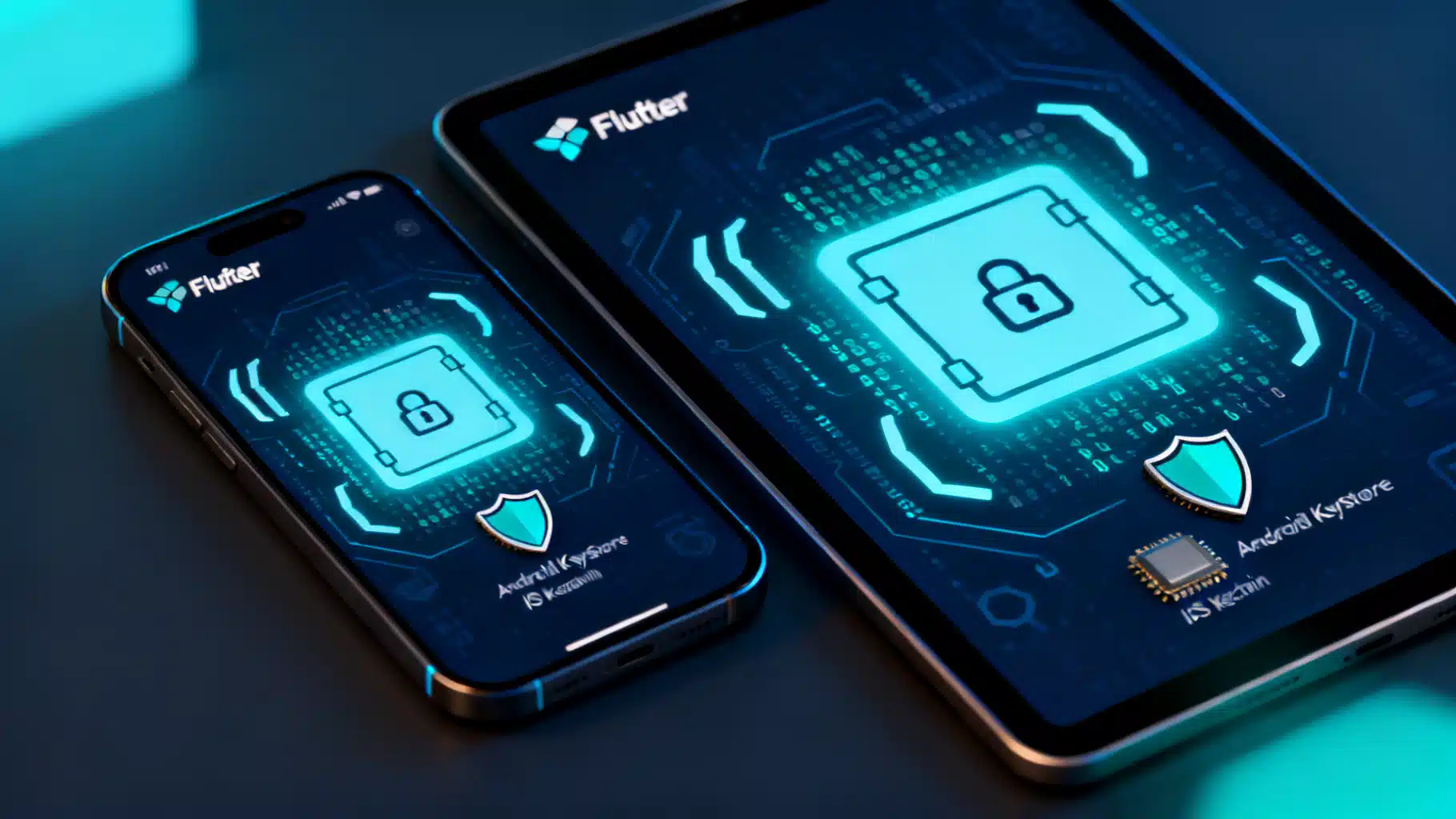
Image used for representation purposes only.
Why secure storage matters in Flutter
Storing data “securely” on a device is not the same as hiding it in a file or a database. Secure storage means protecting sensitive values—tokens, private keys, user secrets—so that:
- They are encrypted at rest using hardware-backed keys when available.
- They are bound to the device and (optionally) to a lock screen/biometrics.
- They are hard to extract even if the app sandbox is copied.
In Flutter, the most common way to achieve this is to use platform key stores via a plugin like flutter_secure_storage. On Android it uses the Android Keystore (and EncryptedSharedPreferences on modern devices). On iOS and macOS it uses the Keychain. On Windows it uses the Credential Manager, and on Linux it typically relies on libsecret. These system services manage encryption keys for you and are designed precisely for small, sensitive secrets.
This guide shows how to use secure storage correctly, when to add your own encryption, and the pitfalls to avoid.
What to put in secure storage (and what not to)
Good candidates:
- Short-lived access tokens and refresh tokens
- API keys for third‑party SDKs (only if they must be on device)
- Symmetric encryption keys that protect a local database or cache
- User preferences that reveal identity or security posture (e.g., server environment)
Avoid placing in secure storage:
- Large blobs or files (photos, PDFs). Encrypt them separately and store in the file system/db.
- Data you can re-derive cheaply (e.g., non-sensitive preferences)
- Secrets that should live only on a server (e.g., service account credentials)
Quick start with flutter_secure_storage
Add the dependency:
# pubspec.yaml
dependencies:
  flutter_secure_storage: any
Basic usage:
import 'package:flutter_secure_storage/flutter_secure_storage.dart';

// Create a singleton or keep it where you need it
const storage = FlutterSecureStorage();

// Write
await storage.write(key: 'access_token', value: token);

// Read
final token = await storage.read(key: 'access_token');

// Delete one key
await storage.delete(key: 'access_token');

// Delete everything (e.g., on logout)
await storage.deleteAll();
Platform considerations and options (concepts to know):
- iOS/macOS Keychain accessibility: choose an accessibility class that fits your UX, e.g. “when device is unlocked” or “after first unlock.” Classes that include “ThisDeviceOnly” prevent iCloud backup/restore of the secret.
- Android: prefer EncryptedSharedPreferences backed by the Android Keystore on API 23+; keys are tied to the lock screen and can be hardware-backed on many devices.
- Desktop: Windows Credential Manager and Linux keyrings are used when available.
- Web: web implementations can only approximate secure storage; do not treat it as equivalent to native key stores.
Most apps can rely on flutter_secure_storage defaults. When you need stricter behavior (e.g., block iCloud sync or enforce access only when unlocked), configure the platform-specific options the plugin exposes.
Gate reads with biometrics or device credentials
Secure storage protects keys at rest, but it doesn’t show a prompt by default. If your UX requires user presence each time you unlock secrets, gate reads with biometrics or device credentials using local_auth:
dependencies:
  local_auth: any
import 'package:local_auth/local_auth.dart';
import 'package:flutter_secure_storage/flutter_secure_storage.dart';

final auth = LocalAuthentication();
const storage = FlutterSecureStorage();

Future<String?> readTokenWithBiometrics() async {
  final didAuth = await auth.authenticate(
    localizedReason: 'Authenticate to access your secure data',
    options: const AuthenticationOptions(biometricOnly: true),
  );
  if (!didAuth) return null;
  return storage.read(key: 'access_token');
}
Notes:
- Biometrics add friction. Use them selectively (e.g., to unlock a vault screen or before initiating a payment).
- If your compliance requires it, store secrets under a Keychain class/Keystore policy that enforces user presence or passcode. Pairing OS policy with
local_authgates both at-rest and at-access.
Encrypting larger data with a key from secure storage
System key stores are optimized for small secrets. For larger local datasets (Hive, SQLite, files), use “envelope encryption”:
- Generate a random 256‑bit key once and store it in secure storage.
- Use that key to encrypt/decrypt your larger data.
Example with Hive:
dependencies:
  hive: any
  hive_flutter: any
import 'dart:convert';
import 'dart:typed_data';
import 'package:flutter_secure_storage/flutter_secure_storage.dart';
import 'package:hive/hive.dart';

const storage = FlutterSecureStorage();

Future<Uint8List> _loadOrCreateHiveKey() async {
  final b64 = await storage.read(key: 'hive_key');
  if (b64 != null) return base64Url.decode(b64);
  final key = Hive.generateSecureKey(); // 256-bit random
  await storage.write(key: 'hive_key', value: base64UrlEncode(key));
  return key;
}

Future<Box> openSecureBox(String name) async {
  final key = await _loadOrCreateHiveKey();
  return Hive.openBox(name, encryptionCipher: HiveAesCipher(key));
}
Example with the cryptography package for custom AES‑GCM:
dependencies:
  cryptography: any
import 'dart:convert';
import 'package:cryptography/cryptography.dart';
import 'package:flutter_secure_storage/flutter_secure_storage.dart';

const storage = FlutterSecureStorage();
final algorithm = AesGcm.with256bits();

Future<SecretKey> _loadOrCreateContentKey() async {
  final b64 = await storage.read(key: 'content_key');
  if (b64 != null) {
    return SecretKey(base64Url.decode(b64));
  }
  final key = await algorithm.newSecretKey();
  final keyBytes = await key.extractBytes();
  await storage.write(key: 'content_key', value: base64UrlEncode(keyBytes));
  return SecretKey(keyBytes);
}

Future<Map<String, String>> encryptJson(Map<String, dynamic> data) async {
  final key = await _loadOrCreateContentKey();
  final nonce = algorithm.newNonce(); // 12 bytes
  final message = utf8.encode(jsonEncode(data));
  final box = await algorithm.encrypt(message, secretKey: key, nonce: nonce);
  return {
    'nonce': base64UrlEncode(nonce),
    'ciphertext': base64UrlEncode(box.cipherText),
    'mac': base64UrlEncode(box.mac.bytes),
  };
}

Future<Map<String, dynamic>> decryptJson(Map<String, String> payload) async {
  final key = await _loadOrCreateContentKey();
  final nonce = base64Url.decode(payload['nonce']!);
  final cipherText = base64Url.decode(payload['ciphertext']!);
  final mac = Mac(base64Url.decode(payload['mac']!));
  final clear = await algorithm.decrypt(
    SecretBox(cipherText, nonce: nonce, mac: mac),
    secretKey: key,
  );
  return jsonDecode(utf8.decode(clear)) as Map<String, dynamic>;
}
Why AES‑GCM? It’s widely hardware‑accelerated and provides authenticated encryption (confidentiality + integrity). Avoid legacy AES‑CBC without an HMAC.
Threat model and limits you should accept
- Device compromise (rooted/jailbroken, malware) can bypass most app‑level controls. No on‑device solution can fully protect secrets on a compromised OS.
- Web builds lack hardware‑backed key stores. Never treat web secure storage like a native Keychain/Keystore.
- Memory exposure: when you decrypt a token, it lives in RAM briefly. Keep lifetimes short and avoid logging.
Design with the assumption that a determined attacker controlling the device can eventually read what your app reads.
Key management patterns that work
- Single app key: generate a 256‑bit key once, store in secure storage, and reuse to protect local caches/DB boxes.
- Rotation: when you rotate, encrypt new data with the new key, keep the old key to read legacy records, and migrate lazily.
- Logout and device change: call
deleteAll()and revoke server tokens. Consider “ThisDeviceOnly” policies on iOS to avoid cloud restore of secrets to a new device. - Environment separation: use different secure storage keys for dev/staging/prod to avoid cross‑environment leaks.
Platform behaviors to remember
- iOS Keychain items can outlive an app reinstall depending on the access group and accessibility class. If that persistence is undesirable, choose a “ThisDeviceOnly” class and/or change your Keychain access group on reinstall.
- Android app uninstall clears EncryptedSharedPreferences and removes the app’s keystore keys; a reinstall starts fresh. If the user removes the lock screen, keys may become invalid and reads can fail—handle errors and recreate secrets when needed.
- Desktop keyrings may depend on the user’s session login. Lock screen changes can affect availability.
Always implement a recovery path: if secure reads fail, recreate keys, wipe local encrypted data, and force a fresh sign‑in.
Performance and UX tips
- Secure reads/writes are relatively fast, but not free. Batch operations and cache in memory only as long as needed.
- Avoid tight loops of secure writes. Prefer a single JSON blob for related values or a small number of keys.
- Show the user meaningful messages when an auth prompt appears (“Unlock to continue”).
Testing secure storage safely
- Emulators/simulators are OK for functional tests but don’t perfectly emulate hardware‑backed stores.
- Automated tests: abstract secure storage behind a repository interface so you can inject a mock in tests.
- Manual security checks: verify that secrets aren’t visible in logs, crash reports, or analytics payloads.
Example abstraction for testability:
abstract class Secrets {
  Future<void> write(String key, String value);
  Future<String?> read(String key);
  Future<void> delete(String key);
  Future<void> clear();
}

class SecureStorageSecrets implements Secrets {
  const SecureStorageSecrets(this._storage);
  final FlutterSecureStorage _storage;
  @override
  Future<void> write(String key, String value) => _storage.write(key: key, value: value);
  @override
  Future<String?> read(String key) => _storage.read(key: key);
  @override
  Future<void> delete(String key) => _storage.delete(key: key);
  @override
  Future<void> clear() => _storage.deleteAll();
}
Common pitfalls and how to avoid them
- Confusing Base64 with encryption: Base64 is just encoding. Always use authenticated encryption (e.g., AES‑GCM).
- Hard‑coding secrets in source: Obfuscation does not equal security. Keep secret material off the client whenever possible.
- Leaving tokens in memory: Don’t store tokens in long‑lived singletons unnecessarily; fetch, use, and clear.
- Ignoring lifecycle snapshots: Prevent sensitive screens from appearing in OS switcher thumbnails and screenshots. On Android, add FLAG_SECURE via a plugin; on iOS, blur or hide sensitive views when the app goes to background.
- Never expiring refresh tokens: Pair on‑device protection with server‑side rotation and revocation.
Handling biometric and lock‑screen changes
Users can remove biometrics or disable the lock screen. When that happens, secure keys may become invalid or policy may relax.
- On Android, catch exceptions on read/write and recreate secrets if needed, then force re‑auth.
- On iOS, choose a Keychain accessibility that requires a passcode if that’s a requirement. If a read fails due to policy, treat it like key loss and re‑provision after the user signs in.
Migration strategy (plaintext → secure)
If you’re moving from shared_preferences or a plaintext file to secure storage:
Future<void> migrateToSecureStorage() async {
  final prefs = await SharedPreferences.getInstance();
  final legacy = prefs.getString('access_token');
  if (legacy != null) {
    await storage.write(key: 'access_token', value: legacy);
    await prefs.remove('access_token');
  }
}
Run this once on app start after sign‑in, then remove the legacy path in a later release.
Minimal secure-by-default checklist
- Use
flutter_secure_storagefor secrets, notshared_preferences. - Gate access with biometrics when UX or compliance demands it.
- For large data, encrypt with AES‑GCM using a key stored in secure storage (Hive/SQLite/files).
- Choose iOS Keychain accessibility deliberately; prefer non‑syncing classes for highly sensitive data.
- Handle key loss/invalidations gracefully and force re‑auth.
- Revoke tokens on logout and call
deleteAll(). - Avoid logging secrets; scrub crash and analytics payloads.
- Treat web as a reduced‑trust platform.
Putting it together: a pragmatic architecture
- Secrets repository wraps
flutter_secure_storage. - Token manager handles refresh/rotation and keeps tokens only in memory between calls.
- Encrypted persistence (Hive/SQLite) uses a content‑encryption key loaded from secure storage.
- A biometrics service gates access to high‑risk actions.
- A recovery flow recreates local keys and requires sign‑in when secure reads fail.
This design leverages the OS for encryption at rest, minimizes the lifetime of decrypted data, and provides a clear recovery path when device policies change.
Final thoughts
Flutter makes it straightforward to protect sensitive data if you combine the right building blocks. Use the platform key stores for small secrets, add authenticated encryption for larger datasets, gate critical reads with biometrics when needed, and always plan for key loss and rotation. With these patterns, your app will meet a strong baseline for on‑device security without sacrificing a smooth user experience.
Related Posts
Secure Storage in Flutter: When SharedPreferences Isn’t Enough
When to use SharedPreferences vs secure storage in Flutter—threats, code examples, migration steps, and best practices for tokens and PII.
Flutter Connectivity Done Right: Reliable Network Status and Online Detection
Learn reliable ways to check network status in Flutter, from connectivity_plus to true internet reachability, with production-ready code and UX tips.
Flutter Hive Database Tutorial: Fast, Typed, and Offline‑First
Learn Flutter Hive database from setup to adapters, reactive UI, encryption, migrations, testing, and performance tips—with clear code examples.