
Building an AI Podcast Transcription API: Capabilities, Architecture, and Integration
Learn how to design, evaluate, and integrate an AI podcast transcription API: accuracy, diarization, formats, streaming vs. batch, security, and workflows.
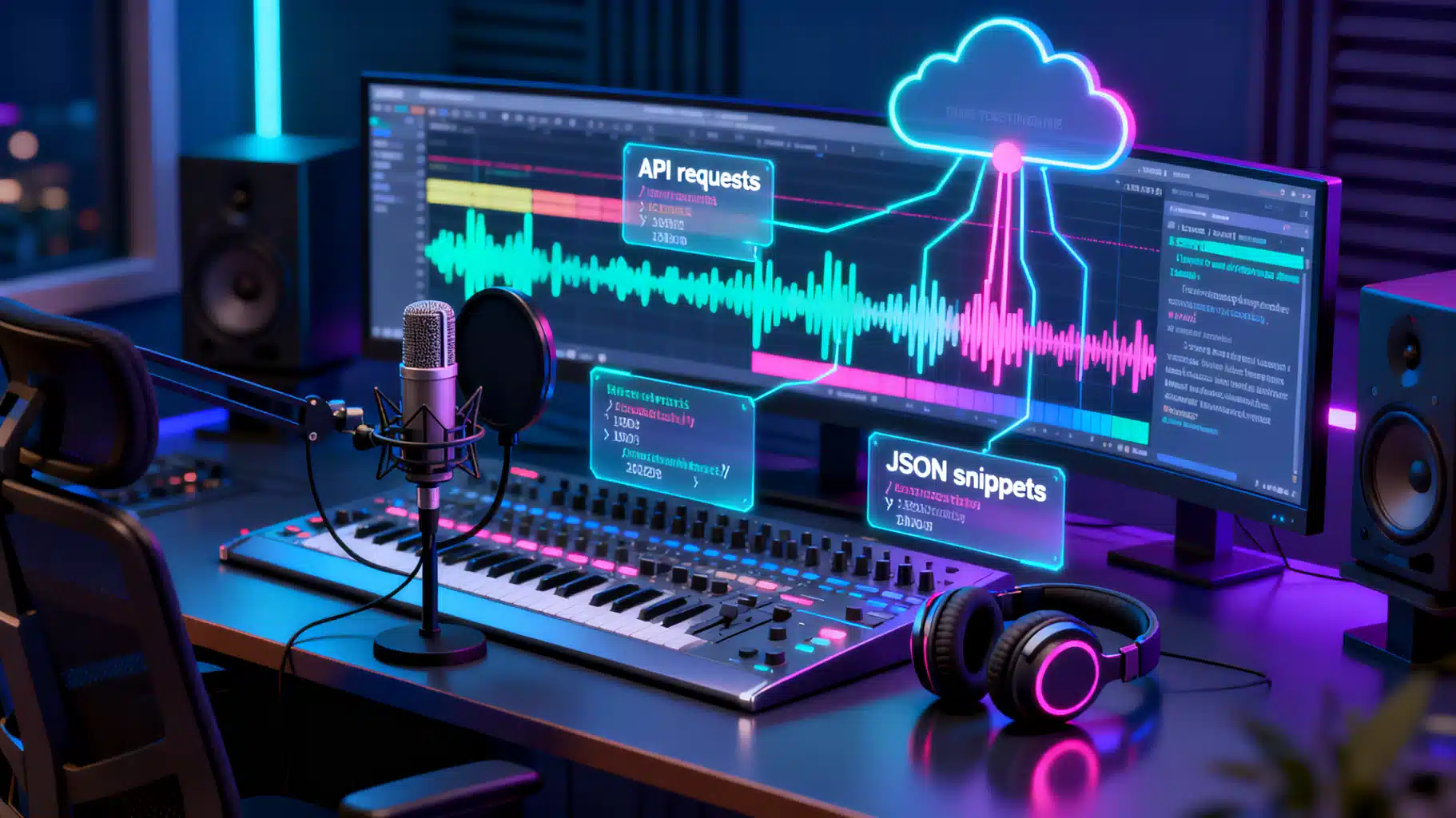
Image used for representation purposes only.
Why AI Podcast Transcription APIs Matter
Podcasts have exploded into one of the richest reservoirs of long‑form knowledge, but their value is often locked in audio. An AI podcast transcription API turns hours of conversation into searchable, quotable, and analyzable text—fuel for SEO, chapter markers, show notes, social clips, and accessibility. This article explains the capabilities to look for, how to design or choose an API, and patterns to integrate transcription at scale.
Core Capabilities to Expect
- Accuracy across accents and domains: Look for low Word Error Rate (WER) on noisy, real‑world audio, not just studio recordings.
- Robust timestamps: Segment‑, sentence‑, and word‑level timestamps enable chaptering, clip extraction, and alignment with video.
- Diarization (speaker separation): Detects who spoke when; ideal for roundtables and interviews. Support for multi‑channel (e.g., separate host/guest tracks) improves results.
- Punctuation and casing: Essential for readability; evaluate how models handle acronyms, names, and domain jargon.
- Customization: Phrase/keyword boosting, custom dictionaries, or on‑the‑fly contextual hints (podcast name, recurring guests).
- Languages and translation: Cross‑lingual transcription, or translate-to-English for global reach.
- Profanity filtering and redaction: For brand safety and compliance; configurable behavior is key.
- File flexibility: Common audio/video containers (MP3, M4A, WAV, FLAC, MP4, MOV) and streaming via WebSocket/HTTP.
- Output formats: JSON with rich metadata, plus TXT, SRT, and WebVTT for players and captioning.
Architectural Patterns: Batch vs. Streaming
- Batch (asynchronous): You upload a file (or a URL); the API processes it and posts results to a webhook. Best for full‑episode workflows, lower cost, and larger files.
- Streaming (real‑time): You send audio frames over WebSocket/HTTP chunked transfer and receive partial transcripts with low latency—useful for live shows and live captions.
Common pipeline stages:
- Ingest: Upload, presigned URL, or remote fetch from storage/CDN.
- Pre‑processing: Normalization, voice activity detection (VAD), channel separation, noise reduction.
- Chunking: Split long audio into overlapping windows (e.g., 30–60s with small overlaps) to manage memory and maintain context.
- Recognition: ASR model inference (GPU/CPU). For long content, stagger jobs in a queue for predictable throughput.
- Stitching & alignment: Merge segments, de‑duplicate overlap, adjust timestamps.
- Post‑processing: Diarization, punctuation, disfluency control, redaction, summarization, chaptering.
- Delivery: Webhook callback, polling endpoint, and export formats.
Key performance metrics:
- WER/CER: Accuracy on representative episodes (quiet studio vs. noisy remote call).
- RTF (Real‑Time Factor): Processing time divided by audio duration; <1.0 implies faster‑than‑real‑time.
- DER (Diarization Error Rate): Mix of missed/false/merged speakers.
- Latency/Jitter (for streaming): Time to first token and end‑to‑final.
Data Contracts and Output Formats
- JSON (rich): Segments, words, timestamps, speakers, confidence.
- SRT (captions): Widely supported in video players.
- WebVTT (chapters/captions): Friendly for web playback.
Example JSON (simplified):
{
  "id": "job_123",
  "status": "completed",
  "duration_sec": 3600.5,
  "language": "en",
  "speakers": ["Host", "Guest"],
  "segments": [
    {
      "start": 12.34,
      "end": 18.92,
      "speaker": "Host",
      "text": "Welcome to the show, today we’re talking about...",
      "words": [
        {"start": 12.34, "end": 12.55, "text": "Welcome", "confidence": 0.98},
        {"start": 12.56, "end": 12.70, "text": "to", "confidence": 0.99}
      ]
    }
  ],
  "chapters": [
    {"title": "Introduction", "start": 0.0, "end": 300.0}
  ]
}
Example SRT snippet:
1
00:00:12,340 --> 00:00:18,920
Host: Welcome to the show, today we’re talking about...
Example WebVTT chapters:
WEBVTT

00:00:00.000 --> 00:05:00.000
Chapter 1: Introduction
Designing Your Transcription API
Endpoints (typical):
- POST /v1/transcriptions: Create a job via upload URL or direct file upload (multipart/form‑data).
- GET /v1/transcriptions/{id}: Retrieve status and results.
- POST /v1/transcriptions/stream: Real‑time via WebSocket/HTTP.
- Webhooks: POST to client endpoint on completion, with HMAC signature.
Request example (cURL, multipart):
curl -X POST \
  -H "Authorization: Bearer $API_KEY" \
  -F "file=@episode_42.mp3" \
  -F "diarize=true" \
  -F "timestamps=word" \
  -F "language=auto" \
  -F "webhook_url=https://example.com/hooks/transcripts" \
  https://api.yourtranscriber.com/v1/transcriptions
Polling for results (Python):
import time, requests
job = requests.post(
    "https://api.yourtranscriber.com/v1/transcriptions",
    headers={"Authorization": f"Bearer {API_KEY}"},
    files={"file": open("episode_42.mp3", "rb")},
    data={"diarize": "true", "timestamps": "word"}
).json()

while True:
    res = requests.get(
        f"https://api.yourtranscriber.com/v1/transcriptions/{job['id']}",
        headers={"Authorization": f"Bearer {API_KEY}"}
    ).json()
    if res["status"] in ("completed", "failed"):
        break
    time.sleep(3)

if res["status"] == "completed":
    print(res["segments"][0]["text"])  # do something
Streaming (Node.js, WebSocket conceptual):
import WebSocket from 'ws'

const ws = new WebSocket('wss://api.yourtranscriber.com/v1/transcriptions/stream', {
  headers: { Authorization: `Bearer ${process.env.API_KEY}` }
})

ws.on('open', () => {
  // send small PCM frames or Opus packets
  ws.send(JSON.stringify({ event: 'start', sampleRate: 16000 }))
  // stream audio frames...
})

ws.on('message', (msg) => {
  const data = JSON.parse(msg)
  if (data.event === 'partial') console.log('partial:', data.text)
  if (data.event === 'final') console.log('final:', data.text)
})
Webhooks with HMAC (verification sketch):
import hmac, hashlib

def verify(signature, payload, secret):
    mac = hmac.new(secret.encode(), payload, hashlib.sha256).hexdigest()
    return hmac.compare_digest(mac, signature)
Versioning and evolution:
- Use semantic versioning (e.g., /v1, /v2) to ship non‑breaking and breaking changes.
- Include an “output_schema_version” field in responses.
- Provide migration guides and deprecation timelines.
Reliability:
- Idempotency keys on POST to avoid duplicate jobs.
- Exponential backoff on 429/5xx.
- Timeouts tuned to file sizes; keepalive for long polls.
- At‑least‑once webhooks; make handlers idempotent.
Security:
- OAuth2 or fine‑grained API keys with scopes.
- TLS 1.2+ in transit; encrypted storage at rest.
- HMAC‑signed webhooks and allowlist IPs.
- Configurable data retention and customer‑managed keys.
Accuracy and Evaluation Methodology
Build a test set that mirrors your catalog (studio mic, remote interview, panellist crosstalk, phone‑in). Measure:
- WER/CER on verbatim transcripts of representative episodes.
- DER for diarization across single vs. multi‑channel.
- Punctuation/casing accuracy on names, acronyms, and domain terms.
- Confidence calibration: Are low‑confidence spans truly error‑prone?
- Robustness to noise, music beds, and overlaps.
Practical tips:
- Provide show‑specific lexicons (host names, product names) via custom vocabulary or boosting.
- Prefer 16 kHz+ sample rate, mono unless you need multi‑channel diarization.
- For raucous panels, record each speaker to a separate track if possible.
- If you edit the episode after recording, transcribe the final master to match timestamps.
Post‑Processing: From Raw Text to Publisher Assets
- Chapter markers: Use segment timestamps and topical boundaries; export to WebVTT chapters or podcast chapter formats.
- Summaries and show notes: Prompt an LLM with the transcript, episode metadata, and intended audience; request bullets plus pull‑quotes.
- Highlight generation: Detect quotable lines using confidence, emphasis (prosody if available), or named entities.
- Entity/keyword extraction: Index guests, companies, and topics for site search.
- Translation/subtitling: Generate multilingual captions (SRT/VTT) for global distribution.
- Redaction: Automatically mask PII or sensitive terms before storage or sharing.
Example: chapter generation pseudo‑prompt
Given the transcript with timestamps, create 5–8 concise chapters with start times. Prefer topic shifts and avoid spoilers. Output JSON.
Cost and Capacity Planning
- Pricing models: per‑minute, per‑hour, or tiered by quality/latency (e.g., fast vs. high‑accuracy).
- Throughput: Plan concurrency with a queue; estimate RTF and GPU/CPU capacity. For example, RTF 0.5 on a 60‑minute file ≈ 30 minutes of wall time per worker.
- Storage egress/ingress: Use presigned URLs and regional buckets to minimize transfer costs and latency.
- Audio hygiene saves money: Trim silence, remove ad‑music beds from separate master if you don’t need them in the transcript, avoid double‑encoding.
Compliance, Consent, and Ethics
- Consent: Ensure you have rights to transcribe guests and third‑party clips. Some U.S. states require all‑party consent for recording conversations.
- Privacy: Define retention policies, allow deletion on request, and document data flows.
- Regulations: Consider GDPR/CCPA obligations if you process user data; provide DSR tooling (access, delete, export).
- Certifications: For enterprise buyers, SOC 2/ISO 27001 and documented security controls ease procurement.
- Accessibility: Captions improve inclusivity and may be mandated by policy or platform requirements.
Troubleshooting and Quality Pitfalls
- Cross‑talk and overlapped speech inflate errors: Encourage push‑to‑talk or better mic discipline in remote recordings.
- Over‑aggressive noise reduction can clip consonants; keep a clean master.
- Music and SFX: Mark known music beds to avoid mistranscription; consider music‑aware ASR or skip music‑only spans with VAD.
- Mislabelled speakers: Seed diarization with channel mapping or initial speaker hints.
- Hallucinated words in low‑confidence spans: Use word confidence to flag for human review.
A Practical Integration Blueprint
- Upload or reference episode media via presigned URL.
- Create a transcription job with desired options (diarization, word timestamps, language).
- Receive webhook on completion; verify HMAC.
- Store JSON in your CMS; generate SRT/VTT and chapters.
- Run post‑processing (summaries, SEO extract, highlights).
- Surface transcripts and chapters on episode pages; update RSS/Podcasting 2.0 tags if applicable.
- Monitor metrics (WER sample audits, RTF, error rates) and cost per episode.
Vendor Selection Checklist
- Accuracy on your audio genre and accents (share sample files).
- Diarization quality and multi‑channel support.
- Streaming vs. batch options and SLAs.
- Rich timestamps, confidence scores, and flexible output schemas.
- Security posture, compliance artifacts, and data retention controls.
- Pricing predictability and volume discounts.
- Clear versioning, deprecation policy, and responsive support.
Conclusion
An AI podcast transcription API is more than speech‑to‑text—it’s the backbone for discovery, accessibility, and content repurposing. By insisting on robust timestamps, reliable diarization, strong security, and sane developer ergonomics, you can turn raw audio into a production‑ready content pipeline that scales with your show and your audience.
Related Posts

AI Speech-to-Text API Comparison: A Practical Buyer’s Guide and Benchmarking Blueprint
A buyer’s guide to AI speech-to-text APIs: how to compare accuracy, latency, privacy, cost, and run your own benchmarks—without vendor hype.

Building Social Media Insights with AI Sentiment Analysis APIs: Architecture, Metrics, and Code
How to integrate AI sentiment analysis APIs into social media stacks—architecture, metrics, sample code, and best practices for reliable, real-time insights.

DeepSeek API Integration Tutorial: From First Call to Production
Step-by-step DeepSeek API integration: base URL, models, cURL/Python/Node code, streaming, thinking mode, tool calls, errors, and production tips.