
AirPods Pro firmware updated: 8B40 for Pro 3, 8B39 for Pro 2 — here’s what’s new and how to update
AirPods Pro firmware updated: 8B40 (Pro 3) and 8B39 (Pro 2). What’s new, how to update, and why it matters on iOS 26.4.
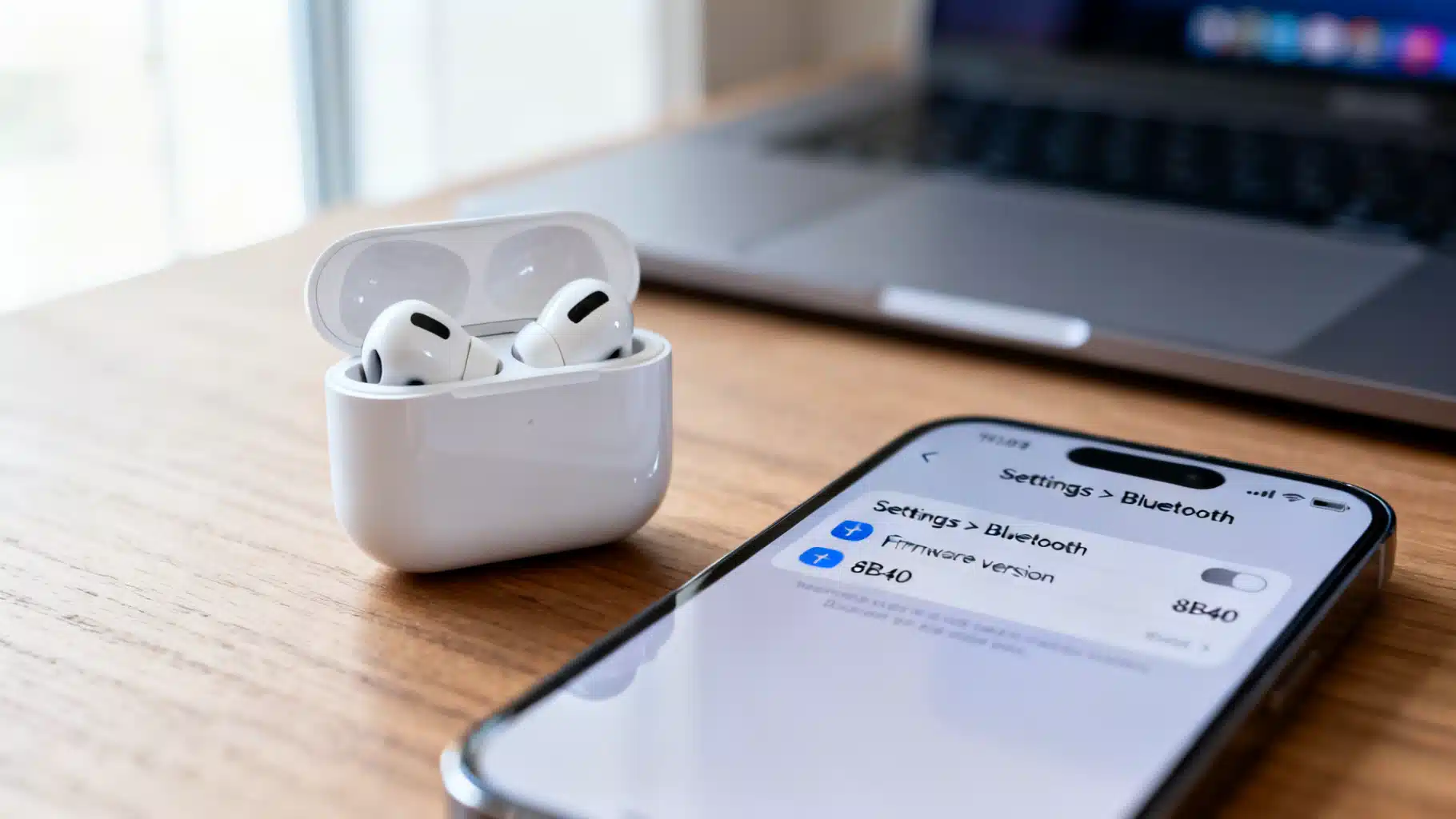
Image used for representation purposes only.
Apple’s latest AirPods Pro firmware is here: versions 8B39 and 8B40
Apple has quietly advanced its spring AirPods rollout with a fresh round of firmware updates. As of April 30, 2026, Apple’s official support page lists AirPods Pro 3 on firmware 8B40, while AirPods Pro 2 (both USB‑C and Lightning cases) are on 8B39. Apple’s notes remain characteristically terse—“bug fixes and other improvements”—but the versions and supported models are now confirmed. (support.apple.com )
The new builds cap a staggered release that began in late March alongside iOS 26.4, when Apple started pushing 8B39 to multiple AirPods models. At the time, Apple didn’t publish detailed change logs, but the cadence suggested performance tuning and compatibility work tied to the broader OS updates. (9to5mac.com )
What changed—and why these updates still matter
Apple rarely spells out granular audio or connectivity tweaks for AirPods firmware, but the platform has seen notable feature expansions over the past 18 months. Even if today’s 8B39/8B40 builds are mostly stability and polish, they ride on top of major capabilities added in recent cycles:
- iOS 26-era feature pack (8A356, September 2025): Studio‑quality audio recording for interviews and videos, improved call audio, a Camera Remote action from the AirPods stem, sleep‑aware auto‑pause, “Keep Audio in Headphones” to avoid unwanted car handoffs, charging reminders, and Live Translation support (on AirPods Pro 2 and AirPods 4 with ANC). (macrumors.com )
- Apple’s official release notes for 8A356 echo those upgrades and add broader notes around Live Translation tie‑ins with Apple Intelligence devices and enhancements for hearing‑accessibility use cases. (support.apple.com )
- Hands‑free Siri gestures and gaming upgrades (7A294/7B19 family): Apple introduced nod/shake head responses to Siri announcements on AirPods Pro 2, voice isolation for clearer calls, lower gaming latency, and the big trio for accessibility—Hearing Test, Hearing Aid, and Hearing Protection features (availability varies by region). These updates set the stage for AirPods to double as assistive hearing devices for users with perceived mild to moderate hearing loss. (support.apple.com )
Viewed in that context, the new 8B39/8B40 firmware is less about marquee headlines and more about ensuring the newer feature stack remains stable across iOS 26.4 and Apple’s latest hardware, including the recently announced AirPods Max 2. Early coverage of the March rollout framed 8B39 as a compatibility‑driven release that likely underpins those broader platform updates. (9to5mac.com )
Who gets what today
- AirPods Pro 3: 8B40 (current) (support.apple.com )
- AirPods Pro 2 (USB‑C and Lightning cases): 8B39 (current) (support.apple.com )
Notably, when 8B39 first landed on March 24, it was documented as covering AirPods Pro 3, AirPods Pro 2, and AirPods 4. Apple subsequently bumped Pro 3 to 8B40 by April 30, which is reflected on its support page today. (9to5mac.com )
How to check—and update—your AirPods Pro firmware
You can’t force‑install AirPods firmware on demand, but you can verify your version and set the conditions that trigger automatic installation.
Check your version
- On iPhone or iPad: Settings > Bluetooth > tap the Info (i) button next to your AirPods > scroll to “Firmware Version.” (support.apple.com )
- On Mac: System Settings > Bluetooth > Info next to your AirPods. (support.apple.com )
Update reliably
- Update your iPhone/iPad/Mac to the latest OS and keep Bluetooth on.
- Connect your device to Wi‑Fi.
- Put both AirPods in the charging case, connect the case to power, and close the lid within Bluetooth range of your device.
- Wait at least 30 minutes, then open the case to reconnect and re‑check the version. If needed, reset your AirPods and try again. (support.apple.com )
What about beta firmware?
Apple continues to ship beta firmware for developers and public beta testers to validate upcoming features. On February 16, Apple pushed build 8B5034f as a beta for AirPods Pro 3, AirPods Pro 2, and AirPods 4—mirroring the models that later received 8B39 publicly. With iOS 26, Apple also added a dedicated option in AirPods settings to opt into beta firmware when your AirPods are connected, streamlining what used to be a convoluted process. If you opt into betas, remember that there’s no user‑initiated downgrade path for AirPods firmware—you must wait for the next release. (9to5mac.com )
Timeline at a glance
- September 15, 2025: Firmware 8A356 introduces studio‑quality recording, Camera Remote, Live Translation support, and more for AirPods Pro 2 and AirPods 4. (macrumors.com )
- February 16, 2026: Apple posts new beta firmware (8B5034f) for Pro 3, Pro 2, and AirPods 4. (9to5mac.com )
- March 24, 2026: Public rollout of 8B39 begins across several models; positioned alongside iOS 26.4. (9to5mac.com )
- April 30, 2026: Apple support page updates show Pro 3 moving to 8B40; Pro 2 remains on 8B39. (support.apple.com )
Practical advice before you update
- Expect a silent install: AirPods firmware updates don’t present on‑screen progress bars or prompts; leave the case closed on power near your iPhone to improve your odds. (support.apple.com )
- Stay on stable OS unless you’re testing: Firmware betas can deliver early features, but they can also introduce regressions and are not reversible by end users. Proceed only on secondary devices if you’re comfortable with risk. (macrumors.com )
- Confirm your model: AirPods Pro 2 and Pro 3 have different current targets (8B39 vs. 8B40). Mismatched expectations often come down to owning a different model or case variant. (support.apple.com )
The bottom line
As of today, May 2, 2026, the “latest” for AirPods Pro means 8B40 on Pro 3 and 8B39 on Pro 2—incremental updates that keep Apple’s growing AirPods feature set running smoothly on iOS 26.4 and beyond. If you haven’t seen the update yet, follow Apple’s charging and proximity steps, give it some time, and verify your model and version in Settings. For most users, these builds are a quiet but important maintenance release; for developers and adventurous testers, the beta track continues to hint at where Apple is taking AirPods next. (support.apple.com )
Related Posts
iOS 26 in 2026: Latest Update 26.4.2, Features, Compatibility, and Early iOS 27 Signals
iOS 26 gets a fresh security patch, new features, and a year-based name. Here’s the latest on compatibility, timeline, reception, and what to expect next.

CarPlay Ultra in 2026: Features, Availability, and the Automakers On Board
CarPlay Ultra is live in Aston Martins and poised for Hyundai/Kia/Genesis. Here’s what it does and what’s next, as of April 13, 2026.
iPhone 17 Pro Max in 2026: Battery-life leader, cooler under load, and built for creators
Seven months on, iPhone 17 Pro Max proves its battery-life crown and cooler thermals, with pro video upgrades, eSIM-only in the U.S., and a 2TB option.