
Mastering GraphQL Relay Pagination with Connections
Master Relay-style pagination in GraphQL with connections, cursors, and PageInfo. Learn schema design, keyset pagination, resolvers, and pitfalls.
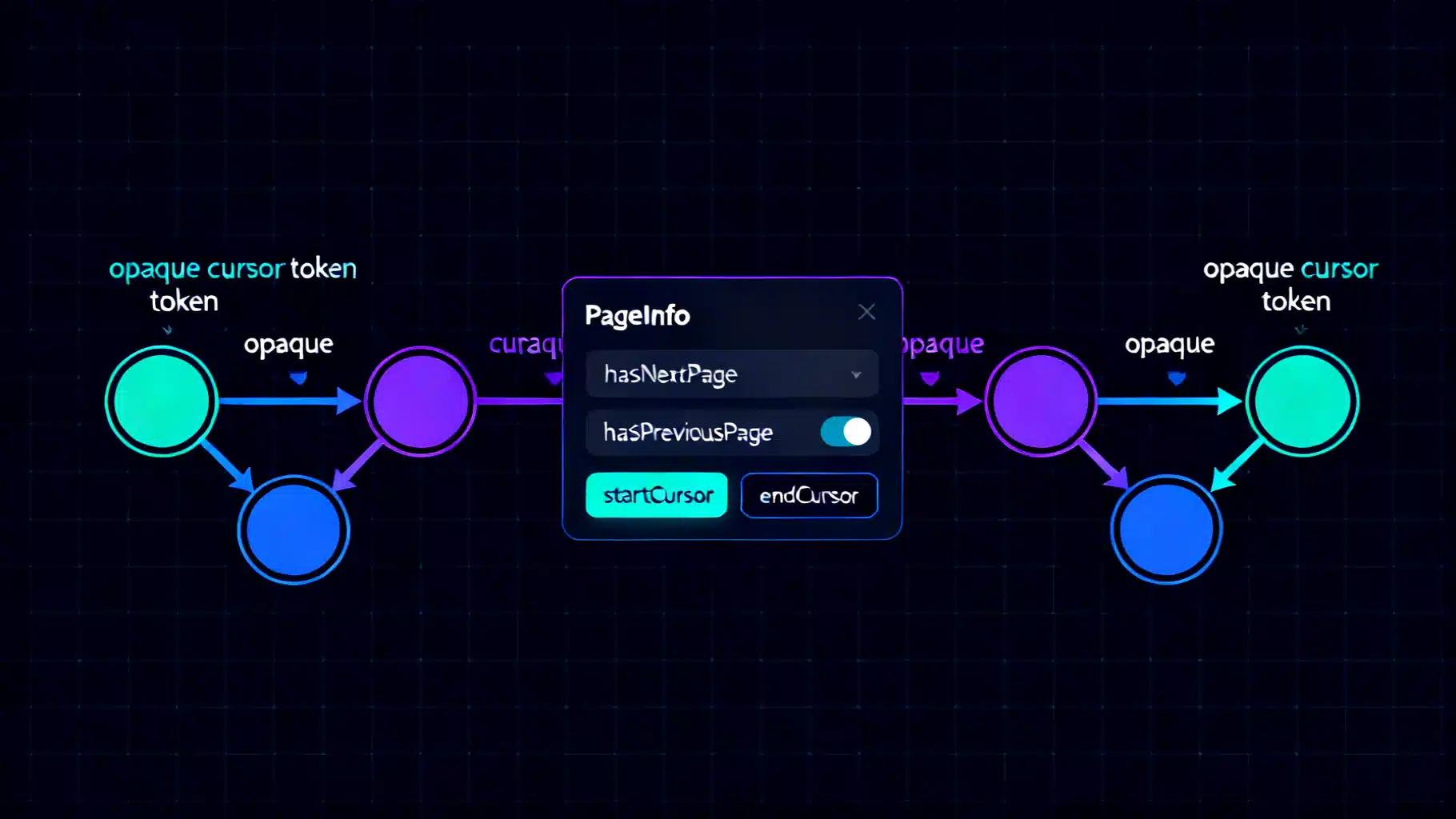
Image used for representation purposes only.
Overview
Relay-style pagination is the most widely adopted way to paginate GraphQL lists. Instead of returning a raw array, fields expose a Connection object composed of Edges, cursors, and PageInfo. This design makes pagination explicit, stable, and resilient to data changes while supporting forward and backward traversal.
This guide explains the Connection pattern, the mechanics of cursors, and robust server-side implementation strategies—complete with schema examples, resolver logic, and common pitfalls to avoid.
Why connections instead of arrays?
Offset-based pagination (limit/offset) is simple but fragile:
- It breaks under concurrent writes (items shift between pages).
- Large offsets can be slow on many databases.
- It makes “load more” and infinite scroll error-prone.
Cursor-based connections fix these issues by anchoring pagination to an item’s position, not its numeric offset. Cursors are opaque tokens the client passes back to continue the sequence safely.
The building blocks
A connection exposes three concepts:
- Edge: wraps a node with a cursor that marks the node’s position.
- Cursor: an opaque string, stable across requests, derived from a deterministic ordering.
- PageInfo: flags and cursors that describe the slice of results.
Typical types:
interface Node { id: ID! }

"""Position-awareness for paginated lists"""
type PageInfo {
  hasNextPage: Boolean!
  hasPreviousPage: Boolean!
  startCursor: String
  endCursor: String
}

"""One item in a connection plus its cursor"""
type UserEdge {
  node: User!
  cursor: String!
}

"""A slice of the full list with navigation info"""
type UserConnection {
  edges: [UserEdge!]!
  pageInfo: PageInfo!
  totalCount: Int # optional extension
  nodes: [User!]    # optional convenience field
}

"""Entry point field that returns a connection"""
type Query {
  users(
    first: Int,    # forward pagination size
    after: String, # continue after this cursor
    last: Int,     # backward pagination size
    before: String # continue before this cursor
  ): UserConnection!
}
Argument rules in practice:
- Forward pagination: first (required) with optional after.
- Backward pagination: last (required) with optional before.
- Do not accept both first and last simultaneously unless you have a clear, consistent policy.
- Enforce sensible max limits (e.g., 100) and non-negative sizes.
Designing stable cursors
Cursors must be opaque and based on a stable, unique ordering. A common approach is keyset pagination using a primary sort (e.g., createdAt) plus a tiebreaker (e.g., id):
- Order: ORDER BY created_at ASC, id ASC
- Cursor payload: { createdAt, id }
- Encode payload as a compact, opaque string (e.g., base64 JSON or delimited text).
Example encoding/decoding (Node.js):
function encodeCursor(part: { createdAt: Date; id: number }): string {
  return Buffer.from(`${part.createdAt.toISOString()}:${part.id}`, 'utf8').toString('base64');
}

function decodeCursor(cursor: string): { createdAt: Date; id: number } {
  const [iso, id] = Buffer.from(cursor, 'base64').toString('utf8').split(':');
  return { createdAt: new Date(iso), id: Number(id) };
}
Opaque-by-design: never leak internal details; treat the string as an implementation detail that can change.
Query examples
Forward pagination (first page):
query {
  users(first: 10) {
    edges { cursor node { id name } }
    pageInfo { hasNextPage endCursor }
  }
}
Load the next page:
query($after: String!) {
  users(first: 10, after: $after) {
    edges { cursor node { id name } }
    pageInfo { hasNextPage endCursor }
  }
}
Backward pagination (useful for “scroll up to see earlier items”):
query($before: String!) {
  users(last: 10, before: $before) {
    edges { cursor node { id name } }
    pageInfo { hasPreviousPage startCursor }
  }
}
Implementing a connection resolver (keyset approach)
Below is a robust pattern that fetches one extra record to compute hasNextPage/hasPreviousPage. Assume a relational DB table users(created_at, id, name).
import { GraphQLResolveInfo } from 'graphql';

type Args = { first?: number; after?: string; last?: number; before?: string };

const MAX_PAGE = 100;

export async function resolveUsersConnection(_p: unknown, args: Args, _c: unknown, _i: GraphQLResolveInfo) {
  const { first, after, last, before } = args;

  // Validate arguments
  if ((first != null) === (last != null)) throw new Error('Use either first or last.');
  if (first != null && (first <= 0 || first > MAX_PAGE)) throw new Error('Invalid first.');
  if (last != null && (last <= 0 || last > MAX_PAGE)) throw new Error('Invalid last.');

  const limit = (first ?? last)!;

  // Determine direction and build WHERE/ORDER BY
  let where = '';
  let params: unknown[] = [];
  let order = 'ORDER BY created_at ASC, id ASC';

  if (after) {
    const a = decodeCursor(after);
    where = 'WHERE (created_at, id) > ($1, $2)';
    params = [a.createdAt.toISOString(), a.id];
  }

  if (before) {
    const b = decodeCursor(before);
    // Reverse scan for backward pagination, then reverse results in memory
    order = 'ORDER BY created_at DESC, id DESC';
    where = 'WHERE (created_at, id) < ($1, $2)';
    params = [b.createdAt.toISOString(), b.id];
  }

  const pageSizePlusOne = limit + 1;
  const sql = `
    SELECT id, name, created_at
    FROM users
    ${where}
    ${order}
    LIMIT ${pageSizePlusOne}
  `;

  const rows = await db.query(sql, params); // returns array of rows

  // If backward, reverse to restore ascending order in the payload
  const ordered = before ? rows.reverse() : rows;

  const hasExtra = ordered.length > limit;
  const slice = ordered.slice(0, limit);

  const edges = slice.map(r => ({
    node: { id: r.id, name: r.name, createdAt: r.created_at },
    cursor: encodeCursor({ createdAt: r.created_at, id: r.id })
  }));

  const startCursor = edges[0]?.cursor ?? null;
  const endCursor = edges[edges.length - 1]?.cursor ?? null;

  // hasNext/hasPrevious depend on direction and whether we had to trim one extra record
  const pageInfo = {
    hasNextPage: before ? Boolean(after || hasExtra) : hasExtra,
    hasPreviousPage: before ? hasExtra : Boolean(before || after)
  };

  return {
    edges,
    pageInfo: { ...pageInfo, startCursor, endCursor },
    totalCount: null // compute lazily/optionally if required
  };
}
Notes:
- The “fetch one more” pattern detects if another page exists without a costly count query.
- Backward pagination performs a reverse-ordered scan and then reverses results to keep the edge order consistent for clients.
- The hasPreviousPage/hasNextPage logic can be refined by issuing a tiny probe query on the opposite side for absolute correctness when needed.
Adding filters and sorting safely
You can combine connections with filter and sort inputs:
enum UserOrderField { CREATED_AT NAME }

enum OrderDirection { ASC DESC }

input UserOrderBy { field: UserOrderField!, direction: OrderDirection! }

input UserFilter { nameContains: String, active: Boolean }

extend type Query {
  users(
    first: Int, after: String, last: Int, before: String,
    filter: UserFilter, orderBy: UserOrderBy
  ): UserConnection!
}
Rules for stability:
- Always pick a deterministic, unique ORDER BY, e.g., (field, id) to break ties.
- Encode cursors from the actual sort keys you use.
- Changing filters invalidates cursors. Treat new filters as starting a fresh pagination window.
Useful extensions (with caution)
- totalCount: often requested, but expensive on large datasets. Consider approximate counts, cached counts, or omit it by default.
- nodes: a convenience field that unwraps edges.map(e => e.node). Keep edges for cursor fidelity.
- offset compatibility: you can expose offset for admin tools, but don’t mix it with cursors in the same field.
Common pitfalls to avoid
- Unstable ordering: using non-unique sort keys without a tiebreaker will duplicate/skip items between pages.
- Leaking internal IDs in plain text cursors: always keep cursors opaque.
- Accepting both first and last without a clear policy: leads to ambiguous slices and surprising behavior.
- Large unbounded page sizes: risk of timeouts and memory pressure.
- Recomputing totalCount on every request: can dominate latency; compute lazily or behind a flag.
- Returning arrays directly: you lose PageInfo and safe navigation.
Testing your connection
- Sorting invariants: ensure every page respects the declared sort.
- Window consistency: simulate inserts/deletes between page requests; verify no duplicates or gaps.
- Cursor round-trips: encode → decode → re-encode yields the same value.
- Limits: negative, zero, and over-max page sizes should error deterministically.
- Backward behavior: verify startCursor/endCursor and hasPreviousPage/hasNextPage under before/last.
Clients and ergonomics
- Relay: consumes connections natively and expects this shape.
- Apollo Client, urql, and others: work fine; many teams add a nodes shortcut for ease of use while preserving edges for pagination.
When to use connections
- Use connections for any list that needs “load more,” infinite scroll, or stable navigation across concurrent writes.
- For tiny, bounded lists (e.g., a product’s top 3 tags), a plain array is fine.
Summary
Relay-style connections bring rigor to GraphQL pagination: explicit navigation, robust cursors, and predictable behavior under change. Implement them with keyset pagination, opaque cursors built from stable sort keys, and the fetch-one-more pattern to compute page boundaries. Add filters and counts judiciously, and enforce clear argument rules to keep your API fast, safe, and easy to consume.
Related Posts

GraphQL Schema Design Best Practices: A Practical Guide
Practical best practices for GraphQL schema design: naming, types, pagination, nullability, errors, auth, evolution, and performance.

Apollo vs Relay: Choosing the Right GraphQL Client for React
Apollo vs Relay: strengths, trade‑offs, and when to choose each for React GraphQL apps, from caching and pagination to SSR, typing, and developer UX.
API Backward Compatibility Strategies: Designing Change Without Breaking Clients
Practical strategies to keep APIs backward compatible—versioning, additive changes, deprecation, rollout, and testing for REST, GraphQL, and gRPC.