
Anthropic Claude API Batch Processing: A Practical Guide to Message Batches
A practical, code-first guide to Anthropic’s Claude Message Batches API: limits, pricing, prompt caching, 300k-token outputs, and production patterns.
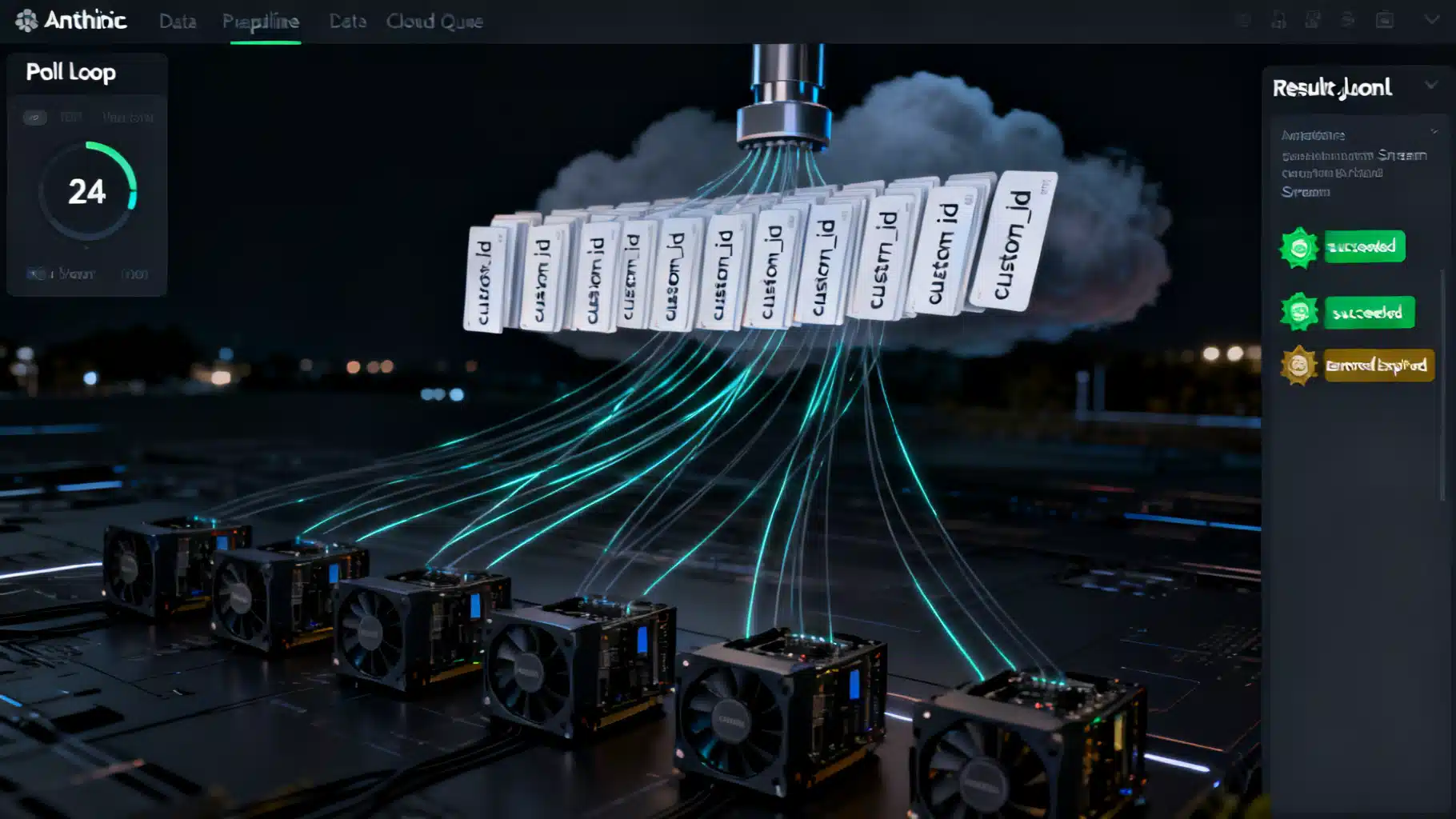
Image used for representation purposes only.
What “batch processing” means for Claude
Batch processing lets you submit many Claude requests together and have them processed asynchronously by Anthropic’s infrastructure. It’s ideal when you care more about throughput and cost than about immediate responses—think large evaluations, dataset labeling, bulk content generation, or offline analytics. Anthropic’s Message Batches API implements this pattern with dedicated limits, pricing, and tooling. (platform.claude.com )
Why use the Message Batches API
- 50% lower cost than synchronous Messages API calls for both input and output tokens. (platform.claude.com )
- High throughput without managing your own queues; most batches complete in under an hour, with a 24-hour maximum window. (platform.claude.com )
- Supports the same features as Messages: vision, tool use, system prompts, and multi-turn inputs. (platform.claude.com )
Core limits and lifecycle
- Per-batch limits: up to 100,000 message requests or 256 MB payload size (whichever comes first). (platform.claude.com )
- Processing window: results are available once all requests finish, or at 24 hours—whichever comes first. Unfinished requests expire at 24 hours. (platform.claude.com )
- Result statuses: succeeded, errored, canceled, expired. You’re not billed for errored, canceled, or expired requests. Results may be returned out of order—correlate with custom_id. (platform.claude.com )
- Retention: batch results remain available for 29 days; batches aren’t eligible for Zero Data Retention (ZDR). (platform.claude.com )
Pricing snapshot
Batch calls are billed at half of standard API prices across supported models. Refer to the models page for the latest per-million-token rates; the Batch page also lists current batch prices per model. (platform.claude.com )
Architecture overview
- Shape requests: each item has a unique custom_id and a params object identical to a standard Messages API call. Validation occurs asynchronously, so dry-run your shape with a single Messages call first. (platform.claude.com )
- Create the batch: submit the array of requests; the batch begins processing immediately. (platform.claude.com )
- Track status: poll processing_status until it becomes ended. (platform.claude.com )
- Retrieve results: stream the JSONL results for memory efficiency, or download from results_url. (platform.claude.com )
- Handle errors and retries: only retry server errors; fix invalid_request_error inputs before resubmitting. (platform.claude.com )
End-to-end example (Python)
# pip install anthropic
import time
import anthropic
from anthropic.types.message_create_params import MessageCreateParamsNonStreaming
from anthropic.types.messages.batch_create_params import Request

client = anthropic.Anthropic()

# 1) Shape requests
requests = [
    Request(
        custom_id=f"item-{i}",
        params=MessageCreateParamsNonStreaming(
            model="claude-opus-4-7",
            max_tokens=256,
            messages=[{"role": "user", "content": f"Summarize: {text}"}],
        ),
    )
    for i, text in enumerate(["alpha", "beta", "gamma"])  # your dataset here
]

# 2) Create the batch
batch = client.messages.batches.create(requests=requests)
print("Created:", batch.id, batch.processing_status)

# 3) Poll for completion (simple loop; use backoff/jitter in production)
while True:
    batch = client.messages.batches.retrieve(batch.id)
    if batch.processing_status == "ended":
        break
    time.sleep(30)

# 4) Stream and process results (JSONL under the hood)
for result in client.messages.batches.results(batch.id):
    cid = result.custom_id
    rtype = result.result.type
    if rtype == "succeeded":
        message = result.result.message
        text = "".join([p["text"] for p in message.content if p["type"] == "text"])  # basic extractor
        print(cid, "→", text[:80])
    elif rtype == "errored":
        err = result.result.error
        print("ERROR in", cid, err)
    elif rtype == "expired":
        print("EXPIRED:", cid)
This flow follows the official “create → poll → results stream” lifecycle and uses custom_id to reconcile out-of-order results. (platform.claude.com )
End-to-end example (TypeScript)
// npm i @anthropic-ai/sdk
import Anthropic from "@anthropic-ai/sdk";

const client = new Anthropic({ apiKey: process.env.ANTHROPIC_API_KEY! });

async function runBatch() {
  // 1) Shape requests
  const requests = [
    {
      custom_id: "demo-1",
      params: {
        model: "claude-opus-4-6",
        max_tokens: 256,
        messages: [{ role: "user", content: "Generate 3 taglines for a note-taking app" }],
      },
    },
    {
      custom_id: "demo-2",
      params: {
        model: "claude-opus-4-6",
        max_tokens: 256,
        messages: [{ role: "user", content: "Summarize this blog post: https://example.com" }],
      },
    },
  ];

  // 2) Create the batch
  const batch = await client.messages.batches.create({ requests });

  // 3) Poll until ended
  while (true) {
    const current = await client.messages.batches.retrieve(batch.id);
    if (current.processing_status === "ended") break;
    await new Promise((r) => setTimeout(r, 30000));
  }

  // 4) Stream results
  for await (const r of client.messages.batches.results(batch.id)) {
    if (r.result.type === "succeeded") {
      console.log(r.custom_id, "→", r.result.message.usage);
    }
  }
}

runBatch();
These SDK calls map directly to the Message Batches API endpoints in the TypeScript SDK. (platform.claude.com )
Cost and latency optimization with prompt caching
Prompt caching can stack with batch pricing to further reduce cost and time-to-first-token when many requests share a large, static prefix (for example, a long system prompt or shared instructions). In batches, caching is best-effort because requests run concurrently. Cache entries have a 5‑minute lifetime; include identical cache_control blocks to maximize hits. Typical hit rates range from 30% to 98% depending on traffic patterns. (platform.claude.com )
Python example: shared system prompt with ephemeral cache
from anthropic.types.message_create_params import MessageCreateParamsNonStreaming
from anthropic.types.messages.batch_create_params import Request

shared_system = [
    {"type": "text", "text": "You are a helpful data annotator."},
    {"type": "text", "text": "<long shared guidelines>", "cache_control": {"type": "ephemeral"}},
]

requests = [
    Request(
        custom_id="ann-1",
        params=MessageCreateParamsNonStreaming(
            model="claude-sonnet-4-6",
            max_tokens=200,
            system=shared_system,
            messages=[{"role": "user", "content": "Label: great battery life"}],
        ),
    ),
    # ...more items...
]
The above pattern leverages cacheable system blocks across many requests in the same batch. (platform.claude.com )
Extended output: up to 300k tokens per message (beta)
For long-form generation and exhaustive extraction, the Message Batches API supports up to 300,000 output tokens on select models when you include the beta header output-300k-2026-03-24. This is available only for batch requests on the Claude API (not on Bedrock, Vertex AI, or Foundry). Expect some generations to take over an hour; the 24‑hour batch window still applies. (platform.claude.com )
Python snippet
from anthropic.types.beta.message_create_params import MessageCreateParamsNonStreaming
from anthropic.types.beta.messages.batch_create_params import Request

batch = client.beta.messages.batches.create(
    betas=["output-300k-2026-03-24"],
    requests=[
        Request(
            custom_id="long-doc-1",
            params=MessageCreateParamsNonStreaming(
                model="claude-opus-4-7",
                max_tokens=300_000,
                messages=[{"role": "user", "content": "Generate a full technical book outline on X"}],
            ),
        )
    ],
)
This raises the per-message output ceiling in a batch while retaining standard batch pricing. (platform.claude.com )
Monitoring and rate limits
The Batches API has its own rate limits, separate from per-model synchronous limits. You can query your organization’s configured limits—including batch-related “enqueued_batch_requests”—using the Rate Limits API. This is helpful for autoscaling and alerting. (platform.claude.com )
Operational best practices
- Validate one representative request with the synchronous Messages API before batching to avoid bulk validation errors. (platform.claude.com )
- Use meaningful custom_id values; don’t assume result order. (platform.claude.com )
- Prefer results streaming over bulk download for large batches. (platform.claude.com )
- Split very large datasets into multiple batches to keep each under 256 MB and within the 24‑hour window. (platform.claude.com )
- Implement retry logic only for transient server errors; fix invalid_request_error payloads before resubmitting. (platform.claude.com )
Data handling and privacy
- Workspace isolation: only keys in the same workspace (or permitted users) can access a batch. (platform.claude.com )
- Retention: results are available for 29 days from creation; you can delete batches via the API (cancel first if in-progress). Not ZDR‑eligible. (platform.claude.com )
When not to use batches
- Interactive UX where users expect immediate responses.
- Workflows requiring strong ZDR guarantees.
- Low-volume tasks where queueing overhead outweighs savings.
Historical note
When Anthropic launched Message Batches on October 8, 2024, batches supported up to 10,000 requests and were processed within 24 hours at half price. The feature later reached general availability and has since expanded. Always check the current docs for the latest limits. (claude.com )
Summary
Anthropic’s Message Batches API gives you a production-grade path to run large, non-interactive workloads at half the cost, with first-class support for the full Messages feature set, prompt caching synergy, and even 300k-token outputs where needed. With careful request shaping, status polling, and streamed result handling, you can scale evaluations, data labeling, and content pipelines reliably and economically. (platform.claude.com )
Related Posts

AI Document Understanding API Tutorial: From PDFs to Structured Data in Production
Build a production‑ready pipeline for AI document understanding: upload, OCR, schema‑based extraction, tables, QA, validation, and storage.

DeepSeek API Integration Tutorial: From First Call to Production
Step-by-step DeepSeek API integration: base URL, models, cURL/Python/Node code, streaming, thinking mode, tool calls, errors, and production tips.
Model Context Protocol (MCP) Tutorial: Build, Connect, and Secure Your First Server
Build, secure, and connect your first Model Context Protocol (MCP) server—learn the primitives, transports, client setup, and must‑know security practices.