
LoRA Fine-Tuning: A Step-by-Step Guide
A step-by-step LoRA fine-tuning guide with theory, setup, classic LoRA and QLoRA code, evaluation, merging, and practical tips.
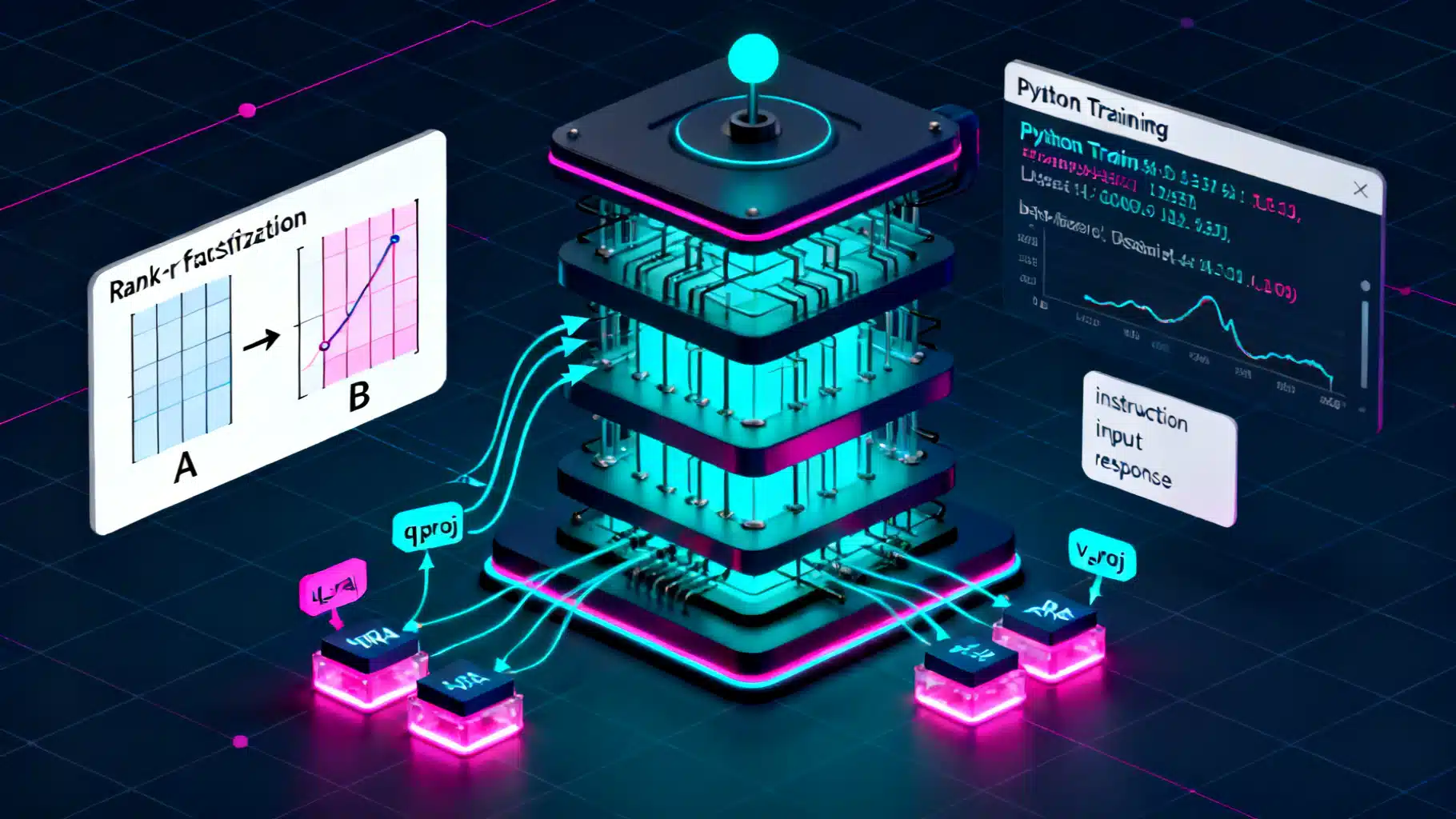
Image used for representation purposes only.
Overview
Low-Rank Adaptation (LoRA) is a lightweight technique to fine-tune large models by injecting small, trainable rank-decomposed matrices into selected layers. Instead of updating billions of weights, you learn only a few million parameters (or less), which slashes GPU memory, speeds up training, and keeps the original base model intact.
This guide walks you through LoRA end to end: core ideas, environment setup, data prep, training with classic LoRA and QLoRA, evaluation, merging, and deployment—plus practical tips and troubleshooting.
What LoRA Does (In Plain Terms)
- Classic fine-tuning updates a full weight matrix W in each layer.
- LoRA freezes W and learns two small matrices A and B (rank r): W’ = W + B·A (often scaled by α/r). Because A and B are thin, the number of trainable parameters is tiny compared to W.
- You choose which submodules to adapt (e.g., attention projections). Everything else stays frozen.
Benefits:
- Much lower memory and compute than full fine-tuning.
- Multiple adapters can be trained for different tasks and swapped at inference.
- Base model remains unchanged; adapters are small files that are easy to version and share.
When To Use LoRA
- You have limited GPU memory or budget.
- You need quick iteration across tasks or domains (e.g., customer support, coding helpers, biomedical QA).
- You want to preserve the base model while shipping task-specific adapters.
Prerequisites
- Familiarity with Python, PyTorch, and Hugging Face Transformers.
- A GPU with at least 12–24 GB VRAM for mid-sized models; QLoRA can reduce this further.
- A clean dataset for your task (instruction-response, dialogue, summarization, etc.).
Environment Setup
Install common tooling:
# Python 3.10+ recommended
pip install --upgrade "transformers>=4.39" "peft>=0.10" datasets accelerate bitsandbytes evaluate
# Optional: TRL for SFT helpers, wandb for logging
pip install trl wandb

accelerate config  # set up mixed precision & device mapping
Notes:
- bitsandbytes enables 8-bit/4-bit quantization for QLoRA.
- accelerate simplifies multi-GPU, CPU offload, and mixed precision.
Step 1: Pick a Base Model and Define a Task
Choose a model that matches your budget and target capabilities:
- 7B–8B decoder-only LLMs (good starting point for many tasks).
- Encoder-decoder models for summarization/translation.
- Vision or diffusion models also support LoRA, but this article focuses on text casual LMs.
Typical tasks:
- Instruction following: map an instruction to a helpful answer.
- Domain adaptation: rephrase, classify, or generate in a niche domain.
- Tool use: teach structured outputs or API call formatting.
Step 2: Prepare Your Dataset
A simple JSONL format works well. Example (instruction tuning):
{"instruction": "Explain LoRA in one paragraph.", "input": "", "output": "LoRA is ..."}
{"instruction": "Translate to French.", "input": "Hello, world!", "output": "Bonjour, le monde !"}
Guidelines:
- Keep outputs high quality and consistent.
- Avoid data leakage from eval to train.
- If you require safety constraints, encode them in the outputs and later evaluation.
Step 3: Tokenization and Prompt Formatting
For decoder-only LLMs, create a text template that concatenates instruction, optional input, and the expected answer. Example template:
### Instruction:
{instruction}

### Input:
{input}

### Response:
{output}
Code to load and tokenize:
from datasets import load_dataset
from transformers import AutoTokenizer

data_files = {"train": "data/train.jsonl", "validation": "data/val.jsonl"}
dataset = load_dataset("json", data_files=data_files)

model_name = "meta-llama/Llama-2-7b-hf"  # example; use a model you have access to
tokenizer = AutoTokenizer.from_pretrained(model_name, use_fast=True)
if tokenizer.pad_token is None:
    tokenizer.pad_token = tokenizer.eos_token

TEMPLATE = (
    "### Instruction:\n{instruction}\n\n"
    "### Input:\n{input}\n\n"
    "### Response:\n{output}"
)

def format_example(ex):
    return TEMPLATE.format(
        instruction=ex.get("instruction", ""),
        input=ex.get("input", ""),
        output=ex.get("output", "")
    )

max_len = 2048

def tokenize(ex):
    text = format_example(ex)
    tokenized = tokenizer(text, truncation=True, max_length=max_len)
    tokenized["labels"] = tokenized["input_ids"].copy()  # causal LM
    return tokenized

train_ds = dataset["train"].map(tokenize, remove_columns=dataset["train"].column_names)
val_ds = dataset["validation"].map(tokenize, remove_columns=dataset["validation"].column_names)
Tip: For efficiency, consider packing multiple examples per sequence (sequence packing). Libraries like TRL offer SFTDataset helpers for this.
Step 4: Configure LoRA Adapters
You’ll choose target modules and hyperparameters. For LLaMA/Mistral-style models common targets are q_proj and v_proj; broader coverage can add k_proj/o_proj and MLP projections.
Key knobs:
- r (rank): 4–64; higher captures more capacity but costs memory.
- alpha (scaling): often 2–8× r (e.g., r=16, alpha=32/64).
- dropout: 0.05–0.1 to regularize.
- target_modules: which submodules to adapt.
import torch
from transformers import AutoModelForCausalLM, TrainingArguments, Trainer, DataCollatorForLanguageModeling
from peft import LoraConfig, get_peft_model, TaskType

model = AutoModelForCausalLM.from_pretrained(
    model_name,
    torch_dtype=torch.bfloat16,  # or float16 if your GPU lacks bf16
    device_map="auto"
)

lora_config = LoraConfig(
    task_type=TaskType.CAUSAL_LM,
    r=16,
    lora_alpha=32,
    lora_dropout=0.05,
    target_modules=["q_proj", "v_proj"],  # expand if needed
)

model = get_peft_model(model, lora_config)
model.print_trainable_parameters()  # sanity check
Step 5: Train with Classic LoRA
Define training arguments and run. Start with a small learning rate and warmup. Enable gradient checkpointing for long sequences.
from transformers import DataCollatorForLanguageModeling

data_collator = DataCollatorForLanguageModeling(tokenizer=tokenizer, mlm=False)

args = TrainingArguments(
    output_dir="outputs/lora",
    per_device_train_batch_size=2,
    per_device_eval_batch_size=2,
    gradient_accumulation_steps=8,
    logging_steps=10,
    num_train_epochs=3,
    learning_rate=2e-4,
    lr_scheduler_type="cosine",
    warmup_ratio=0.03,
    fp16=torch.cuda.is_available() and torch.cuda.get_device_capability(0)[0] < 8,
    bf16=torch.cuda.is_available() and torch.cuda.get_device_capability(0)[0] >= 8,
    gradient_checkpointing=True,
    evaluation_strategy="steps",
    eval_steps=200,
    save_steps=200,
    save_total_limit=2,
    report_to=["none"],  # or ["wandb"] if configured
)

trainer = Trainer(
    model=model,
    args=args,
    train_dataset=train_ds,
    eval_dataset=val_ds,
    data_collator=data_collator,
)

trainer.train()
# Save adapter only (small!)
model.save_pretrained("outputs/lora-adapter")
tokenizer.save_pretrained("outputs/lora-adapter")
Heuristics:
- If loss plateaus high, try raising r or alpha, or widen target_modules.
- If overfitting, add dropout, reduce epochs, or increase data.
- For long contexts, lower batch size and raise gradient_accumulation_steps.
Step 6: Train with QLoRA (Optional, Lower VRAM)
QLoRA quantizes base weights (usually to 4-bit) and trains LoRA adapters on top. This cuts memory dramatically with minimal quality loss.
from peft import prepare_model_for_kbit_training
from transformers import BitsAndBytesConfig

bnb_config = BitsAndBytesConfig(
    load_in_4bit=True,
    bnb_4bit_use_double_quant=True,
    bnb_4bit_quant_type="nf4",
    bnb_4bit_compute_dtype=torch.bfloat16,
)

model_4bit = AutoModelForCausalLM.from_pretrained(
    model_name,
    quantization_config=bnb_config,
    device_map="auto"
)

model_4bit = prepare_model_for_kbit_training(model_4bit)

lora_config = LoraConfig(
    task_type=TaskType.CAUSAL_LM,
    r=16,
    lora_alpha=32,
    lora_dropout=0.05,
    target_modules=["q_proj", "v_proj"],
)

model_4bit = get_peft_model(model_4bit, lora_config)

args = TrainingArguments(
    output_dir="outputs/qlora",
    per_device_train_batch_size=2,
    gradient_accumulation_steps=8,
    num_train_epochs=3,
    learning_rate=2e-4,
    logging_steps=10,
    evaluation_strategy="steps",
    eval_steps=200,
    save_steps=200,
    save_total_limit=2,
    bf16=True,
    gradient_checkpointing=True,
    report_to=["none"],
)

trainer = Trainer(
    model=model_4bit,
    args=args,
    train_dataset=train_ds,
    eval_dataset=val_ds,
    data_collator=data_collator,
)

trainer.train()
model_4bit.save_pretrained("outputs/qlora-adapter")
Tips for QLoRA:
- bf16 compute gives stability and speed on modern GPUs.
- Sequence length strongly affects memory; trim max_len if you OOM.
Step 7: Quick Evaluation
Compute a simple perplexity or run exact-match/ROUGE depending on your task.
import torch
from transformers import pipeline

# Load base + adapter for inference
from peft import PeftModel
base = AutoModelForCausalLM.from_pretrained(model_name, torch_dtype=torch.bfloat16, device_map="auto")
base = PeftModel.from_pretrained(base, "outputs/lora-adapter")
base.eval()

pipe = pipeline("text-generation", model=base, tokenizer=tokenizer, device_map="auto")

prompt = "### Instruction:\nSummarize LoRA in two sentences.\n\n### Input:\n\n\n### Response:\n"
print(pipe(prompt, max_new_tokens=150, do_sample=False)[0]["generated_text"])  # sanity check
For quantitative evaluation, the evaluate library can compute metrics:
import evaluate
# Example: perplexity (approximate by computing loss on val set)
For instruction following, consider exact match for structured outputs, ROUGE/L for summarization, BLEU/chrF for translation, or task-specific metrics.
Step 8: Merge and Export
If you want a single merged model without adapters, you can merge the LoRA weights into the base (useful for deployment to runtimes that don’t support PEFT):
from peft import PeftModel
from transformers import AutoModelForCausalLM

base = AutoModelForCausalLM.from_pretrained(model_name, torch_dtype=torch.bfloat16, device_map="auto")
adapted = PeftModel.from_pretrained(base, "outputs/lora-adapter")
merged = adapted.merge_and_unload()  # weights baked in
merged.save_pretrained("outputs/merged-model")
tokenizer.save_pretrained("outputs/merged-model")
Notes:
- Merged weights lose the adapter modularity. Keep the adapter version for future reuse.
- For CPU or edge deployment, consider exporting to formats supported by your runtime (e.g., ONNX, TensorRT, or quantized GGUF using tooling specific to your model family).
Step 9: Compute and Memory Planning
Back-of-the-envelope planning:
- Trainable params with LoRA ≈ 2 × r × (sum of adapted weight dims). For attention projections only, this is a tiny fraction of the full model.
- VRAM drivers: sequence length × batch size × number of layers (activations) and precision (fp16/bf16). Gradient checkpointing helps.
- QLoRA reduces base weight memory via 4-bit storage; activations still dominate with long sequences.
Pragmatic tips:
- Start with r=8 or 16, alpha=16–64, dropout=0.05.
- Keep max_len as low as your task allows (e.g., 1k–2k tokens) before scaling up.
- Use gradient_accumulation_steps to simulate bigger batches.
Inference and Serving
- PEFT runtime: load base + adapter and serve with a generation endpoint. Low footprint, easy to hot-swap adapters.
- Merged weights: slightly faster at inference and simpler runtimes.
- Enable kv-cache and use efficient sampling; cap max_new_tokens to control latency and cost.
Multi-Adapter Workflows
- Train one adapter per domain (finance, legal, customer support) and swap at inference.
- You can also “stack” adapters or apply them selectively per layer; advanced patterns require careful evaluation to avoid interference.
Troubleshooting
- Diverging loss or NaNs: lower learning rate; use bf16; enable gradient clipping (e.g., max_grad_norm=1.0); reduce sequence length.
- Poor generalization: expand target_modules to include MLP projections; raise r; add more or cleaner data; use cosine decay with a modest warmup.
- Catastrophic forgetting of general skills: keep LoRA scope narrow (e.g., only attention), add a small amount of general data, or mix instruction formats.
- Slow training wall-time: decrease logging frequency; set eval every N steps instead of every step; profile dataloader.
- Tokenizer mismatch: always load tokenizer from the same base model; set pad_token and attention masks correctly.
- OOM at step 0: reduce max_len, batch size; enable gradient checkpointing; switch to QLoRA.
Safety and Licensing
- Verify your base model’s license allows fine-tuning and distribution of adapters or merged weights.
- If your task involves sensitive content, incorporate safety instructions in the dataset and evaluate against safety benchmarks.
Minimal End-to-End Script (Put It Together)
import torch
from datasets import load_dataset
from transformers import (
    AutoTokenizer, AutoModelForCausalLM,
    DataCollatorForLanguageModeling, TrainingArguments, Trainer
)
from peft import LoraConfig, get_peft_model, TaskType

model_name = "meta-llama/Llama-2-7b-hf"  # example placeholder
files = {"train": "data/train.jsonl", "validation": "data/val.jsonl"}

dataset = load_dataset("json", data_files=files)

tokenizer = AutoTokenizer.from_pretrained(model_name, use_fast=True)
if tokenizer.pad_token is None:
    tokenizer.pad_token = tokenizer.eos_token

TEMPLATE = (
    "### Instruction:\n{instruction}\n\n"
    "### Input:\n{input}\n\n"
    "### Response:\n{output}"
)

def tokenize_fn(ex):
    text = TEMPLATE.format(
        instruction=ex.get("instruction", ""),
        input=ex.get("input", ""),
        output=ex.get("output", "")
    )
    out = tokenizer(text, truncation=True, max_length=2048)
    out["labels"] = out["input_ids"].copy()
    return out

train_ds = dataset["train"].map(tokenize_fn, remove_columns=dataset["train"].column_names)
val_ds = dataset["validation"].map(tokenize_fn, remove_columns=dataset["validation"].column_names)

model = AutoModelForCausalLM.from_pretrained(
    model_name,
    torch_dtype=torch.bfloat16 if torch.cuda.is_available() else torch.float32,
    device_map="auto"
)

lora = LoraConfig(task_type=TaskType.CAUSAL_LM, r=16, lora_alpha=32, lora_dropout=0.05,
                  target_modules=["q_proj", "v_proj"])  # adjust per model
model = get_peft_model(model, lora)

collator = DataCollatorForLanguageModeling(tokenizer=tokenizer, mlm=False)

args = TrainingArguments(
    output_dir="outputs/lora",
    per_device_train_batch_size=2,
    gradient_accumulation_steps=8,
    num_train_epochs=3,
    learning_rate=2e-4,
    lr_scheduler_type="cosine",
    warmup_ratio=0.03,
    logging_steps=10,
    evaluation_strategy="steps",
    eval_steps=200,
    save_steps=200,
    save_total_limit=2,
    bf16=torch.cuda.is_available() and torch.cuda.get_device_capability(0)[0] >= 8,
    gradient_checkpointing=True,
    report_to=["none"],
)

trainer = Trainer(
    model=model,
    args=args,
    train_dataset=train_ds,
    eval_dataset=val_ds,
    data_collator=collator,
)

trainer.train()
model.save_pretrained("outputs/lora-adapter")
tokenizer.save_pretrained("outputs/lora-adapter")
Final Notes
LoRA offers a pragmatic middle ground between prompt engineering and full fine-tuning. Start small (r=8–16, q/v projections), measure with task-relevant metrics, and iterate. When you hit memory limits, switch to QLoRA and keep your sequence length under control. With clean data and disciplined evaluation, LoRA adapters can deliver strong task performance at a fraction of the cost.
Related Posts

Fine‑Tuning LLMs with LoRA: A Practical, End‑to‑End Tutorial
Step-by-step guide to fine-tuning LLMs with LoRA/QLoRA using Transformers, PEFT, and TRL—from data prep to deployment.
LLM Fine-Tuning Dataset Preparation: An End-to-End Guide
A step-by-step guide to preparing high-quality datasets for LLM fine-tuning, from sourcing and cleaning to formats, safety, splits, and evaluation.
AI Workflow Automation with n8n: A Practical Tutorial from Zero to Production
Build AI-powered automations in n8n: install, connect LLMs, craft prompts, and ship three real workflows with testing, scaling, and security tips.