
Instruction Tuning LLMs: An End-to-End Practical Tutorial
A practical, end-to-end tutorial on instruction tuning LLMs: data design, LoRA/QLoRA training code, evaluation, deployment, and production tips.
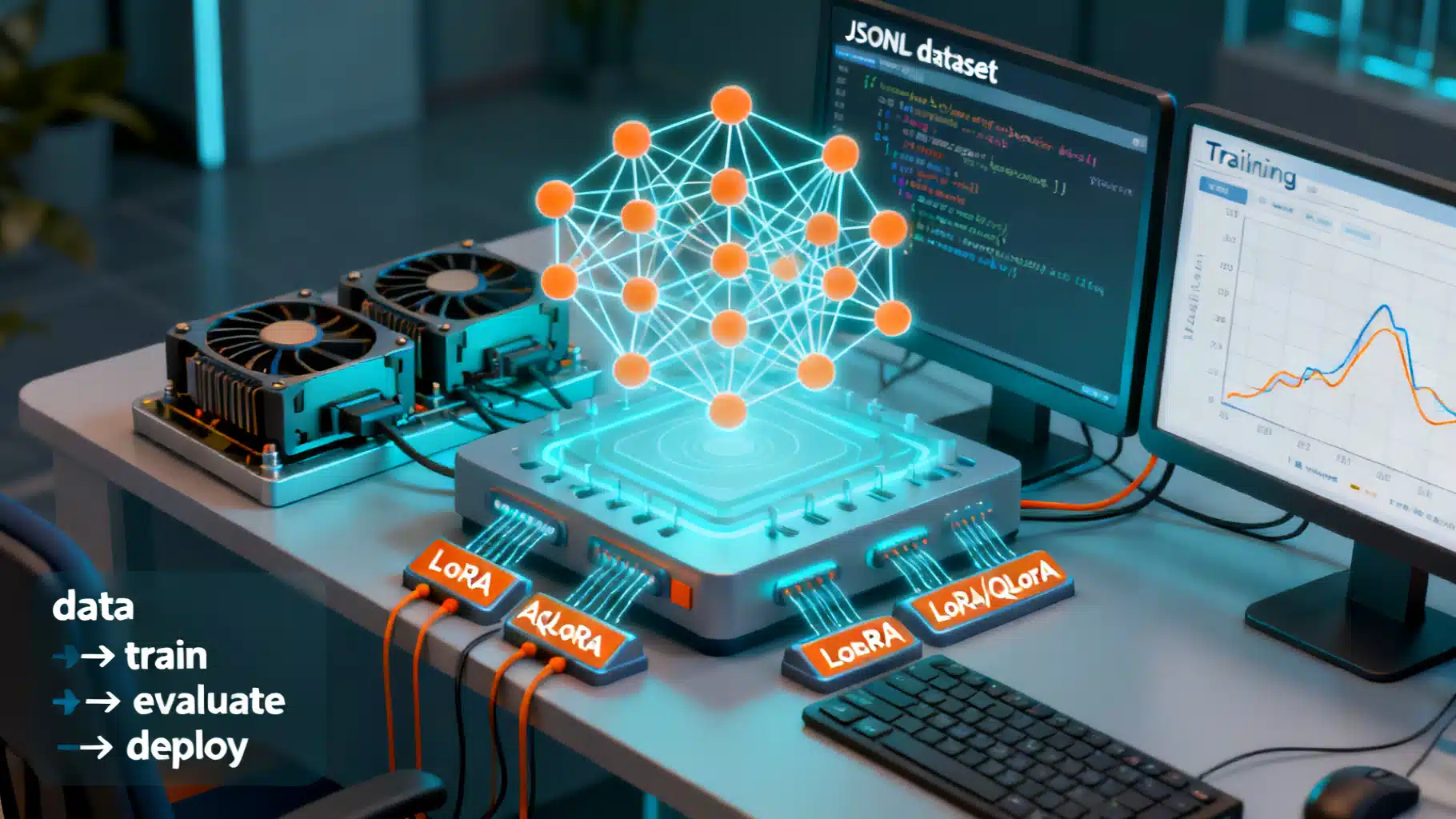
Image used for representation purposes only.
Overview
Instruction tuning is the supervised fine-tuning of a pretrained language model (LLM) on curated, task-oriented prompts and responses so it learns to reliably follow natural-language instructions. In practice, you assemble a high-quality dataset of (instruction, optional context, ideal response) triples, fine-tune the base model with supervised learning, and then evaluate and deploy it with safe, predictable decoding.
This tutorial walks you end to end—from data design to LoRA/QLoRA training code, evaluation, and production deployment—using widely adopted open-source tooling.
When to use instruction tuning
- You want your model to follow directions, format outputs, or adopt a consistent tone.
- Your use case needs predictable behavior across many tasks rather than peak performance on a single benchmark.
- You have limited compute and prefer parameter‑efficient fine‑tuning (PEFT) over full model updates.
How it differs from RLHF: instruction tuning is purely supervised on gold responses; RLHF adds a reward model and reinforcement learning to optimize preferences. Many strong assistant-style models start with instruction tuning and optionally add RLHF later.
Prerequisites
- Comfortable with Python and PyTorch.
- One or more modern GPUs (24–80 GB VRAM recommended for full fine‑tuning on 7–13B models). With QLoRA, a single 24 GB GPU can work for 7–13B models.
- Libraries: transformers, datasets, peft, trl, bitsandbytes, accelerate.
Step 1: Choose a base model
Select a base model that aligns with your constraints:
- Size/context: 7B–13B models are practical for single‑GPU training; larger models need multi‑GPU or PEFT. Verify tokenizer and max context length meet your needs.
- License: ensure your downstream use (commercial vs. research) complies with the model license.
- Capabilities: choose a general model if you need broad instruction following; pick a domain model (e.g., code, biomed) if your tasks are narrow.
Tip: Prefer models with a well-defined chat template in the tokenizer; this simplifies message formatting.
Step 2: Design a high-quality dataset
Great instruction tuning is won or lost on data quality. Aim for:
- Clarity: unambiguous instructions with necessary context.
- Coverage: include common request types, edge cases, and refusal patterns (for unsafe asks).
- Consistency: uniform tone, formatting, and metadata.
- Authenticity: avoid training on your private or regulated data unless you have explicit permission and a retention policy.
A simple JSONL schema works well:
{"system": "You are a helpful, concise assistant.",
 "instruction": "Summarize the article in three bullet points.",
 "input": "<full article text>",
 "output": "- Point 1\n- Point 2\n- Point 3",
 "metadata": {"source": "editor", "category": "summarization"}}
{"system": "You are a careful coding assistant.",
 "instruction": "Write a Python function to compute Fibonacci numbers iteratively.",
 "input": "n = 10",
 "output": """
def fib(n):
    a, b = 0, 1
    for _ in range(n):
        a, b = b, a + b
    return a
"""",
 "metadata": {"category": "code"}}
Curation checklist:
- Deduplicate and remove near-duplicates.
- Filter low-quality or contradictory answers.
- Add refusal exemplars for disallowed content.
- Balance categories to avoid overfitting to one skill.
Step 3: Preprocess and format examples
Most chat-tuned models expect a specific message template. If your tokenizer defines one, use it. Otherwise, adopt a simple pattern like:
<|system|>
{system}
<|user|>
{instruction}\n{input}
<|assistant|>
{output}
Using Transformers, you can rely on the tokenizer’s chat template when available:
from datasets import load_dataset
from transformers import AutoTokenizer

dset = load_dataset("json", data_files={"train": "train.jsonl", "eval": "eval.jsonl"})
tokenizer = AutoTokenizer.from_pretrained("your-base-model")

# Convert JSONL records into chat message lists the tokenizer understands
SYSTEM_FALLBACK = "You are a helpful, concise assistant."

def to_messages(ex):
    system = ex.get("system") or SYSTEM_FALLBACK
    user = ex["instruction"] + ("\n" + ex["input"] if ex.get("input") else "")
    assistant = ex["output"]
    return [{"role": "system", "content": system},
            {"role": "user", "content": user},
            {"role": "assistant", "content": assistant}]

def tokenize(ex):
    msgs = to_messages(ex)
    text = tokenizer.apply_chat_template(msgs, tokenize=False, add_generation_prompt=False)
    out = tokenizer(text, truncation=True, max_length=tokenizer.model_max_length)
    out["labels"] = out["input_ids"].copy()
    return out

tokenized = dset.map(tokenize, remove_columns=dset["train"].column_names)
Notes:
- Ensure the assistant portion is fully labeled; do not mask it unless you’re doing special techniques (e.g., partial masking for format learning).
- Pack sequences (concatenate multiple short examples) to improve throughput if your trainer supports it.
Step 4: Pick a training strategy
- Full fine-tuning: highest flexibility, most VRAM and compute.
- LoRA: injects small rank‑decomposition adapters on attention/MLP layers. Trainable parameters are tiny relative to the base model.
- QLoRA: quantize base weights to 4‑bit (nf4) and train LoRA adapters; enables single‑GPU fine‑tuning of larger models with minimal quality loss.
Recommended defaults for many 7–13B models:
- Optimizer: AdamW or paged AdamW (QLoRA), lr ~ 1e‑4 to 2e‑4 for LoRA; 5e‑5 to 1e‑4 for full FT.
- Batch: effective batch 64–256 tokens per step per GPU (use gradient accumulation).
- Sequence length: match your target context; 2–4k tokens is common.
- Regularization: dropout in LoRA (0.05–0.1); weight decay 0.01.
- Precision: bfloat16 if hardware supports; fp16 otherwise. QLoRA uses 4‑bit base + bf16 compute.
Step 5: Train with TRL + PEFT (LoRA/QLoRA)
# pip install -U transformers datasets peft trl bitsandbytes accelerate
import torch
from datasets import load_dataset
from transformers import (AutoModelForCausalLM, AutoTokenizer, BitsAndBytesConfig,
                          TrainingArguments)
from peft import LoraConfig
from trl import SFTTrainer

MODEL = "your-base-model"
USE_QLORA = True  # set False for standard LoRA on full-precision base

bnb_cfg = None
if USE_QLORA:
    bnb_cfg = BitsAndBytesConfig(load_in_4bit=True,
                                 bnb_4bit_quant_type="nf4",
                                 bnb_4bit_use_double_quant=True,
                                 bnb_4bit_compute_dtype=torch.bfloat16)

tokenizer = AutoTokenizer.from_pretrained(MODEL, use_fast=True)
model = AutoModelForCausalLM.from_pretrained(MODEL,
                                            quantization_config=bnb_cfg if USE_QLORA else None,
                                            torch_dtype=torch.bfloat16 if not USE_QLORA else None,
                                            device_map="auto")

lora_cfg = LoraConfig(
    r=16, lora_alpha=32, lora_dropout=0.05,
    bias="none", task_type="CAUSAL_LM",
    target_modules=["q_proj", "k_proj", "v_proj", "o_proj", "gate_proj", "up_proj", "down_proj"]
)

dset = load_dataset("json", data_files={"train": "train.jsonl", "eval": "eval.jsonl"})

SYSTEM_FALLBACK = "You are a helpful, concise assistant."

def to_messages(ex):
    system = ex.get("system") or SYSTEM_FALLBACK
    user = ex["instruction"] + ("\n" + ex["input"] if ex.get("input") else "")
    assistant = ex["output"]
    return [{"role": "system", "content": system},
            {"role": "user", "content": user},
            {"role": "assistant", "content": assistant}]

# Let SFTTrainer handle packing and label masking automatically via dataset_text_field

def format_example(ex):
    msgs = to_messages(ex)
    return tokenizer.apply_chat_template(msgs, tokenize=False, add_generation_prompt=False)

dset = dset.map(lambda ex: {"text": format_example(ex)})

args = TrainingArguments(
    output_dir="./instr_tuned_model",
    per_device_train_batch_size=1,
    per_device_eval_batch_size=1,
    gradient_accumulation_steps=16,
    learning_rate=1e-4,
    logging_steps=10,
    eval_strategy="steps",
    eval_steps=200,
    save_steps=200,
    num_train_epochs=2,
    lr_scheduler_type="cosine",
    warmup_ratio=0.03,
    gradient_checkpointing=True,
    bf16=True,
    max_grad_norm=1.0,
    optim="paged_adamw_8bit" if USE_QLORA else "adamw_torch",
    report_to=["none"],
)

trainer = SFTTrainer(
    model=model,
    tokenizer=tokenizer,
    train_dataset=dset["train"],
    eval_dataset=dset.get("eval"),
    peft_config=lora_cfg,
    dataset_text_field="text",
    packing=True,  # efficiently pack multiple examples per sequence
    max_seq_length=2048,
    args=args,
)

trainer.train()
trainer.save_model()  # saves base + adapters if PEFT
Merging LoRA adapters (optional for deployment):
from peft import AutoPeftModelForCausalLM
from transformers import AutoTokenizer

peft_model = AutoPeftModelForCausalLM.from_pretrained("./instr_tuned_model")
merged = peft_model.merge_and_unload()  # returns a standard Transformers model
merged.save_pretrained("./instr_tuned_model_merged")
AutoTokenizer.from_pretrained("your-base-model").save_pretrained("./instr_tuned_model_merged")
Step 6: Evaluate instruction following
Blend automatic and human evaluation:
- Task accuracy: exact match or regex for deterministic tasks (formatting, SQL skeletons).
- Text quality: ROUGE/BLEU for summarization, BERTScore or BLEURT for similarity.
- Safety: prompt with risky or disallowed requests; verify refusal style and policy adherence.
- General helpfulness: sample diverse held‑out prompts; do pairwise comparison against a baseline.
A lightweight scripted evaluation loop:
import torch
from transformers import AutoModelForCausalLM, AutoTokenizer

model = AutoModelForCausalLM.from_pretrained("./instr_tuned_model", device_map="auto")
tok = AutoTokenizer.from_pretrained("./instr_tuned_model")

prompts = [
    {"system": "You are a terse assistant.",
     "user": "List three risks of overfitting and one mitigation."},
]

def chat(system, user, max_new_tokens=256):
    msgs = [{"role": "system", "content": system},
            {"role": "user", "content": user}]
    text = tok.apply_chat_template(msgs, tokenize=False, add_generation_prompt=True)
    ids = tok(text, return_tensors="pt").to(model.device)
    out = model.generate(**ids, max_new_tokens=max_new_tokens, do_sample=False)
    return tok.decode(out[0][ids.input_ids.shape[-1]:], skip_special_tokens=True)

for p in prompts:
    print(chat(p["system"], p["user"]))
Tip: Keep a small, private eval set reflecting your production traffic patterns.
Step 7: Inference and serving
- Decoding: for instruction following, start with deterministic decoding (temperature 0.0–0.2, top_p 0.9) for consistency. Increase temperature only if creativity is required.
- Safety and formatting: prepend a stable system message; enforce JSON or schema outputs by asking for them explicitly and using constrained decoding where available.
- Serving: popular choices include vLLM and TGI for high-throughput inference. For simple setups, a FastAPI wrapper around Transformers is sufficient.
Example FastAPI skeleton:
# pip install fastapi uvicorn
from fastapi import FastAPI
from pydantic import BaseModel
from transformers import AutoTokenizer, AutoModelForCausalLM
import torch

app = FastAPI()
model = AutoModelForCausalLM.from_pretrained("./instr_tuned_model_merged", device_map="auto")
tok = AutoTokenizer.from_pretrained("./instr_tuned_model_merged")

class ChatReq(BaseModel):
    system: str = "You are a helpful assistant."
    user: str
    max_new_tokens: int = 256

@app.post("/generate")
def generate(req: ChatReq):
    msgs = [{"role": "system", "content": req.system},
            {"role": "user", "content": req.user}]
    text = tok.apply_chat_template(msgs, tokenize=False, add_generation_prompt=True)
    ids = tok(text, return_tensors="pt").to(model.device)
    out = model.generate(**ids, max_new_tokens=req.max_new_tokens, temperature=0.2, top_p=0.9)
    result = tok.decode(out[0][ids.input_ids.shape[-1]:], skip_special_tokens=True)
    return {"output": result}
Step 8: Safety and compliance
- Include refusal exemplars in training (e.g., “I can’t help with that, but here’s a safer alternative…”).
- Add post-generation filters for PII leakage and unsafe content.
- Log prompts/outputs securely with redaction; define retention limits.
- Respect base model and dataset licenses; document your derivations.
Step 9: Troubleshooting guide
- Model refuses harmless requests: add positive examples and reduce exposure to “rule-only” samples. Lower refusal prior in system prompts.
- Over-verbosity: include concise gold answers; set temperature near zero; enforce length via instructions and max tokens.
- Hallucinations: prefer retrieval-augmented prompts for factual tasks; add counter‑hallucination data (e.g., “I don’t know” exemplars).
- Format drift (bad JSON): train on JSON exemplars; apply structured decoding or regex validation with retries.
- OOM during training: enable gradient checkpointing, reduce sequence length, use QLoRA, and increase gradient accumulation.
- Training diverges: reduce LR, increase warmup, verify tokenization and label alignment.
Step 10: A production checklist
- Version prompts, datasets, code, and adapters.
- Canary and A/B test against a baseline; track acceptance, latency, refusal, safety metrics.
- Monitor drift; periodically refresh data with real user queries (after consent and anonymization).
- Keep a safe fallback model and circuit breakers for toxic or high‑risk outputs.
Putting it all together
Instruction tuning turns a general LLM into a reliable assistant by pairing strong base capabilities with carefully curated instruction–response data and light‑touch adaptation (LoRA/QLoRA). With the dataset and code patterns in this tutorial, you can stand up a capable domain assistant quickly, then iterate with evaluation, safety checks, and targeted data additions. Start small, measure rigorously, and grow your dataset where the model fails most often—your users will feel the improvement.
Related Posts
LoRA Fine-Tuning: A Step-by-Step Guide
A step-by-step LoRA fine-tuning guide with theory, setup, classic LoRA and QLoRA code, evaluation, merging, and practical tips.
LLM Fine-Tuning Dataset Preparation: An End-to-End Guide
A step-by-step guide to preparing high-quality datasets for LLM fine-tuning, from sourcing and cleaning to formats, safety, splits, and evaluation.

Fine‑Tuning LLMs with LoRA: A Practical, End‑to‑End Tutorial
Step-by-step guide to fine-tuning LLMs with LoRA/QLoRA using Transformers, PEFT, and TRL—from data prep to deployment.