
Build a Rock‑Solid React Countdown Timer (Hooks, TypeScript, Zero Drift)
Build a robust React countdown timer with hooks and TypeScript: zero-drift updates, pause/resume/reset, accessibility, SSR tips, tests, and examples.
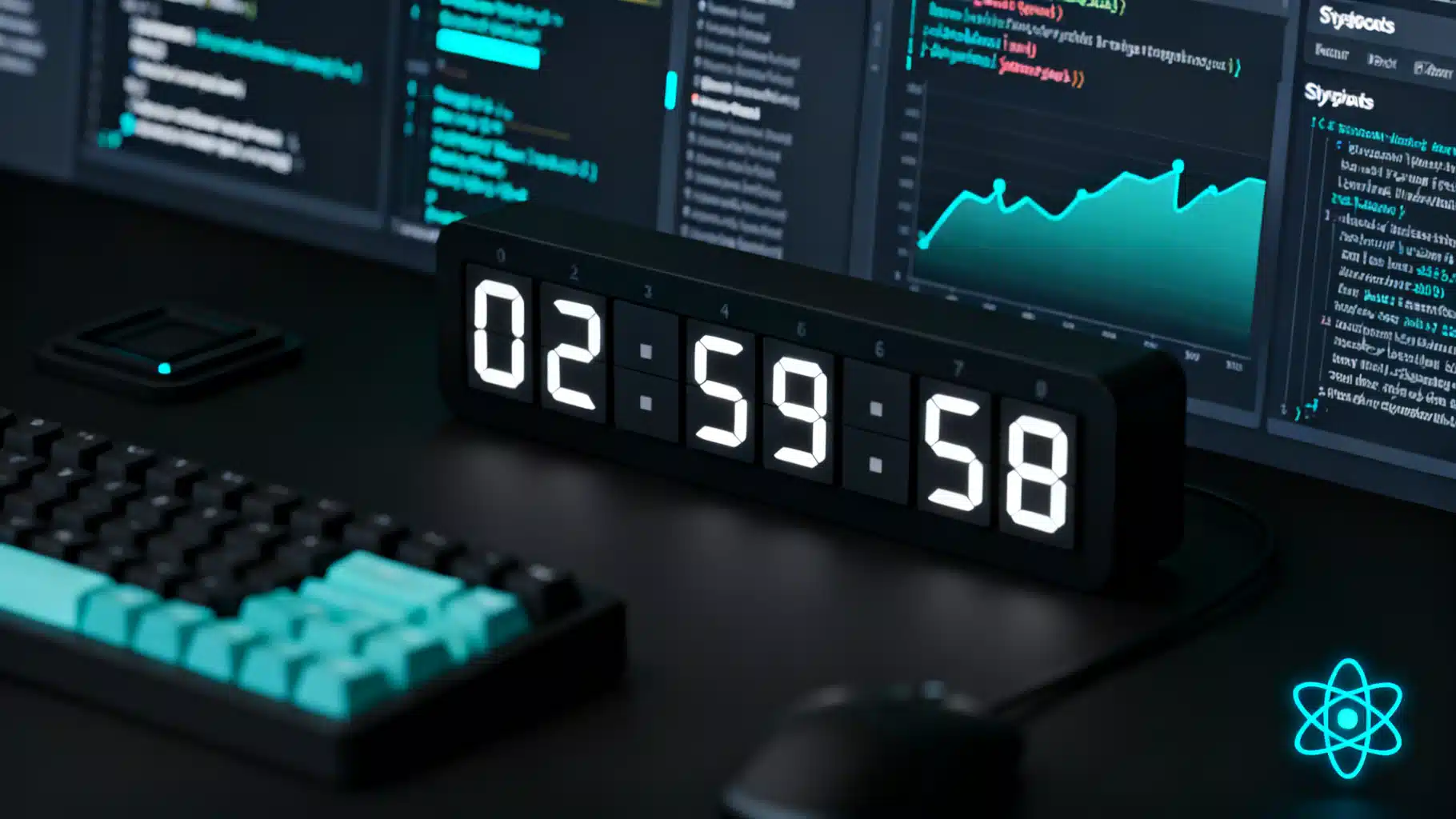
Image used for representation purposes only.
Overview
A countdown timer is a deceptively simple UI pattern that touches state management, timing accuracy, accessibility, and server rendering. In this guide, you will build a robust React countdown timer that avoids drift, supports pause/resume/reset, exposes an ergonomic API, and ships with TypeScript types. We will implement the logic as a reusable hook and then wrap it in a presentational component.
Goals and requirements
- Accurate to the second with minimal drift
- Pause, resume, and reset controls
- Works with either a target date/time or a duration
- Accessible (screen-reader friendly) and keyboard friendly
- Server-rendering safe (Next.js/RSC-compatible)
- Typed with TypeScript
Designing the API
We will split concerns into:
- useCountdown: Encapsulates timing and state.
: A presentational component built on the hook.
Hook options:
- target?: Date | number (epoch ms)
- durationMs?: number (if target not provided)
- autoStart?: boolean (default true)
- intervalMs?: number (default 1000)
- onComplete?: () => void
Hook output:
- msLeft: number
- parts: { days, hours, minutes, seconds, milliseconds }
- formatted: string
- percent: number (0..1)
- isRunning: boolean
- start(), pause(), resume(), reset(next?)
Component props:
- Same as hook plus:
- className?: string
- ariaLabel?: string
- liveRegion?: ‘off’ | ‘polite’ | ‘assertive’ (default ‘polite’)
Implementation: the hook
Key idea: compute remaining time from absolute timestamps (Date.now()) rather than incrementing counters. This eliminates cumulative drift from delayed intervals and background tab throttling.
import { useCallback, useEffect, useMemo, useRef, useState } from 'react'

type Target = number | Date

export type CountdownParts = {
  days: number
  hours: number
  minutes: number
  seconds: number
  milliseconds: number
}

export type UseCountdownOptions = {
  target?: Target
  durationMs?: number
  autoStart?: boolean
  intervalMs?: number
  onComplete?: () => void
}

export type UseCountdownReturn = {
  msLeft: number
  parts: CountdownParts
  formatted: string
  percent: number
  isRunning: boolean
  start: () => void
  pause: () => void
  resume: () => void
  reset: (next?: { target?: Target; durationMs?: number; autoStart?: boolean }) => void
}

function toMs(t: Target): number {
  return t instanceof Date ? t.getTime() : t
}

function clamp(n: number, min = 0): number { return n < min ? min : n }

function splitMs(ms: number): CountdownParts {
  const d = Math.floor(ms / 86_400_000)
  const h = Math.floor((ms % 86_400_000) / 3_600_000)
  const m = Math.floor((ms % 3_600_000) / 60_000)
  const s = Math.floor((ms % 60_000) / 1000)
  const mm = Math.floor(ms % 1000)
  return { days: d, hours: h, minutes: m, seconds: s, milliseconds: mm }
}

function pad2(n: number): string { return n < 10 ? `0${n}` : String(n) }

function formatParts(p: CountdownParts): string {
  const core = `${pad2(p.hours)}:${pad2(p.minutes)}:${pad2(p.seconds)}`
  return p.days > 0 ? `${p.days}d ${core}` : core
}

export function useCountdown(options: UseCountdownOptions): UseCountdownReturn {
  const { target, durationMs, autoStart = true, intervalMs = 1000, onComplete } = options

  // Refs to avoid re-renders on tick bookkeeping
  const endRef = useRef<number | null>(null)
  const baseDurationRef = useRef<number>(0)
  const pausedLeftRef = useRef<number>(0)

  // Render state
  const [msLeft, setMsLeft] = useState<number>(() => {
    const initialEnd = target ? toMs(target) : Date.now() + (durationMs ?? 0)
    const left = clamp(initialEnd - Date.now())
    return left
  })
  const [isRunning, setIsRunning] = useState<boolean>(autoStart)

  // Initialize absolute end time and base duration
  useEffect(() => {
    const initialEnd = target ? toMs(target) : Date.now() + (durationMs ?? msLeft)
    endRef.current = autoStart ? initialEnd : null
    baseDurationRef.current = clamp(initialEnd - Date.now())
    pausedLeftRef.current = baseDurationRef.current
    setMsLeft(clamp(initialEnd - Date.now()))
    setIsRunning(autoStart)
    // eslint-disable-next-line react-hooks/exhaustive-deps
  }, [/* run when external target/duration changes */ target instanceof Date ? target.getTime() : target, durationMs])

  // Tick logic using absolute time to avoid drift
  useEffect(() => {
    if (!isRunning || !endRef.current) return

    const step = Math.max(16, Math.floor(intervalMs)) // min ~1 frame

    const id = setInterval(() => {
      const left = clamp(endRef.current! - Date.now())
      setMsLeft(left)
      if (left === 0) {
        setIsRunning(false)
        clearInterval(id)
        onComplete?.()
      }
    }, step)

    return () => clearInterval(id)
  }, [isRunning, intervalMs, onComplete])

  const start = useCallback(() => {
    if (isRunning) return
    const end = target ? toMs(target) : Date.now() + (durationMs ?? pausedLeftRef.current)
    endRef.current = end
    baseDurationRef.current = clamp(end - Date.now())
    pausedLeftRef.current = baseDurationRef.current
    setMsLeft(clamp(end - Date.now()))
    setIsRunning(true)
  }, [isRunning, target, durationMs])

  const pause = useCallback(() => {
    if (!isRunning) return
    const left = clamp((endRef.current ?? Date.now()) - Date.now())
    pausedLeftRef.current = left
    endRef.current = null
    setMsLeft(left)
    setIsRunning(false)
  }, [isRunning])

  const resume = useCallback(() => {
    if (isRunning) return
    const end = Date.now() + pausedLeftRef.current
    endRef.current = end
    setIsRunning(true)
  }, [isRunning])

  const reset = useCallback((next?: { target?: Target; durationMs?: number; autoStart?: boolean }) => {
    const nTarget = next?.target ?? target
    const nDuration = next?.durationMs ?? durationMs
    const end = nTarget ? toMs(nTarget) : Date.now() + (nDuration ?? baseDurationRef.current)
    endRef.current = next?.autoStart === false ? null : end
    baseDurationRef.current = clamp(end - Date.now())
    pausedLeftRef.current = baseDurationRef.current
    setMsLeft(clamp(end - Date.now()))
    setIsRunning(next?.autoStart === false ? false : true)
  }, [target, durationMs])

  const parts = useMemo(() => splitMs(msLeft), [msLeft])
  const formatted = useMemo(() => formatParts(parts), [parts])
  const percent = useMemo(() => {
    const base = baseDurationRef.current || 1
    return 1 - msLeft / base
  }, [msLeft])

  return { msLeft, parts, formatted, percent, isRunning, start, pause, resume, reset }
}
The presentational component
The component renders the formatted time, exposes minimal props, and includes optional aria-live for screen readers.
import React from 'react'
import { useCountdown, UseCountdownOptions } from './useCountdown'

type Live = 'off' | 'polite' | 'assertive'

export type CountdownProps = UseCountdownOptions & {
  className?: string
  ariaLabel?: string
  liveRegion?: Live
}

export function Countdown({ className, ariaLabel = 'Time remaining', liveRegion = 'polite', ...opts }: CountdownProps) {
  const { formatted } = useCountdown(opts)

  return (
    <time
      className={className}
      aria-label={ariaLabel}
      aria-live={liveRegion}
      dateTime={`P${formatted.replace(/\D/g, '')}T`}
    >
      {formatted}
    </time>
  )
}
Notes:
- dateTime on time is illustrative; for full ISO 8601 duration output, compute a proper string (e.g., PnDTnHnMnS). For many UIs, the human-readable content is what matters.
Usage examples
Basic countdown to a date 5 minutes from now:
export default function Example() {
  const target = Date.now() + 5 * 60 * 1000
  return <Countdown target={target} />
}
With controls using the hook directly:
import { useCountdown } from './useCountdown'

export function Pomodoro() {
  const { formatted, isRunning, start, pause, resume, reset, percent } = useCountdown({ durationMs: 25 * 60 * 1000, autoStart: false })

  return (
    <div>
      <div style={{ fontVariantNumeric: 'tabular-nums', fontSize: 48 }}>{formatted}</div>
      <progress value={percent} max={1} style={{ width: 240 }} />
      <div style={{ display: 'flex', gap: 8, marginTop: 8 }}>
        <button onClick={start} disabled={isRunning}>Start</button>
        <button onClick={pause} disabled={!isRunning}>Pause</button>
        <button onClick={resume} disabled={isRunning}>Resume</button>
        <button onClick={() => reset({ durationMs: 5 * 60 * 1000 })}>Reset 5m</button>
      </div>
    </div>
  )
}
In Next.js (server components): ensure the hook and component live in a client component file and add ‘use client’ at the top.
'use client'
import { Countdown } from '@/components/Countdown'

export default function Page() {
  return <Countdown durationMs={10_000} />
}
Avoiding drift: why this works
- We never increment counters. Each tick derives msLeft from endTime - Date.now().
- Browser throttling or event loop delays cannot accumulate error; the next render catches up instantly.
- Step size (intervalMs) only affects UI refresh rate, not correctness.
If you need sub-second precision, set intervalMs to 50–100 ms and include milliseconds in the UI.
Accessibility checklist
- Use a time element so assistive tech recognizes temporal content.
- Announce changes politely for long timers (aria-live=‘polite’). For urgent last 10 seconds, switch to ‘assertive’.
- Ensure numeric glyphs don’t shift width: apply font-variant-numeric: tabular-nums.
- Provide a visible label or aria-label, e.g., Time remaining.
Example with last-10s assertive live region:
function AccessibleCountdown() {
  const { parts, formatted } = useCountdown({ durationMs: 30_000 })
  const urgent = parts.days === 0 && parts.hours === 0 && parts.minutes === 0 && parts.seconds <= 10
  return (
    <time aria-live={urgent ? 'assertive' : 'polite'} aria-label='Time remaining'>
      {formatted}
    </time>
  )
}
Formatting options
The provided formatParts prints either HH:mm:ss or Dd HH:mm:ss. For full customization:
- Accept a format string, e.g., ‘D[d] HH:mm:ss’.
- Build a tiny parser to replace tokens with values.
- Or delegate to a library like date-fns/formatDuration if you already include it.
Minimal token replacement example:
export function formatWith(pattern: string, p: CountdownParts): string {
  return pattern
    .replace(/DD?/, String(p.days))
    .replace(/HH/, pad2(p.hours))
    .replace(/mm/, pad2(p.minutes))
    .replace(/ss/, pad2(p.seconds))
}
Performance tips
- Re-rendering once per second is fine for most pages. If your app stutters:
- Render digits using a single text node, not many nested components.
- Memoize expensive children.
- If you render dozens of timers, increase intervalMs to 2_000 or coalesce updates in a parent.
- Keep the tick work minimal; compute derived values (parts, formatted) with useMemo.
SSR and hydration
- The initial msLeft uses Date.now(), which runs during server render. On hydration, a small discrepancy might appear. This is acceptable for countdowns, but if you want absolute parity:
- Render a placeholder on the server and compute the first value only on the client via useEffect.
Example client-only initial value:
const [ready, setReady] = useState(false)
useEffect(() => setReady(true), [])
return ready ? <Countdown durationMs={10_000} /> : null
Testing the countdown
Use fake timers to simulate time.
import { describe, expect, it, vi } from 'vitest'
import { renderHook, act } from '@testing-library/react'
import { useCountdown } from './useCountdown'

describe('useCountdown', () => {
  it('counts down and completes', () => {
    vi.useFakeTimers()
    const onComplete = vi.fn()
    const { result } = renderHook(() => useCountdown({ durationMs: 3000, onComplete }))

    act(() => { vi.advanceTimersByTime(1000) })
    expect(result.current.parts.seconds).toBe(2)

    act(() => { vi.advanceTimersByTime(2000) })
    expect(result.current.msLeft).toBe(0)
    expect(onComplete).toHaveBeenCalledTimes(1)

    vi.useRealTimers()
  })
})
Common pitfalls
- Using setInterval to decrement state by 1 each second accumulates drift. Always derive from absolute time.
- Forgetting to clear intervals on unmount causes leaks. The hook’s effect cleanup handles this.
- Not handling past targets: clamp to 0 to avoid negative values.
- Janky numerals: enable tabular-nums in CSS.
Production hardening ideas
- Optional persistence (e.g., localStorage) so a refresh doesn’t reset progress.
- Optional onTick callback for analytics or beeps (throttle it to once per second).
- Document title updates during countdown.
- Animations for digit flips (use CSS transforms, not layout-changing properties).
Wrap-up
You now have a flexible, accurate React countdown timer that resists drift, plays nicely with accessibility and SSR, and is easy to extend. Start with the hook for logic, add the component for convenience, and evolve formatting and features as your UI demands.
Related Posts
React Search Autocomplete: A Fast, Accessible Implementation with Hooks
Build a fast, accessible React search autocomplete with hooks, debouncing, ARIA, caching, and virtualization. Includes complete, production-ready code.

Mastering Complex State in React with useReducer
A practical guide to complex React state with useReducer: modeling, actions, async flows, context patterns, performance, and testing.
Building an Accessible React Stepper Form Progress Component
Build an accessible React stepper form progress component with validation, keyboard support, and persistence. Includes TypeScript code and best practices.