
Flutter Clean Architecture with Domain-Driven Design: A Practical Guide
A practical guide to applying Clean Architecture and Domain-Driven Design in Flutter with structure, patterns, code snippets, and testing strategies.
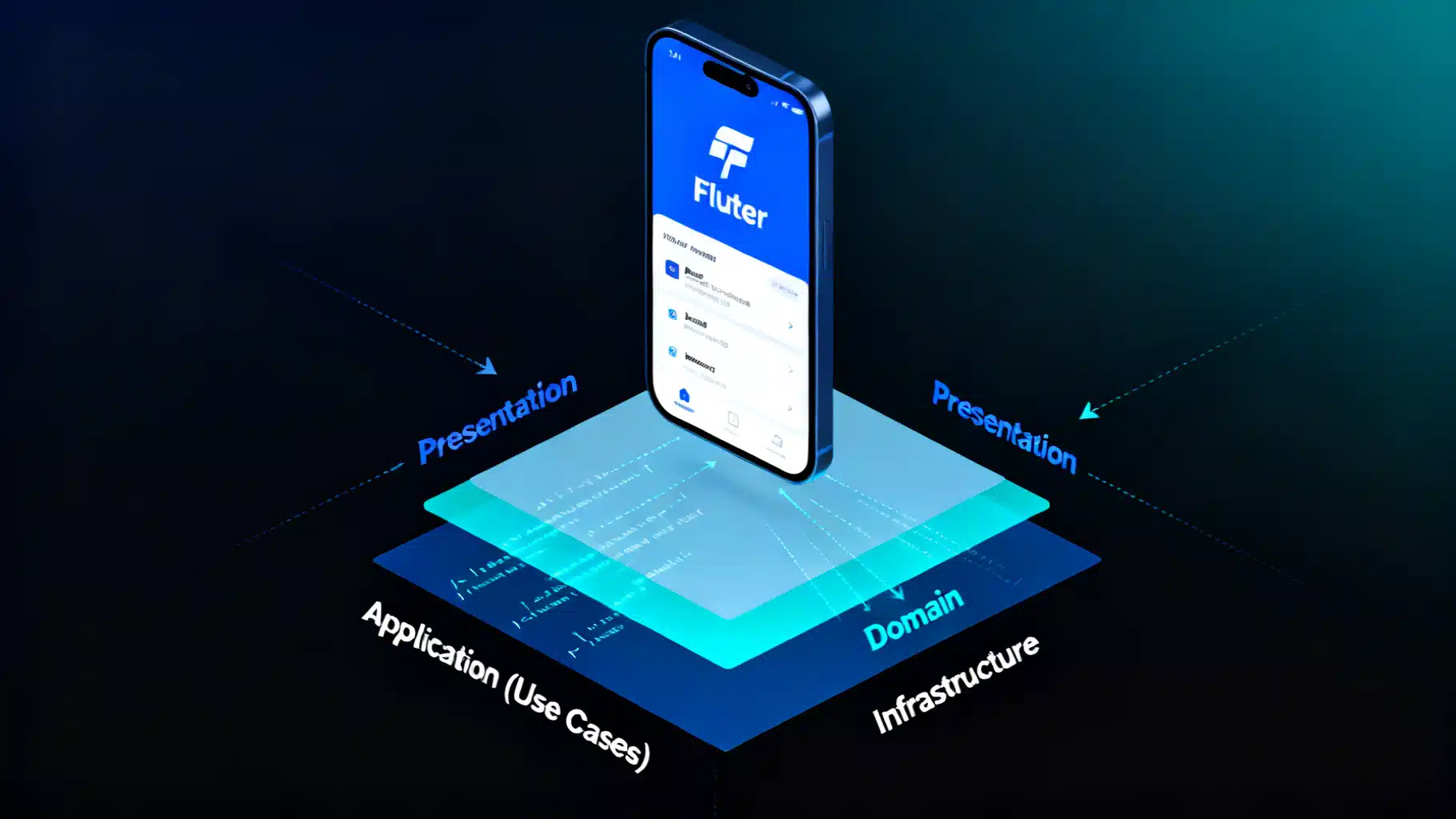
Image used for representation purposes only.
Overview
Clean Architecture and Domain-Driven Design (DDD) help Flutter teams scale codebases without losing velocity. Together, they draw clear boundaries, keep business rules pure, and make UI changes or data-source swaps low-risk. This guide shows how to combine both ideas in a practical Flutter project, with folder structure, core patterns, code snippets, and testing strategy.
Why Clean Architecture for Flutter
Flutter encourages fast iteration, but large apps can drift into a tangle of widgets, services, and models. Clean Architecture addresses that by:
- Isolating the domain model from frameworks and I/O
- Creating testable seams with interfaces (ports)
- Making dependencies point inward, not outward
- Enabling parallel work: UI, domain, and data layers evolve independently
DDD Essentials in Brief
Domain-Driven Design focuses on the business language and behavior:
- Ubiquitous Language: shared vocabulary across code and stakeholders
- Entities: identity-bearing domain objects (e.g., Todo)
- Value Objects: immutable, equality-based types (e.g., Email, TodoTitle)
- Domain Services: stateless domain operations that span multiple entities
- Aggregates and Repositories: transactional consistency and retrieval abstractions
- Bounded Contexts: divide large domains into cohesive subdomains
For mobile apps, start with Entities, Value Objects, and Repositories, and grow to Aggregates/Contexts as complexity increases.
Mapping DDD to Flutter Layers
A common, pragmatic 4-layer layout:
- Presentation (Flutter): widgets, controllers (Bloc/Provider/StateNotifier), input validation for UX
- Application (Use Cases): orchestration of domain logic; thin by design
- Domain: entities, value objects, repository interfaces, business rules
- Infrastructure (Data): external details—REST/GraphQL, local cache, device APIs, DTOs
Only the Infrastructure layer depends on frameworks like http, sqflite, shared_preferences, Firebase, etc.
Suggested Project Structure
lib/
  src/
    presentation/
      pages/
      widgets/
      controllers/   // Bloc/Cubit/StateNotifier
    application/
      usecases/      // e.g., get_todos.dart, add_todo.dart
    domain/
      entities/
      value_objects/
      repositories/
      failures.dart
      result.dart     // Result<T> sealed type
    infrastructure/
      datasources/    // remote_api.dart, local_cache.dart
      repositories/   // impls that map DTOs <-> domain
      dtos/
    di/
      injection.dart
Core Domain Modeling
Entities
class Todo {
  final String id; // Identity is part of the domain
  final String title;
  final bool completed;

  const Todo({
    required this.id,
    required this.title,
    this.completed = false,
  });

  Todo toggle() => Todo(id: id, title: title, completed: !completed);
}
Value Objects
Prefer small, immutable types that validate on creation.
class TodoTitle {
  final String value;
  TodoTitle(this.value) {
    if (value.trim().isEmpty || value.length > 120) {
      throw ArgumentError('Invalid title length');
    }
  }
  @override
  bool operator ==(Object other) => other is TodoTitle && other.value == value;
  @override
  int get hashCode => value.hashCode;
  @override
  String toString() => value;
}
Failures and Result Type
Use a functional-style Result to avoid throwing across boundaries.
sealed class Result<T> { const Result(); }
class Ok<T> extends Result<T> { final T value; const Ok(this.value); }
class Err<T> extends Result<T> { final Failure failure; const Err(this.failure); }

class Failure {
  final String message;
  final Object? cause;
  const Failure(this.message, {this.cause});
}
Repository Ports (Domain Interfaces)
abstract interface class TodoRepository {
  Future<Result<List<Todo>>> fetchTodos();
  Future<Result<void>> addTodo(Todo todo);
  Future<Result<void>> toggle(String id);
}
Application Layer: Use Cases
Use cases orchestrate domain operations and return Result types to the UI.
abstract class UseCase<T, P> {
  Future<Result<T>> call(P params);
}

class GetTodos extends UseCase<List<Todo>, void> {
  final TodoRepository repo;
  GetTodos(this.repo);
  @override
  Future<Result<List<Todo>>> call(void _) => repo.fetchTodos();
}

class AddTodo extends UseCase<void, TodoTitle> {
  final TodoRepository repo;
  AddTodo(this.repo);
  @override
  Future<Result<void>> call(TodoTitle title) {
    final todo = Todo(id: _uuid(), title: title.value);
    return repo.addTodo(todo);
  }
}

String _uuid() => DateTime.now().microsecondsSinceEpoch.toString();
Infrastructure: DTOs, Data Sources, Implementations
Keep external shapes (JSON) out of the domain via DTOs.
class TodoDto {
  final String id;
  final String title;
  final bool completed;

  const TodoDto({required this.id, required this.title, required this.completed});

  factory TodoDto.fromJson(Map<String, dynamic> json) => TodoDto(
    id: json['id'] as String,
    title: json['title'] as String,
    completed: json['completed'] as bool? ?? false,
  );

  Map<String, dynamic> toJson() => {
    'id': id,
    'title': title,
    'completed': completed,
  };

  Todo toDomain() => Todo(id: id, title: title, completed: completed);
  static TodoDto fromDomain(Todo t) => TodoDto(id: t.id, title: t.title, completed: t.completed);
}
Example remote API and repository mapping errors to Failure.
class TodoApi {
  final HttpClient _client; // any http wrapper
  TodoApi(this._client);

  Future<List<TodoDto>> getTodos() async {
    final res = await _client.get('/todos');
    final list = (res.data as List).cast<Map<String, dynamic>>();
    return list.map(TodoDto.fromJson).toList();
  }

  Future<void> postTodo(TodoDto dto) async => _client.post('/todos', data: dto.toJson());
  Future<void> patchToggle(String id) async => _client.patch('/todos/$id/toggle');
}

class TodoRepositoryImpl implements TodoRepository {
  final TodoApi api;
  final LocalCache cache;
  TodoRepositoryImpl({required this.api, required this.cache});

  @override
  Future<Result<List<Todo>>> fetchTodos() async {
    try {
      final dtos = await api.getTodos();
      final domain = dtos.map((d) => d.toDomain()).toList();
      await cache.save(dtos.map((e) => e.toJson()).toList());
      return Ok(domain);
    } catch (e) {
      // Fallback to cache
      try {
        final cached = await cache.read();
        final domain = cached.map((j) => TodoDto.fromJson(j).toDomain()).toList();
        return Ok(domain);
      } catch (_) {
        return Err(Failure('Unable to load todos', cause: e));
      }
    }
  }

  @override
  Future<Result<void>> addTodo(Todo todo) async {
    try {
      await api.postTodo(TodoDto.fromDomain(todo));
      return const Ok(null);
    } catch (e) {
      return Err(Failure('Unable to add todo', cause: e));
    }
  }

  @override
  Future<Result<void>> toggle(String id) async {
    try {
      await api.patchToggle(id);
      return const Ok(null);
    } catch (e) {
      return Err(Failure('Unable to toggle todo', cause: e));
    }
  }
}
Dependency Injection
Use GetIt, Riverpod, or your favorite DI. Keep wiring in one place.
final sl = GetIt.instance;

Future<void> configureDependencies() async {
  // Data
  sl.registerLazySingleton<HttpClient>(() => HttpClient(baseUrl: 'https://api.example.com'));
  sl.registerLazySingleton<TodoApi>(() => TodoApi(sl()));
  sl.registerLazySingleton<LocalCache>(() => LocalCache());
  sl.registerLazySingleton<TodoRepository>(() => TodoRepositoryImpl(api: sl(), cache: sl()));

  // Use cases
  sl.registerFactory(() => GetTodos(sl()));
  sl.registerFactory(() => AddTodo(sl()));
}
Presentation: Controller and Widget
Below is a minimal Riverpod-based controller; swap with Bloc/Cubit if preferred.
final getTodosUC = Provider<GetTodos>((ref) => sl<GetTodos>());
final addTodoUC = Provider<AddTodo>((ref) => sl<AddTodo>());

class TodosController extends StateNotifier<AsyncValue<List<Todo>>> {
  final GetTodos _getTodos;
  final AddTodo _addTodo;
  TodosController(this._getTodos, this._addTodo) : super(const AsyncLoading()) {
    refresh();
  }

  Future<void> refresh() async {
    state = const AsyncLoading();
    final res = await _getTodos.call(null);
    state = switch (res) {
      Ok(value: final v) => AsyncData(v),
      Err(failure: final f) => AsyncError(f.message, f.cause),
    };
  }

  Future<void> add(String title) async {
    final res = await _addTodo.call(TodoTitle(title));
    if (res is Ok) await refresh();
  }
}

final todosProvider = StateNotifierProvider<TodosController, AsyncValue<List<Todo>>>(
  (ref) => TodosController(ref.read(getTodosUC), ref.read(addTodoUC)),
);
Example UI wiring:
class TodosPage extends ConsumerWidget {
  const TodosPage({super.key});
  @override
  Widget build(BuildContext context, WidgetRef ref) {
    final state = ref.watch(todosProvider);
    return Scaffold(
      appBar: AppBar(title: const Text('Todos')),
      body: state.when(
        loading: () => const Center(child: CircularProgressIndicator()),
        error: (e, _) => Center(child: Text(e.toString())),
        data: (todos) => ListView.builder(
          itemCount: todos.length,
          itemBuilder: (_, i) => CheckboxListTile(
            value: todos[i].completed,
            title: Text(todos[i].title),
            onChanged: (_) => ref.read(todosProvider.notifier).add('New Task'), // demo
          ),
        ),
      ),
      floatingActionButton: FloatingActionButton(
        onPressed: () => ref.read(todosProvider.notifier).add('Learn Clean Architecture'),
        child: const Icon(Icons.add),
      ),
    );
  }
}
How the Pieces Fit Together
- UI triggers a use case via a controller
- Use case calls a repository interface (domain boundary)
- Repository impl talks to data sources, maps DTOs to Entities/Value Objects
- Errors are mapped to Failure and returned as Result to the caller
- Dependencies always point inward; only Infrastructure knows about frameworks
Testing Strategy
Prioritize fast, deterministic tests:
- Domain unit tests: entities, value objects, domain services
- Use case tests: stub repository to verify behavior and errors
- Repository tests: use fake HTTP or an integration test environment
- Widget tests: render widgets using a fake controller or providers
Example value object test sketch:
void main() {
  test('TodoTitle validates length', () {
    expect(() => TodoTitle(''), throwsArgumentError);
    expect(TodoTitle('Ship feature').value, 'Ship feature');
  });
}
Practical Guidelines
- Keep domain free of Flutter imports
- Map DTOs at the edges; never expose them to UI
- Prefer small, focused use cases over “God services”
- Start simple; rotate to aggregates/bounded contexts when the domain grows
- Embrace immutability for predictability and testability
- Enforce the dependency rule with lints and code reviews
Common Pitfalls (and Fixes)
- Anemic domain model: add behavior to entities/value objects, not just data
- Leaking infrastructure: returning HTTP responses or JSON from repositories—map to domain
- Over-engineering small apps: begin with a thin version of this architecture; only add layers you need
- Global singletons everywhere: centralize in DI, inject dependencies explicitly
- Error handling by exceptions across layers: prefer Result/Either to model failures
Evolving and Migrating
If you’re refactoring an existing Flutter app:
- Identify a single vertical slice (e.g., Todos)
- Carve out domain and repository interfaces; write tests
- Implement a repository with adapters to existing services
- Move UI to call use cases; delete old service calls in widgets
- Repeat slice-by-slice until the codebase follows the new boundaries
Performance Notes
- Batch network calls in repositories; coalesce UI refreshes in controllers
- Cache aggressively at the data layer; design invalidation strategies up front
- Keep DTOs lightweight; avoid unnecessary JSON parsing on the main isolate for huge payloads (use compute/isolate if needed)
Conclusion
Flutter teams ship faster and safer with Clean Architecture plus DDD. By modeling the core domain explicitly and pushing frameworks to the edges, you get stable business logic, replaceable infrastructure, and testable, maintainable code. Start with entities, value objects, repositories, and a few use cases—then scale the architecture only as the domain demands.
Related Posts

Flutter Augmented Reality: Choosing the Right Plugin and Building Your First AR Experience
Build AR in Flutter with ARCore/ARKit. Compare plugins, set up iOS/Android, and ship a performant AR scene with code you can paste.

Flutter Audio Player + Recorder Tutorial: Build a Polished Voice Notes Feature
Build a Flutter audio player + recorder: record voice, play with seek, handle permissions, show levels, and share files using just_audio and record.
Flutter BLoC + Clean Architecture: A Practical Guide with Patterns and Code
A practical, end-to-end guide to combining Flutter’s BLoC pattern with Clean Architecture using code, structure, DI, and testing tips.