
Building a Flutter Barcode Inventory Management App: Architecture, Scanning, and Offline Sync
Build a fast, offline-first Flutter barcode inventory app: architecture, scanning, data model, sync, UI/UX, printing, testing, and deployment.
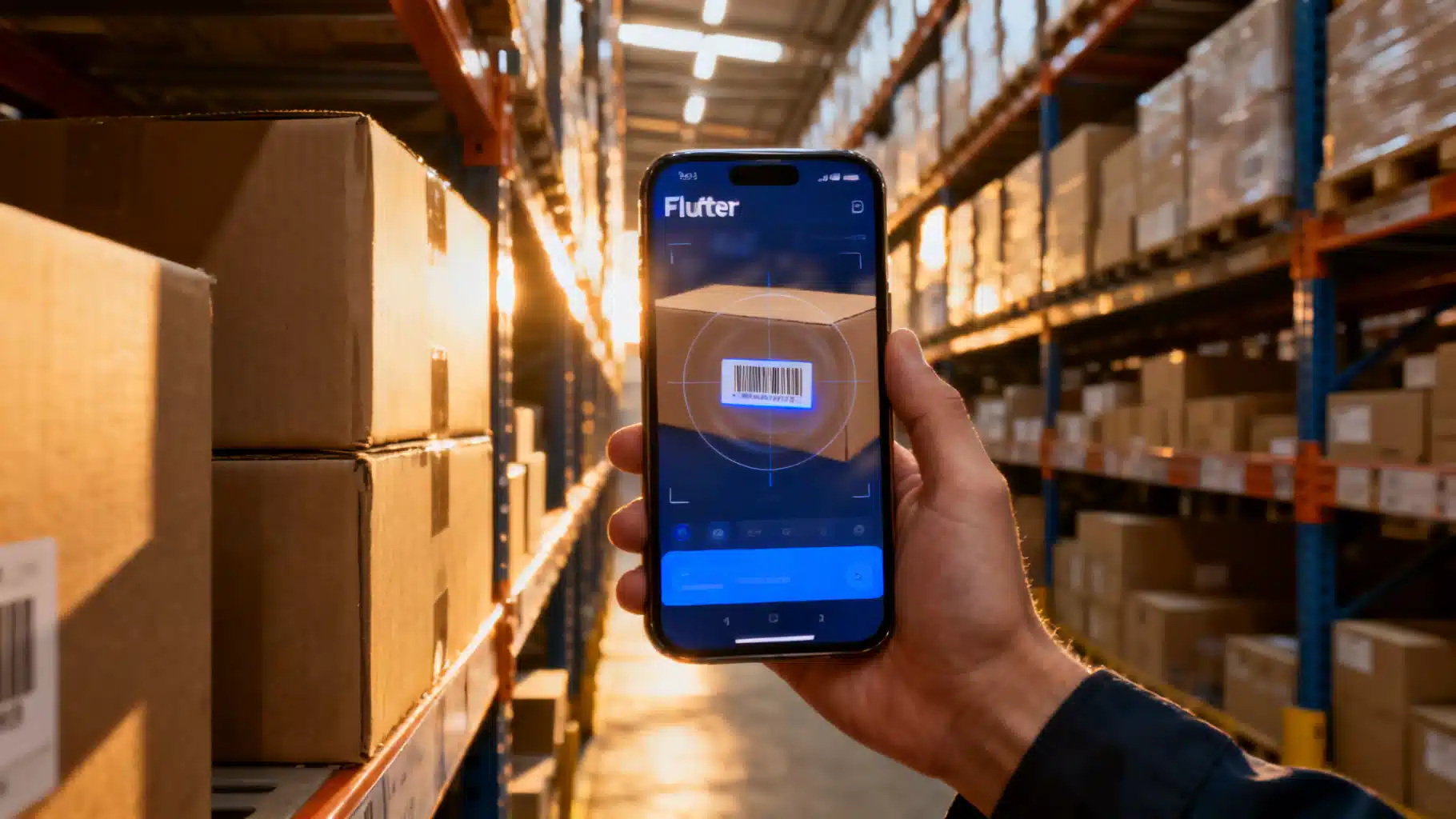
Image used for representation purposes only.
Overview
Building an inventory management app with barcode scanning in Flutter is a practical way to modernize stock control for warehouses, retail backrooms, field service vans, and small shops. With one codebase you can target Android and iOS, add offline-first storage, enable fast scanning, and sync securely to a backend.
This guide walks through architecture, scanning choices, data modeling, offline sync, UI/UX, printing labels, testing, performance, and deployment. Code snippets illustrate a robust yet approachable implementation path.
Core Capabilities Checklist
- Real-time camera scanning for major symbologies (EAN-13/UPC-A, Code 128/39, QR, Data Matrix, PDF417)
- Fast add/adjust/count flows (receiving, putaway, cycle count, transfer, pick/pack)
- Offline-first local database with conflict-safe sync
- Searchable product catalog with images and units of measure
- Role-based access, audit trails, and exportable reports
- Optional Bluetooth/ZPL label printing
High-Level Architecture
- Presentation: Flutter widgets + state management (Riverpod/Bloc/Provider)
- Domain: Entities (Item, Location, StockMove), use-cases (ScanItem, PostMove, SyncChanges)
- Data: Repository interfaces; local SQLite (via Drift/Isar) + remote API (REST/GraphQL/Firebase)
- Integration: Camera/scanner plugins, background sync (Workmanager), notifications/analytics
This separation keeps scanning logic testable, enables offline behavior, and isolates platform-specific code.
Choosing a Barcode Strategy
- 1D vs 2D: Retail SKUs typically EAN/UPC or Code 128. Logistics often add QR/DataMatrix for dense data (lot/expiry/GS1 AI pairs).
- Decoding: Use camera-based scanning for BYOD devices; consider hardware scanners (Zebra, Honeywell) for ruggedized environments. Many hardware scanners can act as HID keyboards, emitting text events your app can parse.
- Lighting and speed: Provide torch toggle, autofocus lock, and continuous scanning with on-screen feedback. Use haptics + beep on successful scans.
- GS1 parsing: If you handle GS1 barcodes, build a small parser for Application Identifiers (e.g., (01) GTIN, (10) Batch/Lot, (17) Expiry).
Flutter Scanning Options
Common choices include:
- Camera-based scanners: A unified plugin that supports multiple formats and delivers decoded values. Look for APIs that expose torch, autofocus, and detection speed.
- Google ML Kit barcode scanning: Offers strong detection across formats. Requires adding platform dependencies and permissions.
- Hardware/HID scanners: Listen to key events and infer scan completion by timeout or terminator (e.g., Enter). On Android enterprise devices (e.g., Zebra), consider integrating with DataWedge via platform channels for more control.
Tip: Abstract a ScannerService interface so you can swap camera, ML Kit, or HID without touching UI code.
Data Model and Local Database
Recommended entities:
- Item: id (SKU/GTIN), name, barcode(s), uom, imageUrl
- Location: id (aisle/bin), type (store, warehouse, truck)
- StockMove: id, itemId, fromLocationId, toLocationId, qty, lot/expiry, timestamp, userId, synced
- StockLedger: derived from StockMove to compute on-hand by location
SQLite via Drift is a strong offline choice, with type-safety and migrations. Alternatives: Isar (NoSQL, very fast), Hive (simple key-value/boxes).
Example Drift schema:
// drift_tables.dart
import 'package:drift/drift.dart';

class Items extends Table {
  TextColumn get id => text()(); // SKU or GUID
  TextColumn get name => text()();
  TextColumn get primaryBarcode => text().nullable()();
  TextColumn get barcodesJson => text().withDefault(const Constant('[]'))();
  TextColumn get uom => text().withDefault(const Constant('EA'))();
  TextColumn get imageUrl => text().nullable()();
  @override
  Set<Column> get primaryKey => {id};
}

class Locations extends Table {
  TextColumn get id => text()();
  TextColumn get type => text().withDefault(const Constant('warehouse'))();
  @override
  Set<Column> get primaryKey => {id};
}

class StockMoves extends Table {
  TextColumn get id => text()();
  TextColumn get itemId => text().references(Items, #id)();
  TextColumn get fromLocationId => text().nullable().references(Locations, #id)();
  TextColumn get toLocationId => text().nullable().references(Locations, #id)();
  RealColumn get qty => real()();
  TextColumn get lot => text().nullable()();
  DateTimeColumn get expiry => dateTime().nullable()();
  DateTimeColumn get createdAt => dateTime().withDefault(currentDateAndTime)();
  BoolColumn get synced => boolean().withDefault(const Constant(false))();
  @override
  Set<Column> get primaryKey => {id};
}
State Management
- Riverpod: Simple DI + providers. Great for repositories and view models.
- Bloc/Cubit: Predictable state transitions; ideal for complex scanning flows.
- Provider: Lightweight for small apps.
Example Riverpod wiring:
final dbProvider = Provider<AppDatabase>((ref) => AppDatabase());
final itemRepoProvider = Provider<ItemRepository>((ref) => DriftItemRepo(ref.read(dbProvider)));
final moveRepoProvider = Provider<MoveRepository>((ref) => DriftMoveRepo(ref.read(dbProvider)));
final syncServiceProvider = Provider<SyncService>((ref) => SyncService(
  moveRepo: ref.read(moveRepoProvider),
  http: Dio(BaseOptions(/* baseUrl, headers */)),
));
Scanning Flow (Camera-Based)
class ScanPage extends ConsumerStatefulWidget {
  const ScanPage({super.key});
  @override
  ConsumerState<ScanPage> createState() => _ScanPageState();
}

class _ScanPageState extends ConsumerState<ScanPage> {
  String? lastCode;
  DateTime lastTime = DateTime.fromMillisecondsSinceEpoch(0);

  void _onDetect(String code) async {
    final now = DateTime.now();
    if (code == lastCode && now.difference(lastTime) < const Duration(seconds: 1)) return; // de-dupe
    lastCode = code; lastTime = now;

    final item = await ref.read(itemRepoProvider).findByBarcode(code);
    if (item == null) {
      // show add-item sheet or error
      return;
    }
    // default action: add to counting cart or open quick adjust
    await ref.read(moveRepoProvider).queueMove(
      itemId: item.id, toLocationId: 'STAGE', qty: 1,
    );
    HapticFeedback.mediumImpact();
  }

  @override
  Widget build(BuildContext context) {
    return Scaffold(
      appBar: AppBar(title: const Text('Scan')),
      body: Stack(children: [
        /* Replace with your scanner widget from the chosen plugin */
        CameraBarcodeView(onDetect: _onDetect),
        Align(
          alignment: Alignment.bottomCenter,
          child: Padding(
            padding: const EdgeInsets.all(16),
            child: Row(
              mainAxisAlignment: MainAxisAlignment.spaceBetween,
              children: [
                IconButton(onPressed: toggleTorch, icon: const Icon(Icons.flash_on)),
                ElevatedButton(onPressed: () => setState(() => lastCode = null), child: const Text('Reset')),
              ],
            ),
          ),
        ),
      ]),
    );
  }
}
Notes:
- Debounce duplicate frames.
- Provide torch and pause/resume controls.
- Consider a continuous “rapid scan” mode for counting.
Offline-First and Sync
Pattern:
- All user actions append StockMove rows marked synced=false.
- A background worker batches unsynced moves to the server, then marks them synced.
- On startup or interval, pull the latest Items/Locations delta.
- Conflict policy: last-write-wins for counts, or ledger-only posting to avoid conflicting on-hand edits.
Background sync snippet:
// startup
await Workmanager().initialize(callbackDispatcher);
await Workmanager().registerPeriodicTask('syncTask', 'syncTask', frequency: const Duration(minutes: 15));

void callbackDispatcher() {
  Workmanager().executeTask((task, inputData) async {
    final container = ProviderContainer();
    final sync = container.read(syncServiceProvider);
    await sync.pushMoves();
    await sync.pullCatalog();
    return Future.value(true);
  });
}
Example SyncService outline:
class SyncService {
  SyncService({required this.moveRepo, required this.http});
  final MoveRepository moveRepo; final Dio http;

  Future<void> pushMoves() async {
    final batch = await moveRepo.unsynced(limit: 100);
    if (batch.isEmpty) return;
    final payload = batch.map((m) => m.toJson()).toList();
    final res = await http.post('/moves/batch', data: {'moves': payload});
    if (res.statusCode == 200) {
      await moveRepo.markSynced(batch.map((m) => m.id));
    }
  }

  Future<void> pullCatalog() async {
    final res = await http.get('/catalog/delta', queryParameters: {'since': await moveRepo.lastCatalogTs()});
    // upsert items/locations
  }
}
Backend Interfaces
REST endpoints (minimal):
- GET /catalog/delta?since=ts → items, locations
- POST /moves/batch → accept an array of stock moves, return ack ids
- GET /stock/onhand?location=…&item=… → calculated from ledger
Auth: JWT or Firebase Auth. Enforce per-warehouse roles. Add rate limits and request signing for service accounts.
UI/UX for Speed and Accuracy
- Large touch targets; bottom-sheet actions for one-hand use
- Always-on scanning with clear reticle; show last scanned item card
- Torch toggle, orientation lock, vibration + beep feedback
- Color-coded statuses (in stock, low, out, expired)
- Undo snackbars for quick correction; batch review screen before posting
- Predictive search with barcode fallback
Printing Labels (Optional)
Many warehouses need shelf/bin/product labels.
- Printers: Zebra/TSPL/ESC/POS over Bluetooth or Wi‑Fi
- iOS may require vendor SDKs for some printers; on Android, classic Bluetooth works widely
- Compose ZPL for flexible layouts
Example ZPL:
^XA
^CF0,40
^FO30,30^FDWidget A (SKU 12345)^FS
^BY2,3,60
^FO30,90^BCN,60,Y,N,N
^FD12345^FS
^FO30,170^BQN,2,5^FDQA,https://example.com/i/12345^FS
^XZ
Testing Strategy
- Unit tests: GS1 parser, repositories, sync conflict rules
- Widget tests: scanning view (inject a FakeScannerService that emits codes)
- Golden tests: confirm critical screens at common device sizes
- Integration tests on real hardware for camera, HID scanners, and printer connectivity
- Load tests for batch posting (e.g., 10k moves/hour)
Example fake scanner for tests:
class FakeScannerService implements ScannerService {
  final _ctrl = StreamController<String>();
  @override
  Stream<String> get codes => _ctrl.stream;
  void emit(String code) => _ctrl.add(code);
  void dispose() => _ctrl.close();
}
Performance Tips
- Prefer a continuous stream API with frame throttling
- Crop/limit scanning region if the plugin supports it
- Pause camera preview while showing heavy dialogs
- Move JSON parsing and GS1 decoding to an isolate if needed
- Cache images and product lookups locally; prefetch top movers
Security and Compliance
- Encrypt at rest (OS-level + sensitive fields); avoid storing PII
- Use HTTPS everywhere; consider certificate pinning for high-sensitivity deployments
- Implement roles (counter, picker, manager) and per-location permissions
- Keep audit trails (who scanned what, when, where)
- Sanitize and validate barcode input to prevent command/SQL injection in backend tools
Deployment and CI/CD
- Flavors: dev/stage/prod with separate base URLs and signing configs
- CI: run tests, static analysis, build Android App Bundle + iOS IPA
- Distribution: Firebase App Distribution/TestFlight for testers; Play/App Store for production
- Observability: Crashlytics/Sentry + analytics events (scans per minute, error rates, sync latency)
Cost and Device Considerations
- BYOD phones are cost-effective but fragile; rugged devices add cost but reduce downtime
- If scanning high-volume fast-moving lines, consider devices with dedicated imaging engines
- Measure total cost: devices, cases, chargers, labels, printers, and lost-time from poor UX
Minimal Project Skeleton
# pubspec.yaml (snippets)
dependencies:
  flutter: any
  riverpod: any
  dio: any
  drift: any
  path_provider: any
  workmanager: any
  # choose one scanner approach
  # mobile_scanner or ML Kit wrapper
// main.dart
void main() async {
  WidgetsFlutterBinding.ensureInitialized();
  await Workmanager().initialize(callbackDispatcher);
  runApp(const ProviderScope(child: MyApp()));
}

class MyApp extends StatelessWidget {
  const MyApp({super.key});
  @override
  Widget build(BuildContext context) {
    return MaterialApp(
      title: 'Inventory Scanner',
      theme: ThemeData(colorSchemeSeed: Colors.indigo, useMaterial3: true),
      home: const HomePage(),
    );
  }
}
// repositories.dart (outline)
abstract class ItemRepository {
  Future<Item?> findByBarcode(String code);
  Future<void> upsertAll(List<Item> items);
}

abstract class MoveRepository {
  Future<void> queueMove({required String itemId, String? fromLocationId, String? toLocationId, required double qty});
  Future<List<StockMove>> unsynced({int limit = 100});
  Future<void> markSynced(Iterable<String> ids);
  Future<String> lastCatalogTs();
}
Rollout Playbook
- Pilot in a single small warehouse area for two weeks
- Capture metrics: average scan time, error/correction rate, sync latency
- Iterate on reticle/feedback and quick actions
- Add label printing and cycle count workflows
- Train staff; deploy gradually across locations
Conclusion
Flutter enables a fast, maintainable barcode inventory app that scales from small shops to multi-site operations. By abstracting the scanner, embracing an offline ledger, and investing in fast, forgiving UX, you create a tool that operators love—and that leadership trusts. Start with the minimal skeleton here, pick your scanning/back-end stack, and iterate toward the workflows that move your business.
Related Posts
Flutter sqflite Database Migration Guide: Safe, Incremental Upgrades with Confidence
A step-by-step Flutter sqflite migration guide: design, implement, and test safe schema upgrades with code patterns, tips, and pitfalls to avoid.
Flutter Foreground Service Notifications: A Complete Guide
How to implement a robust Flutter foreground service notification: Android setup, Dart code, permissions, iOS realities, testing, and best practices.
Flutter WorkManager Scheduled Tasks: The Complete, Practical Guide (2026)
A practical guide to scheduling background tasks in Flutter with WorkManager on Android and iOS, with setup, periodic jobs, constraints, and debugging.