
Building a Fast, Accessible React Search With Filters Component
Build a fast, accessible React search with filters: debouncing, URL sync, keyboard a11y, and clean TypeScript state management.
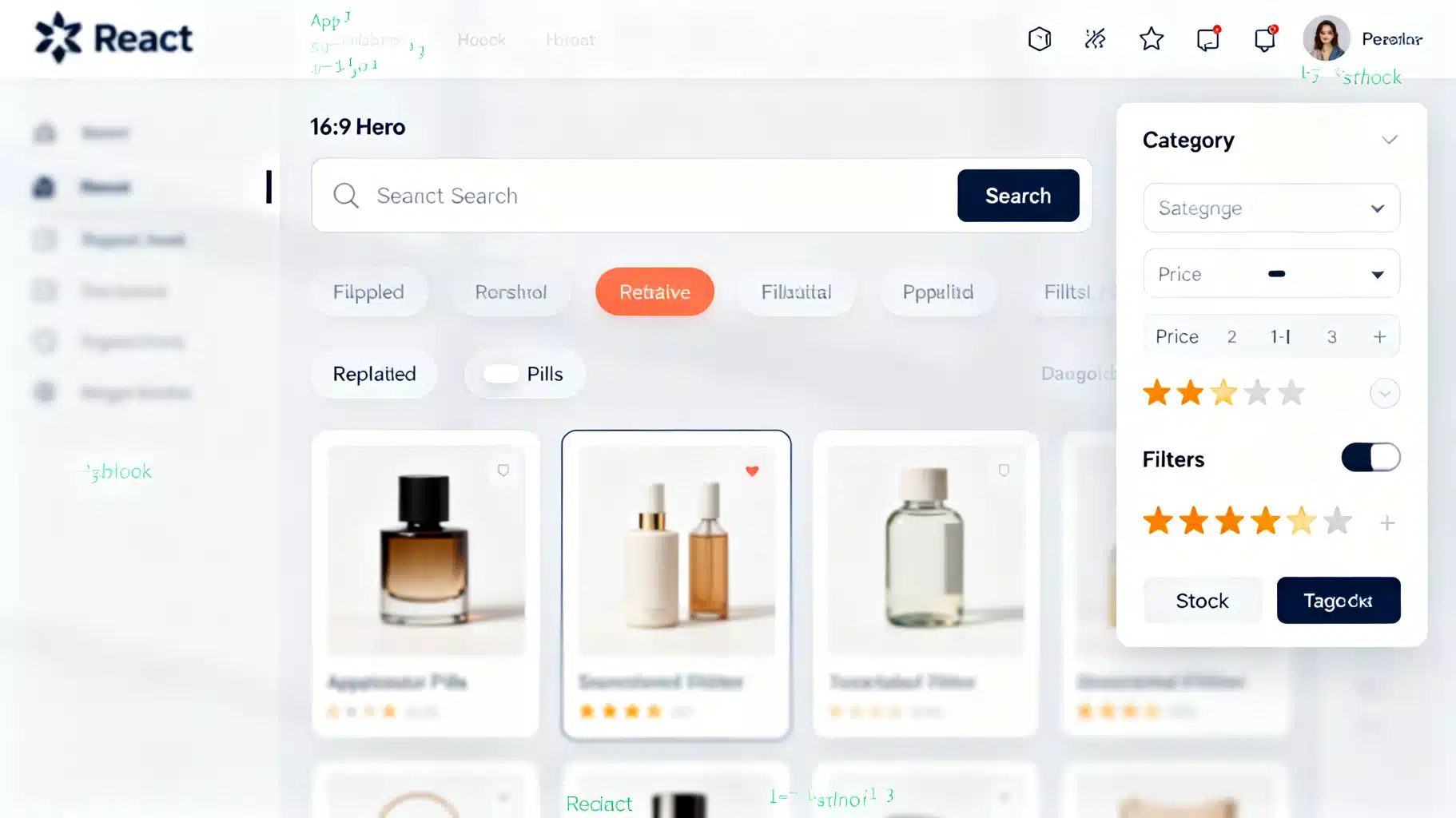
Image used for representation purposes only.
Overview
Search is a core interaction in modern UIs, and pairing it with fast, intuitive filters massively improves discoverability. In this article, you’ll build a production‑ready React search with filters component that is:
- Accessible: keyboard and screen-reader friendly
- Performant: debounced input, memoized filtering, optional concurrent rendering
- Sharable: filters persist in the URL for copy/paste and back/forward navigation
- Tested: critical behaviors covered with unit tests
We’ll use React with TypeScript and stick to platform APIs, so you can drop this into any stack (CRA, Vite, Next.js, Remix, etc.).
UX requirements checklist
Before writing code, align on behavior:
- Instant feedback: keystrokes feel responsive; results update quickly
- Practical filters: category, price range, rating, in‑stock toggle, tags, sort order
- Clear affordances: visible “Applied filters” chips and a one‑click “Clear all”
- Empty states: friendly message with quick reset
- A11y: labels, roles, focus order, Escape to clear search, keyboardable chips
- Shareability: state reflected in the URL (query string), supports back/forward
- Resilience: handles malformed query params gracefully
Data model
For demo purposes, assume a product catalog. Adapt the shape to your domain.
export type Product = {
  id: string
  title: string
  description: string
  category: 'books' | 'electronics' | 'clothing' | 'home' | 'toys'
  price: number
  rating: number // 0–5
  inStock: boolean
  tags: string[]
}
Architecture at a glance
- Component state: search term + filter object + sort
- Derived state: filtered, sorted results via useMemo
- Debouncing: custom hook to limit work during typing
- Concurrency: useDeferredValue/useTransition to keep input snappy
- URL sync: serialize/deserialize search state to window.location.search
- A11y: fieldset/legend, aria-labels, roles, focus management
Example: SearchWithFilters.tsx
The following compact example demonstrates all the moving parts. Copy it into your project and tailor to your data and styling.
import React, {useEffect, useId, useMemo, useState, useTransition, useDeferredValue} from 'react'

// Types
export type Product = {
  id: string
  title: string
  description: string
  category: 'books' | 'electronics' | 'clothing' | 'home' | 'toys'
  price: number
  rating: number
  inStock: boolean
  tags: string[]
}

type SortKey = 'relevance' | 'price-asc' | 'price-desc' | 'rating-desc'

type Filters = {
  category?: Product['category'] | 'all'
  minPrice?: number
  maxPrice?: number
  inStock?: boolean
  ratingAtLeast?: number
  tags?: string[] // multi-select
}

// Utils
const normalize = (s: string) => s.normalize('NFKD').toLowerCase()

const serialize = (term: string, filters: Filters, sort: SortKey) => {
  const p = new URLSearchParams()
  if (term) p.set('q', term)
  if (filters.category && filters.category !== 'all') p.set('cat', filters.category)
  if (filters.minPrice != null) p.set('min', String(filters.minPrice))
  if (filters.maxPrice != null) p.set('max', String(filters.maxPrice))
  if (filters.inStock) p.set('stock', '1')
  if (filters.ratingAtLeast != null) p.set('rate', String(filters.ratingAtLeast))
  if (filters.tags && filters.tags.length) p.set('tags', filters.tags.join(','))
  if (sort !== 'relevance') p.set('sort', sort)
  const s = p.toString()
  return s ? `?${s}` : ''
}

const parse = (search: string): { term: string; filters: Filters; sort: SortKey } => {
  const p = new URLSearchParams(search)
  const term = p.get('q') || ''
  const category = (p.get('cat') as Filters['category']) || 'all'
  const min = p.get('min'); const max = p.get('max')
  const inStock = p.get('stock') === '1'
  const rate = p.get('rate')
  const tags = p.get('tags')?.split(',').filter(Boolean) || []
  const sort = (p.get('sort') as SortKey) || 'relevance'
  return {
    term,
    sort,
    filters: {
      category,
      minPrice: min != null ? Number(min) : undefined,
      maxPrice: max != null ? Number(max) : undefined,
      inStock,
      ratingAtLeast: rate != null ? Number(rate) : undefined,
      tags,
    },
  }
}

// Hooks
function useDebouncedValue<T>(value: T, delay = 250) {
  const [debounced, setDebounced] = useState(value)
  useEffect(() => {
    const id = setTimeout(() => setDebounced(value), delay)
    return () => clearTimeout(id)
  }, [value, delay])
  return debounced
}

function useUrlSync(term: string, filters: Filters, sort: SortKey, onReplace: (s: string) => void) {
  useEffect(() => {
    if (typeof window === 'undefined') return
    const qs = serialize(term, filters, sort)
    const url = `${window.location.pathname}${qs}${window.location.hash}`
    window.history.replaceState(null, '', url)
    onReplace(qs)
  }, [term, filters, sort, onReplace])
}

// Core filter logic
function applyFilters(data: Product[], term: string, filters: Filters, sort: SortKey) {
  const needle = normalize(term.trim())
  const filtered = data.filter((p) => {
    if (filters.category && filters.category !== 'all' && p.category !== filters.category) return false
    if (filters.minPrice != null && p.price < filters.minPrice) return false
    if (filters.maxPrice != null && p.price > filters.maxPrice) return false
    if (filters.inStock && !p.inStock) return false
    if (filters.ratingAtLeast != null && p.rating < filters.ratingAtLeast) return false
    if (filters.tags && filters.tags.length && !filters.tags.every(t => p.tags.includes(t))) return false
    if (!needle) return true
    const hay = `${p.title} ${p.description} ${p.tags.join(' ')}`
    return normalize(hay).includes(needle)
  })

  const scored = needle
    ? filtered.map(prod => ({
        prod,
        score: normalize(`${prod.title} ${prod.description}`).indexOf(needle), // -1 if absent
      }))
    : filtered.map(prod => ({ prod, score: 0 }))

  scored.sort((a, b) => {
    if (sort === 'price-asc') return a.prod.price - b.prod.price
    if (sort === 'price-desc') return b.prod.price - a.prod.price
    if (sort === 'rating-desc') return b.prod.rating - a.prod.rating
    // relevance: prefer lower index (closer to start), then rating desc
    const ar = a.score < 0 ? Number.MAX_SAFE_INTEGER : a.score
    const br = b.score < 0 ? Number.MAX_SAFE_INTEGER : b.score
    return ar - br || b.prod.rating - a.prod.rating
  })

  return scored.map(s => s.prod)
}

// Demo data (replace with your real data or API)
const ALL_TAGS = ['new', 'sale', 'eco', 'popular', 'gift'] as const

const DEMO: Product[] = Array.from({ length: 60 }).map((_, i) => ({
  id: String(i + 1),
  title: `Item ${i + 1}`,
  description: 'A versatile product for everyday use.',
  category: (['books', 'electronics', 'clothing', 'home', 'toys'] as const)[i % 5],
  price: Math.round(((i * 7.13) % 200) * 100) / 100,
  rating: (i % 5) + (i % 3 === 0 ? 0.5 : 0),
  inStock: i % 4 !== 0,
  tags: [ALL_TAGS[i % 5]].concat(i % 7 === 0 ? ['popular'] : []),
}))

export function SearchWithFilters({ data = DEMO }: { data?: Product[] }) {
  const [mounted, setMounted] = useState(false)
  const [queryState, setQueryState] = useState(() => parse(typeof window !== 'undefined' ? window.location.search : ''))

  // Editable UI state
  const [term, setTerm] = useState(queryState.term)
  const [filters, setFilters] = useState<Filters>(queryState.filters)
  const [sort, setSort] = useState<SortKey>(queryState.sort)

  // Debounce typing; defer heavy work for responsiveness
  const debouncedTerm = useDebouncedValue(term, 250)
  const deferredFilters = useDeferredValue(filters)
  const [isPending, startTransition] = useTransition()

  // URL synchronization
  useUrlSync(term, filters, sort, () => setMounted(true))

  // Rehydrate from back/forward
  useEffect(() => {
    const onPop = () => {
      const parsed = parse(window.location.search)
      setTerm(parsed.term)
      setFilters(parsed.filters)
      setSort(parsed.sort)
    }
    window.addEventListener('popstate', onPop)
    return () => window.removeEventListener('popstate', onPop)
  }, [])

  const results = useMemo(() => applyFilters(data, debouncedTerm, deferredFilters, sort), [data, debouncedTerm, deferredFilters, sort])

  const searchId = useId()

  const updateFilters = (patch: Partial<Filters>) =>
    startTransition(() => setFilters(f => ({ ...f, ...patch })))

  const clearAll = () => {
    setTerm('')
    setFilters({ category: 'all', tags: [] })
    setSort('relevance')
  }

  const appliedTags = new Set(filters.tags || [])

  return (
    <div className='search-with-filters' aria-busy={isPending}>
      <header>
        <label htmlFor={searchId} className='sr-only'>Search products</label>
        <input
          id={searchId}
          type='search'
          role='searchbox'
          placeholder='Search products...'
          value={term}
          onChange={e => setTerm(e.target.value)}
          onKeyDown={e => {
            if (e.key === 'Escape') setTerm('')
          }}
          aria-describedby='result-count'
        />
      </header>

      <section className='filters' aria-label='Filters'>
        <fieldset>
          <legend>Category</legend>
          <select
            value={filters.category || 'all'}
            onChange={e => updateFilters({ category: e.target.value as Filters['category'] })}
            aria-label='Category'
          >
            <option value='all'>All</option>
            <option value='books'>Books</option>
            <option value='electronics'>Electronics</option>
            <option value='clothing'>Clothing</option>
            <option value='home'>Home</option>
            <option value='toys'>Toys</option>
          </select>
        </fieldset>

        <fieldset>
          <legend>Price</legend>
          <div className='row'>
            <input type='number' inputMode='decimal' placeholder='Min' value={filters.minPrice ?? ''}
              onChange={e => updateFilters({ minPrice: e.target.value ? Number(e.target.value) : undefined })}
              aria-label='Minimum price' />
            <span aria-hidden='true'>–</span>
            <input type='number' inputMode='decimal' placeholder='Max' value={filters.maxPrice ?? ''}
              onChange={e => updateFilters({ maxPrice: e.target.value ? Number(e.target.value) : undefined })}
              aria-label='Maximum price' />
          </div>
        </fieldset>

        <fieldset>
          <legend>Availability & rating</legend>
          <label>
            <input type='checkbox' checked={!!filters.inStock} onChange={e => updateFilters({ inStock: e.target.checked })} />
            In stock only
          </label>
          <label>
            Minimum rating
            <select value={filters.ratingAtLeast ?? ''} onChange={e => updateFilters({ ratingAtLeast: e.target.value ? Number(e.target.value) : undefined })}>
              <option value=''>Any</option>
              <option value='4'>4★</option>
              <option value='4.5'>4.5★</option>
              <option value='5'>5★</option>
            </select>
          </label>
        </fieldset>

        <fieldset>
          <legend>Tags</legend>
          <div role='listbox' aria-label='Tags' aria-multiselectable='true'>
            {ALL_TAGS.map(tag => (
              <button
                key={tag}
                type='button'
                aria-pressed={appliedTags.has(tag)}
                onClick={() => {
                  const next = new Set(appliedTags)
                  next.has(tag) ? next.delete(tag) : next.add(tag)
                  updateFilters({ tags: Array.from(next) })
                }}
              >{tag}</button>
            ))}
          </div>
        </fieldset>

        <fieldset>
          <legend>Sort</legend>
          <select value={sort} onChange={e => setSort(e.target.value as SortKey)} aria-label='Sort results'>
            <option value='relevance'>Relevance</option>
            <option value='price-asc'>Price: Low to High</option>
            <option value='price-desc'>Price: High to Low</option>
            <option value='rating-desc'>Rating: High to Low</option>
          </select>
        </fieldset>

        <div className='actions'>
          <button type='button' onClick={clearAll} aria-label='Clear all filters'>Clear all</button>
        </div>
      </section>

      <section className='applied' aria-label='Applied filters'>
        {(term || (filters && Object.values(filters).some(Boolean)) || sort !== 'relevance') ? (
          <ul>
            {term ? (
              <li>
                <span>Search: {term}</span>
                <button aria-label='Remove search term' onClick={() => setTerm('')}>×</button>
              </li>
            ) : null}
            {filters.category && filters.category !== 'all' && (
              <li>
                <span>Category: {filters.category}</span>
                <button aria-label='Remove category filter' onClick={() => updateFilters({ category: 'all' })}>×</button>
              </li>
            )}
            {filters.minPrice != null && (
              <li>
                <span>Min: {filters.minPrice}</span>
                <button aria-label='Remove minimum price filter' onClick={() => updateFilters({ minPrice: undefined })}>×</button>
              </li>
            )}
            {filters.maxPrice != null && (
              <li>
                <span>Max: {filters.maxPrice}</span>
                <button aria-label='Remove maximum price filter' onClick={() => updateFilters({ maxPrice: undefined })}>×</button>
              </li>
            )}
            {filters.inStock && (
              <li>
                <span>In stock</span>
                <button aria-label='Remove in-stock filter' onClick={() => updateFilters({ inStock: false })}>×</button>
              </li>
            )}
            {filters.ratingAtLeast != null && (
              <li>
                <span>≥ {filters.ratingAtLeast}★</span>
                <button aria-label='Remove rating filter' onClick={() => updateFilters({ ratingAtLeast: undefined })}>×</button>
              </li>
            )}
            {filters.tags && filters.tags.map(t => (
              <li key={t}>
                <span>Tag: {t}</span>
                <button aria-label={`Remove tag ${t}`} onClick={() => updateFilters({ tags: (filters.tags || []).filter(x => x !== t) })}>×</button>
              </li>
            ))}
            {sort !== 'relevance' && (
              <li>
                <span>Sort: {sort}</span>
                <button aria-label='Reset sort' onClick={() => setSort('relevance')}>×</button>
              </li>
            )}
          </ul>
        ) : null}
      </section>

      <section className='results' aria-live='polite'>
        <div id='result-count' className='result-count'>
          {mounted ? `${results.length} result${results.length !== 1 ? 's' : ''}` : '—'}
          {isPending ? ' (updating...)' : ''}
        </div>

        {results.length === 0 ? (
          <div className='empty'>
            <p>No results. Try removing a filter or clearing the search.</p>
            <button onClick={clearAll}>Clear all</button>
          </div>
        ) : (
          <ul role='list'>
            {results.map(p => (
              <li key={p.id} className='card'>
                <h3>{p.title}</h3>
                <p className='muted'>{p.category} • ${p.price.toFixed(2)} • {p.rating}★ {p.inStock ? '• In stock' : '• Out of stock'}</p>
                <p>{p.description}</p>
                <div className='tags'>
                  {p.tags.map(t => <span key={t} className='chip'>{t}</span>)}
                </div>
              </li>
            ))}
          </ul>
        )}
      </section>
    </div>
  )
}
Notes:
- Relevance is approximated by string index; swap in a fuzzy library later if needed.
- We keep URL sync minimal with replaceState; you can use your router’s helpers instead (e.g., useSearchParams in React Router or Next.js).
- useDeferredValue and useTransition ensure the input stays responsive under heavy lists.
Styling and layout hints
- Put filters in a responsive sidebar on wide screens; collapse into a disclosure/accordion on mobile.
- Use visible focus rings on interactive elements (buttons, chips, inputs).
- Encode state in class names so you can indicate pressed/selected filters.
Example CSS sketch (adapt to your system):
.search-with-filters { display: grid; gap: 1rem; grid-template-columns: 280px 1fr; }
@media (max-width: 900px) { .search-with-filters { grid-template-columns: 1fr; } }
.filters fieldset { border: 1px solid #e5e7eb; padding: .75rem; border-radius: .5rem; }
button[aria-pressed='true'] { background: #111827; color: white; }
.card { border: 1px solid #e5e7eb; padding: 1rem; border-radius: .75rem; }
.chip { background: #f3f4f6; padding: .125rem .5rem; border-radius: 999px; margin-right: .25rem; }
.sr-only { position: absolute; width: 1px; height: 1px; padding: 0; margin: -1px; overflow: hidden; clip: rect(0,0,0,0); border: 0; }
Accessibility considerations
- Use input type=‘search’ with role=‘searchbox’ so assistive tech recognizes intent.
- Group related controls in fieldset/legend for semantic context.
- Apply aria-pressed on toggleable tag buttons for state announcement.
- Announce result counts in an aria-live=‘polite’ region.
- Support Escape to clear the search.
- Maintain logical tab order: search → filters → applied chips → results.
Performance: when your dataset grows
- Memoize derived results with useMemo (already applied above).
- Debounce keystrokes and defer rendering work (useDeferredValue/useTransition).
- Virtualize long lists (e.g., react-window) to render only visible rows.
- Cache server responses per filter signature (key off serialize(term, filters, sort)).
- Move expensive scoring to a Web Worker if the main thread stutters.
Syncing with routers and servers
- React Router: useSearchParams to read/write filters; keep state the single source of truth and derive UI from params.
- Next.js/Remix: update the query string with shallow routing for client filtering; for server-backed search, fetch in loaders or route handlers and hydrate.
- Server APIs: applyFilters on the server for large datasets; keep client logic in sync by sharing validation and constants.
Testing the critical paths
Use React Testing Library to cover behavior. Example:
import { render, screen, within } from '@testing-library/react'
import userEvent from '@testing-library/user-event'
import { SearchWithFilters } from './SearchWithFilters'

test('filters by term, tag, and stock', async () => {
  render(<SearchWithFilters />)
  const user = userEvent.setup()

  await user.type(screen.getByRole('searchbox'), 'item 2')
  await user.click(screen.getByRole('button', { name: /tag: popular/i }))
  await user.click(screen.getByRole('checkbox', { name: /in stock/i }))

  const list = await screen.findByRole('list')
  const items = within(list).getAllByRole('heading', { level: 3 })
  expect(items.length).toBeGreaterThan(0)
})
Add tests for:
- Debouncing (advance timers)
- Clearing filters
- URL round‑trip: initial parse and replaceState updates
- Empty state message
Common pitfalls and how to avoid them
- State duplication: Don’t maintain both URL params and component state independently without a clear source of truth. In this example, local state is canonical and mirrors to the URL with replaceState.
- Over-filtering: When combining many filters, always communicate the number of hits and show an easy reset.
- Jank on input: If typing lags, profile for unnecessary re-renders; memoize heavy children and consider virtualization.
- Fragile number parsing: Guard against NaN when reading query params; default to undefined for unset values.
- A11y regressions: Every interactive control must be reachable with keyboard and have a clear label.
Extensions you can add next
- Fuzzy search with Fuse.js or Lunr for tolerant matching
- Saved searches: persist favorite filter sets to localStorage or your backend
- Previews: hover or focus a result to show a quick preview panel
- Analytics: log searches and filter usage to inform UX adjustments (with consent)
- i18n: expose human-readable labels and date/number formats via a translations layer
Conclusion
A great search + filters component balances speed, clarity, and accessibility. By debouncing user input, memoizing filter work, keeping state shareable via the URL, and adhering to semantic HTML, you deliver an experience that scales from tiny lists to large catalogs. Start with the example here, then iterate: make the scoring smarter, virtualize results, and integrate server-backed filtering as your data grows.
Related Posts

Build a Fast, Accessible React Command Palette
Build a fast, accessible React command palette with fuzzy search, keyboard UX, and TypeScript—complete with code, ARIA, and performance tips.

Building a Fast, Accessible React Autocomplete with Search Suggestions
Build a fast, accessible React autocomplete with debounced fetch, ARIA, keyboard support, caching, and virtualization—complete with TypeScript code.

Build a Fast, Accessible React Notification Bell Dropdown (with Real‑Time Updates)
Build an accessible, real-time React notification bell dropdown with unread badges, keyboard support, virtualization, and robust data handling.