
Flutter + TensorFlow Lite: Local AI Integration Guide
A practical guide to integrating TensorFlow Lite models into Flutter for fast, private, offline on-device AI with performance tuning and code examples.
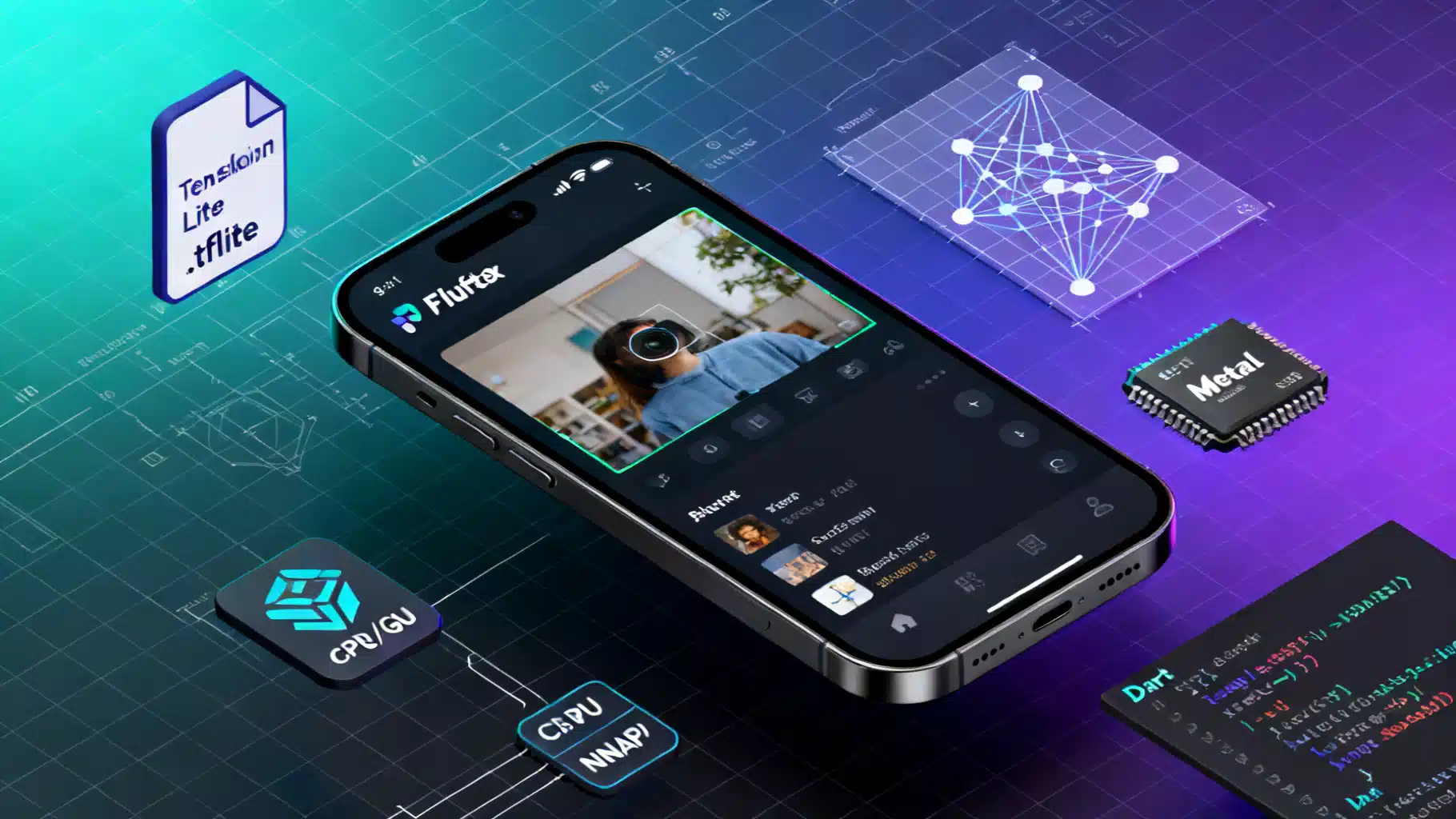
Image used for representation purposes only.
Overview
On‑device AI with Flutter lets you deliver fast, private, and offline experiences. TensorFlow Lite (TFLite) is Google’s lightweight inference runtime designed for mobile and edge deployment. In this guide you’ll integrate a local TFLite model into a Flutter app, configure hardware delegates (CPU/XNNPACK, GPU, NNAPI/Metal), optimize performance, and structure the code so inference runs smoothly off the UI thread.
We’ll focus on image classification for concreteness, but the same patterns apply to object detection, segmentation, audio, and text models.
What You’ll Build
- A Flutter app that loads a TFLite model from assets
- Preprocesses a camera/gallery image to the model’s input shape
- Runs inference using optimized delegates
- Decodes and displays top‑K predictions
- Executes inference on a background isolate to keep the UI responsive
Prerequisites
- Flutter SDK installed
- Basic knowledge of Dart and Flutter widget lifecycles
- A TFLite model (e.g., an EfficientNet‑Lite or MobileNet‑V2 .tflite) and optional labels.txt
Choosing and Converting a Model
You can start from an existing TFLite model (e.g., EfficientNet‑Lite, MobileNet, or a custom Keras/TF model). If you’ve trained in Keras, convert with the TFLite converter and consider post‑training quantization to reduce size and speed up CPU inference while maintaining acceptable accuracy.
Keras → TFLite (float32)
import tensorflow as tf

model = tf.keras.applications.EfficientNetB0(weights='imagenet')
# Save SavedModel (or .h5)
model.save('saved_model')

converter = tf.lite.TFLiteConverter.from_saved_model('saved_model')
# Optional: enable XNNPACK-friendly ops and optimizations
converter.optimizations = [tf.lite.Optimize.DEFAULT]
tflite_model = converter.convert()
open('efficientnet_b0.tflite', 'wb').write(tflite_model)
Full‑Integer Quantization (int8)
Quantization can shrink models 4× and boost CPU throughput. Provide a representative dataset to calibrate activation ranges.
import numpy as np, tensorflow as tf

rep_images = ...  # iterable yielding uint8 images shaped (H, W, 3)

def rep_data_gen():
    for img in rep_images:
        # Resize to model input size, normalize/scale as training required
        yield [np.expand_dims(img, 0).astype(np.float32)]

converter = tf.lite.TFLiteConverter.from_saved_model('saved_model')
converter.optimizations = [tf.lite.Optimize.DEFAULT]
converter.representative_dataset = rep_data_gen
converter.target_spec.supported_ops = [tf.lite.OpsSet.TFLITE_BUILTINS_INT8]
converter.inference_input_type = tf.uint8
converter.inference_output_type = tf.uint8
int8_model = converter.convert()
open('efficientnet_b0_int8.tflite', 'wb').write(int8_model)
Tips:
- Match input normalization (e.g., [0,1] vs. [-1,1]) to training.
- Include labels.txt aligned with output indices.
- Consider metadata tools to embed input size, mean/std, and labels.
Project Setup
Add dependencies to pubspec.yaml. The tflite_flutter plugin provides a Dart FFI binding to TensorFlow Lite with delegate support, and tflite_flutter_helper offers image/tensor utilities.
name: flutter_tflite_demo
description: Local AI with TFLite in Flutter

environment:
  sdk: ">=3.0.0 <4.0.0"

dependencies:
  flutter:
    sdk: flutter
  tflite_flutter: ^0.10.0
  tflite_flutter_helper: ^0.3.2
  image: ^4.1.7

flutter:
  assets:
    - assets/models/efficientnet_b0.tflite
    - assets/models/labels.txt
Project structure:
assets/
  models/
    efficientnet_b0.tflite
    labels.txt
lib/
  main.dart
  inference/
    classifier.dart
    isolate_runner.dart
Loading the Interpreter
Configure delegates to match device capabilities. Use XNNPACK for CPU, NNAPI on Android, and Metal on iOS. GPU can accelerate many conv nets; test accuracy and latency.
import 'dart:io' show Platform;
import 'package:tflite_flutter/tflite_flutter.dart';

class TfliteEngine {
  late final Interpreter interpreter;
  final String modelPath;
  final int threads;
  final bool useGpu;

  TfliteEngine({
    required this.modelPath,
    this.threads = 4,
    this.useGpu = false,
  });

  Future<void> load() async {
    final options = InterpreterOptions()
      ..threads = threads
      ..useNnApiForAndroid = !useGpu && Platform.isAndroid
      ..allowFp16PrecisionForFp32 = true; // helps on GPUs/NPUs

    if (useGpu) {
      if (Platform.isAndroid) {
        // GPU Delegate V2
        final gpuDelegateV2 = GpuDelegateV2(options: GpuDelegateOptionsV2(
          isPrecisionLossAllowed: true,
          inferencePriority1: TfliteGpuInferencePriority.minLatency,
          inferencePreference: TfliteGpuInferenceUsage.fastSingleAnswer,
        ));
        options.addDelegate(gpuDelegateV2);
      } else if (Platform.isIOS || Platform.isMacOS) {
        final gpuDelegate = GpuDelegate(options: GpuDelegateOptions(
          allowPrecisionLoss: true,
        ));
        options.addDelegate(gpuDelegate);
      }
    }

    interpreter = await Interpreter.fromAsset(modelPath, options: options);
  }

  void close() {
    interpreter.close();
  }
}
Notes:
- Set threads to the number of big cores for best CPU throughput.
- XNNPACK is enabled by default in recent builds and benefits from threads > 1.
- NNAPI (Android) and Metal (iOS) can route to device accelerators when available.
Preprocessing Images
Use the image package to decode/resize and normalize input to the model’s expected shape (e.g., 224×224×3 float32 in [0,1]).
import 'dart:typed_data';
import 'package:image/image.dart' as img;

class Preprocessor {
  final int inputSize;
  final List<double> mean;
  final List<double> std;

  Preprocessor({this.inputSize = 224, this.mean = const [0.485,0.456,0.406], this.std = const [0.229,0.224,0.225]});

  Float32List process(Uint8List imageBytes) {
    final decoded = img.decodeImage(imageBytes)!;
    final resized = img.copyResize(decoded, width: inputSize, height: inputSize, interpolation: img.Interpolation.average);

    final buffer = Float32List(inputSize * inputSize * 3);
    int i = 0;
    for (int y = 0; y < inputSize; y++) {
      for (int x = 0; x < inputSize; x++) {
        final pixel = resized.getPixel(x, y);
        final r = ((pixel >> 24) & 0xFF) / 255.0;
        final g = ((pixel >> 16) & 0xFF) / 255.0;
        final b = ((pixel >> 8) & 0xFF) / 255.0;
        buffer[i++] = (r - mean[0]) / std[0];
        buffer[i++] = (g - mean[1]) / std[1];
        buffer[i++] = (b - mean[2]) / std[2];
      }
    }
    return buffer;
  }
}
For uint8 models, create a Uint8List instead and skip normalization or apply scale/zero‑point according to the model’s quantization parameters.
Running Inference
Wrap pre/post‑processing plus interpreter invocation in a reusable class.
import 'dart:math' as math;
import 'package:tflite_flutter/tflite_flutter.dart';

class Classifier {
  final TfliteEngine engine;
  final Preprocessor pre;
  final List<String> labels;
  final int inputSize;

  Classifier(this.engine, this.pre, this.labels, {this.inputSize = 224});

  // Single image classification
  Map<String, double> classify(Uint8List imageBytes, {int topK = 3}) {
    final input = pre.process(imageBytes);
    final inputShape = engine.interpreter.getInputTensor(0).shape; // [1,H,W,3]
    final outputShape = engine.interpreter.getOutputTensor(0).shape; // [1,N]

    final inputBuffer = input.reshape([1, inputSize, inputSize, 3]);
    final outputBuffer = List.filled(outputShape.reduce((a,b)=>a*b), 0.0).reshape([1, outputShape.last]);

    engine.interpreter.run(inputBuffer, outputBuffer);

    final probs = List<double>.from(outputBuffer[0]);
    final top = _topK(probs, topK);
    return {
      for (final idx in top)
        labels[idx]: probs[idx]
    };
  }

  List<int> _topK(List<double> probs, int k) {
    final indices = List<int>.generate(probs.length, (i) => i);
    indices.sort((a, b) => probs[b].compareTo(probs[a]));
    return indices.take(math.min(k, probs.length)).toList();
  }
}

extension on List<double> {
  List reshape(List<int> dims) {
    // simple wrapper for nested lists expected by Interpreter.run
    if (dims.length == 4) {
      final b = dims[0], h = dims[1], w = dims[2], c = dims[3];
      var idx = 0;
      return List.generate(b, (_) => List.generate(h, (_) => List.generate(w, (_) => List.generate(c, (_) => this[idx++]))));
    } else if (dims.length == 2) {
      final b = dims[0], n = dims[1];
      var idx = 0;
      return List.generate(b, (_) => List.generate(n, (_) => this[idx++]));
    }
    throw UnimplementedError('dims ${dims} not supported');
  }
}
Moving Inference Off the UI Thread
Use an isolate to avoid jank during heavy preprocessing and inference.
import 'dart:isolate';

class InferenceIsolate {
  late final Isolate _isolate;
  late final SendPort _sendPort;

  Future<void> start(String modelPath, List<String> labels) async {
    final ready = ReceivePort();
    _isolate = await Isolate.spawn(_entry, ready.sendPort);
    _sendPort = await ready.first;

    final initResp = ReceivePort();
    _sendPort.send({'type': 'init', 'model': modelPath, 'labels': labels, 'reply': initResp.sendPort});
    await initResp.first; // wait until interpreter is loaded
  }

  Future<Map<String,double>> classify(Uint8List bytes) async {
    final rp = ReceivePort();
    _sendPort.send({'type': 'infer', 'bytes': bytes, 'reply': rp.sendPort});
    return (await rp.first) as Map<String,double>;
  }

  static Future<void> _entry(SendPort sendPort) async {
    final rp = ReceivePort();
    sendPort.send(rp.sendPort);

    late TfliteEngine engine;
    late Classifier classifier;

    await for (final msg in rp) {
      final map = msg as Map;
      switch (map['type']) {
        case 'init':
          final labels = (map['labels'] as List).cast<String>();
          engine = TfliteEngine(modelPath: map['model'], threads: 4, useGpu: false);
          await engine.load();
          classifier = Classifier(engine, Preprocessor(), labels);
          (map['reply'] as SendPort).send(true);
          break;
        case 'infer':
          final result = classifier.classify(map['bytes'] as Uint8List, topK: 3);
          (map['reply'] as SendPort).send(result);
          break;
      }
    }
  }
}
UI Integration (Sketch)
class HomePage extends StatefulWidget { /* ... */ }

class _HomePageState extends State<HomePage> {
  final iso = InferenceIsolate();
  List<String> labels = [];
  Map<String,double>? lastResult;

  @override
  void initState() {
    super.initState();
    rootBundle.loadString('assets/models/labels.txt').then((txt) {
      labels = txt.split('\n').where((e) => e.trim().isNotEmpty).toList();
      return iso.start('assets/models/efficientnet_b0.tflite', labels);
    });
  }

  Future<void> _classify(Uint8List bytes) async {
    final r = await iso.classify(bytes);
    setState(() => lastResult = r);
  }

  @override
  Widget build(BuildContext context) {
    return Scaffold(
      appBar: AppBar(title: const Text('Local AI (TFLite)')),
      body: Column(
        children: [
          if (lastResult != null)
            ...lastResult!.entries.map((e) => ListTile(title: Text(e.key), trailing: Text((e.value*100).toStringAsFixed(1)+'%')))
        ],
      ),
      floatingActionButton: FloatingActionButton(
        onPressed: () async {
          // Acquire image bytes from camera/gallery, then:
          // final bytes = await _pickImage();
          // await _classify(bytes);
        },
        child: const Icon(Icons.camera_alt),
      ),
    );
  }
}
Platform Notes and Build Settings
- Android ABIs: reduce APK/AAB size by filtering ABIs you support.
android { defaultConfig { ndk { abiFilters 'arm64-v8a', 'armeabi-v7a' } } // For modern devices consider only arm64-v8a } - Minimum SDK: some delegates require higher minSdk (e.g., NNAPI features). Check plugin docs and target your user base.
- iOS: Metal delegate is included via tflite_flutter. Ensure you build with Metal enabled and test on real devices.
- Permissions: if using camera, add AndroidManifest and Info.plist permissions.
Performance Tuning Checklist
- Warm‑up: run one dummy inference at app start to JIT/allocate kernels.
- Threads: set interpreter.threads to number of big CPU cores (often 2–4 on mid/high devices).
- Delegates: try CPU (XNNPACK), GPU, and NNAPI/Metal; pick by model and device.
- Quantization: prefer int8/uint8 for CPU speed; be mindful of accuracy drop.
- Batch size: keep at 1 for real‑time apps; many mobile accelerators are optimized for BS=1.
- Resize strategy: center‑crop + resize can improve accuracy over naive stretch.
- Memory mapping: Interpreter.fromAsset() uses mmap on Android, reducing load time and RAM.
- Avoid allocations: reuse input/output buffers between calls.
Testing and Profiling
- Measure end‑to‑end latency (preprocess + inference + postprocess) with Stopwatch in Dart.
- Profile on representative devices (low, mid, high tiers) and both Android and iOS.
- Validate outputs against a Python reference to confirm preprocessing parity.
Common Pitfalls
- Mismatched normalization: ensure the same mean/std or scaling used during training.
- Channel order: models may expect RGB vs. BGR; confirm and convert accordingly.
- Wrong input shape: read interpreter.getInputTensor(0).shape and adapt.
- Quantization params: for int8/uint8, respect scale and zero‑point when converting to float probabilities.
- Thread overuse: too many threads can hurt performance on small cores; benchmark.
- Delegate fallback: if a delegate fails to create, interpreter falls back to CPU; log and handle.
Security and Privacy
- Models are extractable from the app package. Don’t embed secrets in the model or rely on obscurity for IP protection. Consider model watermarking or server‑side gating for premium features.
- On‑device inference keeps user data local, reducing privacy risk and network costs.
Extending Beyond Classification
- Object detection: use SSD‑MobileNet or EfficientDet‑Lite; add NMS post‑processing.
- Segmentation: run depthwise‑friendly encoders; visualize masks with color maps.
- Audio: keyword spotting with 1D conv or tiny transformers; apply MFCC preprocessing.
- Text: small mobile transformers quantized to int8 for on‑device NLP tasks.
Wrap‑Up
You now have a complete pattern for running local AI models in Flutter with TensorFlow Lite: convert and optimize your model, package it as an asset, configure the interpreter with the right delegate, preprocess inputs consistently, and run inference on a background isolate. With careful profiling and quantization, you can ship responsive, private, offline AI features that feel instant to users.
Related Posts
Edge AI On-Device Inference Tutorial: From Model to Real-Time App
Build and deploy an edge AI model on-device: train, quantize to TFLite, and run on Raspberry Pi and Android with real-time profiling and optimization.

Flutter In‑App Purchases with RevenueCat: A Complete Guide
Implement Flutter in‑app purchases with RevenueCat: setup, paywalls, purchases, entitlements, trials, testing, and production tips.

Build a Flutter QR Code Scanner and Generator in Flutter
Build a Flutter app that scans and generates QR codes with mobile_scanner and qr_flutter. Includes setup, code, exporting, UX, and tips.