
Build a Production‑Ready Flutter WebRTC Video Calling App: Architecture, Code, and Deployment
A practical guide to building a production-ready Flutter WebRTC video calling app: architecture, code, TURN/STUN, performance, testing, and deployment.
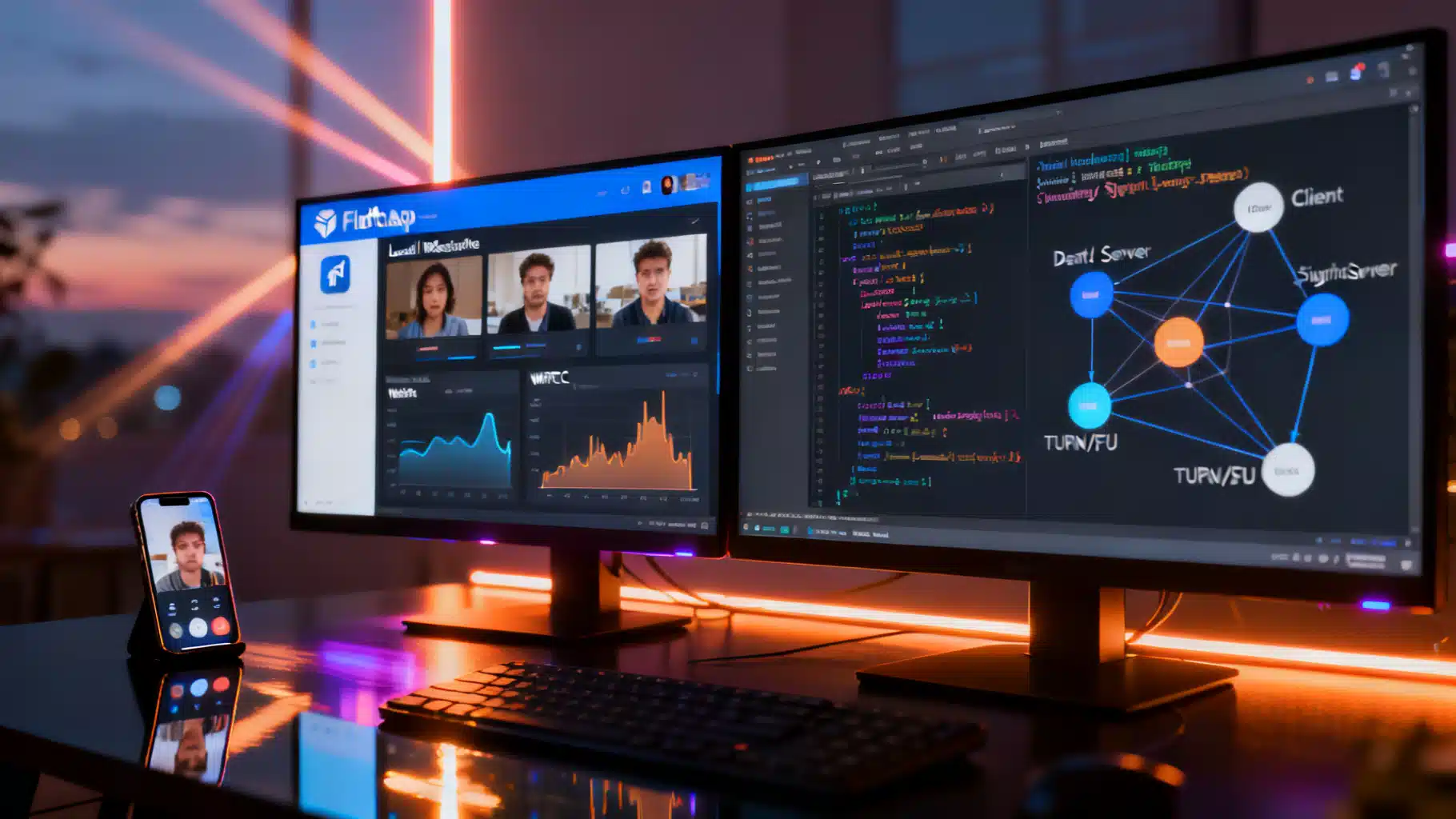
Image used for representation purposes only.
Why Flutter + WebRTC for Video Calling
WebRTC gives you low‑latency, end‑to‑end encrypted audio/video and data channels in the browser and on mobile. Flutter lets you ship the same UI and logic to Android, iOS, web, and desktop. Together, they enable a single codebase that can power one‑to‑one calls, group meetings, telehealth, customer support, or in‑app social streams.
This guide walks through the architecture, core code, signaling, TURN/STUN, media handling, performance, testing, and deployment patterns for a production‑ready Flutter WebRTC video calling app.
Architecture Overview
A minimal system has four moving parts:
- Flutter clients (Android, iOS, Web, Desktop) using the flutter_webrtc plugin.
- A signaling server (WebSocket/HTTP) to exchange SDP offers/answers and ICE candidates.
- STUN/TURN infrastructure for NAT traversal and relay when direct P2P fails.
- Optional media server (SFU/MCU) for group calls, recording, or advanced features.
High‑level flow:
- Caller and callee connect to your signaling server and “join” a room.
- Caller creates an RTCPeerConnection, adds local tracks, creates an SDP offer, and sends it via signaling.
- Callee sets the remote description, adds tracks, creates an answer, and sends it back.
- Peers exchange ICE candidates until a working path is found (direct or via TURN).
- Media and data channels flow directly between peers (or via SFU if used).
Prerequisites
- Flutter stable and a recent Dart SDK.
- A TURN server (e.g., coturn) accessible over UDP/TCP/TLS.
- A simple signaling backend (Node.js/Dart/Go) reachable via secure WebSocket (wss://).
- HTTPS hosting for the Flutter web build (getUserMedia requires secure context).
Project Setup
Add dependencies in pubspec.yaml:
dependencies:
  flutter:
    sdk: flutter
  flutter_webrtc: ^<latest>
  web_socket_channel: ^<latest>
  # Optionally for permissions/UI state management
  permission_handler: ^<latest>
  riverpod: ^<latest>
AndroidManifest.xml basics:
<uses-permission android:name="android.permission.INTERNET" />
<uses-permission android:name="android.permission.CAMERA" />
<uses-permission android:name="android.permission.RECORD_AUDIO" />
<uses-permission android:name="android.permission.MODIFY_AUDIO_SETTINGS" />
<application
    android:hardwareAccelerated="true"
    ...>
</application>
iOS Info.plist keys:
<key>NSCameraUsageDescription</key>
<string>Need camera access for video calls</string>
<key>NSMicrophoneUsageDescription</key>
<string>Need microphone access for calls</string>
Web requirements:
- Serve over HTTPS.
- Ensure appropriate Content Security Policy for media and WebSocket endpoints.
- Autoplay policies may block un-muted playback; start remote video after a user action or with muted previews.
Signaling: Minimal Protocol and Server
You can use any real‑time channel—WebSocket is simple and efficient. Define a tiny JSON protocol:
{
  "type": "join|offer|answer|candidate|leave",
  "roomId": "abc",
  "from": "userA",
  "to": "userB",
  "sdp": {"type":"offer","sdp":"..."},
  "candidate": {"candidate":"...","sdpMid":"0","sdpMLineIndex":0}
}
Example Node.js WebSocket signaling (ws):
// Extremely simplified; add auth, validation, and persistence for production
const WebSocket = require('ws');
const wss = new WebSocket.Server({ port: 8080 });
const rooms = new Map(); // roomId -> Set<sockets>

wss.on('connection', (ws) => {
  ws.on('message', (data) => {
    const msg = JSON.parse(data);
    if (msg.type === 'join') {
      ws.roomId = msg.roomId;
      if (!rooms.has(ws.roomId)) rooms.set(ws.roomId, new Set());
      rooms.get(ws.roomId).add(ws);
      return;
    }
    // broadcast to peers in the same room (except self)
    const peers = rooms.get(ws.roomId) || [];
    peers.forEach(p => { if (p !== ws) p.send(JSON.stringify(msg)); });
  });
  ws.on('close', () => {
    const set = rooms.get(ws.roomId);
    if (set) set.delete(ws);
  });
});
Core Flutter WebRTC Flow
Initialize renderers and local media:
final _localRenderer = RTCVideoRenderer();
final _remoteRenderer = RTCVideoRenderer();

Future<void> initRenderers() async {
  await _localRenderer.initialize();
  await _remoteRenderer.initialize();
}

Future<MediaStream> openUserMedia() async {
  final mediaConstraints = {
    'audio': {
      'echoCancellation': true,
      'noiseSuppression': true,
      'autoGainControl': true,
    },
    'video': {
      'facingMode': 'user',
      'width': {'ideal': 1280},
      'height': {'ideal': 720},
      'frameRate': {'ideal': 30}
    }
  };
  final stream = await navigator.mediaDevices.getUserMedia(mediaConstraints);
  _localRenderer.srcObject = stream;
  return stream;
}
Create peer connection and negotiate:
late RTCPeerConnection _pc;
MediaStream? _localStream;

Future<void> createPeerConnectionAndOffer(WebSocketChannel signaling, List<Map<String, dynamic>> iceServers) async {
  final config = {
    'iceServers': iceServers,
    'sdpSemantics': 'unified-plan'
  };

  _pc = await createPeerConnection(config);

  _pc.onTrack = (RTCTrackEvent event) {
    if (event.streams.isNotEmpty) {
      _remoteRenderer.srcObject = event.streams[0];
    }
  };

  _pc.onIceCandidate = (RTCIceCandidate c) {
    signaling.sink.add(jsonEncode({'type': 'candidate', 'candidate': {
      'candidate': c.candidate,
      'sdpMid': c.sdpMid,
      'sdpMLineIndex': c.sdpMLineIndex,
    }}));
  };

  _localStream ??= await openUserMedia();
  for (var track in _localStream!.getTracks()) {
    await _pc.addTrack(track, _localStream!);
  }

  final offer = await _pc.createOffer({'offerToReceiveAudio': 1, 'offerToReceiveVideo': 1});
  await _pc.setLocalDescription(offer);

  signaling.sink.add(jsonEncode({'type': 'offer', 'sdp': offer.toMap()}));
}

Future<void> onRemoteOfferAndAnswer(WebSocketChannel signaling, Map offerMsg) async {
  final config = {
    'iceServers': offerMsg['iceServers'] ?? [{'urls': 'stun:stun.l.google.com:19302'}],
    'sdpSemantics': 'unified-plan'
  };
  _pc = await createPeerConnection(config);

  _pc.onTrack = (e) => _remoteRenderer.srcObject = e.streams.first;
  _pc.onIceCandidate = (c) => signaling.sink.add(jsonEncode({'type': 'candidate', 'candidate': c.toMap()}));

  _localStream ??= await openUserMedia();
  for (var t in _localStream!.getTracks()) {
    await _pc.addTrack(t, _localStream!);
  }

  await _pc.setRemoteDescription(RTCSessionDescription(offerMsg['sdp']['sdp'], offerMsg['sdp']['type']));
  final answer = await _pc.createAnswer({'offerToReceiveAudio': 1, 'offerToReceiveVideo': 1});
  await _pc.setLocalDescription(answer);
  signaling.sink.add(jsonEncode({'type': 'answer', 'sdp': answer.toMap()}));
}

Future<void> addRemoteCandidate(Map msg) async {
  final c = msg['candidate'];
  await _pc.addCandidate(RTCIceCandidate(c['candidate'], c['sdpMid'], c['sdpMLineIndex']));
}

Future<void> hangUp() async {
  await _pc.close();
  await _localRenderer.dispose();
  await _remoteRenderer.dispose();
}
Render the views in your widget tree:
Row(
  children: [
    Expanded(child: RTCVideoView(_localRenderer, mirror: true)),
    Expanded(child: RTCVideoView(_remoteRenderer)),
  ],
)
ICE servers config example:
final iceServers = [
  {'urls': ['stun:stun.l.google.com:19302']},
  {
    'urls': ['turn:turn.example.com:3478', 'turns:turn.example.com:5349'],
    'username': '<ephemeral-username>',
    'credential': '<ephemeral-credential>'
  }
];
Handling Screen Sharing
- Web/desktop: use getDisplayMedia.
- Mobile: true OS‑level screen capture is platform‑specific; evaluate native integrations or an SFU with built‑in screenshare support.
Example for web/desktop:
Future<void> startScreenShare() async {
  final displayStream = await navigator.mediaDevices.getDisplayMedia({'video': true, 'audio': false});
  final videoTrack = displayStream.getVideoTracks().first;
  final sender = (await _pc.getSenders()).firstWhere((s) => s.track?.kind == 'video');
  await sender.replaceTrack(videoTrack);
}
NAT Traversal: STUN/TURN and Coturn Notes
- STUN discovers public IP/port; it fails under symmetric NATs.
- TURN relays media when peer‑to‑peer is impossible. Always provision TURN for reliability.
- Prefer ephemeral TURN credentials via the TURN REST (HMAC) mechanism. Rotate secrets and use TLS (turns://) where possible.
Coturn minimal config tips:
- Enable long‑term auth, set realm, listening ports (UDP/TCP 3478, TLS 5349), and certificates for TLS.
- Keep ports open in firewalls; allow UDP first for performance, fallback to TCP/TLS.
Codecs, Constraints, and Simulcast
- Browser/iOS Safari often prefer H.264; Android/Chrome handle VP8/VP9/H.264.
- Start with 720p@30 and enable echo cancellation and noise suppression.
- For group calls or adaptive quality, enable simulcast (multiple encodings). Where supported, adjust bitrates via RTCRtpSender parameters.
Example bitrate tuning:
Future<void> setMaxBitrate(int kbps) async {
  final senders = await _pc.getSenders();
  for (final s in senders) {
    final params = s.getParameters();
    if (params.encodings.isEmpty) params.encodings = [RTCRtpEncoding()];
    params.encodings[0].maxBitrate = kbps * 1000; // bits per second
    await s.setParameters(params);
  }
}
Preferring H.264 (where SDP munging is viable):
String preferH264(String sdp) {
  // Very simplified: move H264 payload to the front of m=video line
  // Use a proper SDP parser in production.
  return sdp.replaceFirstMapped(
    RegExp(r"(m=video .*?)\r?\n"),
    (m) => m.group(0)!.replaceFirst('96', 'H264_PT_ID'),
  );
}
Note: SDP munging is brittle—prefer transceiver/setCodecPreferences APIs when available.
UI/UX Essentials
- Prominent “Join” and “Leave” actions; show device permission states clearly.
- Mute/unmute, camera on/off, switch cameras (front/back), flip/mirror local preview.
- Network/quality indicators (bitrate, packet loss, RTT).
- On web, handle autoplay policies gracefully; start remote playback after user gesture.
- Provide retry and reconnect flows when signaling or ICE fails.
Security and Privacy
- WebRTC uses DTLS‑SRTP for media encryption in transit.
- Scope device permissions; request right before use, not on app launch.
- Protect TURN credentials; generate short‑lived tokens server‑side.
- Use secure origins (HTTPS/WSS), CSP headers, and authenticated room access.
- Consider E2EE with insertable streams for web clients where supported.
- Be transparent about data handling to meet GDPR/CCPA expectations.
Going Beyond P2P: SFU for Group Calls
For >2 participants, a Selective Forwarding Unit (SFU) scales better than full mesh. An SFU receives a single uplink from each participant and forwards multiple downlinks with simulcast/SVC to match device/network constraints.
Popular SFU choices include Janus, mediasoup, Jitsi Videobridge, and LiveKit. Integration typically means:
- Each client creates a single PeerConnection to the SFU.
- The SFU handles subscription and layer negotiation through its API.
- Recording, server‑side layout, and PSTN gateways become feasible.
Performance Tuning Checklist
- Prefer UDP; keep TURN/ICE candidates ordered STUN/UDP > TURN/UDP > TURN/TCP > TURNS.
- Use hardware codecs where available; keep frame size modest on low‑end devices.
- Enable adaptive bitrate and degradation preferences for video tracks.
- Throttle re‑negotiation; debounce device changes and screen‑share toggles.
- Use platform audio best practices (iOS: playAndRecord, speaker/earpiece routing).
- Avoid unnecessary rebuilds of RTCVideoView; isolate in dedicated widgets.
Testing, Debugging, and Observability
- Web: chrome://webrtc‑internals and Firefox about:webrtc for stats and SDP.
- Android: read WebRTC logs via logcat; enable verbose logging in debug.
- iOS: Xcode logs and OSLog; check AVAudioSession route changes.
- Simulate poor networks (packet loss, jitter, bandwidth caps) using Network Link Conditioner (iOS/macOS) or Chrome’s throttling.
- Collect RTC stats periodically and stream to your telemetry backend (bitrate, RTT, packetLoss, framesPerSecond, decode/encode time).
Example stats polling:
Timer.periodic(Duration(seconds: 2), (_) async {
  final stats = await _pc.getStats();
  // Parse outbound-rtp/inbound-rtp for bitrates, frames, etc. Send to analytics.
});
Deployment and Scaling
- Signaling: stateless WebSocket services scale horizontally behind a load balancer; use sticky sessions or room‑to‑node mapping.
- TURN: deploy multiple coturn instances across regions; anycast or geo‑route clients; monitor CPU, UDP socket usage, and relay bandwidth.
- Web: host Flutter build on a CDN with TLS; ensure correct MIME types and caching.
- Mobile: include NSCameraUsageDescription/NSMicrophoneUsageDescription (iOS) and request runtime permissions (Android 6+). Ship Android App Bundle (AAB) and iOS Release builds with bitcode off/on per current guidelines.
- Observability: create alarms on call‑setup failure rate, ICE failure rate, and median time‑to‑media.
Example Folder Structure
lib/
  main.dart
  signaling/
    signaling_client.dart
  webrtc/
    call_controller.dart
    media_devices.dart
    views/
      local_remote_views.dart
  ui/
    call_page.dart
    controls.dart
server/
  signaling-ws.js
infrastructure/
  coturn/
    turnserver.conf
Production Readiness Checklist
- HTTPS/WSS everywhere; short‑lived TURN credentials.
- Graceful reconnection logic and ICE restarts.
- Device permission UX and fallback devices.
- Stats + alerting on setup and media KPIs.
- Codec/bitrate tuned for your audience’s devices and networks.
- Load tests for signaling, TURN bandwidth, and (if used) SFU capacity.
Conclusion
With Flutter + WebRTC, you can deliver cross‑platform video calling from a single codebase. Start with a clean signaling layer, robust TURN, and careful media constraints; add telemetry and reconnection logic; then scale out with an SFU when group calling or recording enters the picture. The snippets above provide a working foundation you can adapt into your app’s architecture and product UX.
Related Posts
Flutter Clean Architecture with Domain-Driven Design: A Practical Guide
A practical guide to applying Clean Architecture and Domain-Driven Design in Flutter with structure, patterns, code snippets, and testing strategies.
Flutter Augmented Reality: Choosing the Right Plugin and Building Your First AR Experience
Build AR in Flutter with ARCore/ARKit. Compare plugins, set up iOS/Android, and ship a performant AR scene with code you can paste.
Flutter Audio Player + Recorder Tutorial: Build a Polished Voice Notes Feature
Build a Flutter audio player + recorder: record voice, play with seek, handle permissions, show levels, and share files using just_audio and record.