
A Practical Guide to Integrating OpenTelemetry with REST APIs
Instrument REST APIs with OpenTelemetry: traces, metrics, logs, context propagation, code examples (Node.js, Python, Java, Go), Collector, and best practices.

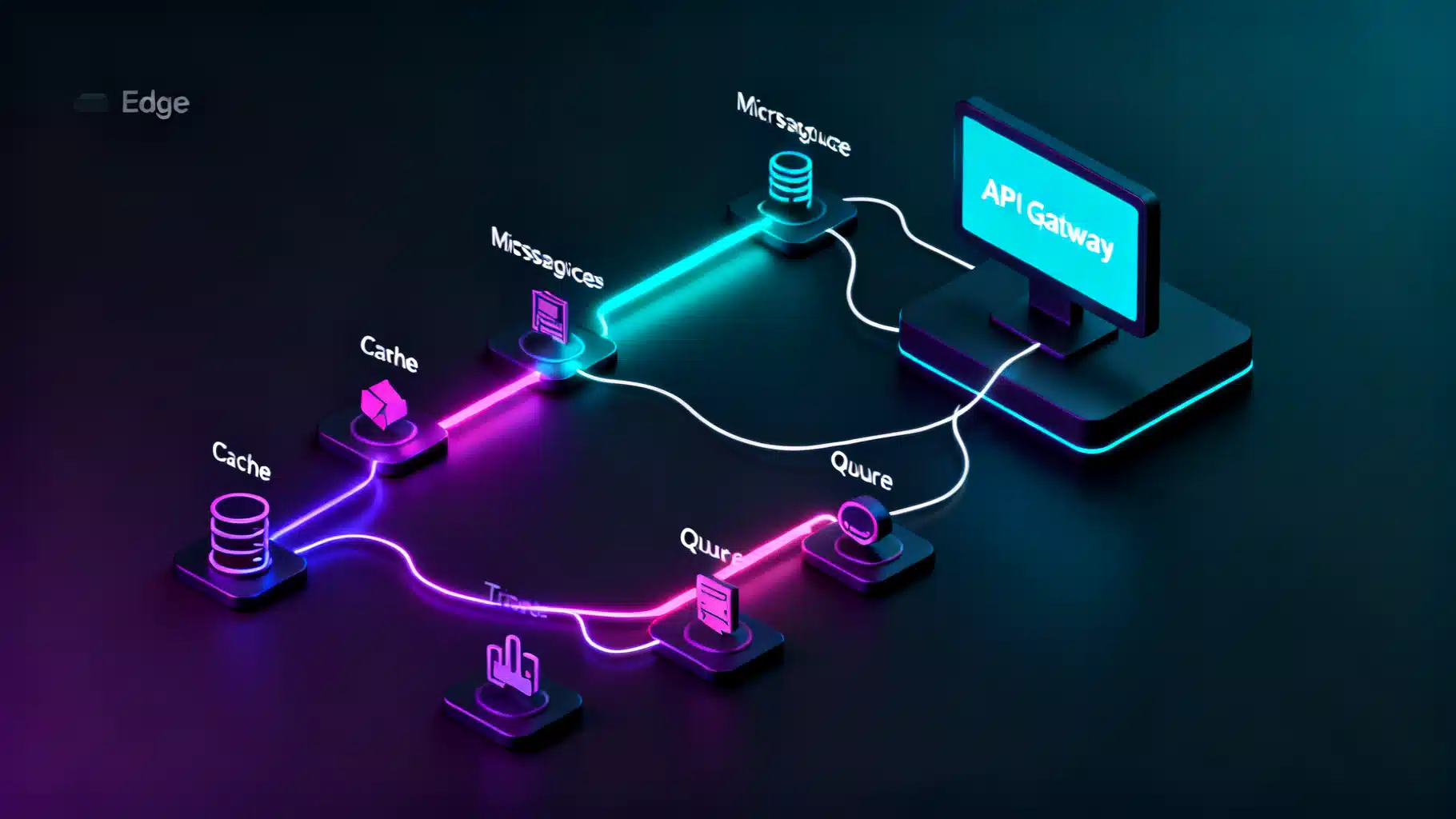
Image used for representation purposes only.
Overview
OpenTelemetry (OTel) gives you a vendor‑neutral way to instrument REST APIs for traces, metrics, and logs. With it, you can follow a request across microservices, measure latency and throughput, and correlate errors with code paths—all without locking into a single observability vendor. This guide explains the core concepts, shows architecture patterns, and provides step‑by‑step examples for Node.js, Python, Java, and Go. You’ll also learn about context propagation, sampling, logs correlation, and production hardening.
Why OpenTelemetry for REST APIs
- Standardization: One API, SDK, and data model (OTLP) across languages and frameworks.
- Deep insight: End‑to‑end request tracing with span attributes for HTTP, database, cache, and external calls.
- Efficiency: Batch exporters and the Collector minimize overhead and simplify routing.
- Portability: Send data to any OTel‑compatible backend today, switch later without re‑instrumentation.
Core Concepts You’ll Use
- Traces and spans: A trace represents a request’s journey; spans are timed operations within that journey (e.g., HTTP server receive, DB query).
- Context propagation: Carries the trace context across process and network boundaries, usually via W3C Trace Context headers.
- Metrics: Quantify performance (e.g., request count, latency histograms). Exemplars can link metrics to specific traces.
- Logs: Discrete events. With OTel, logs can include trace_id and span_id for seamless correlation.
- Resources: Describe the service (service.name, service.version, deployment.environment) once, applied to all telemetry.
Recommended Architecture
- SDK in your API: Auto‑ and manual‑instrumentation create spans/metrics/logs.
- Export via OTLP: Prefer OTLP/gRPC (4317) or OTLP/HTTP (4318).
- OpenTelemetry Collector (optional but recommended):
- Receives data from services.
- Adds processors (batch, attributes, filtering, tail‑sampling).
- Exports to your observability backend(s). This split keeps app code simple and lets you change pipelines without redeploying services.
Semantic Conventions for HTTP
Adopt the HTTP semantic conventions so your data is consistent and queryable:
- http.method, http.route, http.target, http.status_code
- server.address, server.port
- user_agent.original Name server spans as “HTTP GET /orders” (use the templated route, not concrete IDs). Record errors by setting span status and adding exception details.
Context Propagation in REST
Use W3C headers so traces stitch across services:
- traceparent: the current trace and span IDs plus sampling flags
- tracestate: vendor‑specific info (optional)
- baggage: key=value pairs for non‑sensitive context (avoid PII)
Example headers you might see:
traceparent: 00-4bf92f3577b34da6a3ce929d0e0e4736-00f067aa0ba902b7-01
baggage: user_tier=premium,region=us-east
Forward these headers on outbound HTTP calls so the child service continues the same trace.
Step‑by‑Step: Language Examples
The examples below export directly via OTLP/HTTP for clarity. In production, point to a local Collector.
Node.js (Express)
Install:
npm i express @opentelemetry/sdk-node @opentelemetry/auto-instrumentations-node \
  @opentelemetry/exporter-trace-otlp-http @opentelemetry/exporter-metrics-otlp-http \
  @opentelemetry/resources @opentelemetry/semantic-conventions pino
Create instrumentation loader (start it before your app):
// otel.js
'use strict';
const { NodeSDK } = require('@opentelemetry/sdk-node');
const { getNodeAutoInstrumentations } = require('@opentelemetry/auto-instrumentations-node');
const { OTLPTraceExporter } = require('@opentelemetry/exporter-trace-otlp-http');
const { OTLPMetricExporter } = require('@opentelemetry/exporter-metrics-otlp-http');
const { PeriodicExportingMetricReader } = require('@opentelemetry/sdk-metrics');
const { Resource } = require('@opentelemetry/resources');
const { SemanticResourceAttributes } = require('@opentelemetry/semantic-conventions');

const sdk = new NodeSDK({
  resource: new Resource({
    [SemanticResourceAttributes.SERVICE_NAME]: 'orders-api',
    [SemanticResourceAttributes.SERVICE_VERSION]: '1.3.0',
    'deployment.environment': process.env.NODE_ENV || 'dev'
  }),
  traceExporter: new OTLPTraceExporter({
    url: process.env.OTEL_EXPORTER_OTLP_TRACES_ENDPOINT || 'http://localhost:4318/v1/traces'
  }),
  metricReader: new PeriodicExportingMetricReader({
    exporter: new OTLPMetricExporter({
      url: process.env.OTEL_EXPORTER_OTLP_METRICS_ENDPOINT || 'http://localhost:4318/v1/metrics'
    })
  }),
  instrumentations: [getNodeAutoInstrumentations()]
});

sdk.start().then(() => console.log('OTel initialized'));
process.on('SIGTERM', () => sdk.shutdown());
Express app (ensure you require otel.js before app code):
// server.js
require('./otel');
const express = require('express');
const pino = require('pino');
const { context, trace } = require('@opentelemetry/api');

const app = express();
const logger = pino();

app.get('/orders/:id', async (req, res) => {
  const span = trace.getSpan(context.active());
  const sc = span && span.spanContext ? span.spanContext() : undefined;
  if (sc) logger.info({ trace_id: sc.traceId, span_id: sc.spanId }, 'fetching order');
  // Simulate work
  await new Promise(r => setTimeout(r, 20));
  res.json({ id: req.params.id, status: 'ok' });
});

app.listen(3000, () => console.log('Listening on :3000'));
Environment suggestions:
export OTEL_TRACES_SAMPLER=parentbased_traceidratio
export OTEL_TRACES_SAMPLER_ARG=0.1
export OTEL_EXPORTER_OTLP_ENDPOINT=http://localhost:4318
export OTEL_PROPAGATORS=tracecontext,baggage
node server.js
Python (FastAPI)
Install:
pip install fastapi uvicorn opentelemetry-distro opentelemetry-exporter-otlp \
  opentelemetry-instrumentation-fastapi
Programmatic setup:
# app.py
import os
from fastapi import FastAPI
from opentelemetry import trace
from opentelemetry.sdk.resources import Resource
from opentelemetry.sdk.trace import TracerProvider
from opentelemetry.sdk.trace.export import BatchSpanProcessor
from opentelemetry.exporter.otlp.proto.http.trace_exporter import OTLPSpanExporter

resource = Resource.create({
    'service.name': 'payments-api',
    'service.version': '0.4.2',
    'deployment.environment': os.getenv('ENV', 'dev')
})
provider = TracerProvider(resource=resource)
provider.add_span_processor(BatchSpanProcessor(
    OTLPSpanExporter(endpoint=os.getenv('OTEL_EXPORTER_OTLP_TRACES_ENDPOINT', 'http://localhost:4318/v1/traces'))
))
trace.set_tracer_provider(provider)
tracer = trace.get_tracer(__name__)

app = FastAPI()

@app.get('/charge/{id}')
async def charge(id: str):
    with tracer.start_as_current_span('charge-work') as span:
        span.set_attribute('charge.id', id)
        return {'id': id, 'status': 'captured'}
Run:
OTEL_TRACES_SAMPLER=parentbased_traceidratio OTEL_TRACES_SAMPLER_ARG=0.2 \
uvicorn app:app --reload --port 8000
Alternatively, use the auto‑instrumentation launcher:
opentelemetry-instrument --traces_exporter otlp --metrics_exporter none \
  --service_name payments-api uvicorn app:app --reload
Java (Spring Boot with the Java Agent)
Add the agent and JVM options (no code changes required):
java -javaagent:/path/opentelemetry-javaagent.jar \
  -Dotel.service.name=inventory-api \
  -Dotel.exporter.otlp.endpoint=http://localhost:4317 \
  -Dotel.metrics.exporter=otlp -Dotel.logs.exporter=otlp \
  -Dotel.propagators=tracecontext,baggage \
  -jar target/app.jar
The agent auto‑instruments Spring MVC/WebFlux, JDBC, HTTP clients, etc. For custom spans, inject OTel and annotate specific work:
// Example inside a service method
var tracer = io.opentelemetry.api.GlobalOpenTelemetry.getTracer("custom");
var span = tracer.spanBuilder("reconcile-stock").startSpan();
try (var scope = span.makeCurrent()) {
    // business logic
} catch (Exception e) {
    span.recordException(e);
    span.setStatus(io.opentelemetry.api.trace.StatusCode.ERROR);
    throw e;
} finally {
    span.end();
}
Go (net/http)
Install:
go get go.opentelemetry.io/otel \
  go.opentelemetry.io/otel/sdk \
  go.opentelemetry.io/otel/attribute \
  go.opentelemetry.io/otel/exporters/otlp/otlptrace/otlptracehttp \
  go.opentelemetry.io/contrib/instrumentation/net/http/otelhttp \
  go.opentelemetry.io/otel/propagation \
  go.opentelemetry.io/otel/semconv/v1.21.0
Initialize and serve:
package main

import (
  "context"
  "log"
  "net/http"

  "go.opentelemetry.io/otel"
  "go.opentelemetry.io/otel/attribute"
  "go.opentelemetry.io/otel/exporters/otlp/otlptrace/otlptracehttp"
  "go.opentelemetry.io/otel/propagation"
  sdktrace "go.opentelemetry.io/otel/sdk/trace"
  "go.opentelemetry.io/otel/sdk/resource"
  semconv "go.opentelemetry.io/otel/semconv/v1.21.0"
  "go.opentelemetry.io/contrib/instrumentation/net/http/otelhttp"
)

func initProvider(ctx context.Context) func(context.Context) error {
  exp, err := otlptracehttp.New(ctx, otlptracehttp.WithEndpoint("localhost:4318"), otlptracehttp.WithInsecure())
  if err != nil { log.Fatal(err) }
  res, _ := resource.Merge(resource.Default(), resource.NewWithAttributes(
    semconv.SchemaURL,
    semconv.ServiceName("shipping-api"),
    attribute.String("service.version", "2.0.0"),
  ))
  tp := sdktrace.NewTracerProvider(
    sdktrace.WithBatcher(exp),
    sdktrace.WithResource(res),
  )
  otel.SetTracerProvider(tp)
  otel.SetTextMapPropagator(propagation.TraceContext{})
  return tp.Shutdown
}

func orders(w http.ResponseWriter, r *http.Request) {
  w.Write([]byte("ok"))
}

func main() {
  ctx := context.Background()
  shutdown := initProvider(ctx)
  defer shutdown(ctx)

  mux := http.NewServeMux()
  mux.Handle("/orders", otelhttp.NewHandler(http.HandlerFunc(orders), "GET /orders"))

  log.Println("listening on :8080")
  http.ListenAndServe(":8080", mux)
}
OpenTelemetry Collector: Minimal Pipeline
Run a local Collector to buffer, transform, and route telemetry:
receivers:
  otlp:
    protocols:
      http:
      grpc:
processors:
  batch:
exporters:
  logging:
    loglevel: info
  otlp:
    endpoint: your-backend:4317
    tls:
      insecure: true
service:
  pipelines:
    traces:
      receivers: [otlp]
      processors: [batch]
      exporters: [logging, otlp]
    metrics:
      receivers: [otlp]
      processors: [batch]
      exporters: [logging, otlp]
Point your services at the Collector (e.g., OTEL_EXPORTER_OTLP_ENDPOINT=http://localhost:4318 or 4317 for gRPC).
Sampling Strategies
- Development: always_on for full fidelity.
- Production: parentbased_traceidratio for stable sampling (e.g., 5–20%).
- Tail sampling (Collector): decide after seeing spans (e.g., keep errors, slow requests). Useful for high‑traffic APIs with spiky issues.
- Consistency: ensure inbound sampled traces continue sampled downstream to avoid broken stories.
Error Handling and Status
When exceptions occur:
- Record the exception on the current span.
- Set span status to ERROR. Example (Node.js):
try {
  // work
} catch (e) {
  const span = trace.getActiveSpan();
  if (span) {
    span.recordException(e);
    span.setStatus({ code: 2, message: e.message }); // StatusCode.ERROR = 2
  }
  throw e;
}
Logs Correlation
Include trace_id and span_id in logs so you can pivot from a log line to a trace.
- Node.js (Pino): capture from the active span context.
- Python:
get_current_span()fromopentelemetry.traceand enrich the log record. - Java: many logging appenders support automatic correlation when the agent is active.
- Go: fetch
trace.SpanFromContext(r.Context())and print its SpanContext.
Minimal Node.js example already shown in the Express handler. For Python:
from opentelemetry.trace import get_current_span
span = get_current_span()
sc = span.get_span_context()
logger.info({ 'trace_id': format(sc.trace_id, '032x'), 'span_id': format(sc.span_id, '016x') })
Testing and Troubleshooting
- Verify headers: call your API with a known traceparent.
curl -H "traceparent: 00-aaaaaaaaaaaaaaaaaaaaaaaaaaaaaaaa-bbbbbbbbbbbbbbbb-01" \
  http://localhost:3000/orders/42
- Check exports: use a logging exporter locally to confirm spans are created.
- Version alignment: keep SDK, instrumentation libraries, and semantic conventions in compatible ranges.
- Start order: load/init OTel before creating your HTTP server.
- Time sync: ensure clocks are accurate (NTP) to avoid strange timelines.
- Propagators: match propagators across services. Default is tracecontext,baggage; add B3 only if needed.
Performance and Security Considerations
- Overhead: with batching and moderate sampling, overhead is typically minimal; measure in your environment.
- Backpressure: use batch exporters and a local Collector to avoid blocking app threads.
- Data minimization: avoid PII in spans and baggage. Prefer opaque IDs.
- Transport security: encrypt traffic to remote Collectors/backends (mTLS/TLS). Avoid exposing Collector endpoints publicly.
- Attribute hygiene: limit high‑cardinality labels (e.g., do not include raw user IDs in span names or metric labels).
Migration Tips and Anti‑Patterns
- Don’t name spans with concrete IDs (e.g., “/orders/123”). Use templated routes.
- Don’t create one massive span for an entire request; use child spans for key operations.
- Don’t log stack traces without linking to the trace; correlate logs instead.
- Do enrich spans with business‑relevant attributes (order.amount, customer.tier) that are safe and low‑cardinality.
- Do standardize resource attributes across services for clean service maps.
Quick Checklist
- Initialize OTel before your web framework.
- Set service.name, service.version, deployment.environment.
- Use HTTP semantic conventions and good span names.
- Propagate W3C headers on outbound calls.
- Export to a local Collector with batching enabled.
- Configure production sampling (parent‑based ratio or tail sampling).
- Correlate logs with trace_id/span_id.
- Guard against PII and high‑cardinality attributes.
Conclusion
Integrating OpenTelemetry into a REST API is straightforward and pays dividends in reliability and speed of diagnosis. Start with auto‑instrumentation and sensible resource attributes, verify exports with a logging exporter, then deploy a Collector for control over sampling and routing. As you mature, add targeted manual spans, enrich attributes carefully, and correlate logs so every error and latency spike has a trace-backed explanation. With these practices, your REST APIs become observable, debuggable, and ready for growth.
Related Posts

AI Object Detection API on Mobile: A Practical, End-to-End Tutorial
Build an Android and iOS app that streams camera frames to an AI object detection API, draws real-time boxes, and ships with production-ready patterns.

REST API Geo‑Location Based Routing: Patterns, Pitfalls, and Production Recipes
A practical guide to geo‑location based routing for REST APIs: patterns, configs, compliance, observability, and rollout strategies.
API Observability with Distributed Tracing: Patterns, Pitfalls, and Production Tactics
A practical guide to API observability with distributed tracing—OpenTelemetry, W3C Trace Context, sampling, correlation, and cost control you can operate.