
AI Image Upscaling APIs: A Practical Comparison Guide for 2026
A practical 2026 guide to comparing AI image upscaling APIs—how to benchmark quality, speed, and cost, and what to demand for production integration.
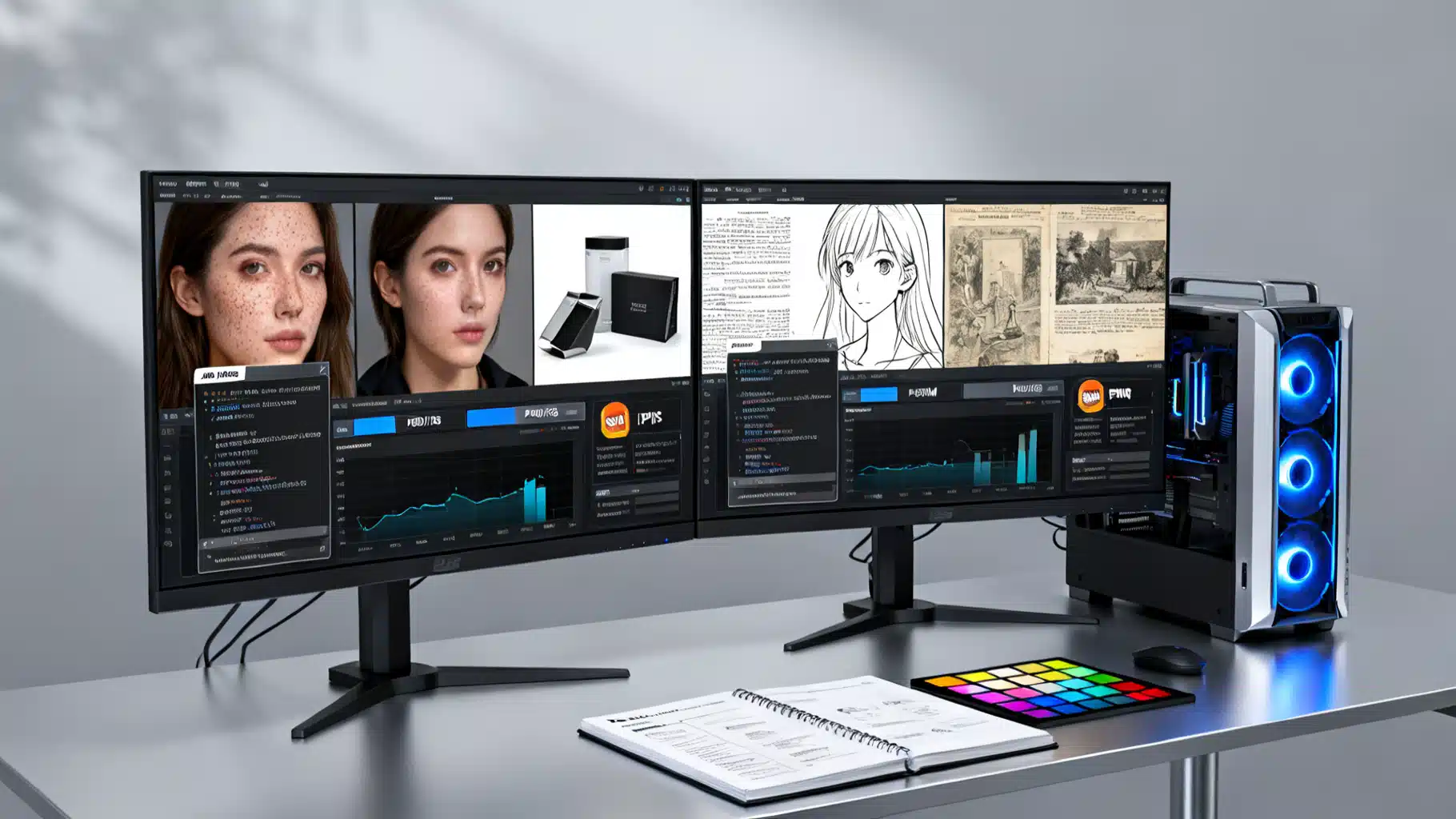
Image used for representation purposes only.
Overview
AI image upscaling—often called single‑image super‑resolution (SISR)—reconstructs higher‑resolution images from lower‑resolution inputs. In 2026, you can access upscaling through three main API archetypes: turnkey SaaS upscalers, hosted open‑source model APIs, and self‑hosted services you run yourself. This article compares these options, shows how to benchmark quality, speed, and cost, and provides implementation patterns you can drop into production.
TL;DR: Which API Type Fits Your Use Case?
- E‑commerce thumbnails and bulk media pipelines: Choose a SaaS API with async batching, tiling, alpha support, and strong SLAs.
- Creative apps and varied content: Use hosted model APIs (Real‑ESRGAN, SwinIR, Stable Diffusion x4 upscaler) to mix-and‑match models per asset type.
- Regulated data or custom tuning: Self‑host an open‑source model with GPU autoscaling for full control, reproducibility, and data residency.
Note: Capabilities, limits, and pricing change frequently; validate against your July 2026 requirements before committing.
What to Compare (Evaluation Dimensions)
- Quality
- Perceptual fidelity (LPIPS), structural similarity (SSIM), and classic fidelity (PSNR).
- Domain performance: portraits/skin, product edges & text, line art/anime, scans.
- Artifact control: de‑JPEGing, ringing/halo, plastic skin, watercoloring.
- Speed & Throughput
- P50/P95 latency for 1–5 megapixel inputs.
- Async job completion time and concurrency ceilings.
- Warm vs cold start behavior; tiling/overlap costs.
- Cost
- Cost per megapixel processed (CPMP): total cost ÷ output MP.
- Minimum monthly commit, egress/storage fees, overage and rate‑limit policies.
- Reliability & Ops
- SLAs, queue semantics, idempotency keys, retries/backoff, webhooks.
- Version pinning, model determinism/seed control, rollout channels (stable/canary).
- Features
- Scale factors: 1.5×, 2×, 3×, 4×, 6×, 8×.
- Face restoration (GFPGAN/CodeFormer), denoise/sharpen, anti‑alias, de‑JPEG.
- Tiling with seam‑fix, alpha channel, ICC/EXIF preservation, CMYK handling.
- Supported I/O: PNG, JPEG, WebP, TIFF; presigned URLs and multipart uploads.
- Security & Compliance
- Data retention configurable to 0, on‑prem/VPC options, audit logs.
- SOC 2/ISO 27001, PII handling, HIPAA/GDPR support, regional processing.
The API Archetypes
1) Turnkey SaaS Upscalers
- Pros: Fast to integrate; polished defaults; built‑in CDN; batch jobs and webhooks; often best for mixed, real‑world images.
- Cons: Less model choice; costs can rise with volume; limited custom tuning; potential data‑residency constraints.
- Look for: Explicit CPMP pricing, alpha/ICC support, async bulk endpoints, and public status/SLAs.
2) Hosted Open‑Source Models (Serverless Inference)
- Typical models: Real‑ESRGAN, SwinIR, Stable Diffusion x4 upscaler, ESRGAN anime variants, CodeFormer (faces).
- Pros: Model variety; pay‑per‑second GPU; easy to swap models per asset type; version pinning.
- Cons: Cold starts; varying latency; need to curate model settings; observability varies.
- Look for: Model versioning/SHA, seed control, tiling options, and clear concurrency limits.
3) Self‑Hosted (Containers on Your Infra)
- Pros: Full control; lowest marginal cost at scale; strict privacy; custom fine‑tuning.
- Cons: You own GPUs/autoscaling, monitoring, failover; integration and ops overhead.
- Look for: Helm charts/Terraform modules, GPU health checks, autoscaling with queue depth, streaming logs/metrics.
Quality Benchmarking That Actually Generalizes
Dataset
- Curate 100–300 images across domains: portraits, products with text/edges, line art/anime, archival scans, low‑light noisy photos.
- Keep paired low‑res (LR) and high‑res (HR) when possible. If no HR exists, use downsampled HR→LR with realistic degradations (blur + JPEG at 60–85).
Metrics
- SSIM/PSNR: Measure structural/fidelity—not always equal to human preference.
- LPIPS: Perceptual distance using deep features—better aligns with visual quality.
- MOS (Mean Opinion Score): 5–10 human raters on a 1–5 scale for a 20–40 image subset.
Speed and Cost
- Record P50/P95 latency on 1–5 MP inputs; test concurrency at 1, 5, 20 parallel jobs.
- Compute CPMP = total bill ÷ sum(output megapixels), and track egress/storage.
A Reproducible Benchmark Harness (Python)
import io, time, json, math, requests
from PIL import Image
import numpy as np
from skimage.metrics import structural_similarity as ssim, peak_signal_noise_ratio as psnr
import lpips  # pip install lpips torch torchvision

lpips_fn = lpips.LPIPS(net='vgg')

def load_img(path):
    return Image.open(path).convert('RGB')

def to_tensor(img):
    arr = np.array(img).astype(np.float32) / 255.0
    return np.transpose(arr, (2,0,1))[None,...]

def lpips_score(a, b):
    ta = lpips.im2tensor(np.array(a))
    tb = lpips.im2tensor(np.array(b))
    with torch.no_grad():
        d = lpips_fn(ta, tb)
    return float(d.item())

def call_upscaler(api_url, api_key, img, scale=2):
    buf = io.BytesIO()
    img.save(buf, format='PNG')
    buf.seek(0)
    headers = {"Authorization": f"Bearer {api_key}"}
    files = {"image": ("in.png", buf.getvalue(), "image/png")}
    data = {"scale": scale, "mode": "standard"}
    t0 = time.time()
    r = requests.post(api_url, headers=headers, files=files, data=data, timeout=300)
    latency = time.time() - t0
    r.raise_for_status()
    out = Image.open(io.BytesIO(r.content)).convert('RGB')
    return out, latency

def evaluate_pair(lr_path, hr_path, api_url, api_key, scale=2):
    lr = load_img(lr_path)
    hr = load_img(hr_path)
    up, latency = call_upscaler(api_url, api_key, lr, scale)
    # center crop to common size
    w = min(up.width, hr.width); h = min(up.height, hr.height)
    up_c = up.crop((0,0,w,h)); hr_c = hr.crop((0,0,w,h))
    s = ssim(np.array(up_c), np.array(hr_c), channel_axis=2, data_range=255)
    p = psnr(np.array(up_c), np.array(hr_c), data_range=255)
    l = lpips_score(up_c, hr_c)
    mp = (up.width * up.height) / 1_000_000
    return {"ssim": s, "psnr": p, "lpips": l, "latency_s": latency, "output_mp": mp}
Tip: For async APIs, poll job status or use webhooks; measure time from submission to first byte received.
Feature Considerations That Bite in Production
- Tiling & Seams: Large images require tiles; demand overlap/feather parameters and a seam‑fix pass to avoid grid artifacts.
- Alpha Channels: Confirm true RGBA processing rather than compositing on white/black.
- Color Management: Preserve ICC; avoid unintended sRGB conversions; handle CMYK for print.
- Metadata: Choose whether to strip or preserve EXIF/XMP for privacy and size.
- Determinism: For stochastic models, require seed control and version pinning for reproducible outputs.
- Limits: Check max payload size, max pixels per job, and timeouts; ensure chunked uploads or presigned URLs for >20 MB.
Example: Normalizing Cost per Megapixel (CPMP)
def cost_per_mp(total_cost_usd, outputs):
    total_mp = sum(o["output_mp"] for o in outputs)
    return total_cost_usd / max(total_mp, 1e-9)
Normalize costs this way to compare APIs that price per request, per second, or per GPU‑minute.
Model Choices by Content Type
- Portraits & People
- Use a balanced model (Real‑ESRGAN general) with optional face restoration (GFPGAN/CodeFormer) at low strength to avoid “plastic” skin.
- Product Photos & Text/Logos
- Prefer models with edge‑aware sharpening and de‑JPEG controls; test for ringing/halos around high‑contrast edges.
- Line Art / Anime
- Use anime‑tuned ESRGAN variants or SwinIR specialized checkpoints; these preserve clean lines and flat shading.
- Scans & Archival
- Favor conservative, non‑hallucinatory upscalers; disable aggressive enhancement; preserve grain and typography.
API Design Patterns (Integration)
- Synchronous micro‑requests for UI previews (≤2 MP), async batch for production (≥4 MP or thousands of files).
- Use idempotency keys on create‑job to tolerate retries; store a job token and original checksum for deduplication.
- Prefer presigned URL uploads/downloads to keep your API keys off the client.
- Include request headers for trace IDs; log request/response metadata (not images) for privacy and support.
- Set explicit timeouts and exponential backoff; implement circuit breakers when P95 > target.
Minimal cURL Contract (Illustrative)
curl -X POST "$UPSCALE_URL/v1/upscale" \
  -H "Authorization: Bearer $API_KEY" \
  -F "image=@input.png" \
  -F "scale=4" \
  -F "mode=standard" \
  -F "face_enhance=false" \
  -o output.png
JSON Error Shape (Recommend)
{
  "error": {
    "type": "rate_limited",
    "message": "Too many requests",
    "retry_after_ms": 1200,
    "request_id": "req_abc123"
  }
}
A Pragmatic Test Plan
- Define SLAs: e.g., P95 ≤ 6 s for 2 MP, success ≥ 99.9% monthly.
- Run a 300‑image, mixed‑domain benchmark across candidate APIs; record SSIM/LPIPS/PSNR, P50/P95, and CPMP.
- Inspect 40 images visually (5–10 per domain). Note artifacts and color shifts.
- Load test with realistic concurrency (e.g., 20–50 jobs) for one hour.
- Validate privacy: retention policy, at‑rest encryption, data residency, and auditability.
- Pilot in production behind a feature flag; log rejects and set auto‑fallback rules.
Interpreting Results (Illustrative, Not Vendor‑Specific)
- If LPIPS improves materially but halos increase on product edges, reduce sharpening or switch to an edge‑aware model for that subset.
- If P95 latency spikes under load, prefer async/batch or a provider with reserved capacity.
- If CPMP looks great but ICC is stripped (color shifts in print), the total cost is higher after rework—prioritize color‑safe pipelines.
Deployment Best Practices
- Content Routing: Auto‑classify inputs (portrait/product/anime/scan) and select the best model per class.
- Two‑Stage Upscale: 2× standard → 2× detail for 4× total often reduces artifacts vs a single aggressive 4× pass.
- Caching: Deduplicate by content hash before processing; store outputs in a versioned bucket.
- Observability: Emit metrics for latency, error rate, CPMP, model version, tile count, and queue depth.
- Governance: Pin model versions; record seeds and params; require human review for high‑stakes imagery.
Vendor Security & Compliance Checklist
- Does the provider offer zero‑retention processing and regional isolation?
- Are uploads encrypted in transit and at rest? Key management details?
- Audit logs: who accessed what, when? Can you export logs?
- Certifications (SOC 2/ISO 27001) and DPA/SCCs for international transfers.
- Vulnerability disclosure and status pages with incident history.
Decision Guide
- Need results today with minimal code: SaaS upscaler with async batching and alpha/ICC support.
- Need model flexibility and pay‑as‑you‑go GPUs: Hosted open‑source model API.
- Need strict privacy, low unit cost at scale, or custom tuning: Self‑hosted service.
Conclusion
The “best” AI image upscaling API is context‑dependent. Use a disciplined benchmark: measure perceptual quality (LPIPS), structural fidelity (SSIM/PSNR), real latency under load, and cost per megapixel. Validate production features—tiling, alpha, color, metadata—and security posture. With these practices, you can pick an API (or a portfolio of APIs) that reliably delivers sharp, natural results at the right price in 2026.
Related Posts
Building an AI‑Powered Competitor Analysis API: From Ingestion to Automated Insights
Build an AI-powered competitor analysis API with RAG, embeddings, orchestration, and guardrails—architecture, code patterns, KPIs, and governance.

Diffusion Models for Image Generation: An Intuitive, Practical Guide
An intuitive, practical guide to diffusion models for image generation—how they work, architectures, guidance, sampling, and pro tips.
Fine-Tuning vs. Prompting: A Practical Comparison Guide for LLM Teams
A practical, data-driven guide comparing prompting vs. fine-tuning for LLM apps, with decision checklists, trade-offs, and implementation tips.